

5 Cheap Accessories That Can Improve Your Laptop Setup
We may receive a commission on purchases made from links.
Laptops are pretty versatile, giving you a ton of freedom in when and where you want to work. Modern laptops can also be pretty powerful, and you can find suitable options for gaming, office work, or school.
However, their form factor can be somewhat limiting in the kind of features they offer or how comfortable they are for long sessions. Fortunately, there's a whole ecosystem of accessories and gadgets for laptops that are designed to make you more productive on them or enhance your overall laptop experience.
You can also get accessories to improve your setup for everything, from maintaining laptop performance by ensuring it doesn't overheat to keeping things ergonomic for long, comfortable usage. We have handpicked some of these laptop accessories to get you started. We selected them after considering buyer reviews to weed out any with poor ratings or major widespread problems.
Nulaxy C1 Laptop Stand
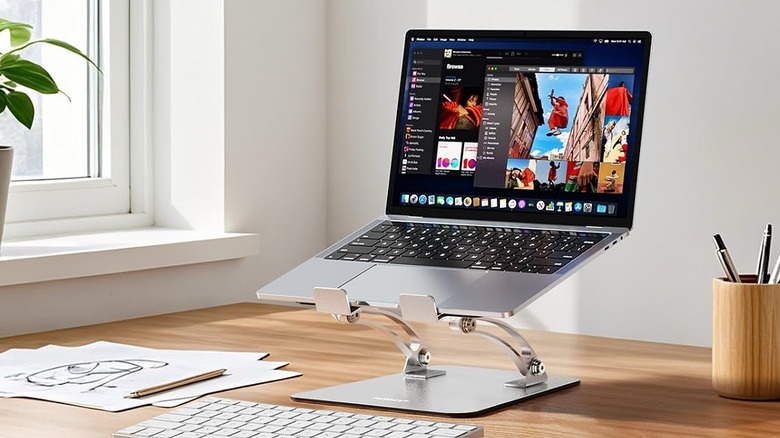
If you're building a desk setup for your laptop, Nulaxy's C1 Laptop Stand can be pretty useful. This heavy-duty stand features a dual-angle adjustable design, helping you achieve a suitable height as well as viewing angle for an ergonomic setup. It also comes with non-slip silicone pads and wide hooks to keep your laptop in place, and has a built-in vent for heat dissipation and airflow.
The company says it can handle most laptops featuring 10-inch to 16-inch screens, as well as 22 lbs of weight. The stand also collapses for better portability and space-saving storage. Moreover, at just $17, it's priced reasonably, and you can choose from silver and black colors to match your aesthetic or the laptop colorway.
Amazon shoppers have a largely positive opinion of the Nulaxy offering, and it has an excellent average buyer rating of 4.7 out of 5. Buyers appreciate its build quality, lightweight design, and stiff hinges. However, some folks aren't happy with its plastic construction and sharp edges.
Amazon Basics Laptop Cooling Pad
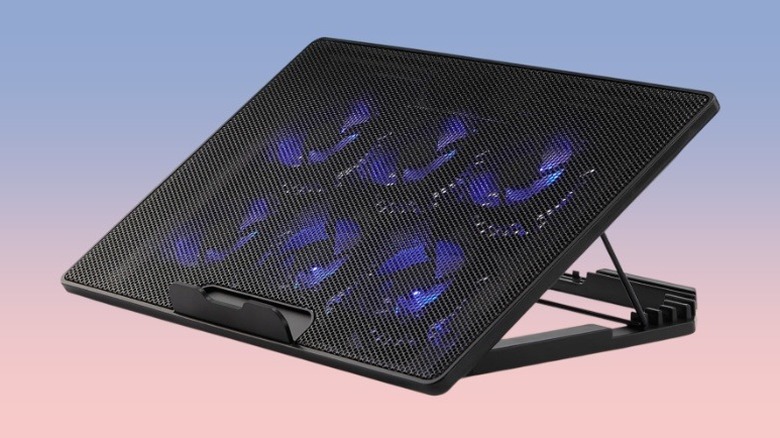
A laptop cooling pad is a useful addition to any setup, as it helps maintain your laptop's temperature and ensure it doesn't overheat and thermal throttle. It can particularly come in handy if your laptop isn't equipped with efficient cooling from the factory. Amazon's private label Amazon Basics has a well-rated laptop cooling pad in its portfolio that's worth considering. It packs six built-in fans to deliver air to basically the entirety of your laptop's back. You can adjust the fan level using a knob, and the blue LEDs show when the fans are running.
Another highlight of the Amazon Basics Laptop Cooling Pad is its USB hub functionality, which allows you to connect a USB-C or USB-A peripheral to the pad and use it via your laptop. The pad itself connects to your laptop using an integrated USB-C cable. Moreover, the cooling pad doubles as a laptop stand, and you can select from six height settings to get a suitable viewing angle. The company says it can fit laptops with screen sizes ranging from 12 to 17 inches.
It'll cost you $23 at list price, and has an average buyer rating of 4.4 out of 5 on Amazon. Shoppers say the cooling pad helped them with their overheating laptop, is value for money, and is relatively quiet. That said, a small selection of buyers found it to be underpowered.
Tecknet Ergonomic Vertical Mouse
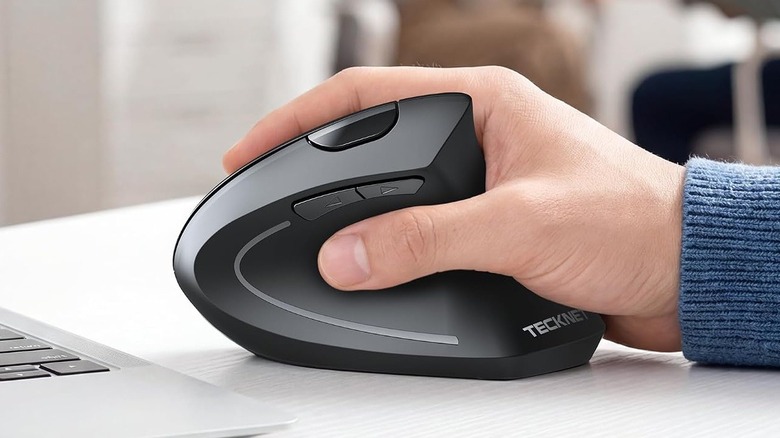
Although many laptops have decent touchpads, some folks find mice to be more productive and faster to use. Moreover, with an ergonomic mouse, you can make things easier on your wrists, especially during long work sessions. Accessory maker Tecknet offers a well-rated wireless mouse that can be a helpful companion for your laptop. It's most suitable for folks with medium to large hands and features a vertical design with support for both Bluetooth and a 2.4 GHz dongle for connection. You can also connect it with up to three devices simultaneously and switch between them with the press of a button.
Other features include up to 4,800 adjustable DPI for precise tracking, multiple buttons for different functions, including a scroll wheel, and driverless setup for all common operating systems. The company also says it supports USB-C charging and a quick 1.5-hour top-up can last one to two months. Remember, if this is your first time using a vertical mouse, it'll take some getting used to before you become comfortable.
The Tecknet mouse has a $28 price tag, and offers six color options. Amazon shoppers have rated it 4.4 out of 5, and like its ergonomic design that reduces cramps, affordable pricing, and long battery life. However, some buyers complain about getting units that died within months and the mouse's slippery design.
Litwaro Cable Management Tray
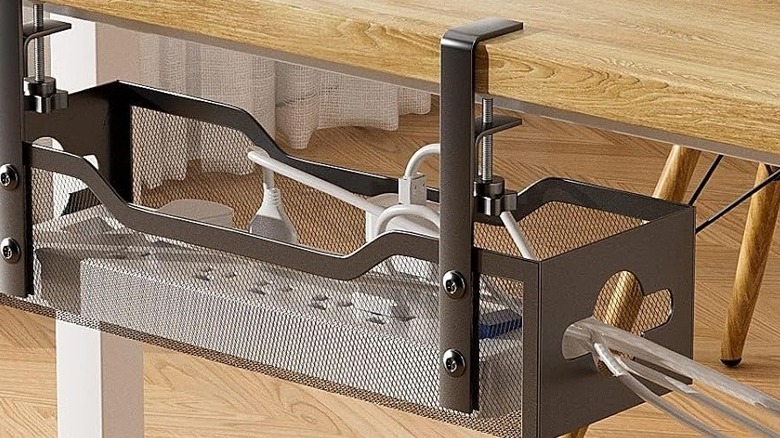
Using a laptop in a desktop setup can often lead to cable clutter on your desk, as you have to deal with cables such as your laptop's charging cord, any display connectors, and docking station wall adapters. Fortunately, there are tons of cable management options to help you deal with clutter. The Litwaro Cable Management Tray is an accessory to consider. It's an under-desk cable management tray that's easy to assemble and attaches to your tabletop using the supplied clamps. As it goes below your desk, it's out of sight. The company also includes rubber pads to protect the tabletop from scratches and other potential damage from the clamps. Moreover, the tray has a 15 lbs weight capacity to handle gadgets like a surge protector, power strips, charging bricks, and any cable slack.
In other highlights, the tray has holes on both sides to pass cables seamlessly, and the wire mesh design helps with heat dissipation. While the smallest model is 13.4 inches in size and costs $17, you can choose from 16-inch, 25-inch, and 32-inch models, as per your needs. The bigger models have a higher weight-bearing capacity.
Amazon buyers have good things to say about the Litwaro Cable Management Tray, and have given it an average buyer rating of 4.7 out of 5. Shoppers say it's well made, easy to install, and helps with a cleaner setup. That said, some buyers mention getting packages with missing hardware or the tray sliding off their desk.
CloudValley Magnetic Phone Holder
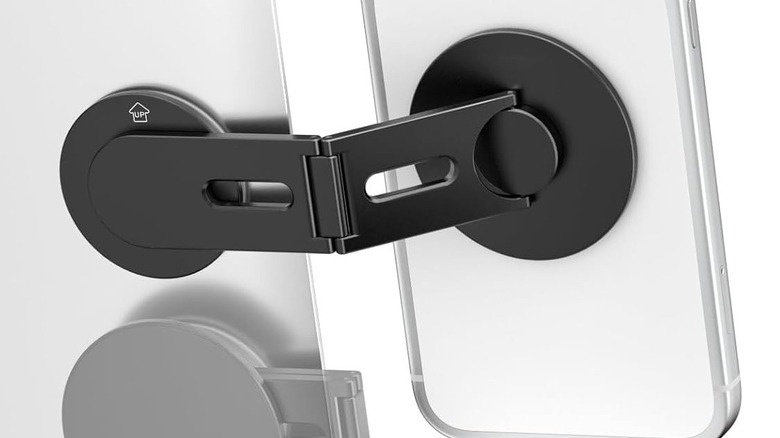
If you're someone who uses your phone as a webcam for your laptop or often has to access it to check other things, the CloudValley Magnetic Phone Holder can be a useful accessory. It attaches behind the laptop display and seamlessly holds your MagSafe-compatible phone for easier access. Thanks to the built-in adjustments, you can also rotate the phone to make its rear cameras face forward, change whether it's on the side of the laptop display or the top, and do much more. If you're using a monitor with your laptop, you can even use this holder with the monitor. The company includes magnetic rings to use with non-MagSafe phones if you don't have a magnetic case.
The mount's aluminum alloy construction is sturdy, and it's affordably priced at $19. You also get three color options to match your laptop colorway. One thing to remember is that if your laptop is very light and the phone is heavy, a side mount may tilt the laptop.
Amazon shoppers have given the mount a decent rating of 4.4 out of 5, with buyers liking its strong magnetic connection and easy installation. However, some customers mention the included adhesive is not strong, and they had to use their own double-sided tape to fix that.
Methodology

There's no dearth of laptop accessories on the market, from peripherals to docks to portable displays; however, we focused on products that either improve a laptop setup or make it easier to use. We considered accessories and gadgets that go well with a laptop and can be genuinely useful for a wide range of users. We refined our selection after considering Amazon's buyer reviews, and all our picks have an average rating of at least 4.4 out of 5.