

You Can Use Your Old Apple Watch As A Replacement For Your iPhone - Here's How
We may receive a commission on purchases made from links.
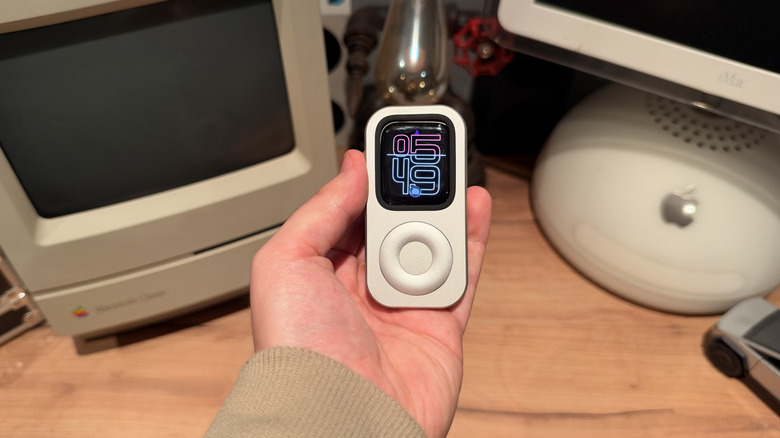
Have you got an old Apple Watch lying around, and you're not sure what to do with it? The RePod is a metal case that you can pop a strapless Apple Watch into and turn it into a mini handheld iPod-like device. The RePod case gives the Apple Watch a click wheel, converting the smartwatch into a device you can control without using the touchscreen. It retails for $59.90 and comes in sizes that cover every Apple Watch from the Series 4 up to the Ultra 4. While it's a handy way to convert your Apple Watch into a music player, some users have gone a step further. If you put a cellular Apple Watch inside the RePod, it becomes a connected device, meaning you could (in theory) leave your iPhone at home and still stay reachable.
The wider appeal is the idea that you can reduce the time you're tied to your smartphone, which is why many users have switched to a minimalist phone. I've spent the past couple of weeks seeing if I can use the RePod to replace my iPhone some of the time, using an old cellular Apple Watch Series 9. Parts of the experience worked better than I expected, but I was usually reaching for my iPhone again rather quickly. Here's everything you need to know if you're thinking about trying to replace your iPhone with this combination of devices.
What can an Apple Watch do with the RePod?
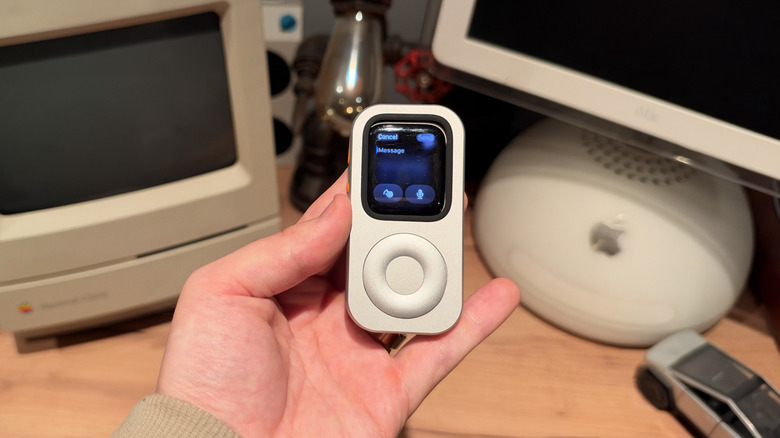
Techpod — the manufacturer behind the RePod — says the metal body has an outer ring that mechanically turns the Digital Crown of your Apple Watch when it's inside the case. That means you can use the click wheel to scroll through lists and change the volume, similarly to how you would on your wrist. The center button has no function, so you still need to tap the Apple Watch screen to control many apps. The 40-millimeter through 46-millimeter RePod versions are made from an aluminum alloy, while the 49-millimeter Ultra version is zinc. The RePod has a cutout in the back that lets you charge the device with a regular Apple Watch charger without needing to pry the watch out. The RePod is nicely made and heavier than you might guess.
But the rest of the experience depends on the Apple Watch inside the RePod. Apple's documentation makes it clear that a cellular model can only perform certain tasks without a connected iPhone in range. Specifically, the untethered watch can make calls, reply to messages, stream music and podcasts, offer directions, and run any app that works over Wi-Fi or cellular. However, your paired iPhone does have to stay powered on and connected for text relay, and it needs to be signed in to iMessage for Messages to work correctly on the watch.
That means that, while leaving your iPhone at home is fine, switching it off will kill most of the functionality of your Apple Watch in the RePod. Plus, if you want to give the RePod to someone who doesn't own an iPhone (such as a child), you will need to use Family Setup to pair a cellular Apple Watch to a family member's iPhone.
Can this device actually replace your iPhone?
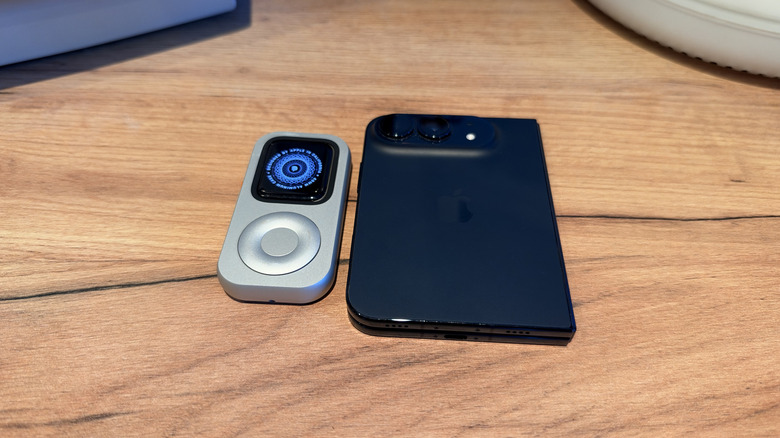
The RePod works well to replace some parts of the iPhone experience, but it can't do everything. With AirPods connected, listening to Apple Music or a podcast just takes a couple of turns of the wheel, and I could stream or download music for offline listening. Calls worked fine with no complaints about the microphone from the person on the other end, but the experience is a little awkward, as it works on speakerphone.
Typing text is where the RePod begins to feel like more hassle than it's worth. There are four ways to enter text on an Apple Watch: dictation, Scribble, the onscreen keyboard, and typing on your nearby iPhone. The keyboard on a 45-millimeter screen is difficult to use, Scribble is really slow, and dictation leaves you awkwardly narrating replies out loud in public. The web also barely exists on the Apple Watch since there's no Safari app in watchOS. Webpages open only when you tap a link inside Messages or Mail, which makes anything past a quick preview impossible. Third-party apps are also unreliable without a phone to lean on, and you can't use the newer, conversational Siri since it requires the watch to be paired with an Apple Intelligence-enabled iPhone. Having to type in the numerical passcode also gets old fast.
If you're committed to the idea of a dumbphone, or you're looking for a way to let your kid call home from the park, the RePod does the job. But if you try to use it as an iPhone replacement, the keyboard alone will leave you regretting your choice. If the goal is to use your phone less rather than not at all, one of the best phones for minimalists is a more sensible option to consider.