

I'm A Longtime iPhone User, And These 5 iPhone Duo Quirks Drive Me Crazy
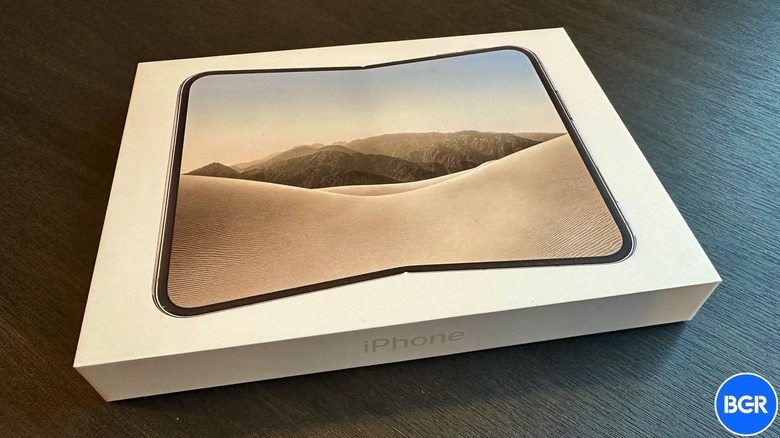
The iPhone has been my primary smartphone since the second-generation model, the iPhone 3G, so I've been able to follow the handset's evolution closely, both for personal and work-related reasons. In recent years, I've found myself accepting that the iPhone Pro shouldn't be the go-to device for me, and that a regular model would be just as powerful for day-to-day needs. I also wanted a device with a larger display and a smaller footprint. And I was well aware of the foldable iPhone rumors. With all that in mind, the iPhone Duo purchase has long been decided. Indeed, I bought an iPhone Duo on the first day of in-store sales after failing to secure a preorder that would arrive on launch day.
I've used the iPhone Duo since then, with no intention to return it. But while I was lucky enough not to experience "Crackgate" issues, the iPhone Duo learning curve wasn't hassle-free. The foldable has various quirks, and they're especially obvious if you're switching to the iPhone Duo from a traditional model. The muscle memory that comes with years of using iPhones will get in the way. Some habits may be difficult to shake off. For example, I still waste time waiting for Face ID unlocks in apps, even though I'm well aware the handset lacks a 3D face recognition camera.
That's just one of the annoying quirks I've been dealing with. Others include the software experience, the phone's design (which impacts left-handed use significantly), Apple's button choices for the foldable, and the weight. Surprisingly, I do not mind other iPhone Duo features that others may have criticized, like the inferior camera (compared to the iPhone 18 Pro), the repositioned Dock, the overheating reported by some users, and the increasingly visible crease.
The software
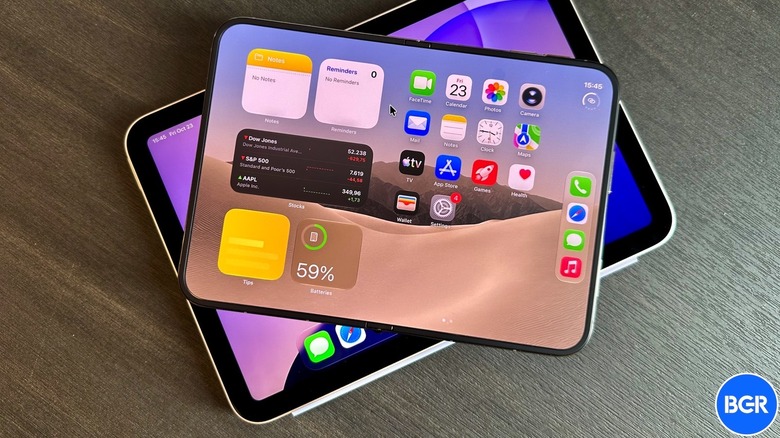
The iPhone Duo software is the least of my worries because Apple can improve it in the future. While some early adopters have complained about the lack of optimized apps for the foldable display, that's also not a problem. The iPhone Duo is a first-generation device, so app compatibility will lag. Also, the Dock switch to the right side of the handset is a brilliant use of space for the iPhone Duo. It takes time to get used to the idea, but the Dock (and the contextual menu that replaces it in apps) makes sense.
My biggest issue with the iPhone Duo software concerns Apple's decision to invent a third user interface for iPhone and iPad devices. When folded, the Duo largely behaves like a regular iPhone. When you unfold the handset, you should get an experience closer to a tablet. However, Apple doesn't give us the iOS-to-iPadOS transition we could benefit from. Instead, the iPhone Duo runs its own, somewhat strange, iOS 27 version with limited iPadOS elements. That's obvious if you're also an iPad user, which I also am.
The iPhone Duo features the same A20 Pro chip as the iPhone 18 Pro models. It probably could support the same multi-window multitasking experience as the iPad mini packing the A17 Pro chip. Similarly, Apple doesn't give us a full iPad-like Dock for the unfolded Duo. I unfold the Duo when I want to enjoy content on a larger display or when I need to multitask. A windowed UI would be more useful than the side-by-side two-app experience. Even Stage Manager, which I'm not a fan of, would be useful. There are instances where I may need to view information from several apps while working in a primary window, and that's unfortunately not possible.
Pushing the Duo's buttons
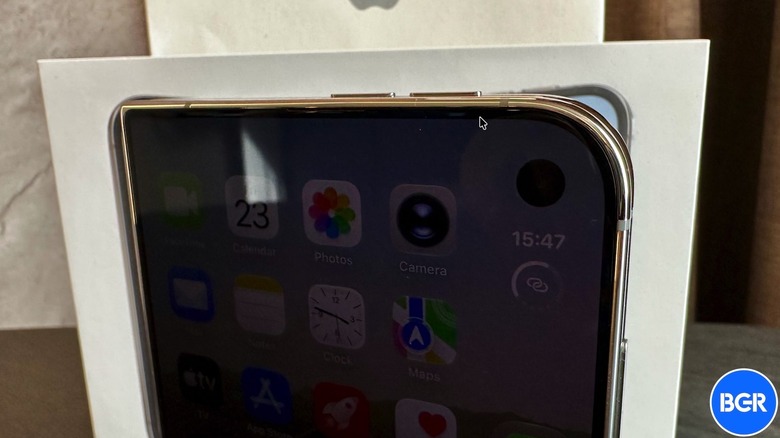
While I can hope for Apple to improve the software, other features can't be updated without a redesign, like the buttons. (On the software note, since I'm an iPhone Duo owner in the EU, I'm also unable to use the full iOS 27 experience. The smarter Siri and the ability to mirror the iPhone on my Mac are not available in the region.) The iPhone Duo lacks an Action button, which can be a significant annoyance, even if you use the button only to mute and unmute the handset. iPhone users who rely on the Action button to trigger other apps or complex shortcuts will miss it even more than me.
The iPhone Duo does have a Camera Control button, which I'm hardly using. I often press it by mistake, and that's because of how I'd be holding the smartphone in one-handed use. I'd love for Apple to let users customize the Camera Control button to replace the Action button, which could actually be useful.
The button-related action that annoys me the most after switching to the iPhone Duo is taking screenshots, which is something I do routinely. Apple moved the volume buttons to the top of the handset, and that's a design choice it had to make. But taking screenshots is now harder, as the buttons are near the top-right corner, and close to the power button. You need to press both the power button and the volume up key to take a screenshot. It's difficult to do one-handed. Taking screenshots when the phone is unfolded is also less ideal. One fix here is customizing the Back Tap gesture to take screenshots by tapping the back of the phone. This could result in accidental screenshots, but it's still a useful workaround.
Weight you can feel
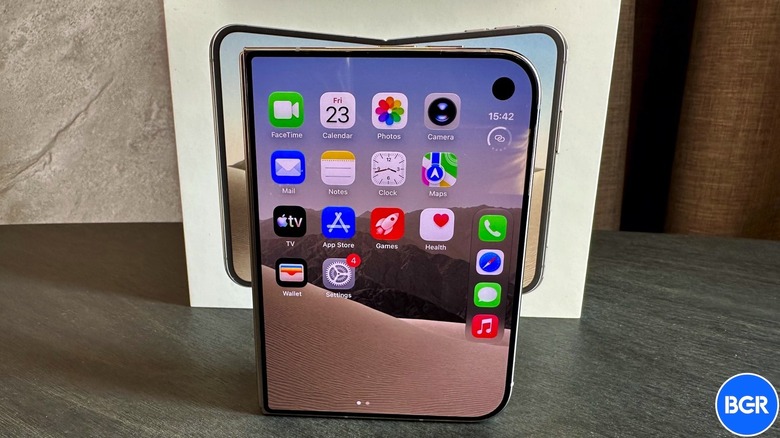
The iPhone Duo satisfies my desire to have a large-screen iPhone in a compact body. I use the handset folded most of the time, and the wider, shorter display is good enough for using apps, scrolling social media, and texting. The large display lets me use apps side-by-side, watch video, read books, and use a regular version of Safari. That said, I never wanted a heavier iPhone. And the iPhone Duo's weight (9 ounces) is a problem.
You notice the iPhone Duo weight when holding the folded handset with one hand. Numbness appears faster than usual, and I find myself putting the Duo away or taking more frequent breaks. The upside is that I might use the smartphone less than before. But that won't make the weight go away. Pick up the Galaxy Z Fold 8 (7 ounces) in a store, and the weight difference is incredibly noticeable. I can only hope that Apple will reduce the weight in future Duo generations. By comparison, the iPhone 18 Pro weighs 7.4 ounces, while the iPhone 18 Pro Max is almost as heavy as the Duo at 8.8 ounces.
Interestingly, unfolding the handset changes the perception — the Duo doesn't feel that heavy when its weight is distributed. But most of the time, I'd use it with two hands. The weight is also obvious when running. I'm a marathon runner who takes his iPhone with him, and I now have to worry about the iPhone Duo fitting in my pockets. It's not just the weight here; it's also the phone's bulkiness. I use a protective case to prevent accidental damage that may lead to repairs, and that adds to the problem. The iPhone Duo occupies more space than I'd want it to in small pockets.
Left-hand use isn't comfortable
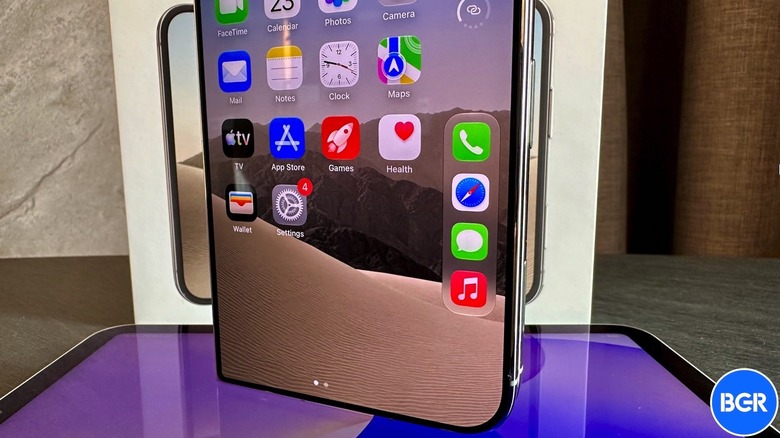
I've been holding phones in my left hand all my life, well before Steve Jobs unveiled the original iPhone. I've used iPhones in my left hand for nearly two decades. I hold the handset in my left pants pocket so I can quickly get it out. Unfortunately, the iPhone Duo is not that user-friendly for left-hand users, and this isn't just because the Touch ID button, the Camera Control button, and the Dock are all on the right side of the handset. I will use my right hand for the Dock, and I'm training myself to use Touch ID with the third and fourth fingers of my left hand.
The problem is the phone's design. The lower-left corner is rectangular when closed and it pushes into the palm of my hand. Add the weight and this is a serious issue. I've tried to prevent the corner from "piercing" through my palm, but the position is uncomfortable. I've pointed out a similar issue with previous Galaxy S Ultra designs that had rectangular corners. Samsung has fixed that design problem. Right-hand users may not understand the inconvenience, as they experience the curved lower-right corner that's significantly more comfortable to hold.
Future iPhone Duo generations may not fix this problem, as the hinge is placed on the left side, and that produces rectangular corners. However, there's a different customization that Apple can consider for left-handed users. It could let us rotate the folded phone by 180 degrees, so the top-right corner ends up in the palm of the hand. In this scenario, you'd move the outer selfie camera to the lower-left corner in this orientation. When unfolded, you can hold the iPhone Duo display in any orientation. The same should apply to the outer screen.
The lack of Face ID
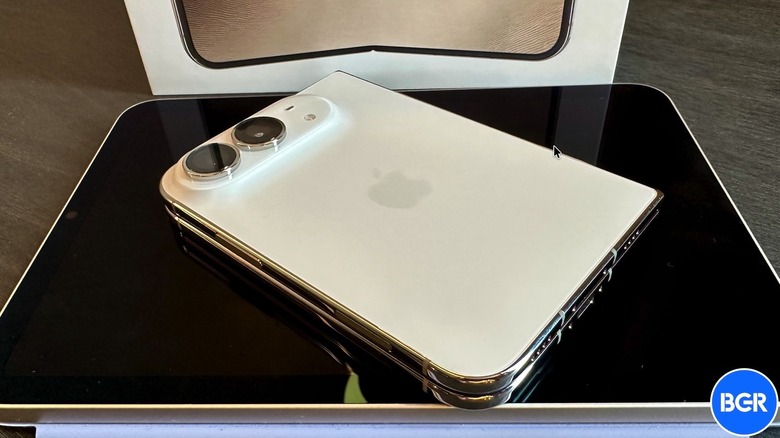
The iPhone Duo quirk that annoys me the most is the lack of Face ID. Whether I'm unlocking the phone, using it one-handed, or authenticating in apps outdoors, I miss Face ID every day. The A20 Pro may give me an incredibly fast experience, but the need to use Touch ID to authenticate in apps and websites slows me down. I find myself staring at the screen and waiting for the authentication before I realize the prompt on the display says to use the fingerprint sensor. It keeps happening, and my brain will need more time to adjust.
More than a year before the handset's launch, I looked at the rumors detailing the two displays, trying to guess the handset's measurements based on the strange aspect ratio. I was almost right about the iPhone Duo's height and width. I couldn't have guessed how thin the phone would be. It turns out that the phone's thickness (0.2 inches) should not be a problem for Face ID integration. The iPad Pro is marginally thinner and comes with Face ID support.
It's unclear whether Apple could have squeezed a Face ID sensor into the iPhone Duo, considering the foldable handset has a more complex design. Apple may have prioritized battery size and decided to remove Face ID components. Also, Apple may not have wanted to use two TrueDepth systems, with one for each display. I sure hope that Apple will bring back Face ID for the outer display in future generations and keep Touch ID for the foldable experience. This would be a massive improvement. Until then, I can use the Apple Watch to unlock the handset faster, but that doesn't fix all my other issues with not having Face ID available at all times.