

3 New Google Maps Features To Make Holiday Travel Easier
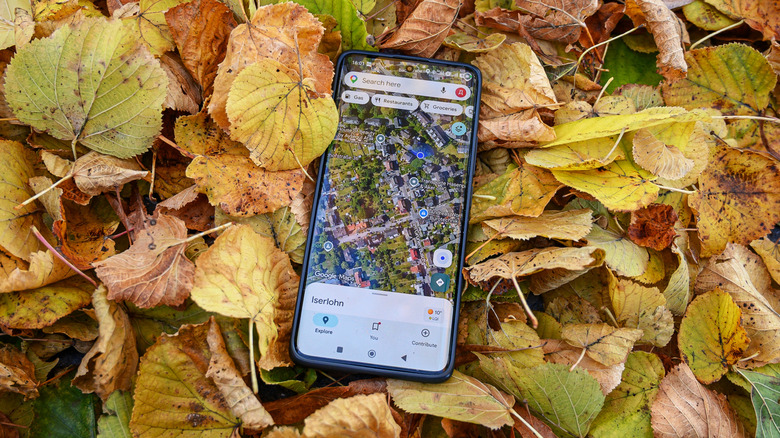
The holidays are fast approaching, and Google Maps is delivering several new Ask Maps features to try and mitigate the chaos such events can bring. Google has been rather steadfast in adding new features to Maps (we've even rounded up our favorite additions from 2026), and the company is even expanding Ask Maps availability to 30 new countries, including Germany, Spain, and the United Kingdom. While not all the new features will be available everywhere immediately, those who can access them may have one less thing to worry about during the holiday season.
Announced in a Google press release, Maps users can now utilize the Ask Maps feature to build Itineraries, locate and book available appointments with certain businesses, and even refine their location searches to help friends and family enjoy a night on the town. Keep in mind, however, that appointments and "Know before you go" route tips will only be available in the U.S., with more locations "coming soon." Everything else is now available.
Using any of these features will simply involve interacting with Google's Ask Maps. From a smartphone, just tap Ask Maps and then type or ask your question, whereas Ask Maps can be found under the menu icon (three horizontal lines) on desktops. Additionally, both Android and iOS users can take advantage of the new features so long as they're available in their region. Of course, even when it's not the holidays, there are still plenty of Google Maps tips every driver needs to know.
Build holiday itineraries

It can be pretty easy to cover a lot of ground during the holidays, and Google's latest Itinerary option for Ask Maps aims to help users plan each step of their holiday trek. As soon as you go to look for directions, Ask Maps can help you access pertinent details about a route while also obtaining information about each location. If you need multiple stops, the new feature can break down your journey into a schedule and show numbered pins on the map for each location.
Google has a couple of ideas as to how users can take advantage of Itineraries, such as using it during a shopping trip that may take all day or even planning a multiple-day getaway. Once an Itinerary is built, you can share it with others or export it to Google Docs if you're on desktop. Should you need to check it while you're out, simply request it from Ask Maps or tap the Itinerary badge from the chat history. Google can then provide information regarding store hours, live traffic conditions, or even how busy a place is.
Even if an Itinerary is already created, users can simply ask to add another location and then tap the screen to add it as a stop. The new feature also gives "Know before you go" tips, such as weather conditions, tolls, or even ideas on where you should park. The latest feature is also ready to go, so users won't have to enable it like certain other Google Maps settings.
Take your friends out on the town
Along with Ask Maps helping plan a holiday journey, another new feature looks to help those who are coming to you. Should you have friends or family you need to entertain while they're in town for the festivities, Google Maps wants to lend you a hand. With Ask Maps, users now have Google Maps scour saved places from their Google Maps lists for recommendations, then do things like find availability and make reservations at certain locations.
Getting started is rather straightforward. Open Maps, pull up Ask Maps, then ask something like "Which spots saved in my lists have availability for six people in the next hour?" Maps will then pull up a list of locations. Google provides an example of showing a variety of different brunch locations, giving the user the option to check reservations or get directions. Users may also want to remember that there are other Google Maps features that can make trips better, as well.
Something to remember with Ask Maps features is that you can usually speak or type to request additional information after submitting a query. If you need additional information, you can always ask follow-up questions, such as "Which location is usually more crowded?" if looking at restaurants. If you don't want to go out to eat with your friends, Ask Maps is also capable of ordering delivery if you ask. Just remember that certain locations may be heavily impacted by holiday customers, of course.
Book your holiday appointments

Naturally, given Google's history with artificial intelligence development, the company is adding more agentic capabilities to Google Maps. Even during the holidays, Google wants AI to be your companion — and this time around, users can rely on Ask Maps to contact and make appointments with local businesses. Ask Maps can now show you open availability for select businesses, including pet care, home repair, and even beauty locations.
Getting started is just a matter of pulling up Ask Maps and asking something like "Find a 5 p.m. auto appointment for me." Maps will pull up a list of locations, and users can then view availability or schedule an appointment. Users can select specific services from a location, and they can even add additional services if necessary. Some locations may also allow you to select which employee works with you.
If you need further information, it's good to keep in mind that Ask Maps can remember your past conversations. So you can add something like "based on our previous conversations and nail salons I've been to in the past, can you recommend one at [location]?" to a query. This can be especially handy if you find yourself being the one to travel for the holidays. Just make sure your history settings are enabled.