

4 Hidden Costs Of Buying A Video Doorbell (And How To Avoid Them)
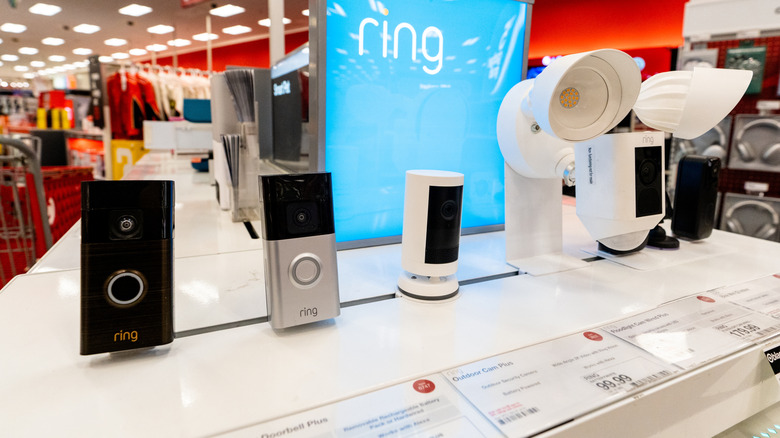
Video doorbells are quickly becoming the norm, and according to a 2026 Reviews.org survey, nearly 39% of U.S. households now own one. It makes sense: they allow you to see who's at the door without having to get up, provide valuable evidence in case your home is targeted by criminals, and let you speak with visitors even if you're at work when they show up. However, these devices aren't always budget-friendly, with Google and Ring doorbells often costing $100 or more.
While a higher initial cost might not be a deal-breaker for you, unfortunately, sticker price doesn't tell the full story. That's because video doorbells often come with hidden costs that accumulate and in some cases, even grow over time. These include subscription fees required to unlock some useful features, the setup and upgrade cost, and more. The good news is that, with some careful pre-purchase planning, it's possible to reduce or completely avoid some of these fees. In fact, if you follow the guidance below, you could end up with a doorbell that's not only less expensive but also less work to maintain, and less invasive to your neighbors' privacy than most off-the-shelf solutions.
The biggest hidden expense: subscription fees
Society has gravitated towards an everything-as-a-subscription model over the last two decades, and video doorbells are no exception. Typically, providers allow you to view real-time video and respond to notifications without a dedicated doorbell subscription, but if you want anything more than basic functionality (such as package alerts, AI-powered facial recognition, or access to recordings of past footage), you'll usually have to commit to a monthly payment. You may be given a one-month trial alongside your purchase, so use this time to determine whether you really need the added features or not.
The best way to avoid this expense is to purchase one of the many video doorbells that don't require a subscription. While these are often from smaller companies, major brands like Tapo are now getting in on the action too, offering similar benefits to their competitors with no ongoing charges. These might even let you ditch your cloud storage subscription too, with many video doorbells saving footage straight to a microSD card. Just make sure to backup any recordings you want to keep, as they may be automatically overwritten when storage space runs out.
Don't forget about initial setup costs

Before you buy a new doorbell, think about the practical realities of your home. If your front door is relatively far from where you spend most of your time, you might need an additional door chime, with some brand-specific models costing up to $28. Similarly, you may have to invest in motion-activated outdoor lighting if your doorbell doesn't have night vision capabilities, or pick up a Wi-Fi extender if distance or thick walls make connectivity a recurring problem.
Additionally, depending on where you plan to install the doorbell, you may require angled mounting brackets or adhesive mounts rather than those intended to be screwed in. Although inexpensive, these are still additional costs and must be accounted for. Further, if you're not comfortable drilling into masonry, you can expect to pay around $300 to have a professional install the doorbell for you.
To keep costs down, consider what functionality you really need and pick the least-expensive, best-rated product that meets your needs. Some providers bundle indoor chimes with the doorbell itself, while others include night vision as standard. The biggest savings are on labor though; if you have the tools, the confidence, and an hour or so free, it's possible to dramatically cut costs by following one of the many installation tutorials online.
Replacement and upgrade costs can be difficult to predict

Battery-powered video doorbells often struggle during winter and in places with particularly hot or cold climates. Extreme temperatures shorten the battery life, necessitating more frequent recharging, and potentially causing the battery to fail sooner than expected. Additionally, build quality can vary between providers, so a doorbell made with cheaper internals may have to be replaced earlier.
Another problem with paying for a video doorbell subscription is that you're entirely at the mercy and whims of the provider. If the company goes out of business, stops offering certain services, or removes support for your device entirely, there really isn't very much you can do about it. Effectively, your choices are pay for a newer, still-supported doorbell, migrate to a different provider (and potentially lose your recordings), or move away from subscriptions entirely.
Setting yourself up for success involves finding a doorbell that includes at least a one-year warranty, making sure it's kept out of the rain and direct sunlight, and staying away from products that hide most of their functionality behind a paywall.
You might see some changes on your utility bills too
Regardless of whether you choose a wired or wireless video doorbell, it's ultimately going to drive up your electricity bill (since battery-powered devices still have to be charged periodically). Thankfully, at current rates, even if you run it constantly, 365 days per year, the total annual cost works out at around $5. If you're looking to save every possible cent, you might want to connect the doorbell to a small solar charger, which reduces reliance on mains power (though the effectiveness depends on how much sunlight you receive).
However, your internet bill might take a bigger leap if the video doorbell does not receive a stable, high-speed internet connection. If not, you may require additional hardware or a more-expensive internet plan, which can quickly drive up monthly costs. That said, if you have an old router collecting dust, you can convert it into a powerful Wi-Fi extender with some basic steps and save on the hardware cost.