

Don't Rely On A Separate Document Scanner; Try Your Samsung Galaxy Camera Instead
Performance, battery life, and camera capabilities are among the reasons why Samsung Galaxy smartphones continue to earn recognition. In fact, its models have consistently ranked high when it comes to top-performing Android phones. TechRadar and Android Authority named the Samsung Galaxy S26 Ultra as one of the best flagship smartphones to purchase in 2026; and PCMag added the Galaxy Z Fold 8 and the Galaxy A17 5G to their top list too, which proves that there is a high-performing Samsung phone for (nearly) every type of user. One thing Samsung puts particular attention toward is its cameras, adding in features such as fixing your worst pictures. It also has a built-in Document Scan feature, which just received enhanced capabilities after the One UI 8.5 update.
The new software allows the Samsung Galaxy's camera to use AI to automatically recognize and scan documents, plus a feature where it can detect and remove any folded corners or fingers holding the paper along its edges. Unlike third-party document scanner apps which may put other useful tools like image processing and certain editing options behind a paywall or a subscription, Samsung Galaxy's Document Scan lets you utilize all these features without the need to purchase them. To do all this, though, make sure you enable it by heading to your Camera's settings, select "Scanning", and activate "Document Scan" by turning the toggle on.
Why Samsung's built-in Document Scan is better than a separate, third-party app
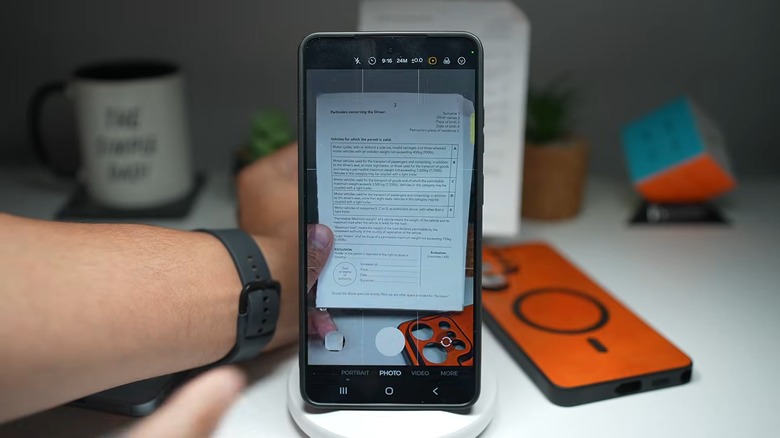
At this point, document-capture apps have convinced many people they have no need for physical scanners anymore. However, what you trade for in the scanner's parts, you pay for as premium features and subscriptions in many of the apps out there, such as Adobe Scan's text editing and AI assistant options. Luckily, Samsung Galaxy's Document Scan provides sufficient functions for its users to edit, combine, and export scanned media, which makes third-party scanning apps not worth paying extra for.
Moreover, entrusting your scans to an external app can come with risks involving your phone's security and your personal information. In August 2019, an Android app called CamScanner app was found to have malicious code, leading to Google de-listing the app from its Play Store. After recovering from this malware attack, CamScanner said it doubled down on its safety and privacy standards by obtaining ISO certifications for data protection, according to a 2024 press release on GlobeNewswire. With a local, built-in document scanner, however, regularly updating your Samsung device can help preserve your file integrity and security, and reduce the possibility of another scanner app sending malware to your phone.