

Adobe Creative Cloud Is Everywhere, But The Smart Money Uses These Apps
Adobe Creative Cloud dominates the creative industry, yet the landscape around it has changed in ways Adobe could not have expected. Powerful alternatives now offer the same core features without locking users into expensive subscriptions. Many of these tools match Adobe's capabilities, with some even surpassing them with smarter pricing and lighter system requirements. This has resulted in a growing shift towards software programs that offer more flexibility and control at an affordable level.
These alternatives appeal to designers, editors, and artists who want to create high-quality work without the high costs or system demands of Adobe's suite. Some programs are open source, which means privacy and control, while others run in a browser, offering cloud storage, making collaboration and cross-platform work much more feasible. Even the paid ones often use simple one-time pricing instead of monthly subscriptions. Together, they cover nearly every major use case across Adobe's ecosystem.
With that in mind, we created a list of apps you can use as an alternative to Adobe Creative Cloud without losing much, if any, productivity. You can mix and match the ones that fit your needs and make a set of custom tools for the best output. In any case, here are nine cheaper and even free apps that are sure to replace your Adobe library.
Affinity
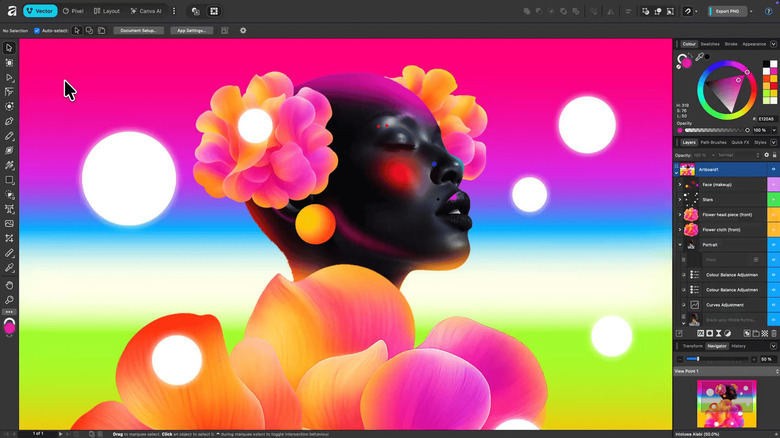
Affinity is a unified creative suite that covers raster editing, vector design, and page layout all under one banner and is one of the best free Photoshop alternatives. Photo, Designer, and Publisher were originally separate paid applications before Canva acquired Serif in March 2024. The great thing about Affinity is not just that it's a three-in-one alternative to Photoshop, Illustrator, and InDesign, but that it's completely free. Canva recently announced this major merger of all applications and confirmed how it will remain free in the future.
Aside from the price point, another reason creators prefer Affinity over others is that it is built to run well on midrange hardware and will soon be available on iPads. While it may not have some of the more nuanced features that come with Adobe — especially the AI-powered capabilities, which only unlock if you have Canva Pro — it is likely to improve a ton moving forward, especially with how Canva is giving it attention. Since it is now a multidimensional app, it is undoubtedly best for creators who have to switch between InDesign, Illustrator, and Photoshop, and it should be able to cater to all their needs. The suite's breadth and offline ownership model make it the single most practical move away from a full Creative Cloud set for freelancers and small studios.
Inkscape
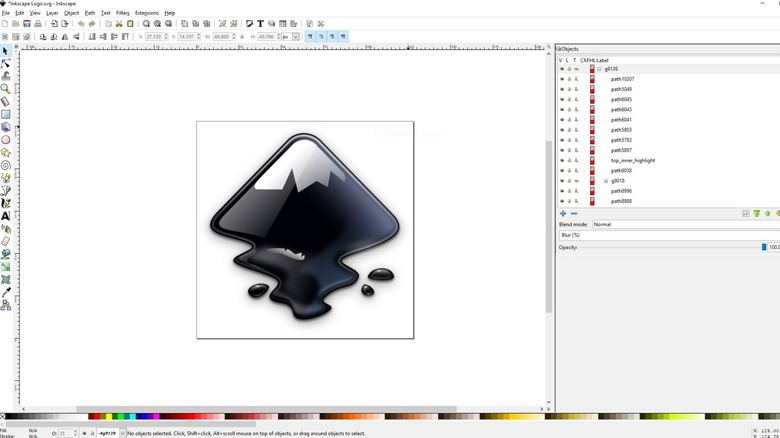
Inkscape is an open-source vector design tool that is often hailed as one of the best free Adobe Illustrator alternatives. It supports SVG (scalable vector graphics) as its core format and offers features like Bezier curves, node editing, Live Path Effects, and full PNG and PDF export. Since it can also run on Linux, it stands out as a go-to option for creators in open-source environments or technical fields where Linux is standard. The app is maintained by a global volunteer community under the GPL license, which means it is shaped entirely by contributors, not a corporation.
Since the development team is relatively small, Inkscape's big updates tend to roll out more slowly, but they typically deliver solid improvements. One reviewer on Software Advice described their journey as, "I used Inkscape early in my design career when I couldn't really afford expensive design software, and it worked great to get design work out the door." While there is a learning curve with this app, users consider it worth it, as many have found Inkscape to be a good long-term investment, especially as a direct alternative to Illustrator.
Inkscape does come with limitations, often slowing down with complex, node-heavy illustrations. It also lacks native EPS support, which can be a hurdle in print-focused environments — though there are ways to get it done with some help. Inkscape continues to be one of the best solutions for opening and editing files without using Adobe Illustrator.
Canva
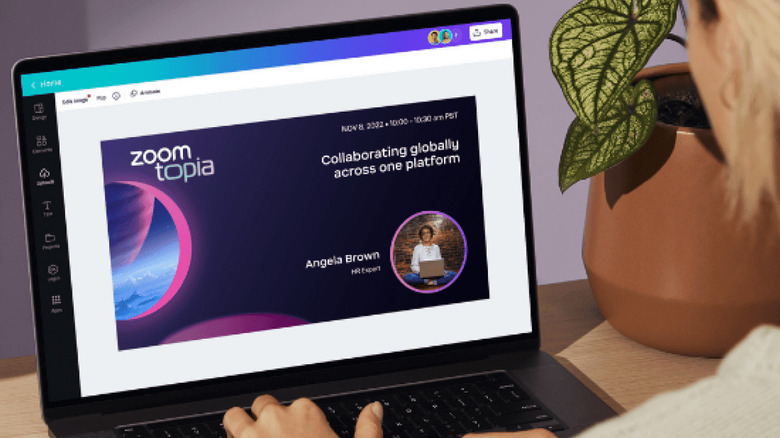
Who isn't familiar with Canva? It is a web-based design platform that serves as an accessible alternative to Adobe InDesign, Photoshop, and Illustrator for lightweight graphic and layout projects. It provides drag-and-drop functionality, custom templates, and a pretty straightforward interface, making it ideal for beginners or non-designers. Even if you aren't a designer or editor, Canva is still one of those apps you just can't go without, thanks to how handy it is for quick designs. Canva operates on both free and paid tiers, and because it runs entirely in the browser, it does not require high-end hardware, unlike traditional Creative Cloud software.
Canva's greatest strength lies in its ease of use and cloud-based collaborative capabilities. Users can work with teams in real-time and share projects easily. While not entirely free like some others on this list, the pricing is still more affordable than Adobe Creative Cloud, and its AI integration with Affinity offers great parity between the two tools. Nevertheless, it does not offer the depth or precision of professional desktop publishing or raster editing software. Despite these limitations, it's easy to use it alongside other tools to fill the gaps, offering combinations that allow creators to enjoy fast and collaborative workflows without being tied to expensive subscriptions.
Figma
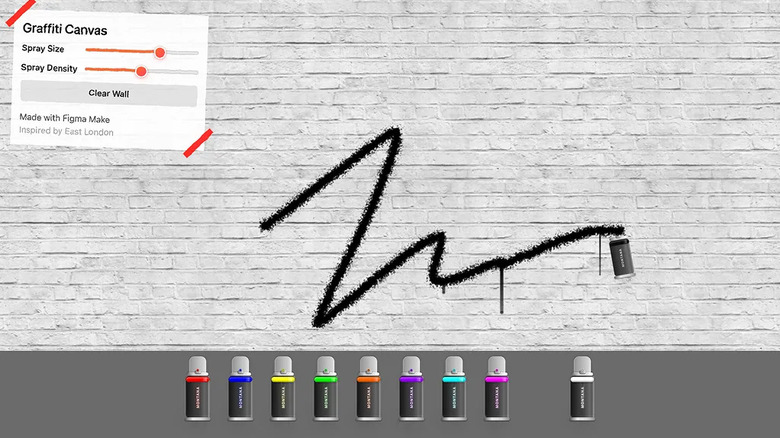
Figma, one of the favorite tools among web and graphic designers, is another web-based interface design platform that works as an alternative to Adobe Illustrator, especially for UI (user interface) and UX (user experience) work. It allows designers to create vector graphics, wireframes, and full interactive prototypes directly in the cloud. Since it runs in the browser, users can work on almost any computer without the hefty hardware requirements. Figma also supports offline desktop apps, but the core experience remains cloud-first. Its rise in popularity came from its real-time collaboration model, where multiple people can work on the same canvas at once, similar to Google Docs and Canva.
Its subscription model is also very versatile, with flexible tiers starting from the free Starter tier all the way up to the Enterprise tier. The free tier includes unlimited personal drafts and all the main features without major costs, although advanced features and larger team libraries require paid plans. And since it is cloud-dependent for most workflows, you may run into performance issues if your internet connection is unstable. If you are creating a custom set of tools to replace Adobe Creative Cloud, Figma can be great for all things vector and interface-related, making it an ideal hub for web and product designers who want collaboration without sacrificing quality at a much more affordable level.
Blender
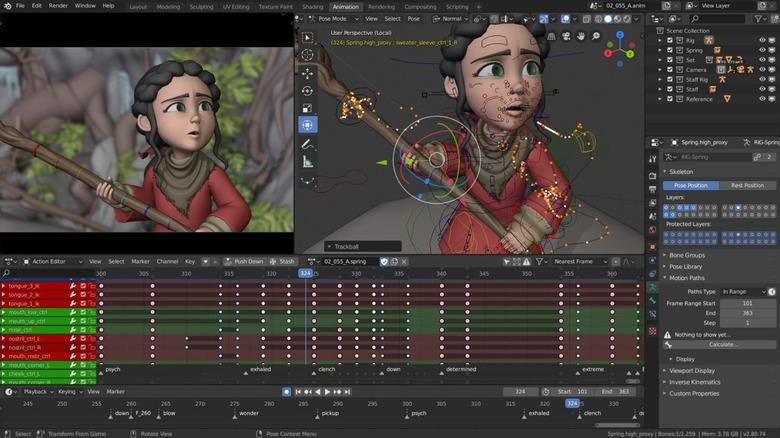
Blender is a free, open-source 3D creation suite that handles modeling, sculpting, animation, VFX, rendering, and even basic video editing, making it a practical alternative to some of Adobe's powerhouses. Its immense potential can be seen in the fact that it was one of the primary tools used in the creation of the Oscar-winning animated film, Flow.
It is essentially an all-in-one product for professional creators, and it is available on Windows, macOS, and Linux. At the heart of this project is the Blender Foundation, supported by a large community of contributors rather than a single corporate owner, meaning that updates frequently come with user experience as the priority.
What makes Blender so compelling is that it packs professional-grade capabilities into a zero-cost toolchain. Moreover, releases are frequent and substantial, with detailed patch notes for major updates, so the app keeps improving rapidly without subscriptions. That said, Blender has a steep learning curve and an interface that can overwhelm newcomers, but these skills are easily transferable to other 3D tools. Not to mention, it has a massive global community that is always ready to help. For creators who want high-end 3D, VFX, and editing without Creative Cloud's cost, Blender is the backbone you build around.
DaVinci Resolve
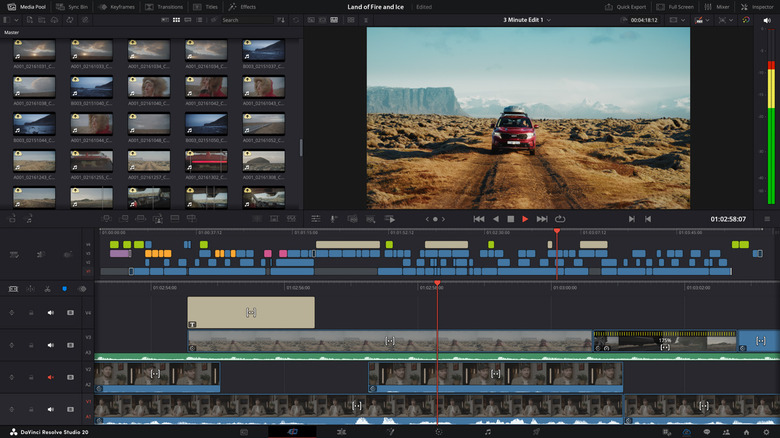
DaVinci Resolve is a professional-grade editing suite and one of the best alternatives to Adobe Premiere Pro and After Effects, combining video editing, color correction, motion graphics, VFX, and post-production audio in one platform. The software is developed by Blackmagic Design, offers both a free version and a paid Studio upgrade, and supports Windows, macOS, and Linux. While the paid version seems expensive at $295, it is a one-time fee, and fairly reasonable for studio work. One of Resolve's hallmarks is its industry-standard color grading, which has been used in film and television for years. Even the free version includes access to the Edit, Color, Fusion, and Fairlight panels, giving creators a unified workflow that Adobe Creative Cloud typically splits across multiple applications.
Resolve has earned its reputation by offering professional cinema tools without subscription fees, and its updates continue to deliver substantial improvements across performance, GPU acceleration, and pipeline workflows, making it an essential app that you should always install first on your laptop.
The Studio version adds advanced noise reduction, extra Resolve FX filters, stereoscopic tools, and more, but the free version already outperforms many paid editors. However, these benefits come with trade-offs as DaVinci Resolve requires high-end hardware to run smoothly, especially for intensive work, and its steep learning curve can intimidate new editors who expect a more guided interface.
Scribus
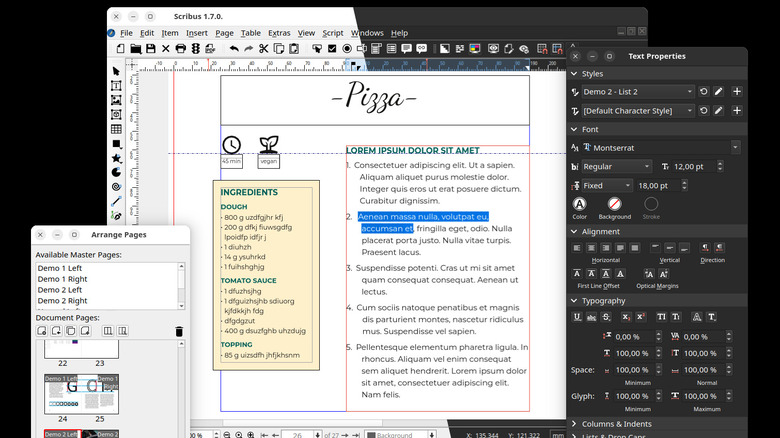
Scribus is a free, open-source desktop publishing or DTP software often used as an alternative to Adobe InDesign. It helps in the creation of print-ready layouts, brochures, newsletters, and magazines with precise control. Similar to some others, it can run on Windows, macOS, and Linux, making it accessible across platforms, and its open-source nature ensures that users have complete ownership and control over their projects. Scribus has been maintained by a community of volunteers since its initial release in 2001, allowing the platform to evolve as per user needs rather than corporate priorities.
As is typical for open-source projects, development updates are slower because the team is small, but they are meaningful, often adding critical features or addressing compatibility issues. However, one of the limitations that comes with Scribus is that it lacks native InDesign file import and export, making collaboration with larger agencies difficult, and its interface may feel outdated compared to commercial DTP software. Nonetheless, it remains robust enough for professional-quality work on a zero-cost platform.
Scribus works great as part of a larger open-source or mixed-tool workflow. One reviewer on Software Advice highlighted their experience with both Inkscape and Scribus as, "I actually use Inkscape for graphics layout work for posters and flyers. When the project requires multi-page layouts and more complex text handling, Scribus has fit our needs well."
Photopea
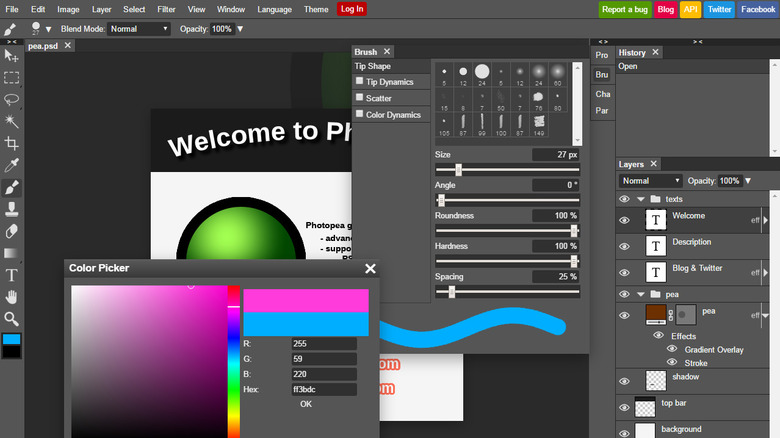
Photopea is a web-based image editor that serves as a free alternative to Adobe Photoshop. It was developed by a solo developer, Ivan Kuckir, and has been around for over a decade. Since it runs entirely in the browser, Photopea works on virtually any computer without demanding a hefty system. And before someone says it is not free and that there is a priced tier, the "upgrade" essentially removes ads, gives some AI features, and offers more cloud storage. All main features remain the same regardless of what you pay.
Aside from the low system requirements, Photopea's biggest advantage is its accessibility, allowing users to work on raster-based projects, edit PSD files directly, and even export to multiple formats, including JPG, PNG, and PSD. While it is capable enough for a free browser-based tool, some advanced Photoshop features, like certain neural filters or advanced AI tools, are unavailable. Additionally, performance can be slightly slower for very large files or complex projects compared to native desktop apps. If your work involves projects that are more complex for Canva but you still do not wish to pay a high price for Adobe Creative Cloud, then you can shift toward Photopea.
GIMP
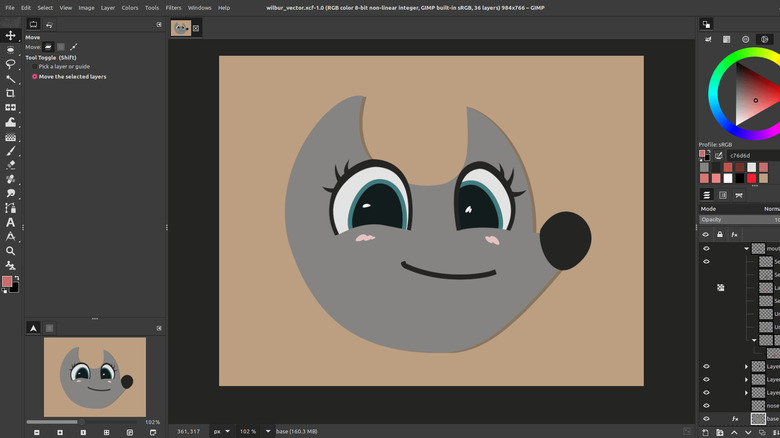
GNU Image Manipulation Program, or more popularly known as GIMP, is an open-source raster graphics editor. It supports photo retouching, image composition, and digital painting, with a fully customizable interface and a broad set of tools. GIMP runs on Windows, macOS, and Linux, giving flexible cross-platform access without the burden of subscriptions. Its open-source GPL license means that the code is freely available, and a global community of developers contributes to its ongoing development.
Similar to other open-source programs, GIMP's update cycle can be irregular, but the changes tend to come with useful enhancements. One reviewer on Software Advice stated their experience with GIMP for professional work as, "GIMP has been a reliable tool for my graphic design and photo editing needs. It's powerful enough for many professional tasks, even though there are some limitations."
The first thing you notice with GIMP is the learning curve, mainly due to the UX, which isn't uncommon for old tools that have been around a while. Once you overcome that first step, you will start to see that its plugin architecture enables all kinds of capabilities. These plugins truly unlock GIMP's potential, and once you get the hang of it, it can easily be one of the most used tools in your library of custom Adobe Creative Cloud alternatives.
Methodology
We selected creative tools that offer practical and feature-rich alternatives to the most commonly used Adobe Creative Cloud programs. While some of these are free apps, others offer paid tiers that either unlock more capabilities or improve your quality of life. However, price was not the only metric, as each of these apps also comes with a ton of features that directly compete with Adobe Creative Cloud and, in a few cases, even outperform it. These apps are mainly for PCs and laptops, with some, like Canva, also having a smartphone version. If you are looking for the best Adobe Premiere alternatives for iPhone or Android, you will have a very different list entirely.
The focus of this article is not to give you apps that replace Adobe one-to-one, but rather to allow you to think about which set of tools you can adopt to shift towards more affordable creative software. As such, we highlighted the strengths of each app and the parts where it may fall short, all while offering insight on its incorporation with other affordable or free apps to give you more versatility. For example, you can use web-based tools like Canva or Photopea for their speed, portability, and even collaboration, and set up Affinity, Blender, Resolve, or any specific other tool for bigger projects. The point is not to limit yourself to one tool from one company, but instead, adopt a larger set to fulfill all your needs at any given time for little to no cost.