

9 Signs Your RAM Is About To Fail
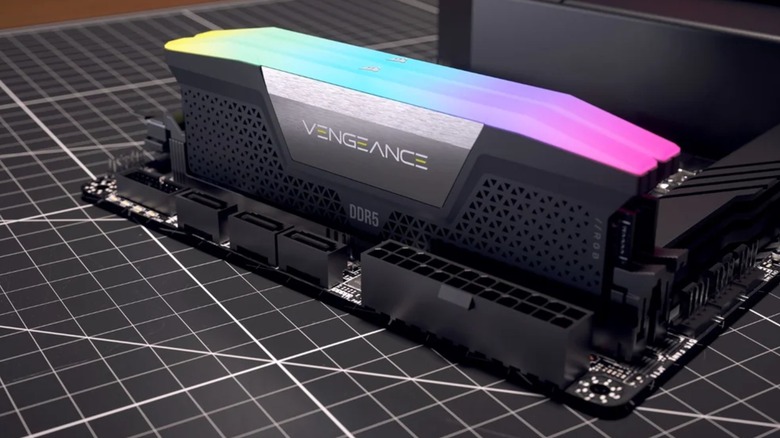
Computers are technological miracles comprised of numerous components working in harmony to render countless calculations and programs on a screen. However, that harmony balances on a razor-thin wire. Since every computer component relies on every other installed piece of hardware, you'd be surprised how easily you can accidentally break a PC. However, it's even easier to miss the warning signs that components are about to fail.
Now, you're probably wondering what the most important component in a computer is. The answer is random-access memory, better known as RAM. While every PC needs a hard drive or solid-state drive to store data, it needs RAM to run the programs required to access, read, and occasionally alter said data. You could own the most dependable computer on the planet, but without functioning RAM, your computer won't work properly or at all. Thankfully, like any failing component, you can watch for telltale signs that your RAM is starting to fail — or already has. And we are here to tell you what you should watch for.
Before we begin, a quick disclaimer: Since computer components function in conjunction with one another, many malfunctioning pieces of hardware share the same symptoms. If your computer exhibits any of the issues in this article, bad RAM is only one possible explanation. When diagnosing your PC, always rely on a professional and try to rule out the most likely causes first.
What RAM does
RAM stands for random-access memory, but some people just call it memory for short. Whenever a program boots up, your computer stores all the data needed to run it in your RAM. The more complex the program, the more RAM is required. However, complexity in this case can also apply to the number of processes. Video games that have realistic physics and complex enemy AI systems take up a lot of RAM, but so does playing all 178 episodes of "Star Trek: The Next Generation" simultaneously on 178 instances of a built-in media player.
The amount of RAM you have on your PC isn't the only factor. Different models have their own unique specifications, and some are built to retrieve and send data more quickly than others. The faster the RAM, the faster the computer can read and translate the information into visible graphics. This is especially true for video games, as faster RAM speeds translate into better game performance and quicker load times.
Now, what makes RAM so 'random-access '? Because it is used to temporarily store data while a program is running, and once you're done using it, the RAM flushes its cache, ready to be filled with whatever random bits and bytes you want from another program. That's how RAM works most of the time, but either through normal use or bad luck, a RAM stick might not work as intended. And then you've got problems.
Your computer randomly crashes, freezes or BSODs
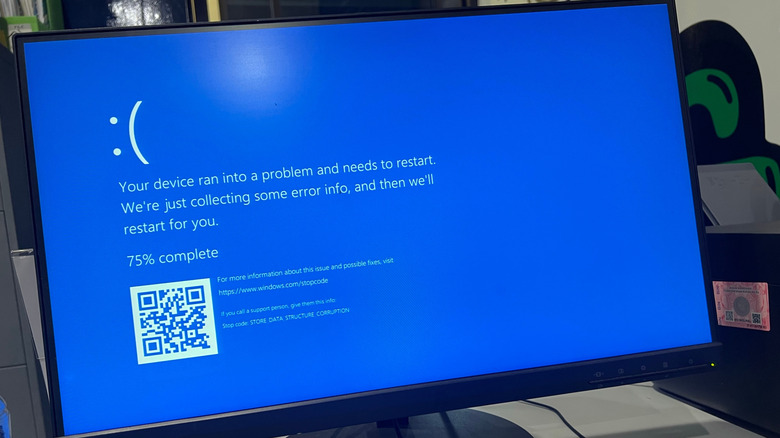
Earlier this year, Windows 11 killed the Blue Screen of Death (BSOD). No, Microsoft didn't actually make it so computers couldn't suddenly crash and restart — though that would have been impressive. Instead, the company just changed the screen to black. What does that have to do with RAM? A Black Screen of Death is still one of the most reliable ways to diagnose faulty RAM.
Memory issues are some of the leading causes of computer BSODs, as when RAM goes bad, a computer can't access or manage the memory properly. While plenty of other issues can cause a BSOD, this critical error screen usually comes with codes that tell you why the computer suddenly decided to stop what it was doing. Codes that include words such as "PAGE_FAULT_IN_NONPAGED_AREA" or "MEMORY_MANAGEMENT" are usually an indicator that your RAM is at fault, possibly because it is going bad.
Failing RAM can also cause other severe computer issues. Not as gut-wrenching as seeing a BSOD, but catastrophic all the same. People on the Tom's Hardware forums have reported that memory issues can make their computers crash randomly or restart without warning (and repeatedly) without a BSOD, often for the same reason (memory management). Sometimes RAM issues are even traced back to random freezes because unstable RAM decreases the amount of memory available. Again, if you encounter these kinds of issues, rule out all other possibilities before assuming your RAM is to blame.
Your computer refuses to boot
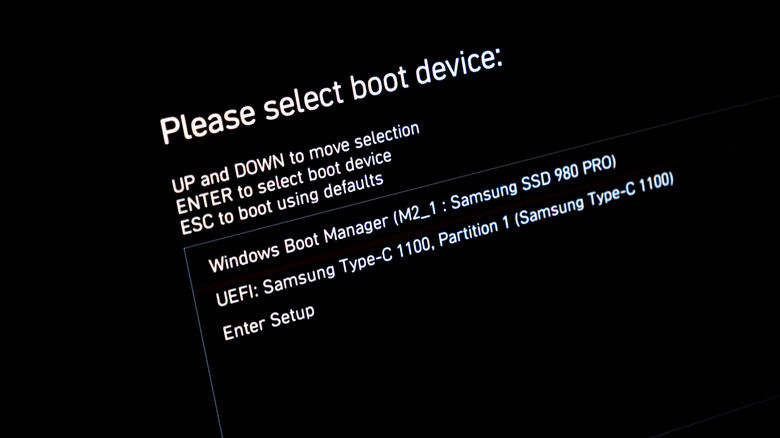
The process of turning on your computer (a process known as booting) is virtually paradoxical since a computer needs active programs to run, but you can't start programs unless the computer is already running. How does a PC clear this seemingly metaphysical hurdle? You never actually turn a computer on. Let me explain.
Every time you boot up your computer, you aren't actually turning it on. Instead, you are instructing your PC to begin the Power-On Self-Test (POST). During this process, the computer tests various components, including the CPU, motherboard, input and output devices, and RAM. If the computer passes the POST, then it starts up properly. However, if a computer has bad RAM (or another faulty component), it won't be able to start up. That is why many computers have motherboards with LEDs or can produce coded beeps that help you diagnose the issue. If your PC fails to boot and produces one to three short beeps or a continuous beep, your memory is at fault.
Even if your computer's RAM isn't at the point where it prevents a PC from booting, failing RAM can slow down a computer's startup time as the OS has less RAM to work with while loading programs. However, this is not a guaranteed metric, as filling your hard drive can also slow startup times.
Your programs crash unexpectedly or encounter performance instability
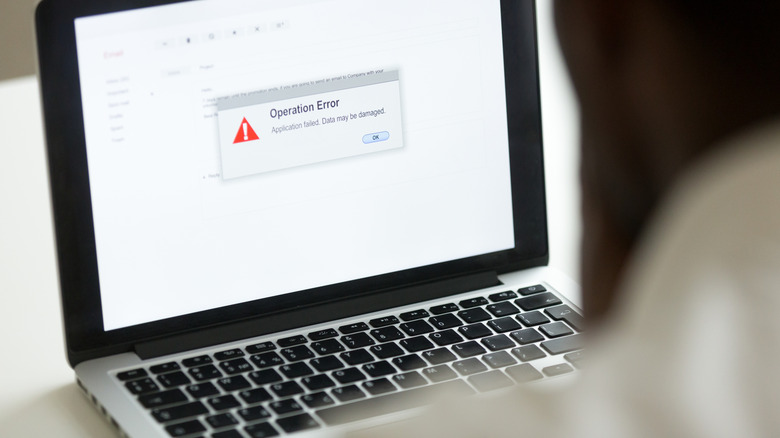
Computers crash when a program experiences such a catastrophic error that the OS gives up trying to fix it, and as we already established, bad RAM is a potential cause. Ergo, failing and faulty RAM can also cause tamer crashes that don't result in a BSOD but still ruin your progress in a program.
Even when faulty or failing RAM doesn't make your computer so unstable that it cannot stay on or turn on, the memory issues will likely impact your programs. Apps can become unstable and crash because, without enough stable RAM, your computer might not have enough memory to run them. This might be more obvious with graphically-intensive programs such as video editing software and PC games, which are notorious memory hogs. However, sometimes bad RAM isn't to blame, but instead bad coding. Or is it?
One of the leading causes of program instability is memory leakage. Normally, RAM space fills up with data when it is necessary, and when the program no longer needs that info, the RAM flushes itself to free up space for more data (e.g., load levels in a game). But when that doesn't happen, the information stays in the RAM and fills up more and more, slowing down the computer exponentially. On the surface, bad RAM and memory leaks can have similar symptoms, but you can only differentiate the two with some research and experimentation. If updating or terminating programs that allegedly contain memory leaks solves the problem, your RAM is likely fine. If not, you probably need a replacement memory stick.
Your files become corrupt
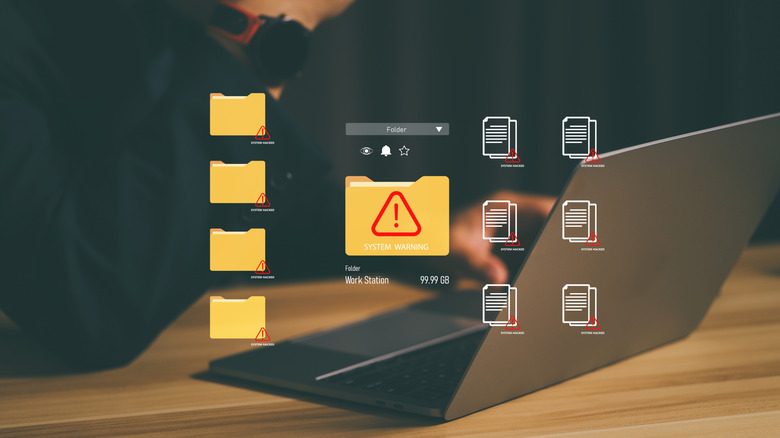
When you read this slide's title, you probably wondered how RAM can corrupt computer files. Aren't they supposed to be stored on a hard or solid-state drive? Well yes, but as previously stated, every component system in a computer is entwined; RAM can corrupt files in much the same way as removing a USB stick without ejecting it.
Technically speaking, bad RAM cannot corrupt files in and of itself. After all, RAM only temporarily houses all the data a program needs to know how to function. But therein lies the rub: A program can't read its own data properly on a computer with faulty or failing RAM. When that happens, the app doesn't know what to do with its saved files and will most likely corrupt them. And the worst part? While some files are only saved when you want them to be (e.g., Microsoft Word documents), others give you less control.
When a computer has bad RAM, its critical system files are at huge risk since the OS is frequently overwritten. Depending on the severity of the damage, you might need to reinstall your entire operating system — after you replace the failing RAM sticks, that is. Otherwise, your computer will just become increasingly unstable until it's little more than a paperweight with a monitor and a keyboard.
You encounter program install issues

Most computers come pre-installed with many programs, but there are plenty of other apps you also might want to install. Some are even free for operating systems like Windows 11. However, the installation process is resource-intensive. You need to worry about more than just hard drive or solid-state drive space.
Failing RAM can cause issues during installation, much like it does elsewhere. If your computer can still function with bad memory, it will run slower than normal for all processes. This includes installing programs on your PC. Installations will crawl to a snail's pace as your computer has less memory to draw on. Depending on the severity of the memory issues and the size of the program you're adding, installation might even freeze completely or fail.
In the spirit of fairness, if you can't install a program on your computer, odds are something is up with your hard drive or solid-state drive, but don't rule out RAM entirely. Furthermore, RAM can cause issues not just with installing programs but also with installed computer parts. A writer at PCTips once encountered an issue in which their RAID settings (a data storage system that combines multiple HDDs and SSDs into a single unit for improved performance) reset every time they rebooted their computer. Turns out bad RAM was causing the problem. That is how important a good memory stick is to proper PC functionality.
You encounter weird graphical hiccups

Every computer needs a graphics card, especially if you use programs like Blender or play video games. Without a graphics card, a computer can't effectively translate data into 3D visual information. However, GPUs are only part of the equation since RAM helps them transcribe information quickly. Without enough RAM, not even the most mundane and simple graphics translations are feasible.
The graphical issues caused by bad RAM are as varied as they are annoying. Some are as minor as graphical artifacts during routine computer use, while others are as severe as preventing the GPU from rendering anything on the monitor – the computer technically boots up, but you just get a black screen or an error displayed on the monitor. And if you're a gamer, you will likely see performance slowdowns or trouble rendering assets.
While RAM can cause any of the above issues, you should only consider the possibility after ruling out the GPU and/or CPU. While RAM holds all the information on how to render graphics, the processors do all the heavy lifting, so if something goes wrong, they should be your first suspects. Update your GPU driver, ensure connections are all stable, and perform any other tests you find on reliable forums. If a graphics card or central processor passes with flying colors, then it's time to investigate your PC's RAM.
Your computer doesn't recognize the RAM installed
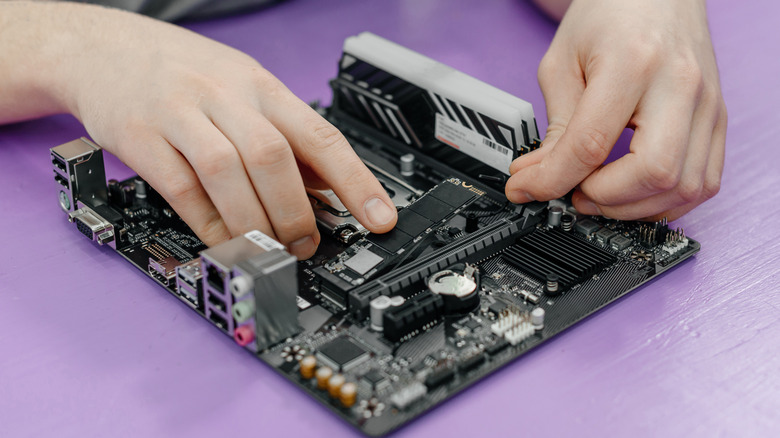
All computer components have firmware that communicates with the rest of the PC and tells them what is installed and, more importantly, its capabilities. You can buy one of the world's largest commercially available SSDs, but if it starts to go, your computer won't be able to tell how much space is left or whether it's even connected. The same is true of RAM sticks.
When RAM fails, the memory modules have degraded to a significant degree. If that happens, but you can still boot up your computer, it will only recognize the functioning RAM and completely ignore the failing memory parts. An obvious sign is if your computer says you have less memory than is installed. You can usually check by opening DXDiag (type "dxdiag" into the Windows search bar) or System Information (open the Apple Menu, click "About This Mac," then "System Report"). However, there are some caveats.
While you might want to assume bad memory sticks are to blame, that might be catastrophizing the situation. Sometimes memory has been cached, but other times the RAM slot is the cause, not the stick itself. In a best-case scenario, your computer doesn't recognize all of your RAM because you didn't seat it properly into the slot, or you accidentally installed a memory stick that is incompatible with your motherboard. Always do the research or use a RAM compatibility tool (such as the one available on the Corsair and Newegg websites) beforehand. And save your receipts just in case.
Your computer tells you it has memory issues
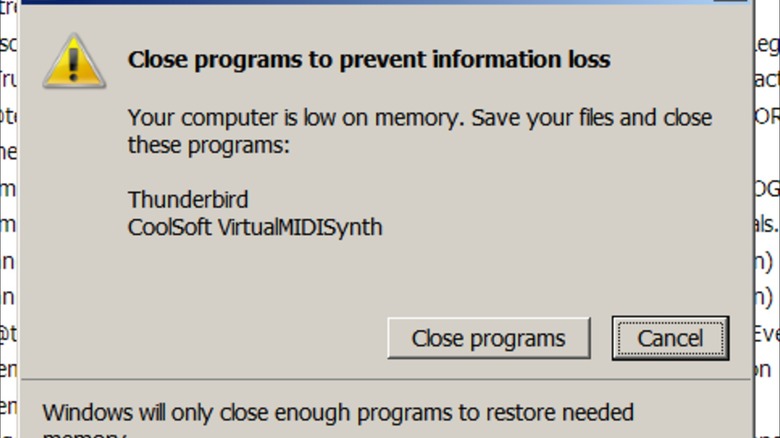
Throughout this article, we have discussed problems a computer might encounter that are potentially caused by faulty or failing RAM sticks. However, you still have to diagnose these problems and rule out other possibilities — of which there are many. But sometimes the computer will just tell you what's wrong.
If something is up with your computer, the first warning sign is usually an error message. These are an integral part of the general computer experience since they tell you what is going on. And because everyone will receive an error message sooner or later. Every OS has error messages that tell you if your computer has encountered a memory problem. These can include pop-ups that say "Windows has detected a memory problem," "Low memory," or "Out of memory."
As we have established throughout this article, computer problems are the symptoms of countless interconnected issues, and faulty RAM is only one of the possible causes. When you receive the above message, it's time to diagnose. Could the culprit be a program or game accidentally trying to write memory where there is none? What if you just have too many Google Chrome tabs open? All of those are potential causes, but if you rule them out and the issue persists, the messages might be a warning sign that your RAM stick is ready to retire.
You find out for yourself
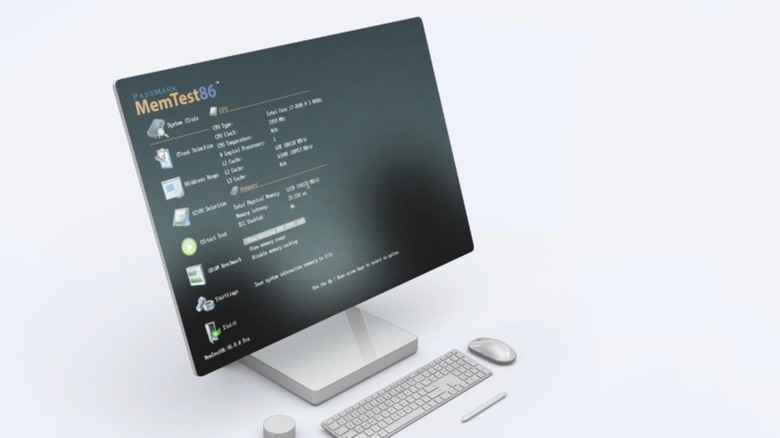
Many people won't know their RAM is failing until they encounter the errors listed earlier in the article. There's nothing wrong with this. However, some computer owners prefer a more proactive approach to detecting faulty RAM. Then again, some of these techniques also help diagnose your computer when it starts to falter.
If, for any reason, you suspect that your computer's memory is starting to fail, you should first use a simple diagnostic tool to rule out — or confirm — faulty RAM. These programs test your RAM, so if your PC receives a passing grade, you know the issue lies elsewhere. Many people recommend MemTest86, but if you own a Windows computer, the built-in Windows Memory Diagnostic tool is just as reliable.
Of course, these sorts of tools only really work if your computer can start up, so they act more as an early warning system. What can you do if your computer refuses to boot or isn't stable enough to remain on for reasonable periods of time? Perform a bit of exploratory surgery and physically remove the RAM sticks. Depending on how many your computer uses, you will need to try booting the computer one stick at a time to determine which piece of RAM is at fault. And don't forget to swap the cards between slots to make sure the Dual In-Line Memory Module (DIMM) isn't to blame. If your computer turns on when a certain RAM slot is empty, regardless of which stick is inserted into the other slot, you've discovered the cause.