

The 10 Best Budget And Expensive Portable Monitors In 2026

We may receive a commission on purchases made from links.
To the uninitiated, the phrase "portable monitor" might sound like an oxymoron. After all, the word "monitor" typically means a bulky, rectangular screen perched on a stand, perhaps with a thick HDMI cable snaking out the back and anchoring it to a desk. It's not exactly something you'd toss into a backpack on your way out the door. However, since COVID-19 increased the number of remote workers, second monitors for work that can be carried easily and set up in seconds have become essential. Expanded screen real estate isn't just for spreadsheets and inboxes either. Gamers want it for a more immersive on-the-go experience, and creatives needing extra space for precise graphics editing.
With many different potential uses, an affordable portable monitor is unlikely to suit everyone. Gamers will need a high refresh rate and slow response times for smoother gameplay, while designers will want bright and accurate colors. Even the spreadsheet warriors who decide to relocate to their favorite coffee shop will need the monitor to be lightweight, but still powerful enough to ensure their boss isn't made suspicious by a jittery video call. That being said, if a monitor does tick every box for the multi-hyphenate gamer-artist-data analyst, its price tag will undoubtedly reflect its premium-level capabilities.
That leaves buyers with a tough choice to make. To help, BGR has put together a list of options aimed at two distinct camps: those hunting for a cheap computer monitor that has only the features they need, and those ready to invest in top-tier performance without worrying about the cost.
Budget: Arzopa Z1FC
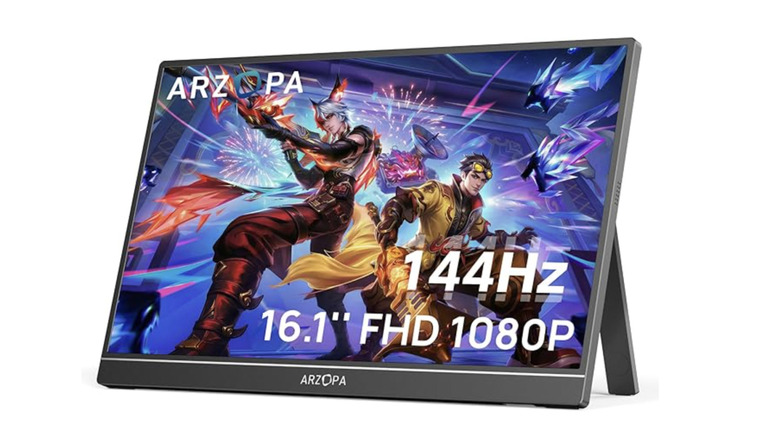
At just $109.99 on Amazon, the Arzopa Z1FC makes a compelling case for itself as one of the best-value portable monitors around. It pairs a generous 16.1-inch display with a 1080p resolution and 144Hz refresh rate, a spec that would be boastful for more expensive models. Brightness comes in at 300 nits, which is solid for indoor use, and the IPS (In-Plane Switching) panel ensures good viewing angles and respectable color performance.
IPS tells us that the liquid crystals in the display are rotated horizontally in response to a voltage being applied. Because they stay in the same plane, light can pass through more evenly, no matter the angle you're looking from, meaning the viewing angle is wider than for liquid crystals that tilt vertically.
Build quality is another highlight, as for a monitor weighing 3.12lbs (1.41kg), reviewers say it feels sturdy and durable. It requires a 60W plug for proper power delivery, but it also supports pass-through USB-C charging, meaning a single cable can handle input and charge the laptop. The Z1FC supports USB-C and Mini-HDMI, but it does not have a headphone jack. Some reviewers say its stand is a little flimsy.
Budget: ViewSonic VG1655
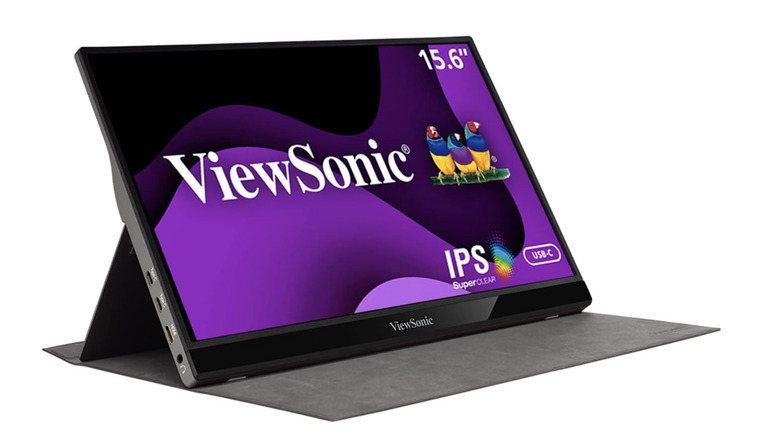
The ViewSonic VG1655 is another great value piece of kit. For just $199.99 of purchased from the manufacturer, it comes with two USB-C ports, a Mini-HDMI port, an IPS panel, and an integrated stand. It's also nearly half the weight of the Arzopa at 1.8lbs (0.82kg). Reviewers praise its built-in fold-out stand, which supports a 60-degree tilt range, according to ViewSonic. With a relatively modest screen size of 15.6 inches, its 1080p resolution actually provides a pretty decent pixel density of about 141 pixels per inch. A high pixel density means crisper visuals and clearer text.
Some reviewers say the VG1655 is let down by its limited luminance of 250 nits and narrow color gamut (i.e., it can't reproduce a wide range of colors), making the images appear duller than they would on competing models. As a result, it's better suited to productivity tasks like coding or spreadsheets than to photo editing or other color-critical creative work. It also has a tiny five-way joystick for navigating the display's settings menu, which reviewers describe as far easier to use than the fiddly button arrays found on many portable monitors.
Budget: Ricoh 150
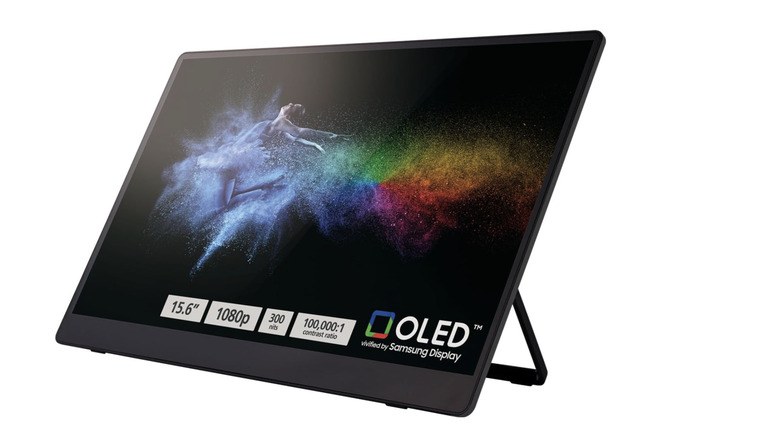
If you're looking for bright colors and a touchscreen, you don't need to look too much further than the Ricoh 150 15.6-inch portable monitor, which is the first on the list to benefit from an OLED panel. On LCD screens, pixels rely on a constant backlight that can't be fully blocked, so blacks tend to look more like a dark gray, reducing the contrast. OLED displays, on the other hand, produce their own precise colored light at each pixel, which allows for deeper blacks and more vibrant, true-to-life colors. There are reasons to avoid OLED monitors, including their cost and propensity to burn-in. And it is worth understanding the main differences between OLED and IPS before making a decision.
Beyond the beauty of its screen, the Ricoh 150 is extraordinarily lightweight at only 1.23lbs (0.56kg), making it easy to carry. It boasts a reasonable spec of 1080p resolution, a 60Hz refresh rate, and a maximum brightness of 300 nits, all for about $180 on Amazon. Its touchscreen is also solid, capable of ten-point multi-touch (meaning it can sense all of your fingers and thumbs simultaneously) and detects 4,096 levels of pressure. It comes with a stylus pen that reviewers say is pleasingly weighty, and would be particularly handy for any creative work. However, you're out of luck if you want to hook the monitor up with an HDMI cable, as it only has USB-C ports.
Budget: Asus ZenScreen MB16AC
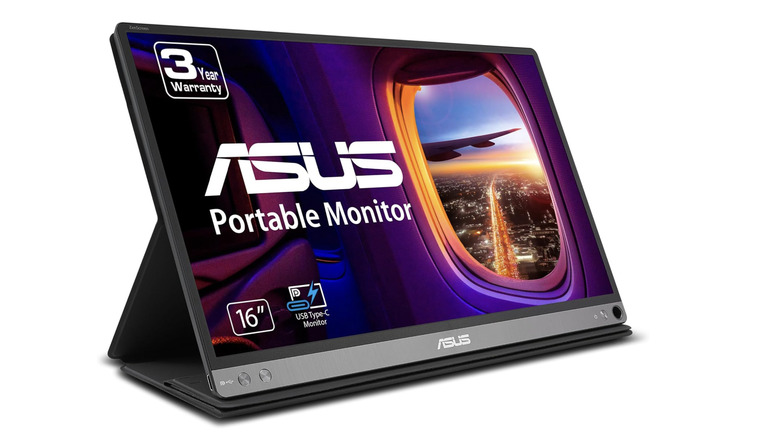
The Asus ZenScreen MB16AC reaches the boundaries of BGR's definition of budget at $199.99 on Amazon. Despite it being almost a decade old, eviews do sing its praises. It's another notably lightweight option at 1.72lbs (0.78kg), and only 0.3 inches (8mm) thick, so it can fit easily into a backpack or briefcase. It doesn't come with a kickstand, but it does have a small hole in the lower right-hand corner, which is designed to have a pen pushed through to prop the monitor up. Asus even puts a black-ink pen in the box for this job!
The MB16AC monitor comes with flicker-free backlighting and a blue light filter to help prevent eye fatigue, which can be a problem when working for long hours on the go. Flicker-free technology reduces rapid brightness fluctuations, while the blue light filter limits high-energy blue wavelengths, both of which can cause strain.
Other elements of the spec are middle-of-the-road: a 16-inch screen (but with only 15.6 inches viewable), 60Hz refresh rate, and 220 nits of maximum brightness. But what earns it a spot on this list is that, although it only features USB-C ports, it can support USB-A sources using an adapter and the DisplayLink driver. This means that it will easily connect to most laptops, even older models, without needing extra adapters or power bricks. The MB16AC also only requires a single connection for power and for hooking up to the host device.
Budget: ForHelp F156-P1
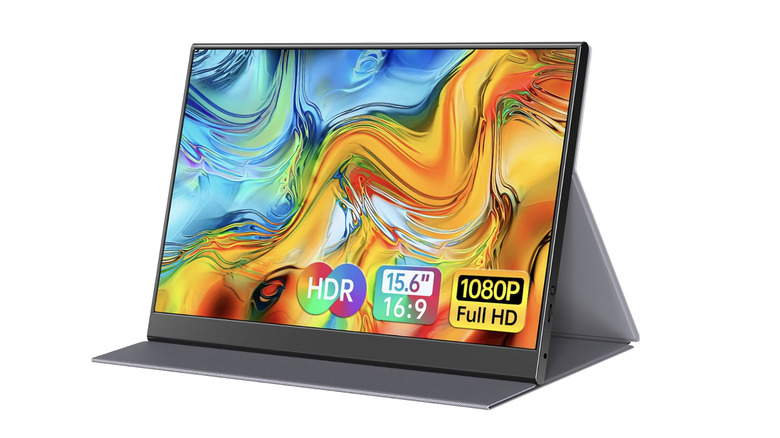
Our final budget pick is the ForHelp F156-P1 Portable Monitor, easily the most affordable option on our list at just $49.99 on Amazon at the time of writing. Despite its low price, this monitor punches above its weight class. Its 300-nit brightness is impressive for the category, outshining many competitors in the sub-$100 price range, and its 15.6-inch IPS display ensures wide viewing angles and good color consistency. The 1080p resolution and 60Hz refresh rate may not be sufficient for immersive gaming experiences, but are more than enough for everyday work tasks like browsing and document editing.
Connectivity is another strong point: the F156-P1 supports both USB-C and Mini-HDMI, and it even offers pass-through charging, reducing cable clutter and making it easier to stay powered on the go. Weighing just 1.5lbs (0.69kg), it's extremely portable, too, and slips easily into a backpack alongside a laptop. There are some compromises: the built-in speakers are average at best, and the brightness isn't enough for very sunny environments, so it works best indoors. But you get what you pay for, and if you're on a budget and need a device that will get the job done, don't rule out the F156-P1.
Expensive: Asus ZenScreen Duo OLED MQ149CD
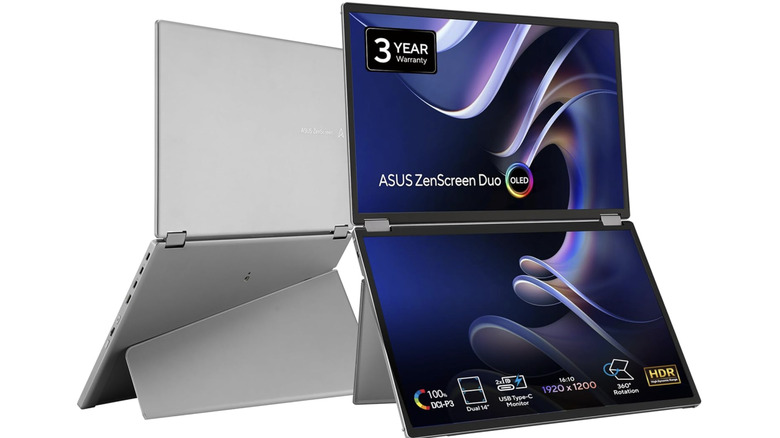
The first of our expensive models happens to be THE most expensive; the Asus ZenScreen Duo OLED MQ149CD currently retails on Amazon for an eye-watering $499 (and that's on sale!). You do get two 14-inch displays for that price, making it a pretty good deal for a buyer needing that kind of screen real estate, such as programmers with lines and lines of code. The monitors are also OLED, contributing to the high price, but they will give beautiful, strong colors with 1920×1200 resolution (i.e., 137 pixel-per-inch density) and 400 nits of brightness. This makes the MQ149CD perfect for color-sensitive tasks, such as photo editing and graphic design.
It boasts two USB-C ports, a Mini-HDMI port, and a special USB-C port for charging. Despite being two screens-in-one, both panels together weigh about 2.4lbs (1.09kg), and each of them is only 0.6 inches (1.5 cm) thick. Asus also offers a range of unique viewing modes that let the user cascade, mirror, or extend content across both screens, handy for multitasking across multiple windows. All that being said, expert reviewers say glare can be an issue in bright environments and the built-in kick stand can feel a bit flimsy when fully extended.
Expensive: ViewSonic VX1655-4K-OLED
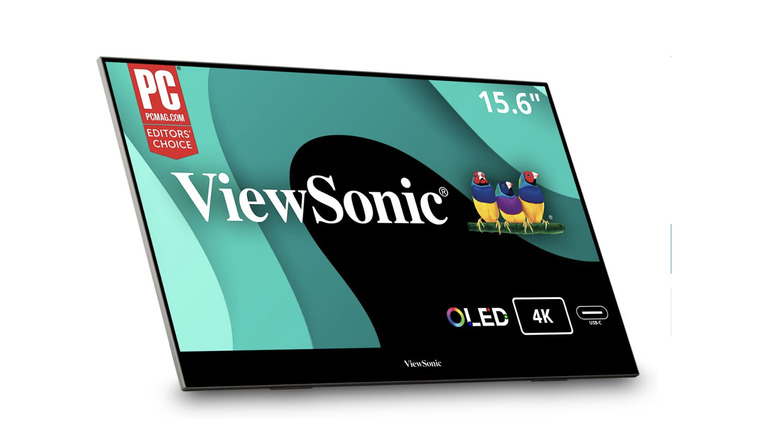
Next up is the ViewSonic VX1655-4K-OLED, a pricey device that could be worth the splurge for those desiring rich, immersive colors. The 15.6-inch OLED panel boasts a massive 3840 x 2160p (4K) resolution and 400 nits of brightness for $499.99 if purchased from Amazon. It is also extremely thin at just 0.6 inches (1.5cm), which is made possible by OLED technology, as there is no need for a chunky backlight. The thinness translates to lightness, as the monitor and stand together only weigh 1.5lbs (0.68kg).
Naturally, a product this thin would not be able to house most ports, so ViewSonic put them in the integrated kickstand instead. They include USB-C, Mini-HDMI, and a 3.5 mm headphone jack, but there is also a fingertip-sized joystick in the stand's bottom-right corner, which can be used for navigating the display's settings menu. Some reviewers do say that, unfortunately, the sound quality of the kick stand's in-built speakers is not great, and the joystick and ports are difficult to access from the front of the monitor. If you have a preferred third-party audio solution and don't plan to frequently switch your inputs, this could be the monitor for you.
If you're planning to connect via HDMI and want to make sure you're getting full resolution, it's worth checking out this guide on how to tell if your HDMI cable can output 4K.
Expensive: NexiGo NG17FGQ
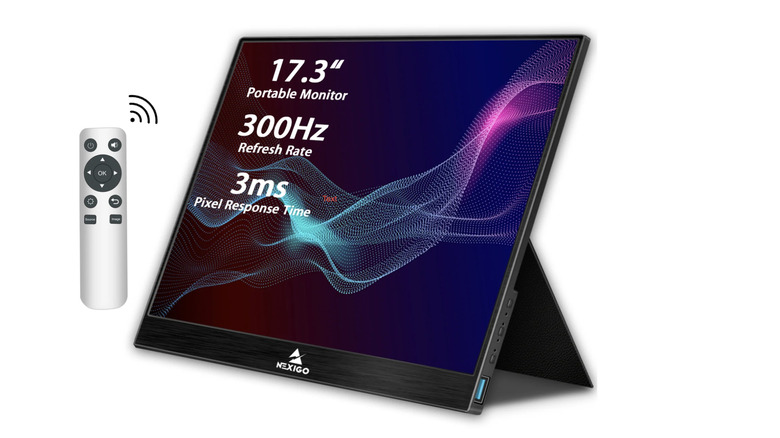
The NexiGo NG17FGQ is comparable in price to the ViewSonic at $449 from the manufacturer at the time of writing, which could seem strange, considering it is IPS rather than OLED. However, the NexiGo is a much better choice for gamers who require a top-of-the-range refresh rate of 300Hz. A monitor's refresh rate corresponds to how well it updates the image on the screen per second, so the higher it is, the less motion blur will be visible with fast-moving images.
The NG17FGQ's brightness and resolution are also strong, at 300 nits and 1080p, and its monitor stretches a generous 17.3 inches, which helps to maintain an immersive gaming experience. Note that it is not quite as light as other high-performance portable monitors at 2.2lbs (1.00kg), but it does have five ports built into its screen: two USB-C, an HDMI (full size, not mini), USB-A, and a 3.5mm headphone jack. For those interested in long, late-night gaming sessions, the product comes with a blue light filter and flicker-free technology to prevent eye fatigue.
The NG17FGQ includes AMD FreeSync support, which synchronizes the refresh rate with the computer graphics card's frame rate to reduce stuttering. Reviewers also say that its color accuracy is good, its built-in speakers offer usable sound, and the included remote and extra stand are helpful for adjusting the image and positioning.
Expensive: ViewSonic TD1656-2K
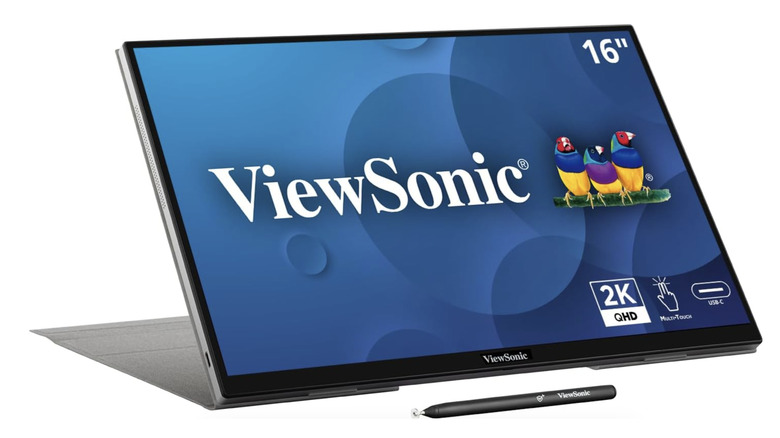
Another ViewSonic device has made this list, but this one is an IPS rather than an OLED and is heavier at 1.8lbs (0.82kg), which is reflected in the slightly more affordable price tag of $379.99 if bought from Amazon. The TD1656-2K also has a touchscreen display, supporting 10-point touch input for both finger and stylus control. A stylus is included, and reviewers say it works fine for general web activities, but those looking for hyper-accuracy in graphic design may want to upgrade.
In terms of spec, the screen is a modest 16 inches, the resolution is 1600p, the refresh rate is 60Hz, and the maximum brightness is 330 nits. The TD1656-2K only supports USB-C input, but does allow for pass-through charging, which reduces cable clutter when on the move. Reviewers praise its color range and accuracy, which means it can reproduce a wide spectrum of colors faithfully and displays shades very close to their intended values. Testing by PCMag revealed it covers 99% of the sRGB gamut (the standard range of colors used in most web and computer content). It also has an average Delta E value (ie, its closeness to the target color, with lower values indicating higher accuracy) of 0.8.
Expensive: Asus ROG Strix XG17AHPE
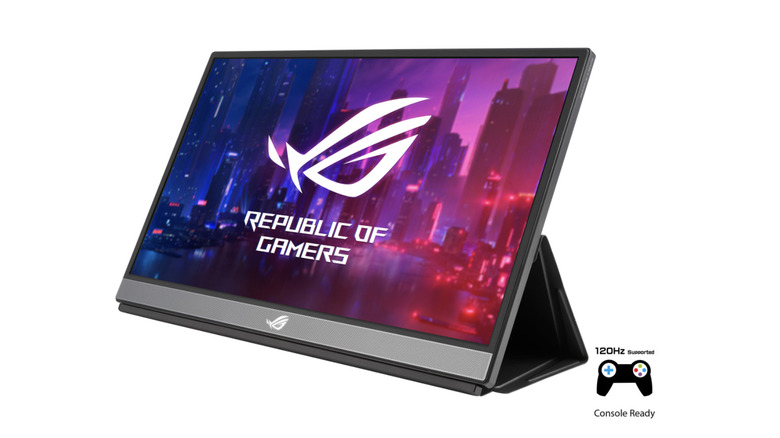
Last but by no means least is the Asus ROG Strix XG17AHPE. This is another IPS option with a sizable 17.3 -inch screen. Users who like to keep many tabs open will not be disappointed. Its 240Hz refresh rate is also decent, and it supports variable refresh rate technology to reduce stuttering. Reviewers specifically praise its gaming performance.
Another great feature of this monitor is its 7800mAh battery, which provides up to 3 hours of usage without needing to be plugged into the mains. This is particularly handy for those who may want to take their second screen to places without an outlet, such as planes or trains. When it comes to clarity, it boasts Full HD 1080p resolution and a maximum luminance of 300 nits, which is comparable to most of the other top-of-the-range models we've featured. Its size and resolution combination result in a relatively high pixel density of 127 pixels per inch, making text clear for reading emails or documents.
This monitor weighs 2.34 lbs (1.06 kg), which isn't the lightest. However, reviewers suggest that the ROG Strix's gaming capabilities and portability enabled by its powerful battery make up for it. If you're interested, it's currently available for $469 from the manufacturer.
Methodology

BGR compiled a list of the best portable monitors based on expert testing from trusted tech publications, customer feedback from retailer listings, and discussions on forums such as Reddit. These were then ranked based on the following objective criteria:
-
Resolution
-
Refresh rate
-
Brightness
-
Panel type
-
Number of supported port types
-
Weight (the lighter the better for portability!)
BGR also took into account more subjective criteria, such as any features that make the products stand out and the quality of the materials they are made with. Regular reviewer complaints were also considered. From this list, the five priced below $200 were chosen as the best budget options. The five priced above $350 were chosen as the best expensive options.