

Samsung Galaxy S26 Ultra Review: More And More Refined
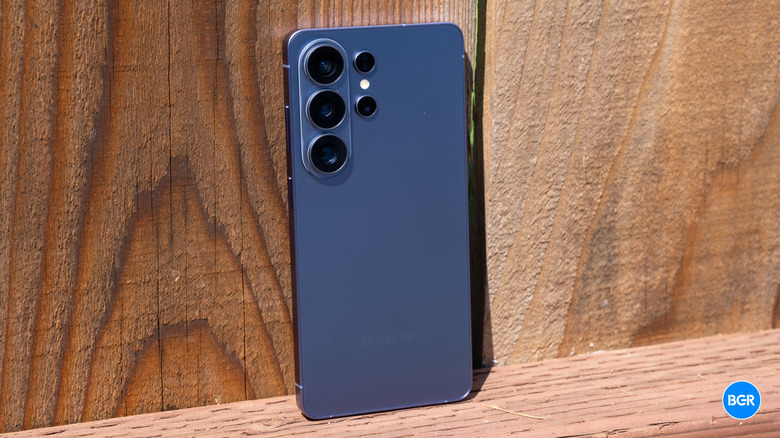
It would be easy to take one look at the Samsung Galaxy S26 Ultra and dismiss it is little more than a fresh coat of paint. It gets the expected processor bump, sure, but the cameras remain the same, there's still no full Qi2 support, and Samsung has yet to adopt the battery tech that's allowing Chinese manufacturers to pack 10,000mAh batteries into their phones.
But there's a little more to the phone than that. In fact, there's some really cool tech onboard. Life-changing? No, but still — tech that I hope becomes a little more common in high-end phones over the next few years.
So, between the fresh paint and this new tech, is the Galaxy S26 Ultra more than just iteration? It depends what you're looking for — but there's no denying that it's still easily one of the best Android has to offer.
Design
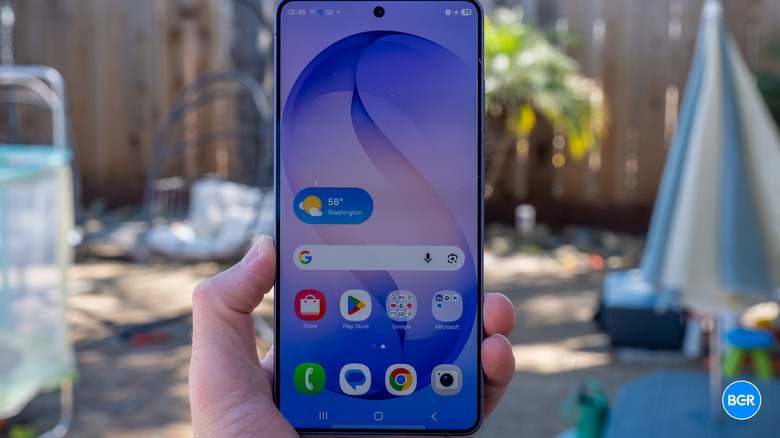
I've already alluded to the fresh coat of paint, but how fresh can it really be when it's aimed at looking more like other phones? Debates about freshness aside, it is a welcome change, at least for me. Some might lament the extended death of the Note, which has effectively lived on in the form of the Ultra devices. I'd argue Samsung killing the S Pen would truly signal the end of the Note.
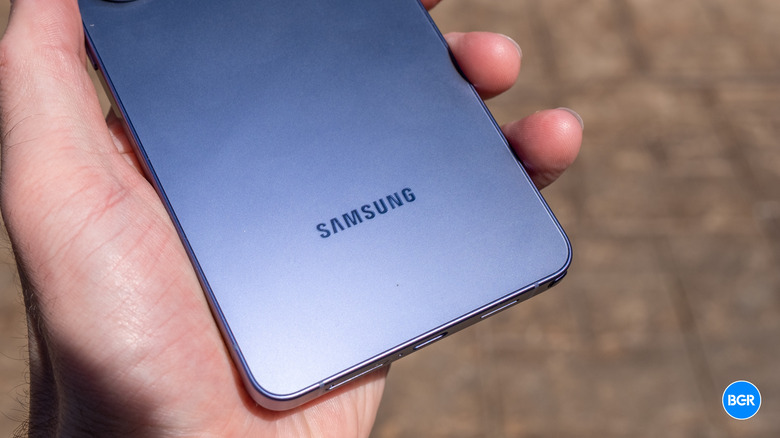
Regardless, the blocky, square design of Ultra devices is gone now, in favor of a design that's more in line with the other devices in the Galaxy S26 series. Samsung spoke at length about the "matching corner radii," but the gist is that the phone looks like a larger Galaxy S26+ (yes, the larger Galaxy S26). There are other design differences between the Ultra and other Galaxy S26 devices too, like the extra camera on the back, and yes, the S Pen that extends from the bottom.
I like the look of it. It has the flat-edged look that has become the norm since the iPhone 12, but in the era of the plateau and camera bar, the simple cluster of cameras on the back somehow looks more unique this year, despite its familiar design.
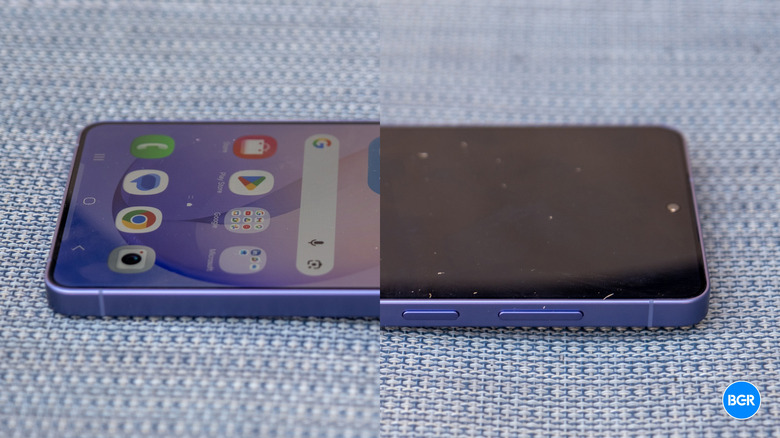
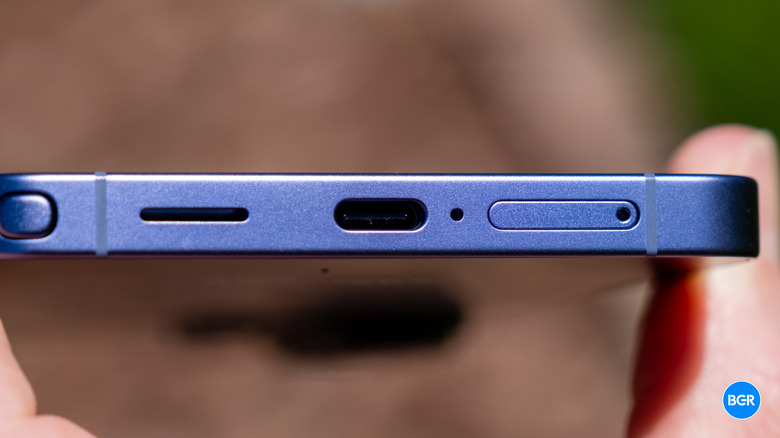
On those flat edges, you'll find all the standard ports and buttons. There's a USB-C port on the bottom, along with a power button and volume rocker on the right edge. That's it as far as buttons — Samsung has resisted the urge to add an "AI button," though if it resulted in a fully customizable hardware button, I'd be all for it.
The phone comes in a range colors: Cobalt Violet, Sky Blue, White, and Black. I'm reviewing the Cobalt Violet model, and it looks great. It's not a massive departure from Titanium Silverblue from last year, but I already liked that, and the brighter version for this year looks even nicer. The phone doesn't just look nice — it feels great too. It's clearly well-built, and it feels premium to hold. And it doesn't just feel durable — it is durable, making use of Gorilla Armor 2 for protection.
The frame is an interesting one. Last year, Samsung followed Apple's lead in building its phone out of titanium. This year, it's following Apple's lead in moving back to aluminum. Seemingly, both companies have realized that the durability advantages of titanium don't quite make up for the thermal cost.
Speaking of metals, I was really hoping this would be the year Samsung finally added full Qi2 support to the Galaxy S26 series. It's long overdue, and now Android competitors like the Pixel 10 series are leading the way. Apparently, the Pixel 10 didn't quite signal the avalanche of magnetic-supporting phones I wanted. Samsung has added those magnets to its official cases, but frankly, that's not good enough. I said this last year, and I'll say it again: "hopefully next year." By 2027, Samsung will truly be behind the curve, but better late than never.
The S Pen slots into the bottom of the phone like it always has. It's still not a feature that I use all that much, but if you do, you'll be disappointed to know that it's the same step-down S Pen as last year, meaning it doesn't have Bluetooth. Overall, the Galaxy S26 Ultra looks less like the Galaxy S25 Ultra and more like the standard Galaxy S25 — but in a good way. It's sleek, premium, and well-built.
Display
Let's get the basics out of the way. The Galaxy S26 Ultra's screen looks great. It's an LTPO AMOLED 2X screen, which means it can vary in refresh rate from 1Hz to 120Hz, as needed. It has a peak brightness of 2,600 nits, and it does a good job of retaining its peak brightness over longer periods of time than some other phones, like the iPhone 17 Pro Max, even if that peak brightness isn't quite as high as some competitors, like the Honor Magic8 Pro. It also has the anti-reflective coating from previous generations of Galaxy phones, which I love. Apple has a great anti-glare coating too, but I really want to see it on more smartphones and tablets. Like other Samsung products, the screen is tuned for vibrancy — so while its colors aren't quite as accurate as some others, it still frankly looks stunning.
Now, we get to the interesting stuff. For around a year or so, I've been wondering what kinds of display innovations would make this section interesting to write. Every high-end phone nails it — they all have bright screens with vibrant colors, smooth variable refresh rates, and crisp resolutions. Turns out, brightness is the innovation — but it's not about making a screen brighter or dimmer for you, but for others around you. That's where Samsung's new Privacy Display comes in.
Contrary to what you might think, Privacy Display isn't a software tweak — it doesn't just dim the brightness. It actually changes the viewing angles on a hardware level. How so? Samsung has re-architected the display to have two sets of pixels. One set is a kind of "wide-angle" set of pixels, which beam light in all directions. Another set is filtered through a lens that focuses the light straight ahead. In normal operation, both of these sets of pixels are enabled, and it looks normal in most usage. With Privacy Display on, that wide-angle set of pixels turns off, meaning that while you can see the screen straight-on, turning it at an angle makes it harder to see. It actually works very well.
But there are some important caveats. It's not perfect. It's not necessarily a substitute for simply being careful about what you're doing on your phone around others, and you still shouldn't be careless with on-screen passwords or other personal information. And the trade-off of the tech is that, theoretically, the viewing angles at normal operation aren't quite as good as they otherwise would be. Frankly, I've found the viewing angles to be great, aided by the anti-glare screen coating. Finally — and this is the biggest trade-off — with Privacy Display enabled, you can see a difference in screen brightness.
I find these compromises easily worth it. Privacy Display is downright cool. You can actually use it in two different strengths. With Privacy Mode enabled, the difference in brightness straight-on is fairly minimal, and while I could see a difference, it was far from distracting. With "Maximum Privacy Protection" enabled, those wide-angle pixels dim even more, and you can see a clear difference. But you never have to use Privacy Display, and without it on, the screen works just like normal, so it's not like you're being forced into using a dimmer screen if you don't want to.
So, how well does it work? In normal mode, when you enable it while looking at the screen from the side, it looks a lot like you turned the brightness all the way down — while when you do the same facing the screen squarely, there's minor dimming. Switch to Maximum Privacy Protection and the screen looks like a super-dim, all-white screen at wide angles. Someone directly next to you will still be able to see what's on the screen, especially if it's high contrast, like black text on a white background. But someone next to them won't be able to see much at all.
Even cooler is how customizable the feature is on a software level. You can set it to turn on in specific locations or when you use specific apps, for example. Basically, you can automate privacy — like having it always turn on when you're using your banking app. I love that.
It remains to be seen if other Samsung phones or even phones from other companies will get this feature — especially considering the fact that the feature comes from the separate-but-joined Samsung Display, which sells display panels to all kinds of manufacturers. I hope it becomes a standard feature for phones over the next few years.
Performance
The performance on offer by the Galaxy S26 Ultra is what you'd expect — excellent. The phone has a Qualcomm Snapdragon 8 Elite Gen 5 processor, but like last year, it's a special Samsung-tuned version of the chip. It's coupled with either 12GB or 16GB of RAM, and between 256GB and 1TB of storage. Our review model has 256GB of storage and 12GB of RAM.
Samsung claims the device gets a 19% CPU performance bump and a 24% GPU boost over the S25 Ultra, but the truth is, the Galaxy S25 Ultra already performed very well, and there's not a whole lot you can do on the new model that you couldn't before.
As expected, the phone performs very well. It handles multitasking and gaming with ease, and I never once experienced a stutter or lag in the software. These days, even the lower-performing Pixel Pro flagship phones feel like they perform just as well as the likes of the Galaxy S25 Ultra, at least in day-to-day use. Where the S26 Ultra wins is in things like sustained performance — though its sustained graphics performance is actually pretty similar to the Galaxy S25 Ultra, which certainly isn't a bad thing — the Galaxy S25 Ultra performed very well. Samsung is quick to point out that the phone performs well in on-device AI too. Sure — its Geekbench AI score was higher, so...confirmed?
Battery and charging
One area where I would like to see a little more from the Galaxy S26 Ultra is the battery. The battery sits in at 5,000mAh, which is quite good — but with battery tech improving quickly, some phones these days have batteries twice that size. I expect we'll see Samsung take a beat before implementing a new battery technology. After all, it doesn't want its phones to spontaneously combust. But hopefully high-density silicon-carbon batteries will prove themselves soon, and perhaps Samsung will start making use of them.
In actual usage, I found the battery life on the Galaxy S26 Ultra to be more or less the same as last year. It will easily get you through a full day of even heavier usage, but don't expect a phone that will last days at a time.
Meanwhile, charging is faster. The device supports 60W wired charging using the USB-PD spec, which is great to see. Super-fast charging is great, but it's always frustrating when it's locked behind a propriety standard. Indeed, the device did charge a little quicker than the S25 Ultra, though it wasn't necessarily a night and day difference. It also supports 25W Qi2.2 wireless charging — it just doesn't have the magnets for the perfect alignment or for magnetic accessories. If you use Samsung's case, you will get those magnets. Its wireless charging speed was definitely a lot quicker than the Galaxy S25 Ultra, and it was slightly quicker than the iPhone 17 Pro Max, too.
Camera
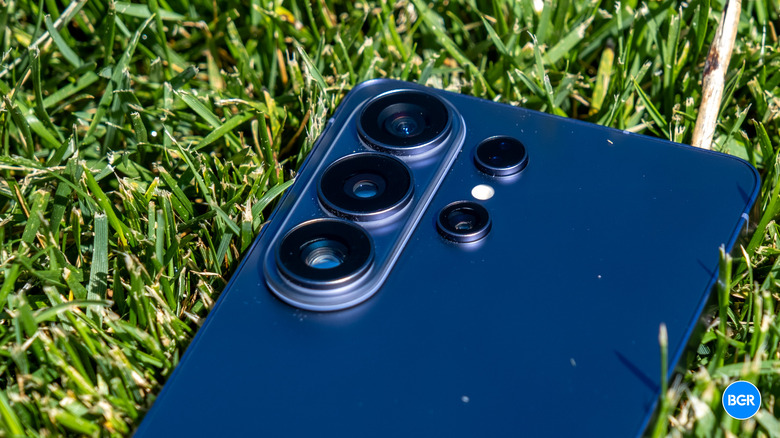
The camera system on the Galaxy S26 Ultra is similar to, but not exactly the same as, the S25 Ultra's. The phone still has four rear cameras, but some of those cameras have wider apertures that allow the cameras to take in more light for brighter images.
The rear camera system is made up of a 50-megapixel ultrawide camera, a 200-megapixel main camera, a 10-megapixel telephoto camera with 3x optical zoom, and a 50-megapixel periscope telephoto camera at 5x optical zoom. The main and periscope telephoto cameras have wider apertures than the Galaxy S25 Ultra, which means more light specifically for low-light shots. I'm actually somewhat surprised to still see the 3x telephoto on the device, given the huge main sensor that surely bridges the gap to 5x decently well. Regardless, it's a versatile system that takes excellent shots in all different situations.
Again, though, it's mostly the same as last year. Across brightness levels, the system as a whole produced photos that had similar detail and sharpness to the Galaxy S25 Ultra, and while dynamic range was slightly better on the newer device, it's marginal. This is nit-picking, though — as a whole the camera system is very good, and it's certainly an improvement over last year. I still prefer the general quality of images captured by the iPhone 17 Pro Max, and find that it's better at handling dynamic range. But the Galaxy S26 Ultra might be second only to it in smartphone camera performance right now.
There are some new video features too — like the new Horizon Lock stabilization feature. This essentially aims to lock the horizon regardless of how much you move your phone, which is pretty cool. It's not totally new — it's a feature that's been available on action cameras for a while now, but it's new to phones, and can come in handy if you're filming heavy movement. It actually worked quite well too.
The camera-based AI features have taken another turn for the S26 series, in a way that feels a little weird. The S26 Ultra allows you to edit photos with AI more than ever before, including changing your clothes, adding objects, and so on. In an era of rampant AI deepfakes, that seems risky. Regardless, it seemed to work well in terms of quality.
Software
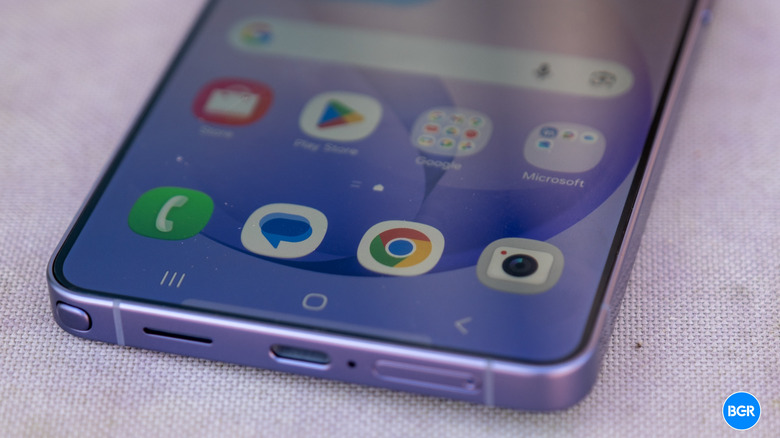
The One UI experience on the Galaxy S26 Ultra isn't dramatically different than previous iterations, but there are some new features, specifically when it comes to AI. Bixby is still present, and it's still confusing as to which digital assistant you should use and when. But when you use Gemini on the Galaxy S26 Ultra, you'll get new features like the ability to have Gemini to do things like book Uber rides, order food, and more. It can't take control of any app, but it can accomplish tasks in a set of pre-defined apps, and it does so pretty well — though it certainly takes longer than doing it yourself. The goal is that the feature will expand to more apps and features over time, but we'll have to wait and see how quickly it does so.
Everything else is more or less where you expect it — not much about One UI is that different. That includes those extra Microsoft apps and Samsung's duplicates of Google apps. Samsung says the Galaxy S26 Ultra will get 7 years of major Android updates and 7 years of security updates. That's class-leading, which is nice to see.
Conclusions
The Samsung Galaxy S26 Ultra isn't a major upgrade over the Galaxy S25 Ultra, but it definitely improves upon its predecessor in ways that can be helpful in day-to-day use. The camera is a little better, the performance is a little better, and the display has some cool new tricks. You don't need the device if you have the Galaxy S25 Ultra, but if your phone is starting to age and you want a best of the best non-foldable Android phone, this is a top contender.
The competition
The Ultra device in Samsung's lineup has long competed with the most capable contenders, and that doesn't change this year. It's as good as or better than anything else out there. I still like the software experience of the Pixel 10 Pro and Pro XL better, but the Galaxy S26 Ultra beats those phones in most other ways. It's a bit closer to being on par with other top Android phones, like the Honor Magic8 Pro, though many of those devices aren't available in regions where you can buy the Galaxy S26 Ultra.
Should I buy the Samsung Galaxy S26 Ultra?
Yes. If you want one of the best phones you can get in the Android world, it's an excellent option.