

Digital Fraud Is On The Rise - Here's What Consumer Reports Recommends For Protection
Digital fraud refers to the use of technology to perform malicious activities, such as stealing money and personal data from individuals. According to the 2025 Consumer Cyber Readiness Report, nearly half of Americans who were questioned (48%) had encountered a digital scam, and 19% of them (accounting for 9% of all Americans) lost money as a result. The report cites data from surveys conducted by Consumer Reports, and reviewed in collaboration with Aspen Digital and the Global Cyber Alliance.
The survey reveals that 74% of scams began either through email, social media, messaging apps, or text messages. One of the interesting details in the report is that messaging scams via SMS and messaging apps are on the rise, accounting for a 30% share in 2025, up from 20% in 2024. That isn't surprising, as reporting has found that text messaging scams are raking in over a billion dollars for criminals.
With digital fraud so commonplace, some companies, such as Meta, are adding tools to protect you from scammers. However, such safeguards can only do so much, and it's just as important that you learn the tricks to protect yourself online. The Cyber Readiness Report also provides tips for keeping yourself safe from different kinds of scams in the current digital landscape.
Use your phone's built-in protections
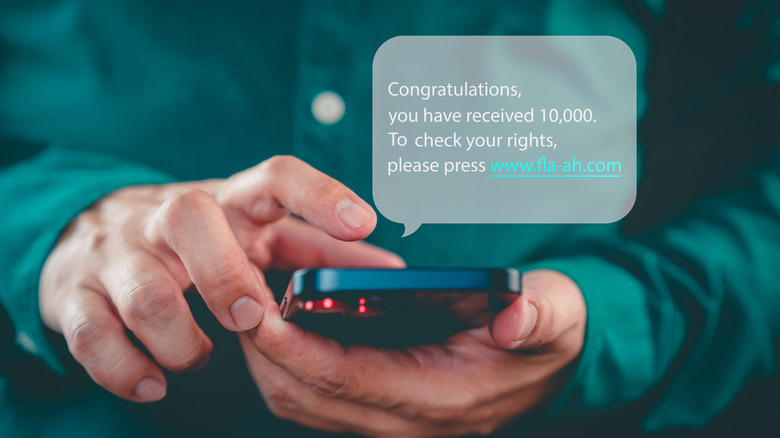
To fight message scams, Consumer Reports recommends using built-in protections on different smartphones as the first line of defense. If you have an iPhone, Apple added new security features to protect against scam texts in iOS 26. By opening the Messages app, selecting the hamburger menu in the top right, and selecting Manage Filtering, you can enable both Filter Spam and Screen Unknown Senders.
If you use an Android phone with Google Messages as the default app for messages, there's also a handy built-in feature to help tackle spam. When you receive a suspicious text, Google Messages shows an alert, and you can choose to mark the message as spam or not. It works in real-time and can automatically prevent texts suspected to be spam from being delivered to your main inbox. To enable Spam protection in Google Messages, open the app, tap your profile picture or initials in the top right, select Messages settings, Spam protection, and then enable the feature.
Always verify before you send money
Consumer Reports also stresses the need to be skeptical of requests for payment. The report notes that even if someone with an account you know tells you they are in an emergency situation and wants help, you shouldn't be quick to send money, although scammers will often try to create urgency. Instead, you should reach out to the person via a different platform to confirm the story.
This verification step using a different platform is important as the individual's account which contacted you might have been hacked, and the scammer could be the one requesting money, not someone you know. This type of fraud is often called an impostor scam, and is one of the most common.
This method has been around for a few years now, as evidenced by a 2021 article from The Guardian, which details how the team had seen increasing reports of people being duped into sending money to what they thought were their friends. Clearly, as per the Cyber Readiness Report, smartphone users need to remain vigilant against the scam.
Exercise caution when using digital payment apps
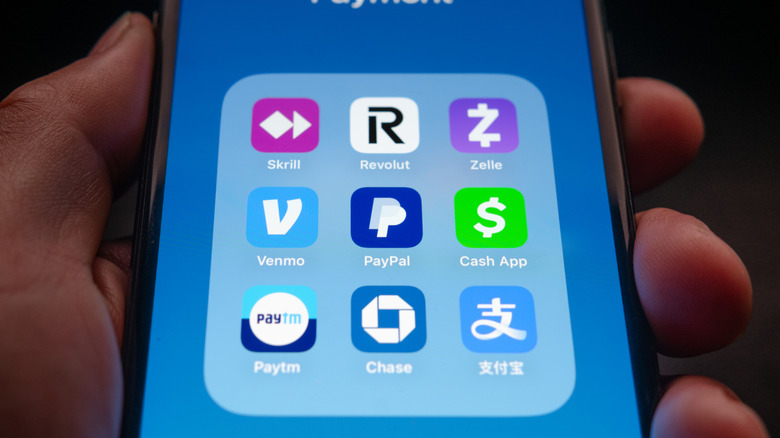
Digital payment apps like CashApp, Venmo, and Zelle make it convenient to pay for items and send money to people. However, despite the convenience, you should exercise caution while using these apps. Consumer Reports strongly advises that for digital payment apps you should only pay people you trust, such as friends and family, since these platforms don't protect you to the extent that credit cards do.
The report reveals that these digital payment apps "may reimburse some consumers in some cases," although "they are not legally required to provide the same protections against fraud that traditional financial institutions are." That means if you fall victim to a scam when using these apps, it's possible you'll receive no help when attempting to get your money back. So, if you need to send money to anyone else, you should use reliable, tried and tested channels to do so — such as a bank credit card to pay for an item or a bank transfer to send money.
Enhance your account security with passkeys
The report further discusses various types of scam methods, such as phishing, SIM swapping, and impersonation. It notes how scammers are using AI to trick you through deepfake videos and touches on account takeovers, which occur when someone gains unauthorized access to your account.
Findings show that 17% of the respondents said they had social media accounts taken over, and 12% an email account. These statistics reveal how vital it is that users learn to secure their accounts, and for that, Consumer Reports recommends adopting passkeys because they provide better account security than passwords.
However, the guidance also pushes using password managers to store your passkeys. If you're fully into a specific ecosystem, such as Google or Apple, use its built-in password manager. But if not, or if you have plans to switch, choose one of the best independent password managers, such as Bitwarden or 1Password, and use it to store your passkeys.