

5 Privacy Gadgets That Can Protect Your Data
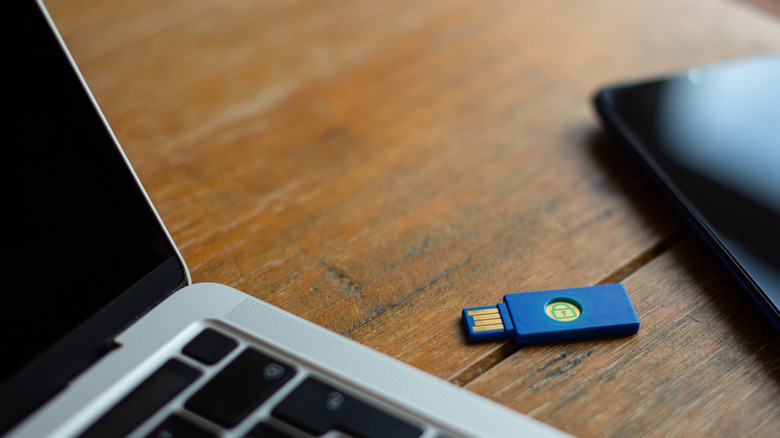
Hackers are consistently coming up with new and clever ways to steal your data. A report released by the FBI in 2025 stated that its Internet Crime Complaint Center (IC3) received 859,532 complaints of suspected internet crime in 2024, with more than $16 billion in losses reported during that year. This figure is an increase of 33% compared to 2023, and personal data breaches were among the top three complaints. With the threats on the rise, now might be a good time to up your security to ensure that these cybercriminals have a tough time getting a hold of your data.
There are several security apps you can install to protect your computer or phone. But using hardware solutions can be a good way to add extra layers of protection between you and the cybercriminals. You can pick from multi-factor USB devices, signal-blocking wallets and bags, hardware VPNs, and cables that protect your device when charging in public USB ports. As we go deeper into the digital age and new threats arise, the need for hardware-based protection for your data cannot be overlooked.
YubiKey 5 Series
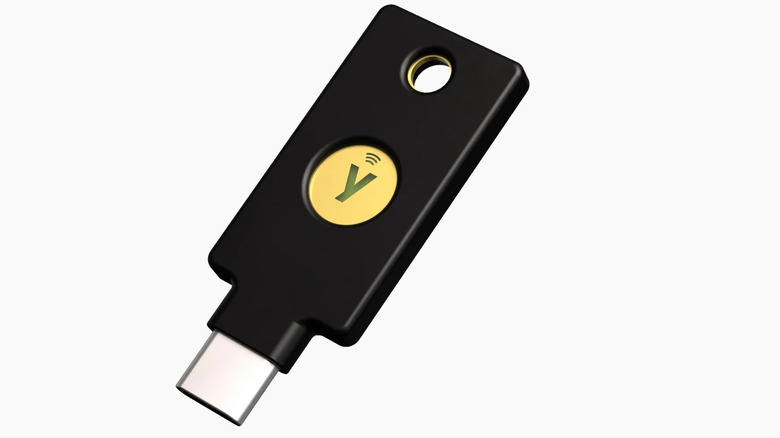
The majority of hacks happen remotely and are largely automated, which is one of the primary reasons to update your passwords regularly and enable multi-factor authentication (MFA) for your online accounts. With MFA switched on, you're 99% less likely to get hacked, even if hackers figure out your password. The first factor of authentication is usually a password, with the others being something you physically possess, such as a phone or, better yet, a security key like the YubiKey 5 Series.
These security keys start at $58. They are USB-style devices that you can insert into a USB-A, USB-C, or even a Lightning port to authenticate yourself in various online accounts, including Facebook, Microsoft, Google, Apple, and some banking platforms. YubiKeys support various authentication protocols, and you can also use them with NFC-enabled devices like modern iPhones and Android phones.
A YubiKey is also safer than using a smartphone or computer. For instance, SMS codes can be intercepted, and passkeys stored on devices can be compromised if the device gets hacked. With a security key, a hacker would have to go through a lot of effort to physically get it from you. Security keys are also unphishable because even if hackers lead you to a fake version of a supported website, they will refuse to authenticate it. And since they work without an internet connection or cellular network, they are more reliable.
Buffway Slim RFID Wallet
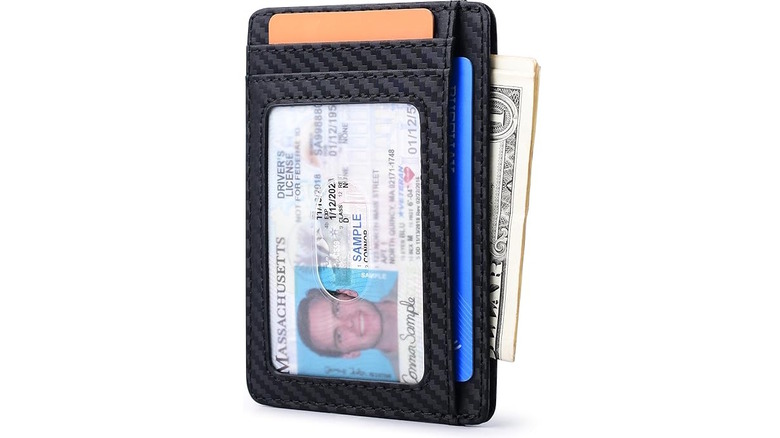
Radio Frequency Identification (RFID) wallets can protect your cards against RFID skimming attacks. Modern credit cards, driver's licenses, and passports are usually RFID-enabled. This is why you can tap your card to make instant payments or verify your identity. However, it also means they are vulnerable to RFID skimming, a form of digital pickpocketing where hackers use a portable scanner to steal your RFID information from a distance. With an RFID-blocking wallet, such as the Buffway Slim, the cards you carry can be shielded from these handheld readers.
The Buffway Slim wallet has eight slots for your most valuable cards. You can keep every piece of plastic you need close while having peace of mind as you shop or travel. It's also quite slim and can fit in your front pockets and a small purse. The premium synthetic leather makes it durable enough for everyday use, with many Amazon reviews noting that it can last for years. There are also dozens of other RFID-blocking wallets to choose from, so you can find one that suits your taste.
PortaPow USB-C Data Blocker
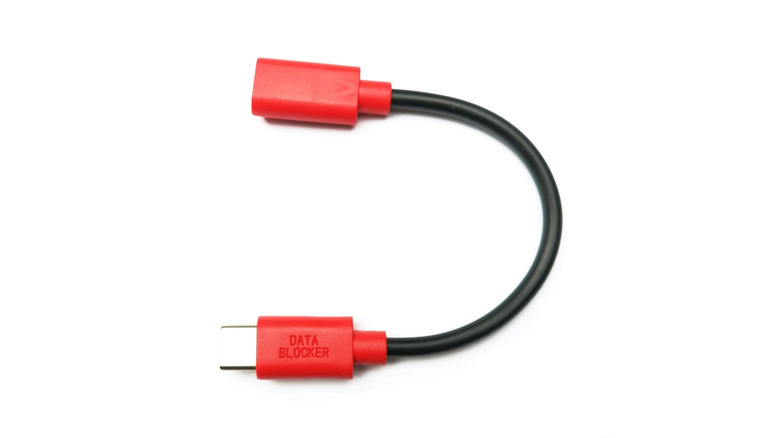
When charging your phone using a public USB port, the PortaPow USB-C Data Blocker can protect it from a phenomenon called juice jacking. It happens when you plug your phone into a malicious port that has been configured to install malware on a connected device or copy data from it without the owner knowing. If your USB cable is charge-only, you don't have to worry about it since it doesn't have a data-carrying pin that can be exploited — it only has a charging pin. But if you have a data cable, a data blocker helps by blocking the data-carrying pin, effectively disabling any data transfers to and from your device.
Data blockers are compatible with all USB-C devices. You just need to plug your data cable into the blocker, and then plug it into the public USB port. This is the best method if you want to use your phone as it charges, since the data blocker is so short. If you have a USB-A cable instead, you can get the PortaPow USB-A Data Blocker for $6.49. Also, in case the public ports are USB-A, and you only have a USB-C cable, you can get the PortaPow USB-A to USB-C Data Blocker for the same price.
Mission Darkness Faraday Phone Bag
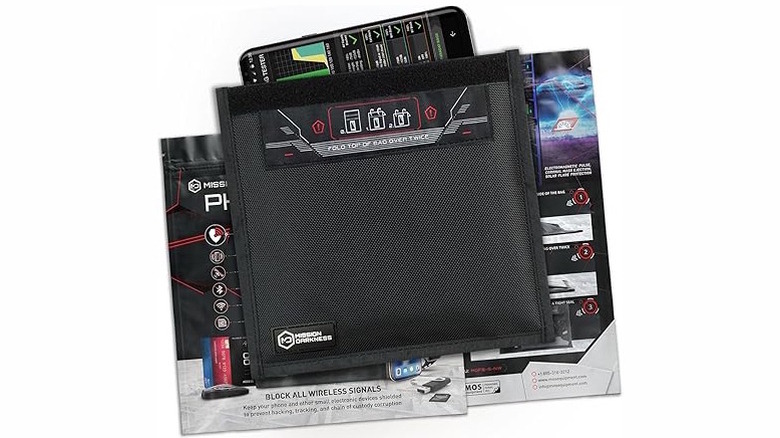
While shielding your cards is a good idea, they aren't the only way to make payments or verify your identity. Sometimes, these credentials and details are stored on your phone, and hackers know this. The Mission Darkness Faraday Phone Bag blocks all incoming and outgoing signals, effectively rendering the skimming devices hackers use useless. Sure, you can put your phone in airplane mode to stop your phone from actively transmitting signals, but it can still passively receive signals, such as GPS, NFC, and RFID.
The Mission Darkness Faraday Phone Bag costs $25 and can fit any smartphone. With it, you don't need to enable airplane mode when not using your phone — just drop it in the bag, and it will block all signals from low MHz to 40 GHz, which includes RFID, NFC, GPS, Wi-Fi, Bluetooth, and cellular. It also has highly durable ballistic nylon on the outside, which makes it resistant to wear and tear, as well as the elements. As well as fitting your phone, it also has pockets for your cards and passport, as well as enough space to fit a smartwatch, gaming handle, and other small devices.
TP-Link Roam 6 AX1500
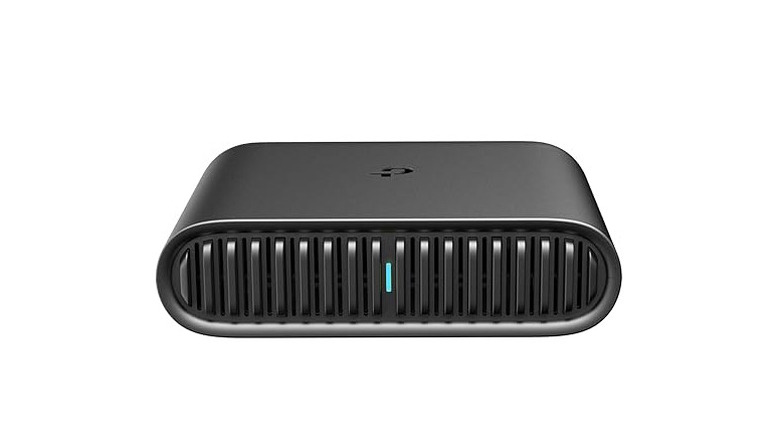
Public Wi-Fi networks are full of hidden dangers, which is why it's not recommended to connect to hotspots at hotels, restaurants, airports, libraries, or even at your local Target. If you're constantly in situations where you need to use public Wi-Fi, connecting through the TP-Link Roam 6 AX1500 travel router is one of the best ways to protect your device. When you connect this $69.99 router to the public Wi-Fi, it can create a secure private network for all your devices, provided you have set up a virtual private network (VPN) profile using an expert-recommended provider of your choice.
When outgoing traffic from your device reaches the TP-Link Roam 6 AX1500, it encrypts it. The encrypted data is sent to a VPN server via a secure tunnel, which then decrypts it and sends it to the wider internet. Hackers usually intercept your traffic and steal data when it's traveling between your device and the internet — it's called a man-in-the-middle attack. But with a VPN-capable router in between, even if they manage to intercept the traffic as it travels through the secure tunnel, it will be encrypted and virtually useless to them. Only the VPN server can decrypt it.
Besides that, the TP-Link Roam 6 AX1500 is a great home Wi-Fi router if you need to stream, play games online, or do other high-bandwidth activities. It supports dual-band Wi-Fi, with up to 1,201 Mbps speed on the 5 GHz band. It also has two gigabit ports on the back.
How we selected these privacy-protecting gadgets
When picking these gadgets, we looked for tools that go beyond just enhancing your anonymity online, but actually protect your data. We looked at a range of devices that protect you from modern digital attacks like phishing, digital pickpocketing, and Account Takeover (ATO). We then did extensive research into how they work to stop these particular digital threats, as well as read user reviews on their product pages, whether it's on the main site or on Amazon, to find out if people find them useful. We only picked devices that had an average rating of four or more stars out of five because that is the baseline for a satisfactory product. Price was also a factor. While you can't cheap out on your online security, we tried to choose popular gadgets that won't cost you hundreds of dollars.