

7 Of The Best Universal Remotes You Can Buy In 2026
We may receive a commission on purchases made from links.
We're still far away from a time when there will be no need for remotes, and they can pile up if you have consoles, speaker systems, and other devices. This is where a good universal remote can be a huge help.
Connecting these remotes to your TV is straightforward. You can use either Direct Code Entry, where you input a code matching your TV's brand and model, or use Auto Code Search, where you press or hold certain buttons while pointing at the TV until the universal remote detects the TV code and connects.
That being said, you'll need a reliable universal remote, which can be a hard choice to make given the multitude available on the market. Thankfully, both users and critics have tested some of the most popular universal remotes in 2026 to help you decide which ones are the best of the lot.
Sofabaton U2
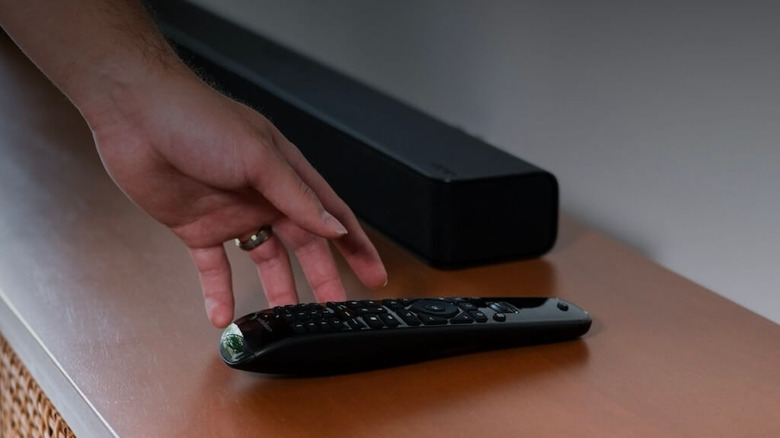
In terms of universal remotes, there aren't many companies that can beat Sofabaton and their quality offerings. The Sofabaton U2 is no exception, and the fact that this remote has an OLED screen should make its competency clear as day. Want to connect this universal remote to a device? All you have to do is download the Sofabaton companion app, search for your device model, follow the app's instructions, and voila! It's one of the simplest setup processes for any universal remote and barely touches upon the other ways that the U2 will enhance the convenience you enjoy while watching TV.
The best part about the Sofabaton U2 is how it isn't restricted to a single device. No matter how many products you have at home, chances are this state-of-the-art remote will support all of them. Switching between the devices that the U2 can control is very easy, with a simple flick of the remote's scroll wheel letting you switch between your TV, music system, projector, or any other supported device that uses either infrared or Bluetooth for connection purposes. As a final touch, the backlit keys lend a premium feel to this remote's looks.
Sure, you may complain about the diminutive size of the OLED screen or how the glossy plastic back is prone to fingerprint stains... but you'll be venturing into the "my steak's too juicy and my lobster's too buttery" territory at this point. That being said, one thing to keep in mind is that this remote costs $66.49, which is quite expensive compared to other, simpler universal remotes that aren't as feature-rich.
Flipper Remote
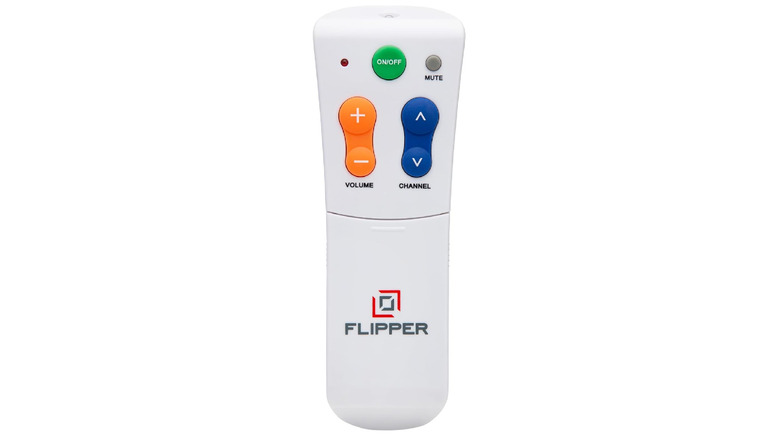
If you're seeking out an easy-to-use universal remote for elderly people, then the Flipper Remote is a great option. At a glance, the design immediately communicates its simple functionality. Instead of adding a bunch of complicated buttons that most older people will find confusing to navigate, the Flipper Remote keeps it simple with just four buttons that let you turn the TV off or on, mute any audio, and either change the channel or adjust the volume. However, if this seems limiting, then the face of the remote also slides down to let you access more buttons that can change the channel for cable or satellite TV, along with four function keys that are perfect for operating a soundbar, DVD player, set-top box, or something similar with this remote.
This remote needs two AAA batteries, which are not included with the device, so make sure you have some handy when you purchase this product. However, one thing to keep in mind about this $39.95 universal remote is that it isn't totally "universal" — it doesn't support any streaming devices, which is a pretty major drawback for people who rely on their Fire TV Stick or Google TV to watch stuff. Thankfully, you can use your phone as a free alternative to operate your smart TV. However, it's compatible with almost every other device and is one of the simplest universal remotes for those with Alzheimer's disease or dementia.
Philips SRP9232D/27
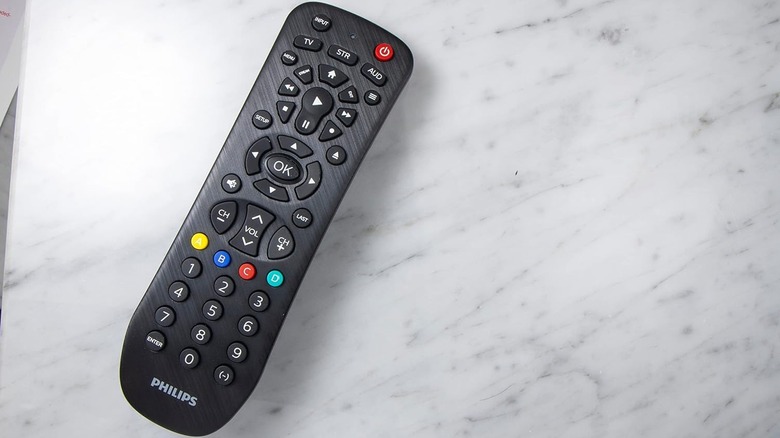
If you want a normal universal remote that isn't loaded with features you don't want, then the Philips SRP9232D/27 is a great and inexpensive option, at just $13.73. This no-nonsense universal remote supports a wide array of TV brands and can connect to your TV, streaming device, or any audio system once you slot two AAA batteries into the back of the remote. While you can use either Direct Code Entry or Auto Code Search to connect, the former is recommended by the manufacturer to prevent errors while pairing.
Once paired, you can use the wealth of buttons on this universal remote to control numerous functions. Choose between the TV, STR, or AUD buttons under the Power and Input buttons to decide which device you want to connect to. The A, B, C, and D buttons help you select and operate additional features on any device that supports them, such as set-top boxes or DVRs. All the other buttons are self-explanatory and let you control media playback, adjust the volume, change the channel, open or close the tray of your DVD or Blu-ray player, and navigate menus.
Sofabaton X2
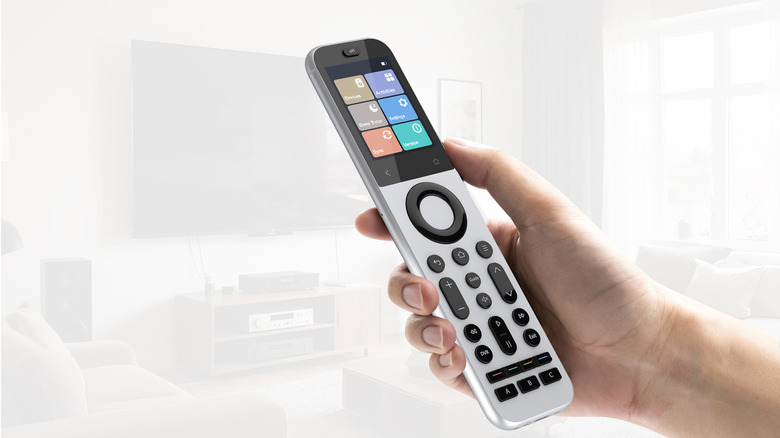
Another Sofabaton universal remote with glowing reviews across the board, the Sofabaton X2 is a higher-end remote that looks great and feels even better to use. However, this functionality comes at a steep price — to a casual TV user, paying $341.99 for a universal remote will seem like highway robbery. However, the build quality and superb usability of the X2 justify this price tag, albeit just barely. The Sofabaton companion app should help with the setup, but there are instances where you'll need an electronics degree to figure out this device. From firmware updates to complex button mapping, there's too much fluff to navigate in the early process.
However, once you buy this expensive remote and get through the annoying setup, you'll find this remote has barely any other faults to speak of. The 2.4-inch high-definition full color touchscreen is one of the first things you'll notice in this high-end universal remote, letting you switch between your connected devices, configure activities to carry out multiple processes with a single touch, set up a sleep timer if you don't want this remote to run out of charge when not active, access the settings, sync other devices to the remote whenever required, and check the software version of the remote.
Aside from the final point, all of these touchscreen-enabled functions are pretty useful during day-to-day use. The 1,200mAh battery is astounding and can last for weeks on a full charge before you need to plug it in via a USB-C connection. With support for Wi-Fi, Bluetooth, infrared, and both RF433MHz and RF315MHz transmitters, rest assured that this universal remote is compatible with whatever device you want to connect it to.
GE 33709
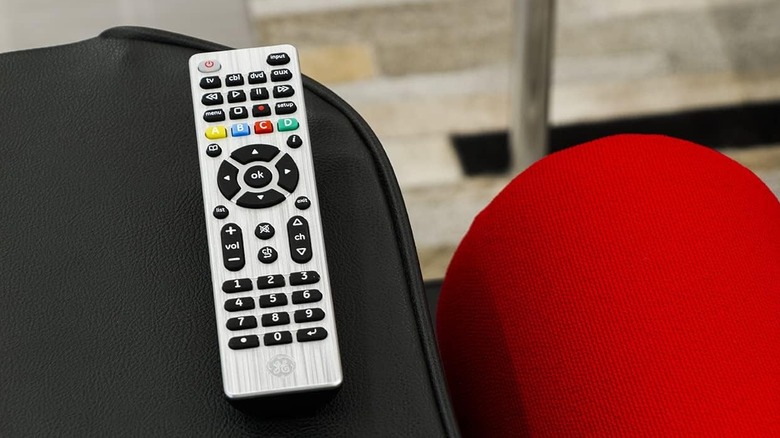
If a remote that costs upwards of $300 is simply too much for you, then the GE 33709 is a far simpler device for the average user. It costs just $11.32 and should meet most users' expectations. Regardless of whether you want to use the GE 33709 device for your television, soundbar, DVD/Blu-ray player, audio device, home theater system, or a set-top box, rest assured that this GE universal remote is easy to connect with or without codes. Both Direct Code Entry and Auto Code Search work perfectly with this remote.
That being said, keep in mind that it's pre-programmed for Samsung TVs, so the remote may be trickier to set up with other TVs. Either way, just plug two AAA batteries into the tray behind the remote, and you're good to go. If you have some handy but they're too old, then it's entirely possible that putting these batteries in and hitting the remote might make them work again. The TV, CBL, DVD, and AUD buttons let you switch between the devices you want to control, and additional functions let you control your DVR to a greater degree. All the other buttons are self-explanatory and feel natural to use in the hands of a seasoned couch potato veteran.
Insignia NS-RMT8D21
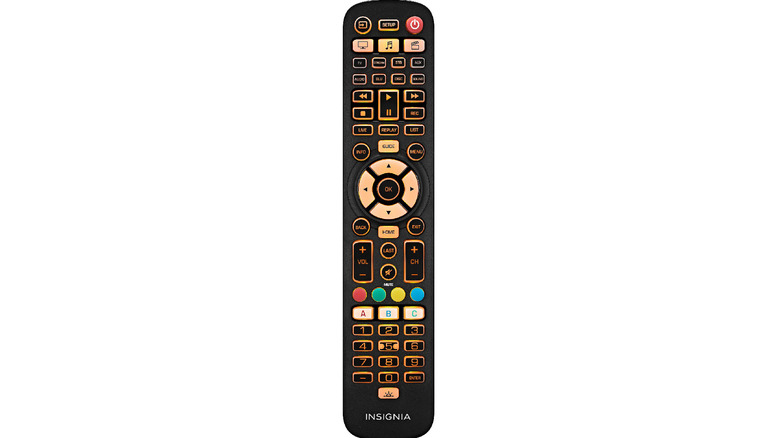
The Insignia NS-RMT8D21 connects to eight devices at once, works from 30 feet, and has backlit keys that let you operate this universal remote easily in the dark. Most major brands are programmed to work with this remote, courtesy of a simple Auto Code Search. Even if this doesn't work, you can always just input a code directly to connect instead, which shouldn't be a major hassle. Audio lock lets you adjust the volume of your audio device, such as a 2026 soundbar the audiophile in you loves to use, without having to hard-switch to the device in question.
You can also assign shortcuts to other keys for ease of access, similar to the Amazon Fire TV Stick Remote shortcuts that most people miss... but what is perhaps the most impressive feature of this remote is its ability to "learn" the special functions of your original remote and emulate them for greater ease of use. Given how impressive this remote and its suite of features are, the true cherry on top is the $29.99 price tag. Sure, it's slightly more expensive than some of the other universal remotes here, but it's orders of magnitude cheaper than the Sofabaton devices.
Sofabaton X1S
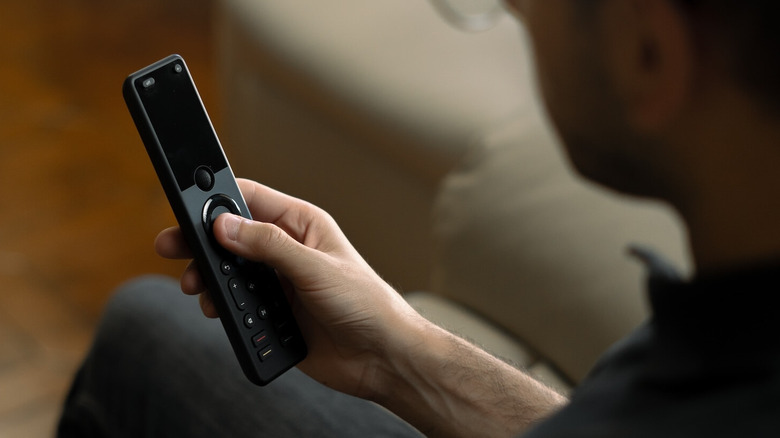
Is $179.99 a lot for a universal remote? Perhaps, but what makes the Sofabaton X1S worth this price is an array of features that will make it a one-stop solution to control every device in your living room. The X1S can support up to 60 devices, which is mind-blowing in its own right. However, each X1S remote can only be used to control devices in a single room, which might make this 60-device limit seem less impressive. However, there are still more than enough perks to convince people with elaborate living room setups to give this universal remote a shot.
The setup process is far, far easier than the X2, with the Sofabaton app streamlining the process and ensuring that you'll be able to control everything in a room easily after spending just around half an hour tinkering with both the remote and the app. It helps that the extensive database of devices already listed on the app means you'll never have to input a device code manually unless it's for a particularly lesser-known or outdated device.
It supports Wi-Fi, Bluetooth, and infrared connections, along with some much-welcome smart home compatibility for Alexa and Google Assistant. However, the latter may be slightly disappointing for people who wanted more robust controls in this department. For what it's worth, the stellar design of the Sofabaton X1S will help you forget about these negligible annoyances in no time. The remote looks sleek, feels ergonomically pleasing in your hand, and has a 2-inch OLED screen occupying the top third of the remote to give you greater clarity on what features you're accessing in this amazing universal remote. We highly recommend the Sofabaton X1S if your living room has too many remotes cluttering your table.
Methodology
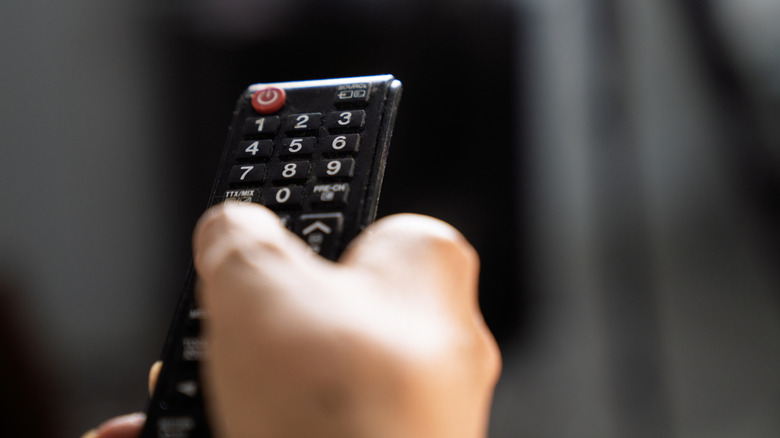
Any universal remote with an aggregate score of 4.1 stars or higher from thousands of users has qualified here. The sole exception is the Insignia NS-RMT8D21, which only has hundreds of reviews on Best Buy but makes up for it with an impressive list of features. For the Sofabaton universal remotes, these devices have received glowing reviews — either a score of 4 or higher from a possible 5 points or a score of 8 or higher from a possible 10 — from trustworthy publications like HighTechDad, CNET, Tom's Guide, AVForums, and Pocket-lint.