

9 Reasons Firefox Is Better (And Worse) Than Google Chrome
When it comes to modern browsers, Chrome is the undisputed king, with Firefox falling to a distant fourth in the rankings. To make matters worse, other popular browsers like Edge and Opera also use the open-source Chromium engine, making Google's lead even bigger. Firefox's proprietary engine is one of the last holdouts in the browser space, but it has a fleetingly small user base compared to Chrome.
Despite this, there are still plenty of reasons why Firefox is better than Chrome for some users. Its unique software stack and privacy-focused development make it a great alternative for users who want to protect their data from prying eyes. Surprisingly, it even has a few incredibly useful basic features that aren't found in Chrome.
That said, there are still areas where Chrome clearly pulls ahead. With the backing of a massive company like Google, there are good reasons why it's taken over the browser market. Here's a breakdown of what Firefox does better than Chrome, and vice versa, to help you pick the right browser for your needs.
Firefox focuses on privacy
Privacy is where Firefox most clearly differentiates itself from Chrome. At its core is Enhanced Tracking Protection, which is enabled by default. It allows you to block common trackers that follow users across websites and social media platforms. The goal is to protect your privacy without breaking a website, but there's a simple switch to turn it off when a website isn't functioning properly. By contrast, Chrome is built to access and share data with ad systems even in Incognito mode.
The other major feature in Firefox's privacy suite is Total Cookie Protection, which takes a more structural approach to protecting your privacy. It creates an individual "cookie jar" for every website, so trackers can't link behavior across multiple sites. The browser takes things even further with the Multi-Account Container extension, which creates a unique container for each user. This makes it much easier to keep your work and personal browsing identities entirely separate.
Chrome, thanks to its close ties to Google's wider advertising business, doesn't offer anywhere close to the same level of privacy protection. It collects anonymized browsing data, including searches, clicks, and interactions on websites, and by default, it will share much of this data with third-party advertisers. This is one of the main reasons to consider ditching Chrome. If you want to keep your data private, Firefox is a better choice.
Firefox has a built-in VPN

With the release of Firefox version 149 in March 2026, Mozilla added a free, built-in Virtual Private Network (VPN) to the browser, with no extension or third-party app required. If you're not familiar with VPNs, they route your browsing traffic through a secure proxy, which masks your IP address and geographical location. Mozilla itself only sees data usage details, not browsing data. However, this built-in VPN only protects you within the browser, not across other apps or services on your device like standalone VPNs.
The free version includes 50GB of protected browsing each month, which should cover basic needs. Once you go over the limit, your protected browsing is paused so you don't accidentally browse without masking your IP address. If you need more data, Mozilla offers a subscription service with unlimited bandwidth, but there are plenty of other great VPN services on the market to choose from at that point. At launch, the free version does not allow you to choose server locations, but that feature will be added in version 151.
Still, Firefox is the only major browser with a free built-in VPN, which fits perfectly with its broader privacy-focused stance. Chrome has no equivalent, though some Chromium browsers like Opera and Edge also offer built-in VPNs. As of writing, it's available in beta in the United States, the United Kingdom, Germany, Canada, and France, with support for more locations coming in the future.
Chrome is deeply integrated with Google services
For the massive number of internet users who are already embedded in Google's ecosystem, Chrome offers a level of convenience no other browser can match. Gmail alone had an estimated 1.8 billion active users at the end of 2024, and if trends continued, that number has only gone up. For those users, Chrome makes it virtually frictionless to switch between devices.
When you're signed into a Google account in Chrome, all of your emails, Drive documents, browsing history, searches, bookmarks, passwords, and more are automatically synced. That means it's incredibly easy to continue a session across devices or find a webpage you stumbled upon on your phone from your computer days later. The downside, of course, is that your data is being saved on a Google server somewhere, which can be a privacy nightmare.
For its part, Firefox has a similar feature, but it isn't nearly as seamless. First, you have to create a Mozilla account, which is free and relatively easy. Then, you can send tabs between devices, sync passwords, and more. However, it does not sync with your Google account, since it's entirely separate. That can be an advantage if you don't want to be locked into a single ecosystem, but if you're already a heavy Gmail user, it's much more convenient to use Chrome.
Firefox has more customization options

Most browsers have the ability to customize their layout and appearance, but Firefox goes one step further. For casual users, Firefox has a massive directory of thousands of themes to choose from. These go beyond a simple adjustment to the theme color and background, including new visual styles across the browser's toolbar and tab strip. Chrome initially had only a few dozen themes available, though that number is growing, mostly limited to color accents and background images.
For power users, Firefox also allows you to make more advanced customizations using CSS. By tweaking a specific file, you can change the colors and sizes of UI elements, hide them, or move them around the screen. There are communities online that have ready-to-use formulas to make the browser feel really unique, and enthusiasts are happy to help you craft custom rules. Chrome doesn't permit anywhere close to this level of customization, and its closed-source nature means users simply can't access the required files.
However, it's worth noting that Mozilla only recommends these deep customization options for developers. It's exceptionally easy to break things by tinkering with files, so it's important to know what you're getting into first. For everyday users, the themes directory is more accessible and practical.
Chrome has a bigger ecosystem

For users who rely heavily on browser extensions, Chrome has a clear advantage. It currently boasts more than 175,000 extensions, dwarfing the roughly 89,000 available in Firefox. That discrepancy is an obvious outcome of Chrome's market dominance, with developers having clear incentives to build for Chrome first. As a result, no matter what kind of extension you're looking for, from productivity to simple tab managers, you're more likely to find what you want on Chrome.
For its part, Firefox takes a more curated approach. Chrome extensions are subject to a simple review process to filter out any bad actors, but Firefox goes further by promoting the best extensions with its Recommended Extensions program. The goal is to highlight extensions that not only work well but are also safe to use and actively updated. By comparison, finding the right Chrome extension can feel like navigating a minefield of outdated or poorly coded apps.
What's more, Firefox still supports Manifest V2 extensions, with Chrome dropping support in 2025. That means popular ad blockers like uBlock Origin can only be found in full form on Firefox (Chrome supports a lite version) and a few other Chromium browsers like Edge and Brave. As of 2026, it boasts more than 10 million users on Firefox and still receives updates.
Firefox has a convenient screenshot feature
Sometimes, simple things can make all the difference, and Firefox has one extremely simple and useful feature that Chrome doesn't enable by default. By right-clicking on an empty part of a page, you'll see the option to "Take Screenshot" right in the context menu. There's also a keyboard shortcut to speed things up even further. From there, you have the option to drag and select a custom region of the screen, choose a section of the page, or save the entire page from top to bottom, without having to scroll. You can save it as an image file or copy it directly to your clipboard to paste it into any other application.
Chrome, on the other hand, hides this feature so deep inside its developer tools that you're better off just installing an extension or standalone app. It requires a full four steps, the first of which is opening the very unfriendly DevTools sidebar. After that, you have to manually run the screenshot tool by searching for it. It's clearly designed for developers to run tests on their websites, and not for everyday users just trying to grab a screenshot of a recipe to share with family members.
There are simple extensions and standalone apps, like Snipping Tool or Lightshot, to help fill that gap, but they aren't always able to capture a full-page screenshot that scrolls to the bottom of the page. GoFullPage is a popular Google Chrome Extension that doesn't require any unnecessary permissions, but it's still more complicated than Firefox's solution.
Firefox supports more AI chatbots, or none
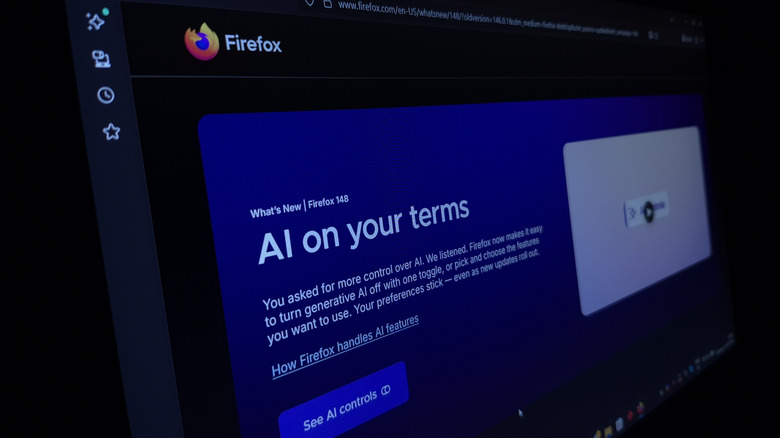
Love it or hate it, AI assistants are slowly becoming a standard part of the browser experience. Firefox and Chrome have taken polar-opposite approaches here, both in which tools they support and in how much control they give users to turn them off. Firefox's sidebar supports five AI chatbot providers: Claude, ChatGPT, Gemini, Le Chat Mistral, and Microsoft Copilot. You can switch between them freely from the sidebar, and you're never locked into a single provider or ecosystem.
Chrome takes the opposite approach by baking Google's Gemini into several aspects of the browser. Most of these are designed to make it easier to find information, with integrations like Google's AI Mode in search or page summaries across different tabs. Daring users can even hand over the keys and ask Gemini's agentic model to book a haircut or order groceries. Other AI tools like ChatGPT or Claude require a separate extension.
For users who want to limit their exposure to AI tools, Firefox has Chrome beat there, too. The browser added a simple "Block AI enhancements" toggle that disables individual features or all current and future AI features at once. When you update the app, it will remain toggled off. Mozilla added the feature by popular demand, writing in a blog post that it "heard from many who want nothing to do with AI." No matter which side of the aisle you're on, it's good to have a choice.
Chrome is the fastest browser
In raw performance benchmarks, Chrome consistently outperforms Firefox. Testing Chrome version 143 and Firefox 146 in Speedometer v3.1 and JetStream v2.2 benchmark tools, Magic Lasso found that Chrome easily took the gold. It matched Safari in app responsiveness, as well as JavaScript and WebAssembly performance, with Firefox only managing to achieve "60-80% of the speed of the fastest browsers."
Things look even worse for Firefox when comparing graphics performance. The same website ran the two browsers through the Motion Mark v1.3.1 benchmark, which tests for fast rendering and fluid animations. Safari took the top billing with Chrome in second, and Firefox in a distant fourth, with an average score 75% lower than Chrome. Surprisingly, it also scored worse than in the 2025 version of the test, which could indicate regressions in graphics rendering pipelines.
The picture is more nuanced in real-world use. Firefox's built-in tracker blocking also prevents resource-intensive external ads, making your browsing feel much faster than on Chrome. This is most noticeable on ad-heavy pages, and it helps make up for the underlying engine's slowness. Regardless, Chrome is clearly the speedier browser, even if you might not notice much of a difference in everyday use.
Firefox is independent from Chromium
Chrome is by far the most popular browser in the world, but its dominance extends even further when you consider the wider Chromium ecosystem. Chromium is the open-source project that forms the basis for not just the proprietary Chrome browser, but also several other popular browsers like Edge, Opera, Vivaldi, Brave, and others. Each may have differences in its interface or features, but ultimately, they're all running on Google's code.
Firefox is one of the few cross-platform alternatives to Chromium. It uses Gecko, Mozilla's own rendering engine, which implements web standards independently. That's important for the overall health of the internet, since a single company effectively monopolizing which web standards are adopted reduces choices for everyone. This is a key part of Mozilla's mission, which includes the key principle that "Individuals must have the ability to shape the internet and their own experiences on it."
Mozilla's efforts are even more important because the company is one of the only organizations involved in browser development that isn't primarily motivated by commercializing user data. It's impossible to quantify how much money Chrome makes for Google, since it's an invaluable part of funneling users into Google's services and loading more ads. To give you an idea, analysts have estimated that it drives 35% of Google's search revenue, which crossed $60 billion in Q1 2026. With that much money on the line, it's more important than ever to have credible alternatives. As Firefox head Ajit Varma said in a recent interview with PCMag, "We don't have a structure that forces us to maximize for shareholder value." The same can not be said for Chrome.