

12 Smart Home Gadget Rules Everyone Should Follow
We may receive a commission on purchases made from links.
The prospect of converting your house into a smart home is appealing for many tech enthusiasts, but this can be far more complicated than you'd expect. Sure, a smart home will make your life easier in the long run, but the initial headache of setting everything up can be very grating to deal with. Replacing every fixture in your house is a tall order, to the point where you may not find the costs to be worth it.
However, if you are very serious about buying a whole host of essential smart home gadgets in 2026 and turning your house into a tech enthusiast's dream, then it's important to keep a few rules in mind. Following these from the get-go will make your task easier and your smart home more efficient and all-encompassing than you could have imagined. After all, you don't want to install a bunch of smart home tech only to find the ecosystem is unoptimized and you've made things even harder for yourself.
Invest in safety and security first
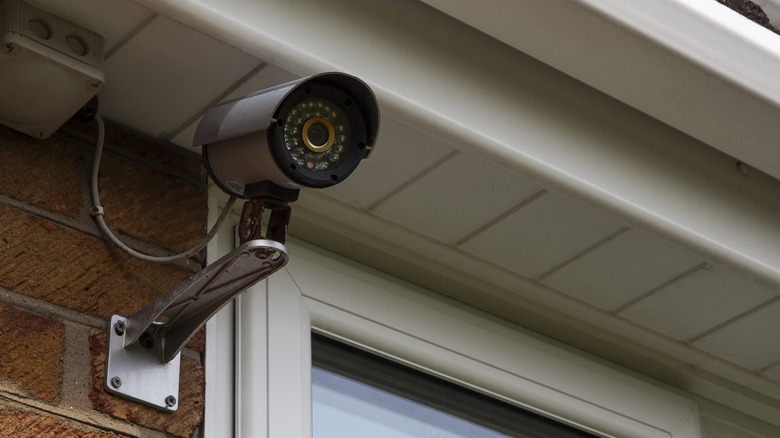
A smart home requires a decent investment, so your decision to adopt this technology needs to be well thought out. One area where smart home technology excels is security, so make sure the first few products you get prioritize this.
A smart lock from companies like Philips, Aqara, and Eufy is among the first things you could get. Blink and Wyze have competent smart cameras to further enhance your security. A smart doorbell that lets you see who's at the door is also a great addition to enhance your home security system. Orbitell and Tapo's products are reliable enough in this regard. Don't underestimate the importance of smart garage door controls and openers either — companies like Chamberlain, myQ, eKyro, and Meross provide you with the means to remotely control your garage door, meaning that you never have to worry about whether you left it open or not anymore. Even your smart lights can help improve home security by a tiny bit! The Philips Hue and WiZ smart lights feature a vacation mode that you can turn on to make it seem like your home is occupied, deterring criminals from breaking in when you're on a well-deserved break.
Now that your home is secure from outsiders, it's time to install sensors that will detect any pressing issues and help ensure a safe home environment. GoveeLife provides a bunch of smart water leak sensors that will help you figure out if your washing machine or dishwasher is causing issues. Smart smoke and carbon monoxide detectors from Kidde and First Alert can send alerts to your smartphone if they detect something gnarly, letting you take the necessary safety measures before things get too dire.
Stick to one universal wireless standard protocol
Any person serious about setting up their smart home should know that connecting their gadgets via Bluetooth or Wi-Fi isn't feasible in the long run. Connection issues, network congestion, and security risks will run amok if you decide on these basic connection protocols. This is why wireless standard protocols like Zigbee, Z-Wave, and the relatively new Matter and Thread combo are so valuable. However, it's important to choose just one of these wireless standard protocols — any more than that, and your smart home gadgets will struggle to communicate with each other efficiently.
Zigbee is a widely used wireless protocol perfect for smart home newcomers. Z-Wave is slightly more complex and expensive to set up, but the upside is that it operates at different frequencies — making it more reliable and less prone to causing any issues when sending signals between walls — and is more secure, since it makes an S2 (Security 2) framework mandatory and uses AES-128 encryption.
However, if you want to future-proof your smart home, then a combination of Matter and Thread is the way to go. The former is the language that your smart home devices will use to communicate with each other, while the latter is the wireless communication protocol that creates a mesh network your gadgets can connect to. This may make this combination seem like the best way to connect your smart home tech, but keep in mind that Matter is a new player compared to its competition. You'll have to deal with a few compatibility woes before things become smoother over time.
Smart home gadgets should work offline
IoT-enabled devices can make your life easier, until a power cut or a network problem turns them into expensive pieces of junk until these issues are rectified. Even if you don't experience these two problems all that frequently, that doesn't mean you should get complacent and get smart home devices that are heavily reliant on an internet connection.
So, make sure that the smart home tech you're buying can work offline. The last thing you'd want is for your switches to become unusable, or for your smart lock to refuse entry to your own home! A good compromise here is to take smart home appliances that rely on the internet for their complex features — such as changing the color spectrum of smart lights or your refrigerator tracking whether your groceries are expired — while still retaining their basic functionality that can be triggered manually.
Prioritize usability over complexity
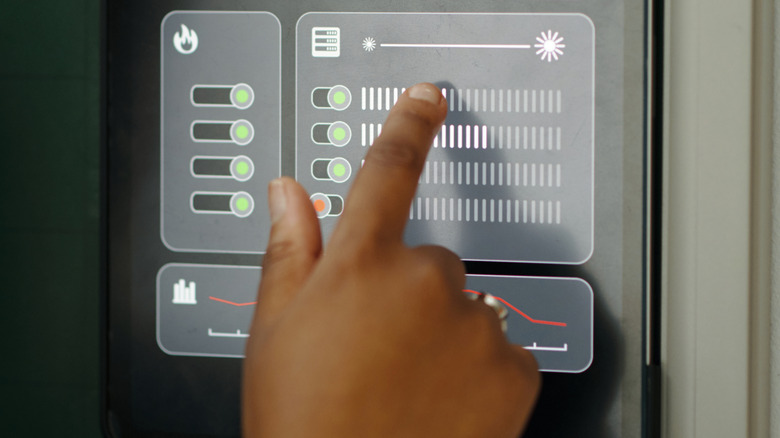
Always keep in mind that the main goal of a smart home is to make your life easier. Fancy coffee makers and smart thermostats may sound great on paper, but they're not worth the frustration of tearing your hair out when a minor issue prevents you from getting a much-needed cup of Joe in the morning, or the simple act of setting your desired temperature is an absolute nightmare. Get smart home tech that is simple and useful in equal measure. If you have your mind set on one particularly complex piece of tech, then stick to one purchase and learn its ins and outs first before buying something else.
This is especially important if elders live in your household. If a smart home gadget is tough for you to grasp, even though you're tech-savvy, then you can only imagine just how much of a struggle it can be to use this latest technology. Sure, you can teach them how to use the latest smart home appliance that caught your fancy, but this is easier said than done. Instead of making things harder for your household, just stick to simple, basic smart home gadgets and scale up only when every family member is up to date with the tech in your house.
Use a self-hosting platform
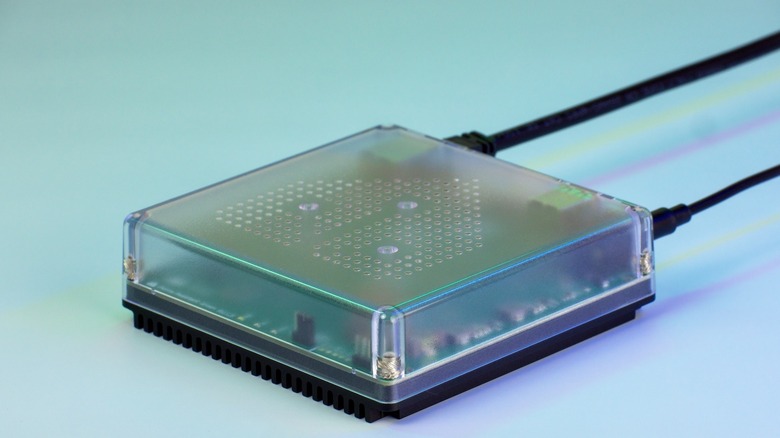
Most people are too used to connecting their smart homes to the cloud. Sure, it's convenient and easily the most painless way to help your devices communicate, but it also comes with its fair share of annoyances.
An over-dependence on the cloud will turn your smart house into a dumb one instantly if this network infrastructure collapses, which is always a possibility. There's also the myriad of privacy issues that arise from this dependency on the cloud. Most people aren't exactly elated by the prospect of giving all their data to companies like Amazon, Google, and Apple. The final nail in the coffin for most people, dissuading them from smart home tech, is the ever-present threat of hackers gaining access to their network through their smart gadgets, which is an understandable cause for concern.
One of the best ways to avoid all these problems is via self-hosting. For the uninitiated, this little-known smart home solution lets you connect your smart home tech to a physical hub placed in your home, instead of the aforementioned cloud servers. Setting it up can be a bit complex, but the upside is a far more secure smart home system that safeguards your privacy and isn't reliant on the internet. There are a bunch of self-hosting solutions you can avail, with the most popular ones of the lot being Home Assistant and Node-RED.
Gadgets are to be controlled by one app
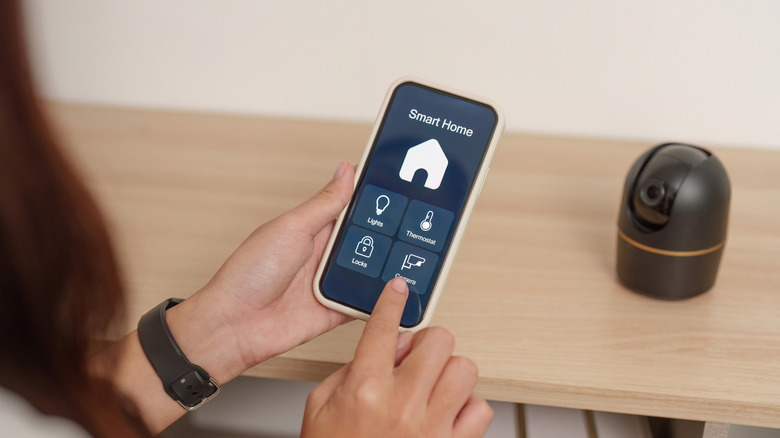
One of the biggest problems people face with smart homes is the constant app switching when they try to control appliances made by different manufacturers. Remember how we talked about smart homes making your day-to-day tasks easier? Well, this will have the opposite effect. Instead of resigning yourself to this frustrating endeavor, you should configure your smart home gadgets so that all of them can be used by a single app.
The best way to achieve this single-app functionality is via a smart home hub or a consolidated app. The big-name players are easy recommendations here, with Amazon Alexa, Google Home, and Apple HomeKit being easy to set up and use. Along with this, companies like Tapo, Aqara, and Aeotec also offer these hubs, making them among the coolest Amazon finds you can add to your smart home gadget collection.
Now, as convenient as this may be, we strongly encourage that you don't delete all other smart home apps you've installed. Most basic functions can be governed with one universal app, but some of your smart home gadgets will boast advanced functions that require you to open their app from time to time. Still, this scenario shouldn't arise often, and the single-app functionality will be more than enough for the average smart home user.
Use smart switches instead of smart lights
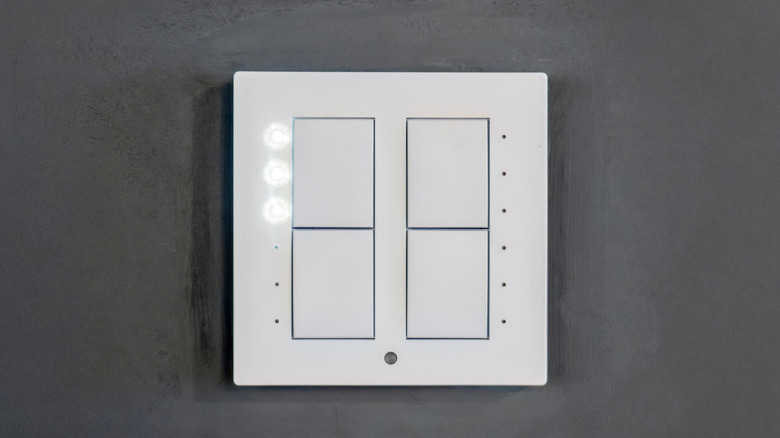
The first thing that most people think of when talking about smart homes is advanced lights with expansive RGB spectrums. This may seem like one of the cheapest ways to turn your house into a smart home. However, those who have already installed their light fixtures may find it slightly irritating to replace all these bulbs and let them go to waste, just because they want to install their smart variants instead. It doesn't help that most smart bulbs are A-shape with E-shape bases, raising compatibility issues since not all light fixtures support them.
Rather than letting all your regular light fixtures go to waste, use smart switches. Individually, these switches are more expensive than buying a bulb, but you'll likely buy more smart light units, rather than just a few switches. This can potentially make smart switches more economical, and that's not all. Another obvious benefit of smart switches is how they can work with most other appliances, not just lights. They also follow automation protocols even if they're turned off, since they connect to the main power grid.
Is installing them slightly more complicated? Yes, but this time investment is rewarded with a multifaceted smart home solution. As a bonus, it's also one of the best smart home gadgets for minimalists, thanks to its non-intrusive design. Kasa, GHome, and Tapo provide quality smart switches that you can install. Even Amazon Basics has a smart switch that is economical and effective in equal measure.
Set up IFTTT Applets

Any smart home enthusiast should be aware of IFTTT, a web and mobile app that can make your smart home even smarter. It stands for If This Then That, referring to a set of instructions that can be given to your apps to help them communicate with each other and automate actions. This is done by using either preconfigured or custom Applets — IFTTT's term for automations — that, among other things, send a weather forecast to your phone every morning or log your work hours on a digital spreadsheet.
On the website, you'll see a section dedicated to smart home Applets, with some of the premade ones being pretty impressive in their own right. You can automatically arm your smart security system when you leave home, get visual alerts via your smart lights, and come home to a house that lights up when you open the front door. Along with this, you can also create custom Applets to help your smart home gadgets communicate with each other seamlessly, unlocking a wealth of possible automations that will be a blast to experiment with.
Save electricity
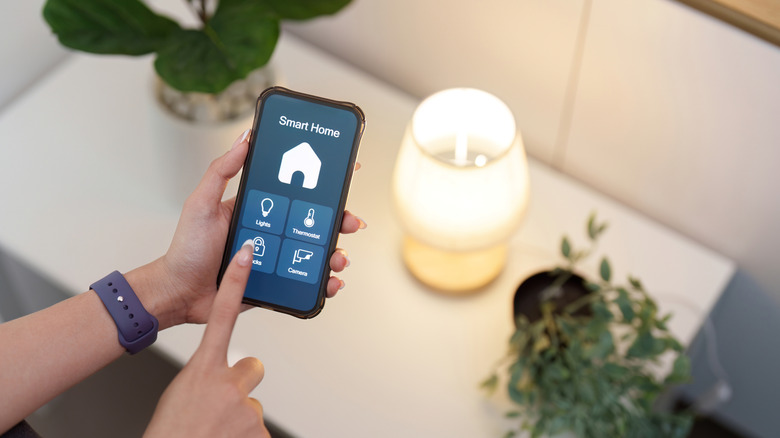
A proper smart home ecosystem shouldn't absolve you from the duties of being a sustainable citizen. If anything, this technology should help you save electricity instead of wasting it, which is great for both the environment and your wallet. Look at smart lights — with the ability to set schedules, you can configure them to turn off automatically at night to prevent any bulbs from running throughout the night.
That's just the tip of the iceberg when it comes to power-saving smart home automations. Once you get a smart thermostat, this piece of tech will manage your home temperatures without going overboard, saving electricity by cooling or heating on a per-room basis and learning your schedules to optimize its operations without wasting electricity.
We've already raved about smart switches, and another creative way to use these smart switches around the house is by turning off products not in use to save electricity. You won't have to worry about your fans and lights running when you're not in the room, since a few seconds on the app or a prudent automation will turn them off for you. Don't want your multiplug to run throughout the night, but still need to charge your appliances? Set a timer, and your smart switch will automatically turn off and conserve electricity once your phone, tablet, e-Reader, EV, or any other battery-powered product is at or near 100%.
Always have a Guest Mode setting

While controlling the appliances in your smart home may become second nature after a while, expecting your guests to be just as adept at using these gadgets is unrealistic. Smart home ecosystems may be more prominent nowadays, but most people stick to simple, physical controls for their lights. You can add them to the list of users in your Google Home or Amazon Alexa network, but they need to be registered users and will gain access to way too many smart home protocols once you provide them with your system. HomeKit is an even worse offender, being completely inoperable by guests who don't own an Apple device.
While these mainstream solutions for guests are largely fine — as long as you don't mind a few security concerns — people who self-host their smart home with Home Assistant will love how robust and easy-to-use its guest mode is. All you need to do is download the HAPass program, which lets you create a limited, simple Home Assistant dashboard that can be shared with your guests via a QR code. This lets them control any relevant appliances from the comfort of their phone and makes their stay in your house far less complicated. There's no sign-in or other private information required, which makes this arguably the best implementation of a guest mode for your smart home.
Plan for the long term
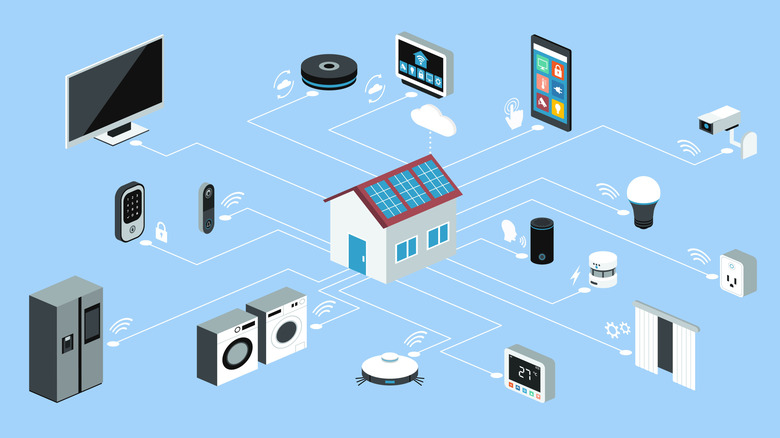
A common mistake most people make is purchasing smart home gadgets in increments, leading to situations where they buy products that become redundant when they settle for more advanced solutions. A good example is buying smart lights early on, only to buy smart switches later that let you enjoy the same functionality across more than just a single appliance.
Research is the key term here — don't be impulsive about purchasing the first smart home gadget that catches your eye. Identify your requirements and figure out the optimal combination of smart devices that will help you enjoy the functionality you want without bloating your household with so many gadgets that it becomes hard to keep track of things. Any smart home enthusiast knows how irritating it can be to discard a gadget just because you bought something far more robust later on, after realizing your mistake.
Dedicate a day to updating your smart home gadgets
With so many smart home gadgets at home, one thing you should always prioritize is updates. Not only do they enhance the features of your devices while also improving compatibility, but they also update the firmware's security protocols so that hackers can't exploit your outdated tech and gain access to your main network, which, to be fair, is a possibility you should rule out by opting for a secure wireless standard protocol in the first place. No protocol is perfect, and a security lapse can occur even with these protocols.
Ideally, updating your smart home firmware as soon as it rolls out is the way to go, but it's unrealistic to expect people to constantly update their gadgets, especially if they're too numerous to count! Instead, a better solution is to stick to a schedule — preferably monthly or bi-monthly — where you spend a day checking for and downloading any firmware updates across all your smart home gadgets. It won't take much of your time, and your reward for investing an hour or two in this practice is a safe, secure smart home ecosystem that shouldn't experience any glitches or compatibility issues.