

5 Of The Best Big Gaming Monitors You Can Buy In 2026
We may receive a commission on purchases made from links.
Although ultrawides are usually the reference for large gaming monitors you can buy in 2026, they are not the only option. Although they are less popular, you can still find screens above 40 inches in 16:9, which works very well for anyone who wants to enjoy every visual detail in their games. All of this comes without giving up universal compatibility, since this format works with almost everything and avoids the drawbacks of buying an ultrawide monitor, such as manual adjustments to make everything work or black bars covering screen space.
That's because computer and console games, as well as most streaming services, use 16:9 as the standard, and few have full compatibility with ultrawide. So, when you buy a large screen in this format, you do not need to deal with the problems ultrawide users usually face. Even though this means paying more, a 4K monitor above 40 inches brings together the best experience you can have. These panels offer very high fidelity for professional demands and also deliver a good experience for anyone who wants to play with a controller and sit far from the screen. If you want one for PC and have GPUs with enough raw power, such as the RTX 50 series, this setup also works well.
Alienware AW3225QF
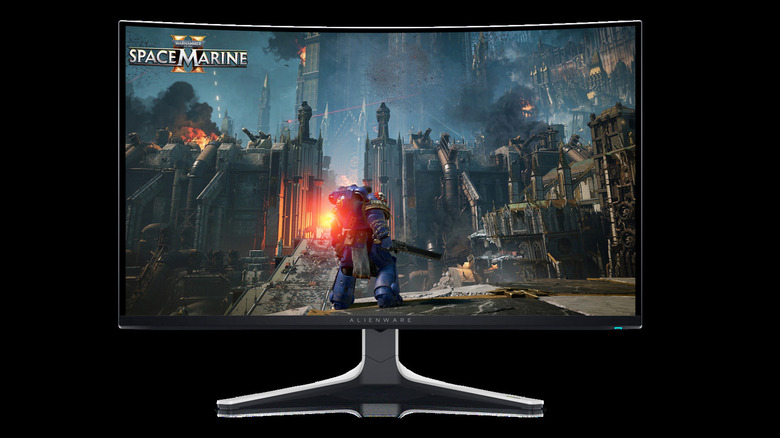
If you want a big monitor without going up to 40 inches or more, Alienware's AW3225QF is one of the best options, thanks to the QD-OLED panel, 240Hz refresh rate, and 4K resolution. You can get this as either a 32 or 34-inch monitor and customize many of the settings before clicking the "Add to Cart" button. Naturally, the better options like 4K and 240Hz will increase the price, so it all depends on your budget. This display is also curved, giving you a better field of view than you would get with a flat screen, making it easy to view key information while playing. OLED screens also mean deep blacks and strong HDR, which can make a huge difference when gaming, especially in darker titles.
This Alienware does well if you want a display to use with your console. It has two HDMI 2.1 inputs for supporting 4K signals up to 120Hz on PlayStation 5 and Xbox Series X|S. It also features Dolby Vision — rare for those 32-inch screens – for an even better look at compatible TV shows, movies, and games. But, like all OLED monitors, this panel offers a few reasons to avoid it, such as the sensitivity in very bright rooms or potential burn-in damage over time.
MSI MPG 321URX QD-OLED
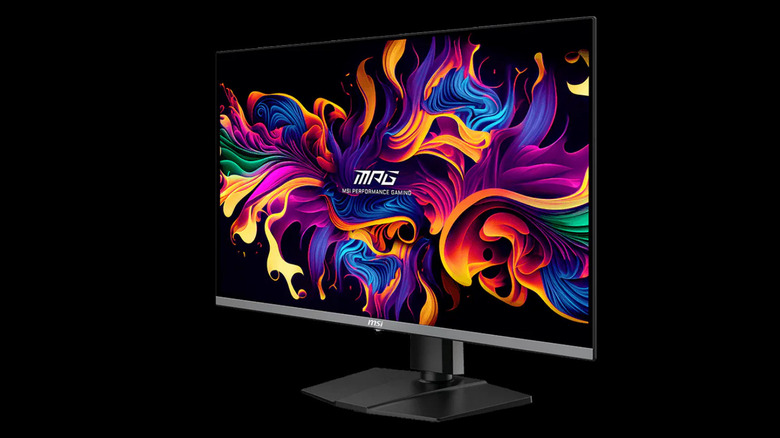
Like other OLED monitors, be mindful of the few pros and cons that you need to know before buying. If you have decided on one, the MSI MPG is also a good choice. It's a 32-inch monitor that does a good job for anyone who wants gaming and productivity on the same screen. So you get a flat 4K QD-OLED panel with a 240Hz refresh rate. This is a great option for gaming or other HDR content.
It also includes a USB-C port with 90W power delivery and a feature that allows you to control a PC and a notebook with the same mouse and keyboard, so you don't have to keep changing if you are working on more than one machine. If you want to play on consoles, such as the PlayStation 5 or Xbox Series X|S, it also has HDMI 2.1 with 48 Gbps, ensuring the monitor shows the image in good quality when you are playing. Its flat screen has its own advantages for users besides gaming, as curved panels can distort some straight lines when you're using other apps.
Samsung Odyssey Ark 2nd Gen
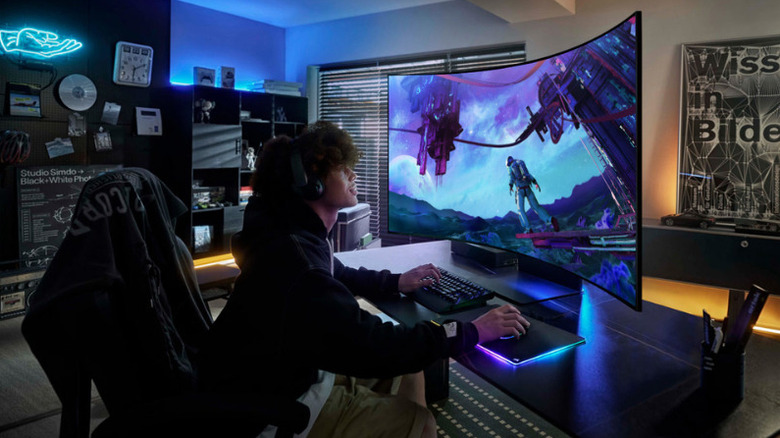
The Samsung Odyssey Ark 2nd Gen is one of the largest models someone looking for monitors can find. That's because, even with 80 PPI, which can make text a little harder to read, it delivers some unique things. It has a 55-inch 4K Mini-LED screen with more than a thousand local dimming zones and an aggressive 1000R curve, which makes it especially good for simulators, RPGs, and cinematic games. Another point is that it has a Multiview Mode, which lets you configure each part of the screen to act like a different monitor.
You can keep up to four different screens when it is horizontal or three when it is vertical, great for anyone who likes multitasking or does not want to use the whole screen while playing. However, the stronger curve can be a problem for anyone who wants to use this monitor for something beyond games. So, it ends up making more sense for users who want something specific. For example, for anyone who wants to play "Assetto Corsa" or any other racing simulator, the combination of a screen this large and the curve works well to create a better experience than other monitors.
Samsung Odyssey Neo G7
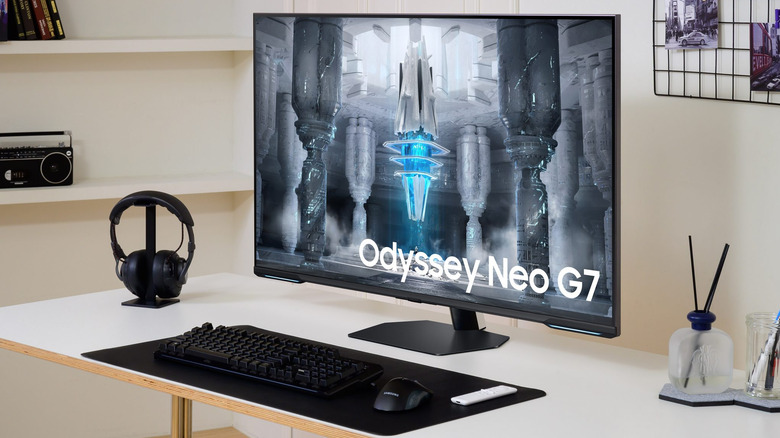
If you're worried about OLED burn-in and the protection that each brand offers, then the Samsung Odyssey Neo G7 is a good alternative. It packs quantum mini-LED technology, 4K resolution, and a 144Hz refresh rate. It also has a VA panel, which gives you high contrast and good image depth, and local dimming helps with performance when you turn HDR on in games. The Odyssey Neo G7 is also a versatile monitor for anyone who does not want to use it only to connect to a PC or console.
Beyond the traditional functions found on these devices, this one has Samsung Smart TV features, such as Gaming Hub and Game Bar. So, you can access your favorite streaming services without turning on the PC or opening the console apps, for example. Although the Odyssey Neo G7 offers strong overall quality, it has some limitations typical of VA panels. Its short response time does not match an OLED, so ghosting or black smearing can happen in dark scenes. Even so, this large gaming monitor has high brightness, good HDR, and less concern about possible burn-in, which makes it a good choice for mixed use.
LG UltraGear 32GS95UE-B
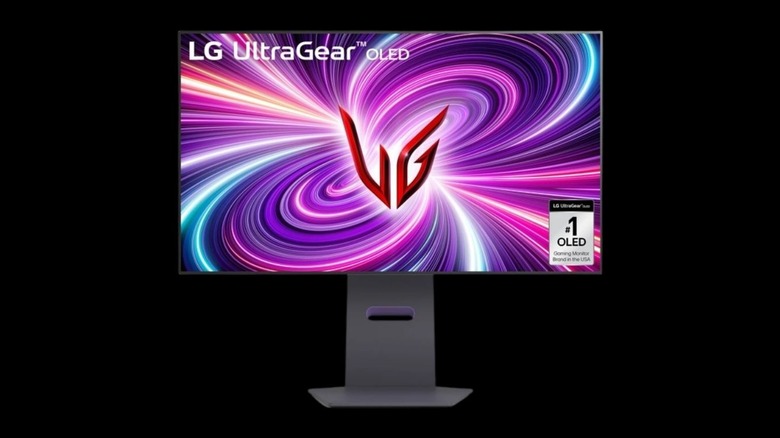
If you do not want an overly large screen, this LG UltraGear model is one of the best choices you can make. It comes with 32 inches, so it is a sweet spot between not being too small like a 27-inch screen, but also doesn't feel that huge. Another good feature is the Dual Mode, which lets you switch between 4K resolution and 240Hz for single-player games or go with Full HD and 480Hz for competitive games that need a better refresh rate during gameplay. Additionally, the model also comes with low response time and low input lag.
This is also an OLED screen, ensuring good color contrast and deep blacks on the screen, which greatly benefits anyone who wants to play something more focused on horror, such as "Resident Evil Requiem." So, if you take good care of the OLED display that this monitor has, the chances of burn-in problems affecting it are lower. It also comes with common features for the category, such as HDMI 2.1 and support for NVIDIA G-Sync Compatible and AMD FreeSync, which makes it a versatile monitor for gamers.
How we chose the best large monitors
To ensure greater compatibility between the screens on this list with games and other media that you may want to watch, we gave preference to those that still use the 16:9 format and are at least 32 inches. Ultrawides appear far more often in these screen sizes, but they do not offer the same versatility for some PC users. Another key point was whether users could buy these models from official retailers.
Beyond having a large screen, we also considered these monitors according to the quality of the specifications they offer users. We wanted monitors that offered 4K resolution and had a minimum refresh rate of 144Hz. Response time, brightness, panel type, and connectivity were also considered. Finally, we considered a wide variety of gamers, from competitive to casual players. So, some models on this list will be better suited for different types of gamers, depending on the settings they need to optimize their favorite games.