

4 Google Features Trapped Behind A Paywall On Android Phones
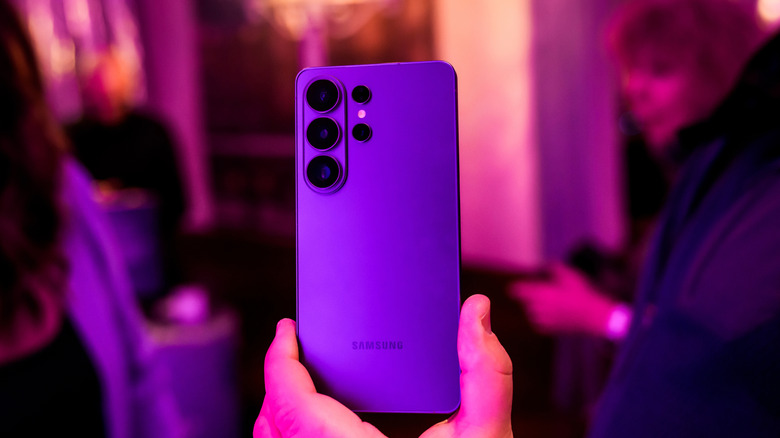
Google has built a ton of features directly into Android, and it continues to offer even more through the various apps such as Google Messages and even the Google Phone app. However, while many of these features might appear to be available for free within applications such as Google Docs and even Gemini, they actually require you to subscribe to one of Google's monthly subscription plans to take full advantage of them. Many of these features are nice added bonuses to your phone's capabilities, and they offer ways to expand on what your Android phone is capable of without needing to upgrade your device constantly.
Considering Google often offers a free limited-time subscription to new Pixel buyers, you might not even realize some of these features are locked behind a paywall until your free period ends. And, if you come to rely on them, suddenly having to dish out $5 or more a month for them might seem a bit excessive. That's why it's important to understand the features that your Android phone offers on its own, as well as those that Google has locked behind its subscription paywall.
Audio generation in Google Docs

If you ever write on your phone, then you might already use Google Docs. It's free and it comes with everything you need to write just about anything. But, it also sports handy features, like the ability to generate audio about a document. This is a feature that Google first introduced in NotebookLM, but once it made the leap to Google Docs, it helped the free document editor become an even stronger replacement for Microsoft Word.
However, audio generation uses Gemini for Workspace to operate. That means it is locked behind a subscription. In this particular case, you'd need to grab the Google AI Plus plan or higher, which starts at $4.99 a month. While the plan unlocks far more than just audio generation in Docs — it also gives you 400GB of storage in Google Drive, as well as higher usage limits in Gemini as a whole — having to dish out some extra money just to have Google read your documents to you might dampen some of the excitement about this particular feature.
Magic Editor in Google Photos
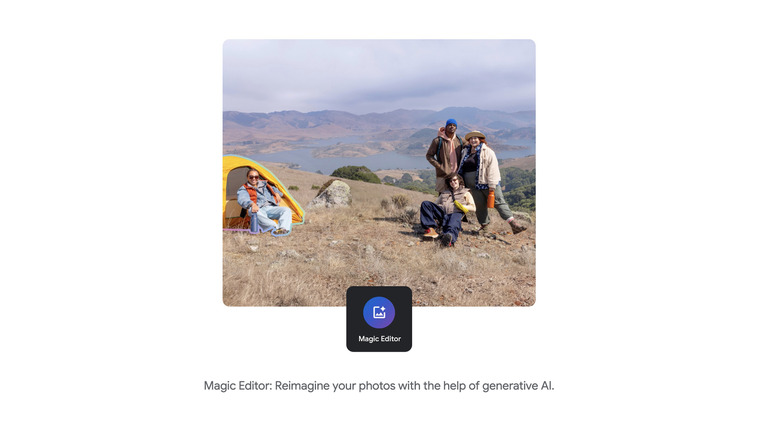
There are a lot of unexpected things you can do in Google Photos to take better control of your photos. One of the first big AI features that came to Android phones was the ability to remove unwanted people, items, and more with Magic Eraser in Google Photos. When it was first released in 2021, Magic Eraser was available for free on Pixel 6 devices. Google followed up Magic Eraser with the more in-depth Magic Editor in 2024. While you can use Magic Editor without paying for a subscription, making those big changes is somewhat limited if you aren't subscribed to one of Google's AI plans. In fact, you'll only be given 10 Magic Editor saves each month when using the feature for free.
The Magic Editor lets you literally move pieces of images around, allowing you to make more complex edits and even "reimagine your photos" using Google Photos. It's a cool use of AI, and if you've been toying with editing in Google Photos, you might not have even realized it isn't a wholly free product. If you edit a lot of images, then the 10 save limit for Magic Editor definitely could be frustrating. However, most users might not notice this limitation depending on how often they edit photos in big ways. Google has been changing how limitations on Gemini work, though, so it could see an update sometime in the future. For now, though, you'll need to shell out a monthly subscription if you want to make use of Magic Editor extensively.
File organization in Google Drive
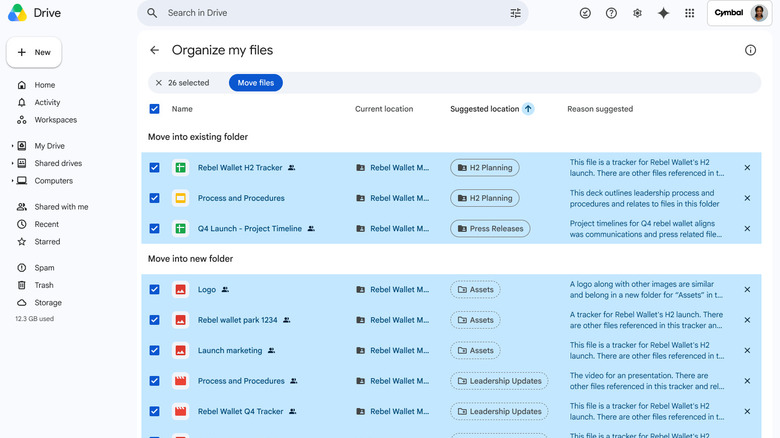
Google Drive is already a really accessible option for online storage, especially since every Gmail account gets 15GB of cloud storage for free when the account is created. However, like any place you store your files, it can get out of hand very quickly, especially if you don't stay on top of organization. While Google has added a ton of AI-related features across its online suite, including the option to summarize documents in your Google Drive folders, one of the most useful features is the ability to automatically organize your files using AI.
The functionality arrived in mid-2026, and it allows users to turn to Gemini to create new folders, automatically move files around, and more. This is great if you use Google Drive to save a lot of documents or other files, especially since Google Drive can so easily be accessed on both a PC and your Android phone. However, if you aren't subscribed to one of Google's AI plans, then you aren't able to take advantage of this functionality. Like many of the other features on this list, you'll need to subscribe to the $4.99 a month Google AI Plus plan or higher. Business and enterprise customers can also get access, though that access is controlled by their administrator.
Daily Brief in Gemini
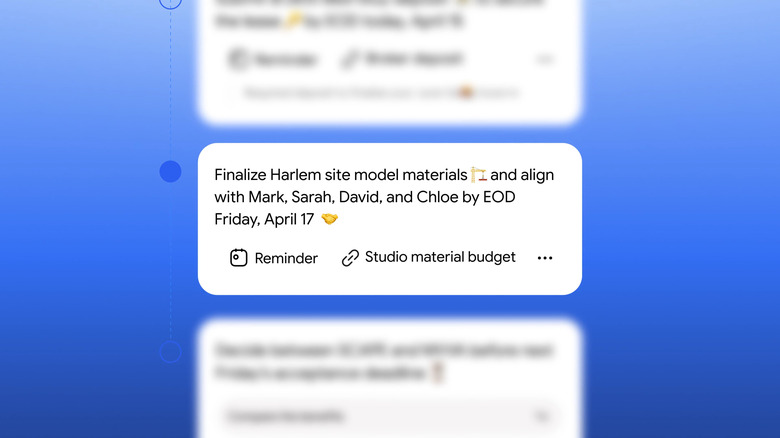
This next feature is one that users are either going to love or hate, but it can be really handy. If you picked up a newer Pixel phone and received one of Google's AI plans free for a year, then you might not even realize this is a paid feature as it just works seamlessly on your Android phone. Gemini Brief, which Google released in 2026, gathers up various news topics and other information based on your Gemini Intelligence profile, a system that allows Gemini to gather information about who you are and even who you interact with based on the data from across various Google tools. It then delivers this to you in a daily post that helps outline things like news stories, interesting tidbits of information, activities you have on your calendar, and more.
If you like being given easy access to news that you might want to follow and other useful information, then Gemini Brief can be very handy. However, it does require a Google AI Plus plan or higher to take full advantage of. Google says the goal of Gemini Brief is to make it easier for you to find information that is pertinent to your day, so that you don't have to go digging through your messages, emails, and calendar entries.