

The 9 Best MacBook Accessories You Can Buy On Amazon
We may receive a commission on purchases made from links.
MacBooks are some of the most reliable laptops you can buy, but you can make them feel even better by buying the right accessory for a specific function. A few well-chosen add-ons can come in handy whether you're working from your home office, couch, commuting between coffee shops, or editing videos on the go. For example, you could get an ergonomic mouse if the trackpad strains your wrist, or replace your charging brick with one that doesn't hog your only outlet, among many other MacBook accessories we'll cover below.
We've handpicked nine great accessories for your MacBook on Amazon. Each selection is meant to either make your MacBook easier to use, reduce clutter, offer physical protection, boost your battery confidence, or add genuine functionality in your workflow. All are backed by reviewers from trusted outlets and solid user ratings and reviews — so no impulse purchases you'll end up tossing in a drawer and forgetting.
Logitech MX Master 4 wireless mouse
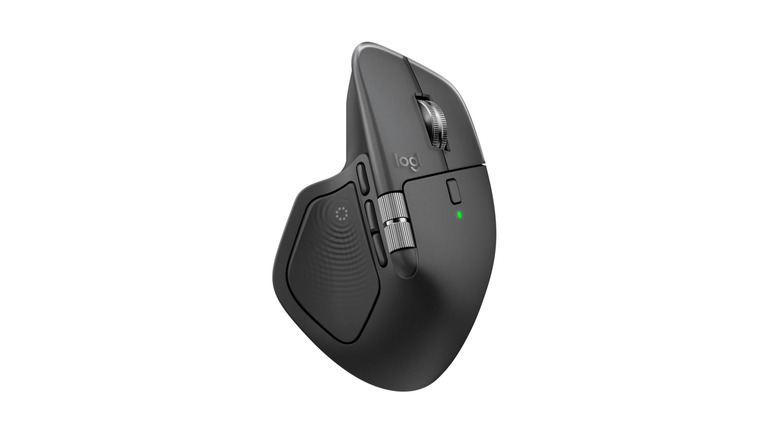
The MacBook trackpad is good, but studies show that working with a mouse is faster. There are many generic and branded mice out there, including Logitech's MX Master 4. We've tested and reviewed this mouse and found it to be the best mouse you can buy for productivity or creative tasks. Just like its popular predecessor, the MX Master 3S, the newer mouse maintains the same beloved ergonomic shape, near-silent clicks, and a satisfying smooth side scroll wheel with precise control.
The MX Master 4 comes with multiple customizable buttons, and one thing it has over generic cheap mice is how reliably it works on most surfaces, including glass — so you can live without a mouse pad. Battery life is impressive, with Logitech rating it to be able to run for about 70 days on a single charge. In the event that it runs out, a one-minute quick charge via USB-C can keep you working for three more hours, minimizing MacBook workflow disruption. Amazon buyer feedback affirms the MX Master 4 as the go-to premium mouse, with many reviews calling it the best mouse available right now.
Logitech Signature Slim Solar+ K980 solar power keyboard
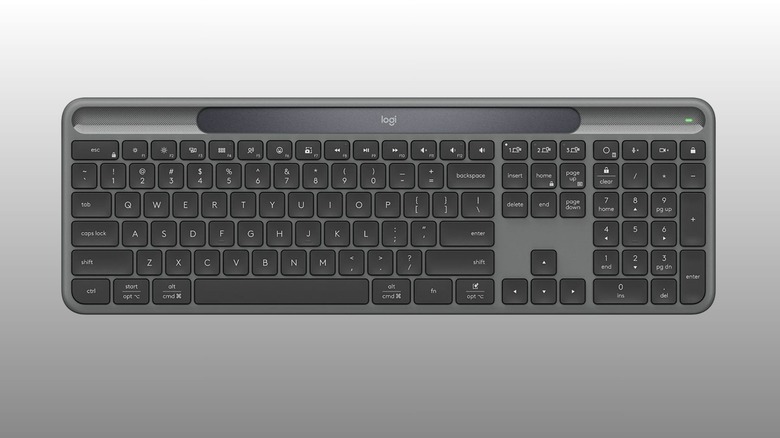
If you go for a mouse, you should definitely consider an external keyboard of similar quality, especially if you've hooked up your MacBook to a monitor. We'll stick with the same brand and recommend the Logitech Signature Slim Solar+ K980 wireless keyboard for one good reason — you may never have to worry about charging it. A small solar panel tucked along the top edge quietly tops up the battery as you type away — as long as you have a light source (you can still charge via USB-C). And it doesn't have to be a lot of light, as How-To Geek points out that the keyboard "will go and go for weeks on end, even if you don't have the best lighting in your office."
Beyond the solar trick, the Signature Slim is a solid full-size keyboard unless you're a mechanical keyboard enthusiast. It has low-profile scissor-switch keys which should feel similar to a MacBook keyboard with a little more travel. It lets you pair up to two other devices besides your MacBook, making multi-device workflows seamless if that's your thing. You can use Logitech's companion app to remap some keys for everyday shortcuts. It's a keyboard that just works, according to Amazon buyers, with the only shortcoming seemingly being the lack of a backlight.
Satechi ChargeView 140W
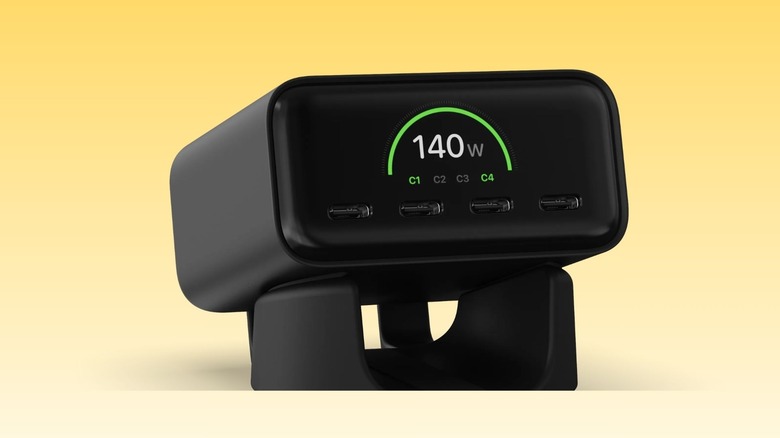
Having to rely on one power outlet in your workspace can be annoying whenever you want to charge your MacBook and other devices at the same time. Satechi's ChargeView 140W seeks to solve this problem. It's a compact desk charger with four high-wattage ports. With a maximum output of 140W, even your 16-inch MacBook Pro gets fast charging. The standout feature of this charger is the built-in display, which lets you see real-time wattage for each port, total power draw, and the current temperature. The latter information is meant to reassure you that heat is being managed whenever you push your charger closer to its limits.
To get the full 140W for your MacBook Pro, only the first two ports will deliver that. The other two max out at 40W, which should more than suffice for most phones, tablets, and other small gadgets. The deal here is that you can charge up to four different devices from just one outlet, and you get to dock the charger on your desk. It comes with a specialized docking station that can hold the charger vertically or horizontally — the display also switches orientation with the press of a button.
Size-wise, the ChargeView 140W is a compact unit, as pointed out by 9to5Mac. It was much smaller than the reviewer expected when unboxing, which was a welcome discovery to them, especially for portability. This device is still a recent listing on Amazon but has a solid 4.7-star rating at the time of writing, and buyers who left reviews generally appreciate the ChargeView's overall performance and size.
Beats 240W USB-C to USB-C Braided Cable
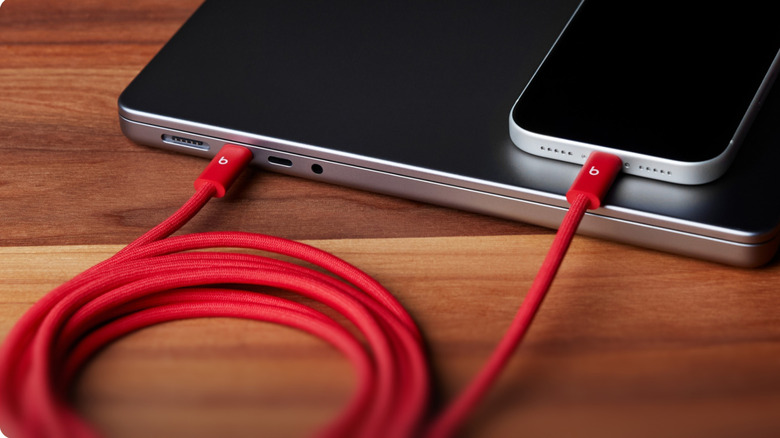
Beats' 240W USB-C to USB-C braided cable is an everyday accessory that seeks to ameliorate three annoyances that come with standard cables — length, durability, and style. As MacWorld points out, Apple's 60W USB-C cable is just 1 meter long; the 240W variant is 2 meters, but Beats' offering is a good 3 meters. This cable is particularly good for MacBook Pro users who need to sit further from the wall without sacrificing charging speed. The braided jacket is designed to resist tears for much longer than standard ones made of rubber, positioning this cable as a practical upgrade over the standard MacBook charger, especially if you coil it up into your bag regularly (it's tangle-free too).
Besides offering higher-wattage and more durability, the Beats cable also adds five distinct color options, which is a rarity in Apple's mostly white ecosystem. Existing buyers laud the cable's tough build, with a solid average rating of 4.8 stars on Amazon from more than 1,000 reviews. It's a cable that just works, giving you the freedom to place your MacBook at the distance you want, and it should take a while before showing any scuffs.
Anker Prime 26K Power Bank
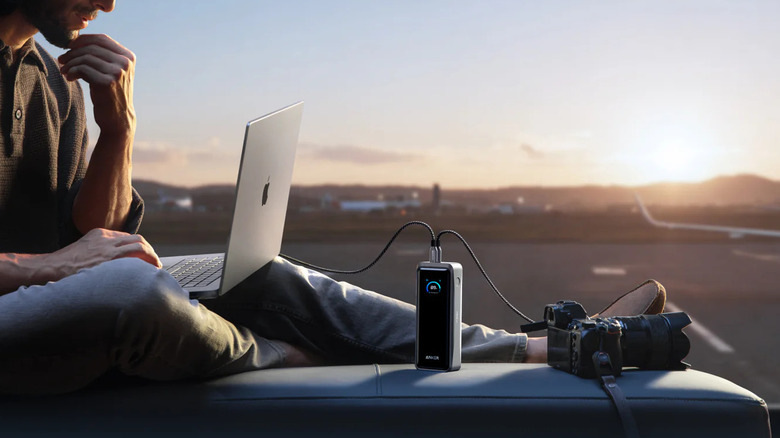
There are many great portable chargers built for laptops, and the new 300W Anker Prime Power Bank might be the best one for your MacBook at the time of writing. With a maximum output of 300W, it has two 140W USB-C ports, so you can simultaneously fast-charge two 16-inch MacBook Pros without a struggle. Of course, this isn't a practical use case, but it's just two to show you that it can handle multi-device charging without a struggle.
In MacWorld's testing, this 26,250mAh power bank was able to fully charge up a 14-inch MacBook once, with about 33% capacity remaining. The leftover provided an additional quarter-charge for the same MacBook. Besides the two 140W USB-C ports, you also get a 22.5W USB-A port to cater to low-power devices while your MacBook is charging. For input, the Anker Prime 26K power bank accepts a total of 250W when you use both USB-C ports, meaning you can charge this up from depletion to 50% in less than 15 minutes.
One last thing that makes this power bank a solid buy is the built-in display and companion app, which give you all the critical information you need in one place. These two features come in handy, so you never have to guess the remaining capacity. Buyers appreciate the power bank's performance, with many also noting how compact and high-quality the build is.
Apple AirPods Max 2
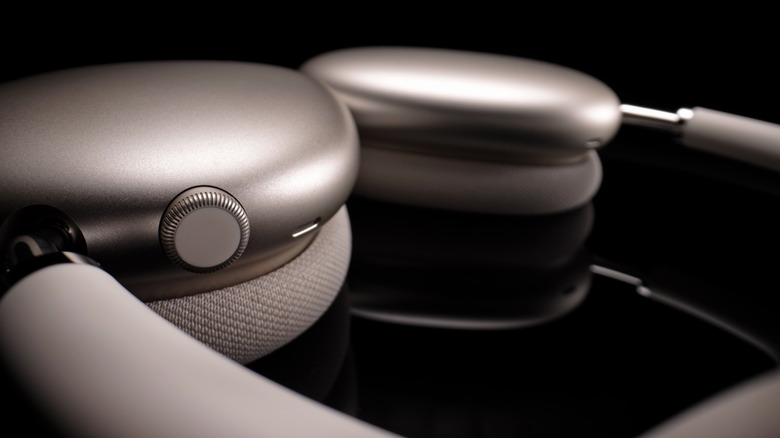
If audio is part of your MacBook workflow, no headphone fits the setup better than Apple's own AirPods Max 2s. Wired's review points out that being part of the Apple ecosystem means less fiddling with Bluetooth menus, instant pairing, smooth switching across devices, and integration with features like on-device translation in ways you may not see with other headphone brands.
The AirPods Max 2 comes with a padded memory foam headband and ear cushions for comfort. The original AirPods Max offer great sound quality, and the newer version maintains this high standard thanks to a new digital signal processing algorithm that delivers louder and cleaner audio with minimal distortion. However, they also maintain a 20-hour battery life, which is a bit on the low side compared to the competition.
Other than that, they will work seamlessly with your MacBook. You can hook them up via USB-C if you need high-fidelity audio and ultra-low latency for video editing and other tasks where syncing audio is critical. At $549, these are very expensive headphones, but the price shock seems to wear off for most who have bought them. Many Amazon customers appreciate both the sound and the build quality, leaving an average rating of 4.6 stars.
Insta360 Link 2 Pro webcam
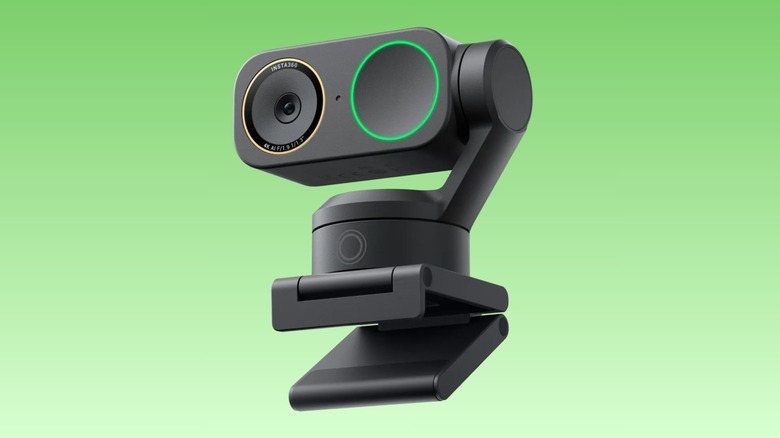
You'll need a dedicated webcam like the Insta360 Link 2 Pro if you want to take your conference calls or even talking head videos to the next level. Starting at $250 for the standard bundle, this camera isn't cheap, but it offers more value for money than most competitors like the Obsbot Tiny 3, according to Digital Camera World. The Link 2 Pro comes with a massive 1/1.3-inch sensor, 4K recording, and decent dual noise-canceling microphones. As a result, images are impressive even in low light without any adjustments to the default settings.
What sets this unit apart from typical webcams is the gimbal and AI tracking features. With these, the Link 2 Pro will do a good job following you around your workspace, while keeping you centered at all times whether you're livestreaming or attending a meeting. It's also smart enough to adjust and center even when there's more than one person in the frame.
You can control all these using gestures and also be able to adjust how fast and smoothly the camera moves when tracking you. It may not be the smallest webcam in the market, and the gimbal performs best on a level surface, but it leapfrogs the MacBook camera by a country mile. Amazon reviews currently sit at 4.7 stars, meaning this is a solid buy should you need one.
Sandisk Extreme Fit USB-C Flash Drive
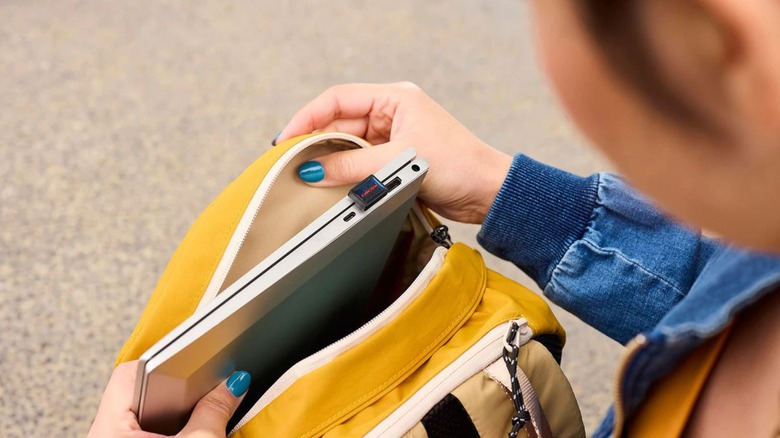
Standard-sized external drives can be a hassle to lug around if you need to offload or load project files onto your MacBook. You can replace them with the tiny SanDisk Extreme USB-C Flash Drive, which comes with up to 1TB of additional storage while barely peeking out of your USB-C port (no cable). Popular Mechanics notes that it's "smaller than most Wi-Fi dongles ... about as wide as a nickel," and just tall enough to remain visible when you close your MacBook. The small form factor makes it an easy leave-in upgrade, meaning you can plug it into your MacBook and boost your storage without adding a separate drive in your bag or on your desk.
Transfer speeds are slower than most SSDs, but up to 400MB/s over USB 3.2 is pretty solid for a flash drive. It's more than enough for individual folder and file copies — but will take noticeably longer for full-device backups. It's also not ideal for heavy video editing, but if such tasks aren't part of your workflow, the SanDisk Extreme flash drive should work well. MacBook users who have bought one do appreciate the compact fit and the extra space it offers for those with base storage on entry-level units.
Moft Laptop Carry Sleeve, 2-in-1 Laptop Bag & Stand

Moft's Laptop Carry Sleeve is more than just a case to lug your MacBook around — it also doubles up as a stand for any kind of surface, including your lap. As a sleeve, it offers protection without turning your MacBook into bulky luggage. It's about 0.3 inches thick and has a magnetic flap that closes it, allowing it to slide into a backpack, which can cause bumps and scratches to a naked laptop.
When using it as a stand, the carry sleeve can fold into either 15- or 25-degree height options for more ergonomic typing and viewing angles for your MacBook. Those are two functions, but there's a third possible unintended function that the Moft Carry Sleeve has up its sleeve (pun intended): a mousepad. The neoprene section at the bottom of the sleeve is meant to carry accessories, but it "is soft and slightly slick, making for a great portable mousepad," according to XDA Developers. However, you can only use it in this way when you put your MacBook aside, not when using it as a stand.
If you're on the lookout for a stylish sleeve, this may be it, and the stand functionality basically means you're getting two accessories for the price of one. Quality and practicality are appreciated by a good number of buyers. One issue is around the vegan leather, which some customers point out shows wear a bit faster over time than expected.
How we settled on these accessories

To make the final cut, all the accessory selections had to first be available on Amazon and able to improve the overall MacBook user experience. Second, they had to have favorable commentary from trusted outlets and reviewers like MacWorld, Wired, 9to5Mac, How-To Geek, etc, and our own hands-on reviews. We also set a cutoff of having at least 4.3 stars on Amazon reviews to ensure you're getting proven quality based on everyday user opinions.