

4 Useful Accessories That Make Your Old iPhone Feel Brand New
We may receive a commission on purchases made from links.
iPhones are known for their exceptional longevity, with many users saying that they typically keep their devices for three to four years. This lines up with how the iPhone 13, a device that came out in 2021, was the most common iPhone in 2025 in the U.S. Even when it comes to upgrading, users said the decision wasn't driven by sluggish performance or a lack of Apple support but due to issues with the charging port and cracked screens. While that's not something an accessory can fix, getting new extras for your iPhone can drastically refresh the experience if it's still functioning properly.
If aesthetics are making your device feel old, accessories that can make it feel brand new include a new case or screen protector. We focused on attachments available on Amazon for less than $50 that received at least four out of five stars from hundreds to thousands of ratings. If you have an iPhone 12 series or lower, which has 64GB models, there is even an accessory that can help you free up space without losing precious memories or paying for iCloud storage. Also, while technically not an accessory, a battery replacement can also breathe new life into an old iPhone, especially if you know how to install it yourself.
A new case makes your phone look and feel new
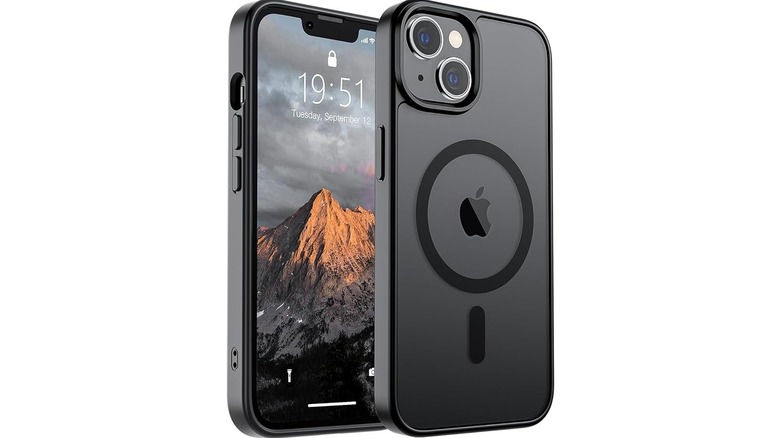
Getting a new case is perhaps the easiest way to make your old device feel brand new. A good iPhone case should last you about a year, but if you've had it longer, it might be showing signs of aging, even though the mobile itself is in good condition. Essentially, when you notice lots of scratches, cracks, and chips in the case, it might be time to get a new one for a fresh look.
Whether it's a clear model like the FNTCASE Case for iPhone or the solid SUPFINE Magnetic, you can find them in a range of colors that can instantly make your old iPhone look like new for less than $10. If you love superheroes, check out the $21.99 Marvel Spider-Man Into the Spider-Verse Miles Morales design for iPhone 14. Although more expensive, you can also opt for something that feels more premium, like the Belemay iPhone 14 Leather MagSafe option for $39.99. If you want a more protective case, the Jaroco Magnetic for iPhone 14 offers military-grade drop protection.
A new screen protector can make your iPhone feel good to use again
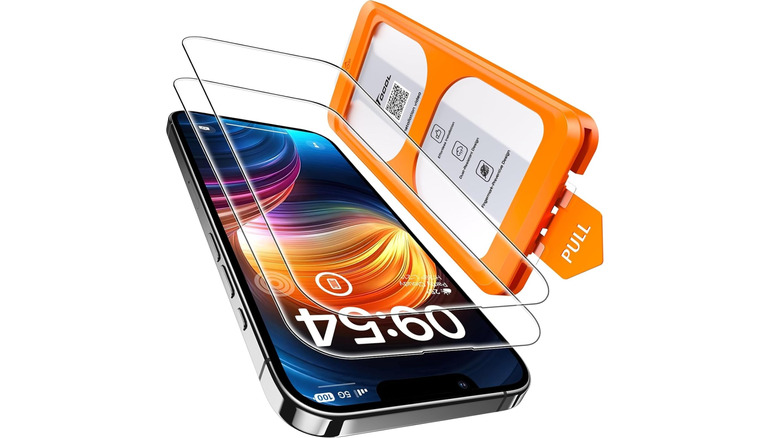
By the time a phone reaches three years of life, the screen protector will have been through a lot. While some might still be in good condition, with little scratches here and there, others might have cracks, and parts of them might even be peeling off. The latter issue can make the iPhone difficult to use — the screen might be difficult to see through, and the damage can mess with the touch sensors.
Unfortunately, when you drop a screen protector enough times, it will eventually break. The key is to just get the right screen protector for your daily usage. For example, the TOCOL for iPhone 14 is $11.99 with military-grade protection and boasts a hardness level of 9H, meaning it can withstand scratches from a 9H pencil — the hardest material in the American Society for Testing and Materials (ASTM) standard testing. So if you keep your phone in your bag a lot with objects like keys and coins, it's a great choice. If you have greater privacy needs, you should consider purchasing a privacy screen protector, where the screen doesn't look clear unless you're looking straight at it. Someone trying to peek at it from the side won't be able to get a clear look at what's on your phone.
Use a Lightning or USB-C flash drive to free some space
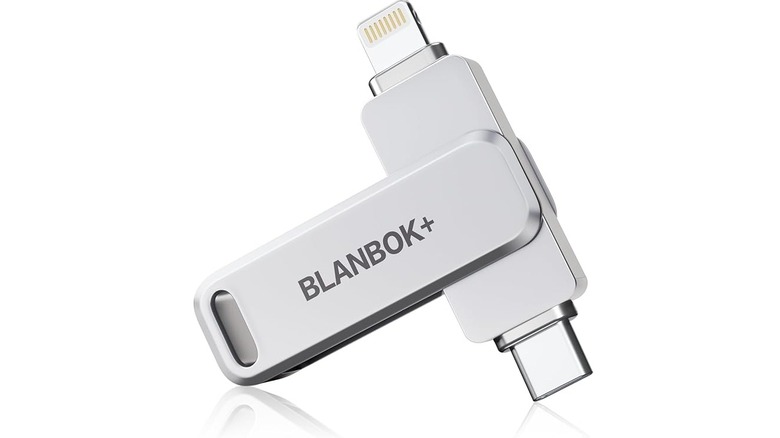
If you take a lot of photos and videos, your device's memory can fill up pretty quickly, especially if your old iPhone is the 64GB version. It's only with the iPhone 13 and newer that the base models started to have 128GB, significantly expanding the storage. But even then, the space can feel limited, especially if you're installing 3D games with all the necessary HD textures. Instead of paying for iCloud storage (starting at $0.99 for 50GB) or manually freeing up space by transferring or deleting old photos and videos, you can use a flash drive.
These connect to your phone's charging port, allowing you to transfer files using a companion app. One good option is the Blanbok+ MFi Certified 256GB iPhone Photo Stick, which starts at $27.99 on Amazon and has a USB-C and Lightning connector on either side. It also works with PCs and Android phones without needing a companion app — just plug and play.
When your iPhone's storage drops below 1GB, it can become sluggish. That's because the less storage an iPhone has to work with, the more the CPU has to work to manage it. This can slow down your mobile — something common on old devices as app and file sizes get larger. An iPhone flash drive can be essential to help keep your phone feeling fresh and snappy.
Replace the battery for extra mileage
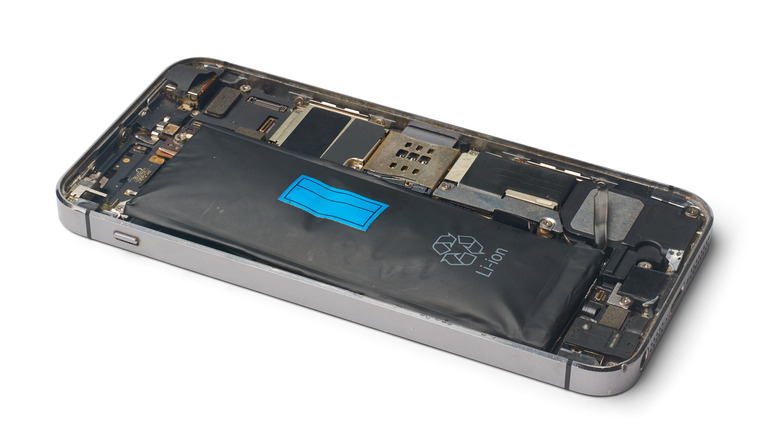
Although not an accessory in the strictest sense, a new battery can breathe new life into your device. One of the biggest signs that your iPhone battery needs replacing is when the capacity drops below 80%, which happens after 500 cycles on iPhone 14 and older. You will get a battery degradation warning, and your device may become slower. As capacity drops further, the mobile's ability to retain a charge will become shorter, and it may even shut down randomly. At this point, you'll feel the iPhone's age, making a battery replacement necessary to continue enjoying it.
By now, your old iPhone's standard warranty has run out since Apple only offers it for one year. But if you have AppleCare+, you get battery service indefinitely, allowing you to send the device back to the company for battery replacement free of charge. Otherwise, you'll have to pay $119 for battery service. Alternatively, you can get a replacement on Amazon for less than $30 and swap it in yourself.
For instance, you can get the Luuzkla 23,900mAh Battery for iPhone 14 for $28.99. Just be aware that since this is a third-party battery, there will be a constant warning that the iPhone is unable to verify it as a genuine Apple product. The good thing is that it comes with all the tools you need to replace the battery, as well as a screen protector in case you need to replace that too.
How we chose these iPhone accessories
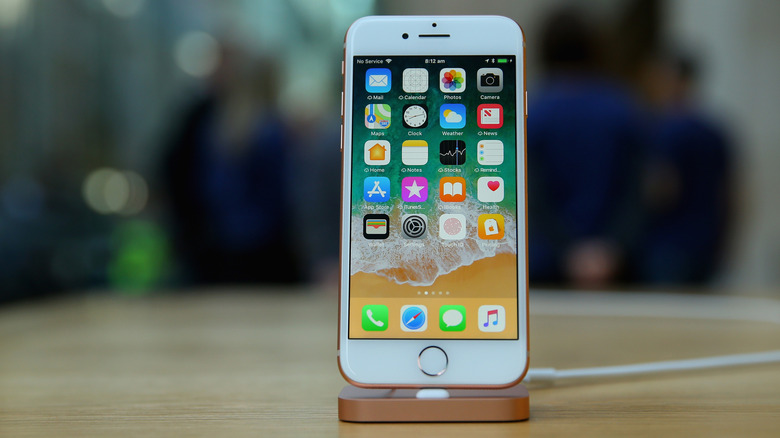
The biggest starting point was defining "old iPhone." There are two major criteria that usually determine what counts as an old device: sluggishness and Apple support. Considering what users say about the longevity of iPhones, we figured that three years is a good baseline since something like the iPhone 14 can perform as well as an iPhone 16 while still having years of service ahead of it. At this point, it made sense that the mobile had gone through significant usage over the years, so we looked for accessories that prevent the device from looking and feeling old.
We also picked accessories that were available on Amazon and cost less than $50. User ratings were also heavily considered, with four out of five stars being the minimum rating an accessory needed to earn in order to get a recommendation. We decided that's a good indicator that a product is quality, especially if it has hundreds or thousands of ratings.