

9 Used Laptop Scams To Watch Out For
Times are tough when it comes to the price of a new laptop. Thanks to unprecedented demand from AI data centers, RAM and SSD prices are sky-high and likely to remain that way for years. It's not just computer buyers that are feeling the crunch, though. The global RAM crisis is affecting phones and pushing up car prices, along with, of course, making laptops much more expensive.
If you need a laptop and the price tags on a new model give you heart palpitations, then you might understandably turn to the used market to find a more reasonable alternative. Before you do, you should have a look at the best cheap laptops you can buy. There might be a good deal you've missed, and it might surprise you to learn there are several budget-friendly laptops more powerful than the MacBook Air.
If your heart is still set on buying a used laptop, though, there are certainly bargains to be had. However, it's also a market fraught with scammers and bad deals. In the end, getting burned on a "cheap" used laptop could ultimately be more expensive than buying a new machine. So keep your head on a swivel, and be alert for these sneaky used laptop scams.
Fake online stores selling laptops that don't exist
It might be hard to imagine given the domination of online stores, but in the early days, people had a hard time trusting that a website would actually send the product they ordered. At least with a brick-and-mortar store, there was somewhere you could go to complain if your product had issues.
Today, the opposite is true. People are so used to buying things online that a slick website is enough to hand over those credit card details. The truth is that there are plenty of fake online stores that are out to get you. That's especially true for sought-after, high-value items like computers and other electronics. With the rise of generative AI, it's becoming easier than ever for scammers to make the assets for a fake site and set up everything they need to take your money in return for nothing.
So if you see a good deal on a used or refurbished laptop on a site you've never heard of, stop and do some research first. Check sites like Trustpilot to see if anyone else has made a purchase from this store. Also check that you've entered the real URL, and aren't looking at a spoofed site. Likewise, be wary of any payment methods that don't have a chargeback option, such as Venmo, cryptocurrency, wire transfers, or gift cards. You should also use a site like Whois.com to check when a website was registered. If it was just a few weeks or months ago, that's a huge red flag.
Marketplace listings using stolen photos

An online listing for used goods always seems more legitimate when it has real photos and not just stock product shots. Unfortunately, it's simple for a scammer to copy the photos from a real listing when they do not, in fact, have a product to sell you at all. These days you also have to be concerned about AI-generated images, which are becoming more common and can't always be detected with certainty.
Your first line of defense is to use a reverse image search or something like Google Lens to see if those exact images have been used elsewhere on the web. Unfortunately, this might not always work because scammers can wait for the real listings to be taken down before using the images. Similarly, tools like Gemini can tell you if an image was AI-generated with a decent level of confidence, so those should be part of your arsenal, too.
Ultimately, a scammer using fake photos will behave in a certain way to prevent you from seeing the real laptop in person before purchasing it. They use time pressure on you to force a payment because the laptop is about to sell, they always have an excuse as to why you can't come see it in person, and they want payment without meeting. These are deal-breakers under any circumstances. If you're really intent on the deal you're looking at, you can also try asking for a video or photo that includes something with a date, but again, AI makes this method less effective than it used to be.
Stolen laptops sold as legitimate bargains
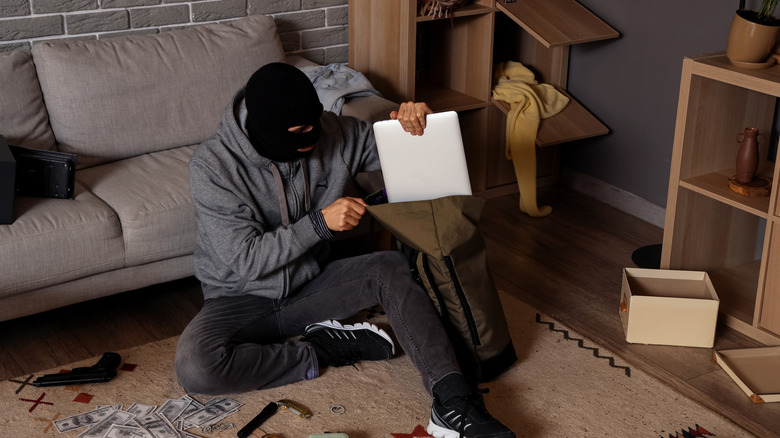
According to industry experts, more than 600,000 laptops are stolen each year in the U.S., which means there's a decent chance you'll encounter a listing of a stolen laptop while browsing online marketplaces. While knowingly buying stolen goods can get you in legal trouble, you're not necessarily safe if you buy something in good faith and it turns out to be stolen later, either. You might not face criminal charges, but the rightful owner can recover their property from you, and the seller has made off with your money. So ultimately, the person with the biggest loss could end up being you.
The good news is that due diligence with respect to laptops and theft isn't that hard. The first step is to ask for evidence of provenance. Where did the seller purchase the laptop? It's fair to ask for proof of purchase, which can be a receipt or order printout — anything that shows the laptop was purchased legally.
If you're suspicious, ask the seller to send you a photo of the serial number and check with your local police department to see if that number has been flagged in a theft case. If you go out to meet and make the deal, check that the system is unlocked and can be used and accessed as normal. If it's registered in the name of a business or has an asset tag, you can also phone that company and clear it with them.
Bait-and-switch laptops

You've probably heard horror stories of people who have bought electronics overseas, only to discover upon their return that the carefully wrapped box now only contains bricks. While a local seller might not be quite that brazen, it is possible for someone to hand you a laptop that's similar to the one that was listed, but turns out to be a cheaper, less powerful model.
Anyone can fall victim to the old switcheroo, but there are ways to avoid ending up with a worse product than you thought you'd be taking home. For instance, apps like CPU-Z and GPU-Z can tell you exactly what kind of hardware you're looking at. You can simply bring these apps along in portable form using a USB flash drive and test the system to see if the results match the listing.
Of course, you can use the Windows Task Manager or other similar built-in operating system tools to check the computer's specifications, but these are subject to manipulation that CPU-Z and GPU-Z can see through. You can also run common benchmark apps like 3DMark or PCMark to ensure that performance scores align with what you expect to see from a laptop with the advertised specifications. It might seem like a lot of effort, but considering that you risk overpaying, it's often worth it. Besides, running 15 minutes of benchmarks will also tell you if the laptop's cooling system is working correctly and if it can handle the stress you plan to subject it to.
Hidden damage that's carefully concealed
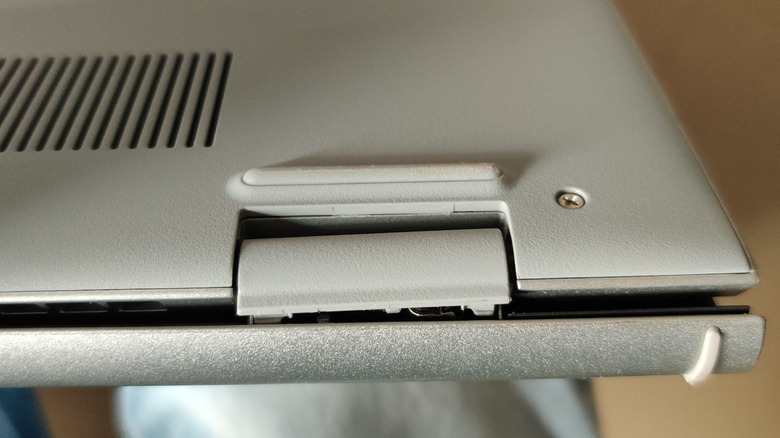
Unlike desktop PCs, which just get to sit in a clean, dry place and look pretty, laptops have to endure a significant amount of wear and tear. They're carried around all the time, opened and closed repeatedly, bumped, dropped, and ultimately much more likely to pick up damage that's relevant to usability or lifespan.
We just mentioned running benchmarks and how they can quickly show if a computer will fail under peak stress, so roll that advice in here, too. In particular, check if the machine can complete a basic benchmark while on battery power. If the battery is on the way out, the computer might shut down during your test, too. You don't have to guess, however. You can run "powercfg /batteryreport" using the Command Prompt and then read the report in your home directory. A worn battery is a common disadvantage of buying a used laptop, and it's made worse by the relative rarity of replaceable batteries these days.
Aside from checking the battery, you should also carefully inspect the outer shell of the laptop for any unusual damage or visible repairs. Test the hinge to make sure it works smoothly and doesn't flex or make unusual noises. Most importantly, convince the seller to let you pop the laptop's bottom cover off so you can inspect the motherboard and other components for physical damage or signs of liquid spills. It's a reasonable request, but bring your own tools to ensure you can do it quickly and cleanly.
Fake manufacturer-refurbished laptops
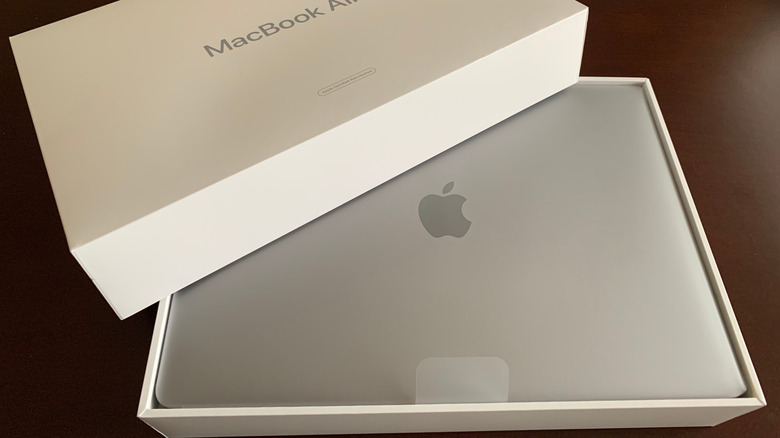
You'll see a lot of used computers listed as refurbished or renewed, or otherwise framed as being better than an as-is purchase. Especially in the case of refurbishment conducted by the manufacturer, this allows the seller to add a price premium. That can also incentivize dishonesty and lead to the terms being used rather loosely in some cases. Giving a laptop a wipe-down does not qualify as refurbishment, and especially not as a factory refurb.
So it's entirely fair to ask what exactly has been done to refurbish the laptop and who did the work, and to ask the seller to provide evidence. You should never buy refurbished tech without asking the right questions. High on the list of things to check is whether the battery either has a clean bill of health after testing or has been replaced with a new one. It's preferable to have an OEM (Original Equipment Manufacturer) battery, but in some cases that just isn't possible. Speaking of which, was it refurbished by the OEM or a third party? Does it come with a warranty of any kind? Has the cooling system been cleaned and serviced with fresh thermal paste? Has the SSD been replaced if it has excessive wear?
If you're going to pay more for the privilege of refurbishment, you must ensure that a real refurbishment has happened. Often, you can confirm this just by reading the fine print in the sales ad. This copy often outlines what has been done, but don't be surprised if it's muffled by legalese or sneaky placement hoping you'll ignore it.
Malware or spyware already installed

It's not a new idea to suggest the used computer that you're about to buy might have some malware on it. The previous owner might simply have been irresponsible with their browsing or software installation and not have had any bad intentions. These days, though, you often don't need antivirus software beyond Windows Defender to keep the malware at bay.
That means any malware that's on a used laptop running a modern version of Windows either has to be a victim of an advanced virus Defender could not detect or might have been deliberately infected. It might sound like paranoia, but putting malware on used computers that can harvest data like passwords isn't unheard of.
Regardless of whether your used laptop has been deliberately or accidentally infected, or hasn't been infected at all, you should always do a full and complete wipe of the drives it comes with, and restore it to factory settings. There are a few ways to do this. First, check the BIOS/UEFI to see if there's a secure erase feature. It's likely to be under a subsection labeled security or something similar. If you can't find a feature like this, you can use a tool like Rufus to create a bootable USB drive that you can use to thoroughly erase the drives. Then use the manufacturer's instructions to reinstall the operating system on a blank drive as opposed to one with a rescue partition, which would be erased in this process.
Payment methods designed to leave you with no protection

This is blanket advice for any sort of used purchase, but it's far more applicable to high-value, high-pressure purchases like laptops. Scammers know that people are desperate for a computer, and when you have less time to think, you're more likely to overlook or ignore red flags that are obvious to others.
When you're buying a used laptop online from a private seller, you should be wary of payment methods that seem odd. We already mentioned this in the context of fake online stores, but none of the vetting you can do with a website applies to private sellers. So if someone is asking for a method of payment that affords you no protection, such as crypto or gift cards, then be careful.
It's rarely justifiable to buy laptops from private sellers sight-unseen anyway unless you have good reasons to think they are above board. This is why seller ratings on sites like Facebook Marketplace matter and why sites that offer buyer protection of some kind, like PayPal or eBay, are generally safer. Even then, there are some ways scammers get around these protections. For example, they may talk you into doing a "Friends and family" payment on PayPal, which carries no buyer protection, but doesn't attract the usual fees. The rational view here is not looking at the small amount you might save, but the large amount you might lose if using an unprotected payment method.
Activation locks and BIOS lock scams

Ironically, since laptop theft is such an issue, there are plenty of anti-theft technologies that can prevent you from using a laptop you've bought as a used item. Scammers can do all sorts of things with this technology, and it's a bigger risk when you buy a laptop sight-unseen.
First, there's the basic BIOS/UEFI lock. A password protects the BIOS, which you might not notice until you actually try to enter said BIOS/UEFI. With this lock in place, you can't boot from other drives or make changes to the system. There can also be lockouts on laptops that used to be owned by large enterprises. Without the original company unlocking the system, it's effectively bricked.
So where does the scamming come in? The crude version is just someone knowingly selling a computer they could not unlock, and not disclosing it. Alternatively, you might be ransomed for more money after receiving the laptop and asking for the passwords or unlocks. This is something you can check in person before purchase, of course, but if your laptop arrives with a locked BIOS, don't panic. You can often look up back-door passwords for older laptop models, or it might be possible to reset the system by disconnecting internal batteries or by using a BIOS/UEFI reset jumper. If the laptop is using a security agent like Absolute Persistence, you're out of luck unless you can contact the company that manages that machine. If it's not stolen, they might be willing to unlock it.