

8 Perks Of Switching To A Mini PC
We may receive a commission on purchases made from links.
It seems the world has fallen in love with mini PCs, from Apple's Mac Mini to units from one of the many tiny PCs available from companies like Beelink, Geekom, Minisforum, and even veteran PC brands like Dell or Lenovo. There's no doubt that Mini PCs are appealing in various ways.
However, if you want a general-purpose computer, you have plenty of options. The standard desktop PC is still going strong, but unless you're a high-end PC gamer or professional workstation user, most of that desktop PC is just wasted space. If space doesn't matter, though, desktops are cost-effective and have a great upgrade path. Laptops, on the other hand, are often the right choice for people who need to sit at a desk and work, but also sometimes use their computers on the go. However, you have to deal with extra costs and compromises that make no sense if you never need the full desktop operating system experience on the go.
Mini PCs represent this awesome middle ground for people who don't need a laptop, but also don't need a hulking, power-hungry desktop PC either. A typical mini PC is effectively a laptop stuffed into a tiny screenless box, but without the same thermal and power limits. If you've never considered a mini PC before, you should know there are many perks to thinking small.
Mini PCs take up almost no space
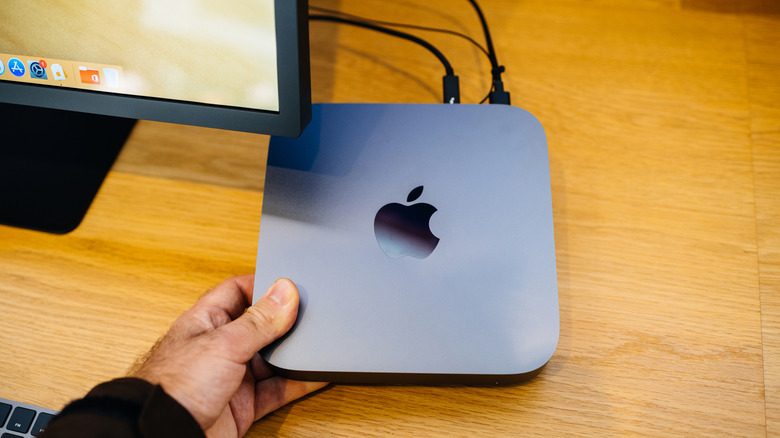
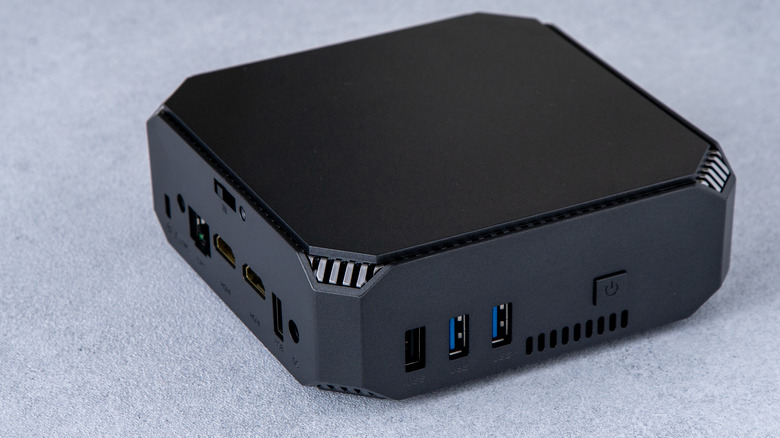
Yes, we know that it's obvious. Of course, mini PCs take up less space than a regular computer or even a laptop. The thing is, if you've only ever seen mini PCs in photos, you can't really fathom just how small these machines are. Take the Geekom A6 as an example. This device has an internal volume of 0.47 liters. It measures just 4.43 inches by 4.43 by 1.46 inches. That's smaller than a typical trade paperback book.
Of course, you'd be completely justified in asking whether this actually matters or not. It's true that the tiny size of mini PCs might make no practical difference for a lot of people. After all, SFF (Small Form Factor) and mini-ITX desktop PCs also exist and maintain most of the upgradability you find in full desktops, which mini PCs don't. That said, if you value a clean desk and minimalism, mini PCs can't be beat. You can even mount them on the back of your monitor and manage all of your cabling so that it's out of sight.
Apart from creating the world's cleanest desktop setup, mini PCs are also a great choice for specific dedicated projects. They're gaining popularity for homelab projects and self-hosting in general. I even use a Lenovo mini PC as a dedicated Plex server (for media management), hidden away in a closet, because I can access it using remote desktop software. The Mac Mini is also famously rack-mountable, but your imagination is only the real limiting factor here.
You'll use far less electricity

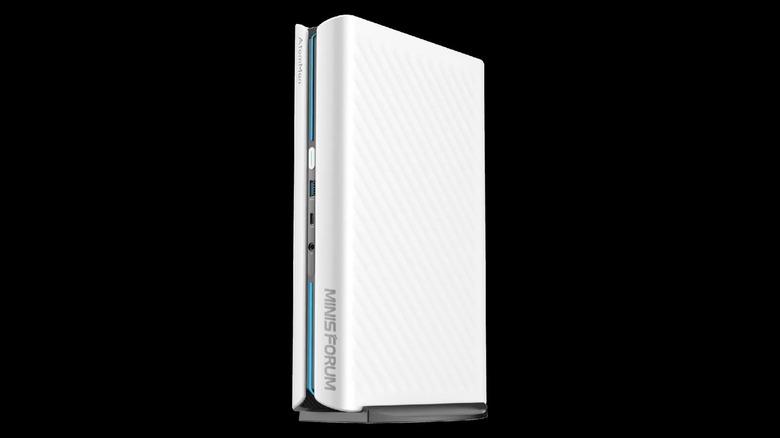
As we mentioned before, most mini PCs use mobile chip technology, which is designed from the ground up to be more power-efficient than typical desktop components. As of mid-2026, the most power-hungry mini PC we could find is the Minisforum AtomMan G1 Pro, which sports a 350-watt (to handle a 250-watt peak) power supply and contains the sorts of components you'd find in high-end gaming laptops, which usually have power supplies in a similar range.
So we already know that at the extreme end of the market mini PCs cap out at less than 350 watts, but mainstream mini PCs more typically use between 15 watts and 45 watts of power. Mini gaming PCs that don't compromise on performance might use power around the 120-watt mark, with some leeway above that depending on the components used.
Since these PCs, like laptop PCs, are designed around a specific thermal and power envelope, they can also be highly efficient when it comes to the power supply design and capacity. Regular desktop PCs have power supplies that have to offer multiple rails that deliver different voltages and often have a relatively narrow window where efficiency is optimal. Go outside that level of load, and more of your power is being wasted as heat rather than being used for productive computation. To make a long story short, if your next PC is a mini PC rather than a full desktop, you can expect to have a lower power bill.
These little PCs are surprisingly powerful
In the past, when you heard the phrase "laptop components," you may have immediately thought of slow, outdated, and laggy performance. However, if you've actually used a modern laptop, you'll know that they offer snappy real-world performance and all-day battery life at the same time. Likewise, tiny PC-based handheld gaming consoles feature console-level GPU and CPU performance. Clearly, we've passed the point where the performance in small, power-efficient systems is a bottleneck in meeting user needs.
It's still true that full desktop systems can reach performance heights that no laptop, mini PC, or handheld can hope to match, but that's not the same thing as saying the performance of a mini PC is inadequate. With the exception of a few demanding applications or video games, a good mini PC won't run most software any worse than a higher-end desktop PC. That's mainly because that desktop PC spends a lot of its time and energy on basic background tasks and racks up plenty of unused cycles — time the computer is powered up, racking up electricity usage, but just sitting idle while it waits for its next job.
If you need performance that's higher than the ceiling a mini PC can deliver, then a desktop solution is usually the choice, but if you don't, why pay for functionality you'll never use anyway? Of course, just as with laptop and desktop systems, within the confines of the mini PC world there's a broad range of specifications and performance levels. A cheap mini PC running an anemic processor might still struggle under a heavy load, just like a $300 Chromebook does, but if you have the budget for an upgrade over that baseline, mini PCs have the performance most people actually need.
You can move a mini PC around with ease

This is another perk that might seem obvious, but if you actually think about the portability of mini PCs, it quickly becomes apparent that being small and portable is a unique strength of these systems. But you might be thinking, shouldn't you just get a laptop if portability is important to you? Again, this depends on your needs. Do you actually need a working computer when you're away from a desk with a monitor and peripherals? After all, these days you can browse the web, check your emails, and otherwise accomplish most of what you need to do using just a smartphone.
A mini PC is much less fragile than a laptop. That's because a mini PC is generally solid-state (no spinning hard drive), has no battery, and there's no screen or hinge. It's a sturdy little box that will be just fine in your checked baggage or in your bag on the way to work or school. As long as you have somewhere to dock the little guy when you arrive, it might be the cheaper and more convenient portable computing solution for you.
In particular, if you work somewhere that employs hot desking, where there's a shared docking setup, a mini PC could be the way to go for you. This arrangement could even work inside your own home. If you've got a desk for work and study, and a TV setup elsewhere, you can just move your mini PC with you instead of buying multiple computers. The minuscule size of these devices opens up all sorts of possibilities!
You can replace your bulky home theater PC or limited streaming box
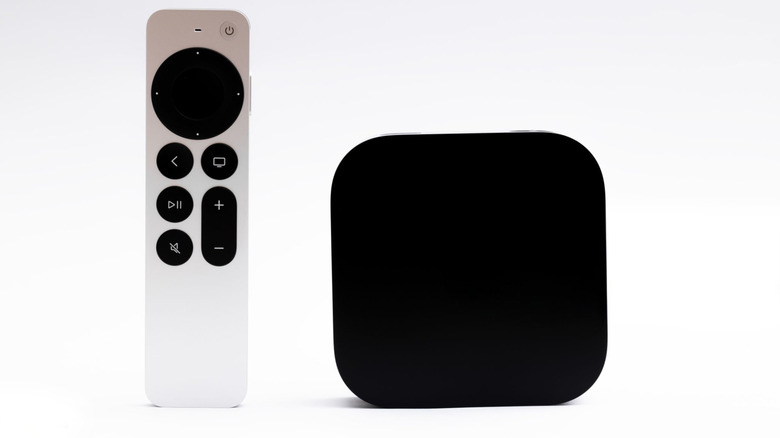
Do you remember HTPCs, or Home Theater PCs? There was a time when enthusiasts would build dedicated computers with TV capture cards, large hard drives, and specialized operating systems to get a sneak peek of the future we'd all eventually get with DVRs and streaming boxes like the Apple TV.
While big HTPCs aren't that popular anymore, there's still a number of reasons to have a full PC connected to your TV instead of a limited streaming box. For one thing, a PC can play any sort of media from any source, and not just those approved by the people who made your streaming box. If you buy one of the higher-end gaming mini PCs, it might even be able to trade blows with current-generation gaming consoles, which is potentially another box you can get rid of.
Also, don't forget that you can mount a mini PC behind your TV or somewhere else completely out of sight. So, whatever bevy of devices you have connected to your TV, there's a good chance you can converge many of them into a single PC. Combine that with a nice wireless media keyboard, like the Logitech K400 Plus, and you can have a slick, fully-customizable media center. Even better, there's no reason your TV-connected mini PC can't also act as a Plex or Jellyfin media server for the rest of your home. If that sounds intriguing, check out our advice on how a mini PC could replace your streaming devices.
Mini PCs are ideal for dedicated tasks
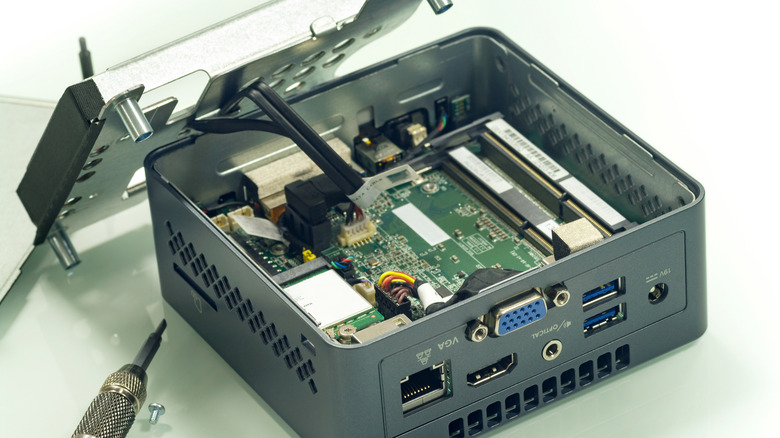
We briefly touched on using mini PCs for tasks like homelabbing (which is basically building your own data center) and other self-hosting jobs earlier, but as many people across the computer world are discovering, these little machines can do a wide variety of dedicated jobs. Think media server, DIY NAS (Network-Attached Storage), smart home hub, retro gaming system, and so much more.
Many of these jobs would traditionally have gone to SBCs (Single-Board Computers) like the Raspberry Pi. However, not even the Raspberry Pi is safe from the ongoing RAM crisis. Prices on these popular hobbyist computers have risen so much, in fact, that they don't make much sense anymore compared to a mini PC. This is especially true if you look at the used mini PC market. While you wouldn't want to multitask on an old Core i3 mini PC from a decade ago, giving it one job like being a NAS or media server can work brilliantly, and there are plenty of refurbished models on the market for less than the price of an SBC.
Even better, you can upgrade the RAM and storage on many of these mini PCs later on if you need to. So, if you're working on a project or want to set up a self-hosted service at home, and you don't absolutely need that computer to be the size of a credit card, a mini PC is almost always the better choice these days.
There's excellent value if you know where to look
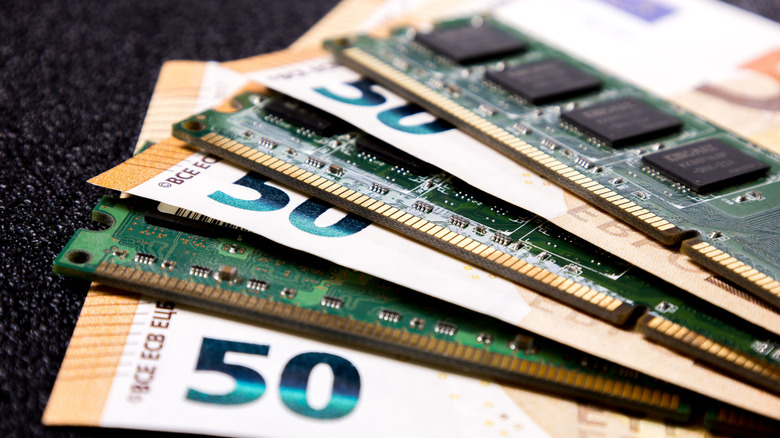
Speaking of pricing, mini PCs benefit from the same economies of scale and system integration discounts that laptops do. You might have noticed that even pre-built desktop PCs can be quite pricey, and part of that is due to the need for each component provider to have a decent profit margin.
However, like a laptop, a mini PC is an integrated system, save perhaps for the RAM and solid-state drive (SSD). Mini PC OEMs (Original Equipment Manufacturers) aren't buying small runs of components to hand-build desktops. If we look at the MINISFORUM G1 Pro Mini PC, for example, it retails for under $1,500. For that price, you get a high-end 16-core laptop CPU, 32 gigabytes of RAM, and a desktop RTX 5060 onboard. Most of the pre-built PCs with matched specs we looked at on sites like Amazon were $100 to $200 more expensive than that. Of course, PC component prices are quite volatile in 2026, so any of that could change rapidly.
In any case, the real savings and value for the money are to be found closer to the midrange models, where you can get an office-class mini PC for under $500, while a pre-built office desktop PC tends to run double the price or more. You certainly get better upgradability and repairability for that price premium with the desktop, but realistically, your office mini PC, as a low-power, solid-state device, will likely outlive its usefulness before it breaks down. And, for general light productivity, it might never need any sort of upgrade.
Upgrades are easier than you might expect
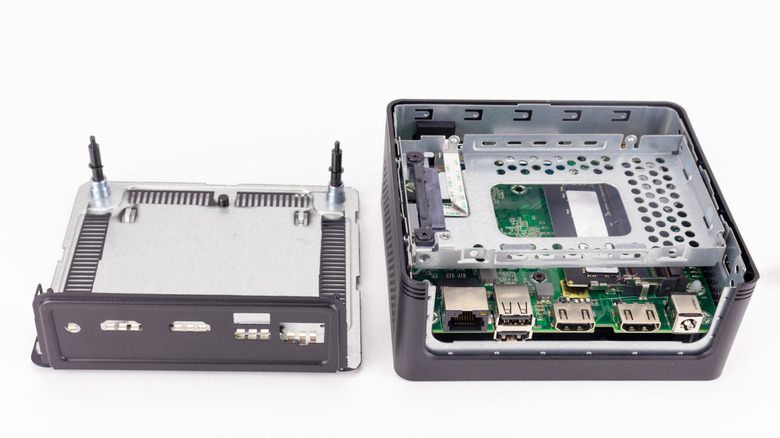
We've made the point several times now that mini PCs aren't as upgradable as desktop PCs. While that's true in the sense that you're stuck with the CPU that comes with your mini PC, in other ways, there may be fewer restrictions.
Some mini PCs allow you to upgrade the RAM, while others have it soldered to the mainboard. That's something you'll have to confirm before you buy. Most models let you change out the SSD for a larger model later if you like, though they might only have room for a single internal SSD.
Other mini PCs offer ways to upgrade the GPU — not by replacing the onboard chip, but by letting you use external GPU technology. For some models, this entails using a connection like OCuLink or Thunderbolt. However, in those cases, there may be bandwidth-related performance constraints. With mini PCs like the Beelink GTi12 and GTi14, you can use the Beelink EX docking station. Those mini PCs have a full PCI slot exposed through a special port that interfaces with this docking station. This allows you to use any GPU you like with no bandwidth-related performance loss. That means you can upgrade the mini PC or GPU side of the equation separately, and have performance on par with a high-end desktop system if you like. What will they think of next?