

9 Of The Best Bluetooth Keyboards For Your Tablet

We may receive a commission on purchases made from links.
A tablet isn't just a way to distract your child — not recommended, by the way — or watch Netflix on the go. With a few nifty accessories, your iPad or Android tablet can turn into a productivity hub, so you may never need to carry your laptop.
The Apple Pencil, Logitech Crayon, and other advanced styluses let people draw easily, and a Bluetooth mouse can help users take the first step to turn their tablet into a laptop of sorts. For the second step, they'll need to check out some quality Bluetooth keyboards that can work with their tablets.
These mini gadgets will keep you productive on the go with ease. They should ideally have a good battery life, excellent build quality, compact form factor, and — last but not least — keys that feel good and satisfying to type on. Checking all these boxes can be tough, even for the most premium Bluetooth keyboards, but some devices have elicited positive responses from users. They've either met every criterion mentioned previously or made up for a few minor drawbacks in other ways.
Logitech K585
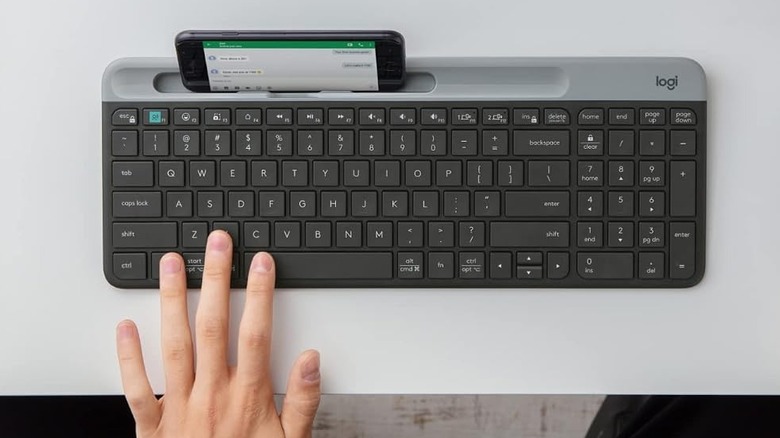
The Logitech K585 is a slim, stylish Bluetooth keyboard that's perfect for anyone who wants to work wherever they go without lugging around a laptop. It weighs a paltry 1.25 pounds and is so thin that you don't have to worry about any portability issues. The ABS keycaps are quiet and relatively satisfying to type on, although don't expect this comfort to last if you're working for a while. One great inclusion in the K585's design is a 6.7-inch-wide slot on the keyboard where you can place a phone or tablet. It's a great way to enjoy that laptop feel most working professionals are used to.
The lack of a backlight may not be appealing to people used to working at night, but that's a minor gripe for a very affordable $44.99 Bluetooth keyboard. You can pair two devices at once with this keyboard, which is perfect for switching between your tablet and another device for quick adjustments. However, only one device can connect via Bluetooth — the other will only work via a 2.4GHz Logitech Unifying USB receiver.
ESR Rebound Magnetic Keyboard Case 360
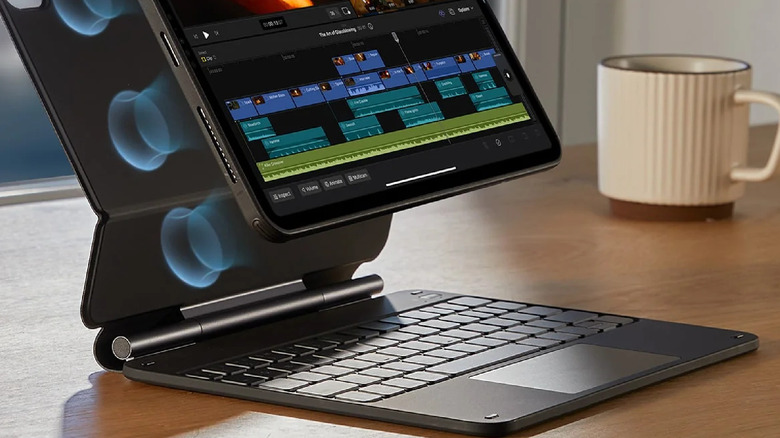
If you want to get your hands on a Bluetooth keyboard that also functions as an iPad case, the ESR Rebound Magnetic Keyboard Case 360 is a great choice. While shell cases may seem more protective, they can be slightly more inconvenient to use your iPad with, especially if the keyboard can't be detached. ESR's case addresses both these woes. The back cover is magnetic, making it easy to remove the iPad whenever required, and the keyboard can also be detached if you only want the protection of a back cover without the added hassle of lugging around a keyboard. With this flexibility, it will quickly become a Bluetooth gadget for your iPad you didn't know you needed.
The magnetic back cover is designed so you can place the iPad horizontally or vertically, depending on your preference at the moment. There's a magnetic flap that you can use when the keyboard is attached to keep the structure closed and secure. It also has space to accommodate your Apple Pencil, which is a nifty touch. The PU leather material helps the case feel premium, and an 800mAh battery is far more powerful than you'd expect. It'll run for two weeks on a full charge, and that extends to a whopping three months if you don't use the keyboard's backlight.
One thing to note is that the case can be a bit chunky, weighing around 2.27 pounds and adding to the device's overall thickness. However, if you want a $104.99 Bluetooth keyboard tailor-made for your iPad that's cheaper than the Apple Magic Keyboard Folio and unlocks a satisfactory typing experience, give this accessory a shot.
Logitech Pebble Keys 2 K380s
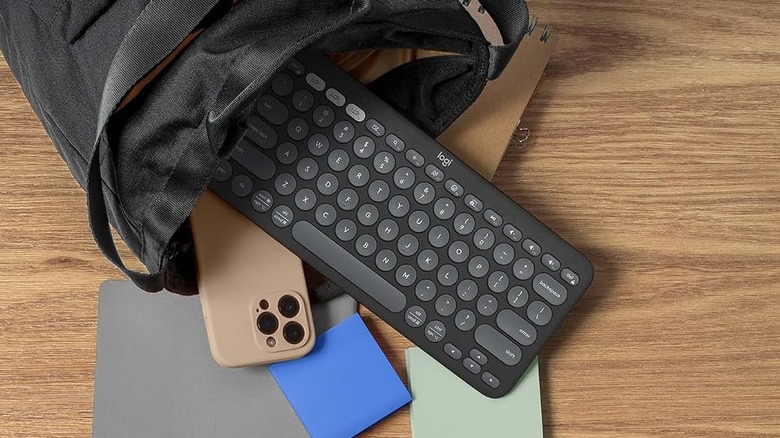
A lightweight Bluetooth keyboard that can connect to everything from laptops to tablets, the versatile Logitech Pebble Keys 2 K380s is one of the best tablet keyboards you can buy in 2026. It weighs less than a pound and is so thin that it can easily slip into your backpack without taking up much space. The keys themselves are very, very quiet to type on, although your mileage with the circular keycaps will vary... especially if your fingers are on the larger side. With the LogiOptions+ app, you can customize the Function keys of this keyboard however you want.
One major thing to note about the Pebble Keys 2 is its astounding battery life. Logitech has proudly declared that this keyboard can last for a whopping 36 months — yes, really — with two AAA batteries, which is hard to believe. Perhaps this is why this keyboard doesn't have any backlight, although that does make typing in dim environments challenging. The keyboard doesn't have any adjustable feet either... but for the low, low price of $39.99, these drawbacks aren't worth dwelling on when the rest of the package is so tantalizing, not to mention affordable!
iClever BK08 Foldable Keyboard

With its tri-fold design, the first thing you'll notice about the iClever BK08 Foldable Keyboard is how compact and travel-friendly it is. Along with the keyboard, the unit comes with a charging cable, usage instructions, and even a nifty travel bag to hammer in just how portable this device is. The touchpad is placed on the right side of the device to accommodate its compact design, which will take some getting used to. Users can connect to three devices simultaneously via Bluetooth, allowing them to switch between any connected systems by pressing one of the Bluetooth keys on the touchpad with the Function key.
However, in prioritizing portability, the BK08 has made a few compromises to the typing experience. The chiclet keys and tactile rubber switches certainly feel better than a touchscreen keyboard, but type for a long stretch, and you'll eventually feel a smidge of discomfort because of how small it is. That being said, if your aim is to work on the go and only for intermittent stretches, the iClever BK08 can certainly help you achieve this.
Logitech K480
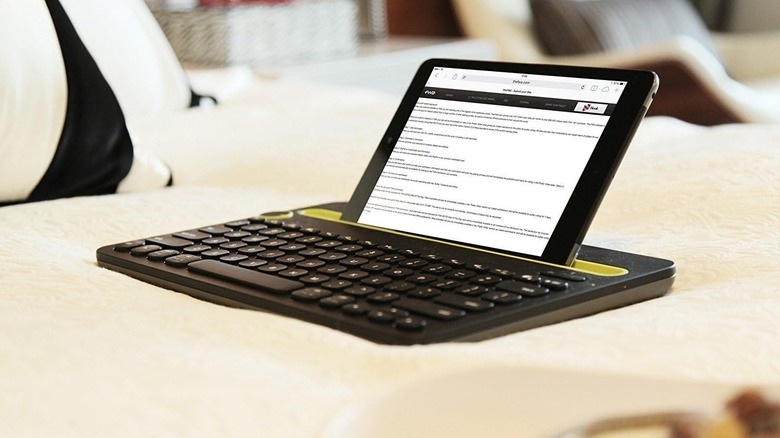
Regardless of whether you have an Android tablet or an iPad, the Logitech K480 works with both systems. This keyboard looks pretty stylish and includes a cradle at the top where you can place your tablet—provided it isn't wider than ten inches and is less than 0.4 inches thick—turning it into a laptop-esque structure. Don't worry if you think this will make your keyboard tip over, since the well-weighted base ensures stability. At 1.8 pounds, you don't have to worry about this keyboard being a bit too heavy for travel use, either.
It boasts multi-point connectivity and has a knob in the top-left to switch between devices with ease. The device ships with two AAA batteries, and Logitech states that the K480 can last for up to two years of normal use, which is very impressive. Of course, everything would fall flat if the typing experience was subpar... but Logitech knocks it out of the park in this department. The keys feel well-made, providing a satisfying, clicky feedback as you type. If you want a Bluetooth gadget perfect for working at home or cranking out projects on the go, the K480 and its $29.99 price tag make it a cost-effective choice... although you'll have to make do without a trackpad.
ProtoArc XK04
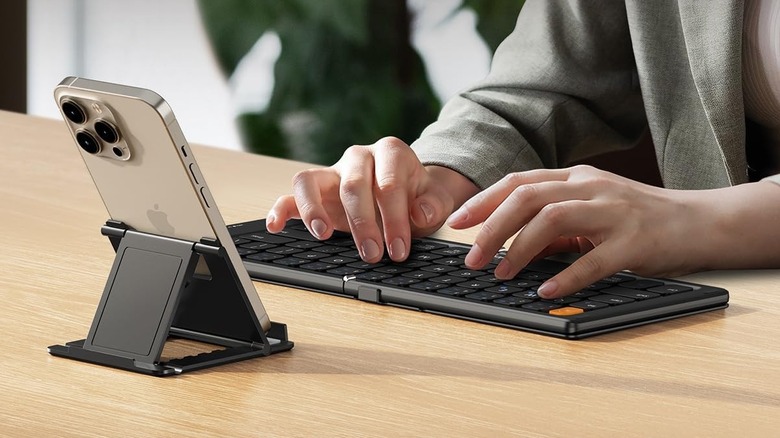
Another foldable keyboard with a durable hinge that will put any build-quality worries in the back of your mind, the ProtoArc XK04 is a compact, wireless gadget your home office needs. It may not have a touchpad, but a separate Bluetooth mouse should take care of these woes if using the touchscreen to select elements doesn't sit right with you. The outside of this keyboard is covered in PU leather to protect it from scratches while also giving it a premium look. It also provides some much-needed grip when unfolded, ensuring that the keyboard won't slip too often as you get in the zone.
The XK04 snaps together magnetically when folded, so don't worry about it unfolding on its own while it's bouncing around in your backpack. Instead of dealing with clumsy batteries, the Bluetooth keyboard can be charged via USB-C. The 90mAh capacity means this device should last you through your travel workdays without conking off right when you least expect it. At 7.8 ounces, it's even more travel-friendly. Tablet users will not get a ton of mileage out of its multi-device connectivity or its 33-foot connection range, but these are still nice perks for people who want to get as much mileage as possible out of this $28.99 Bluetooth keyboard.
Logitech K400 Plus
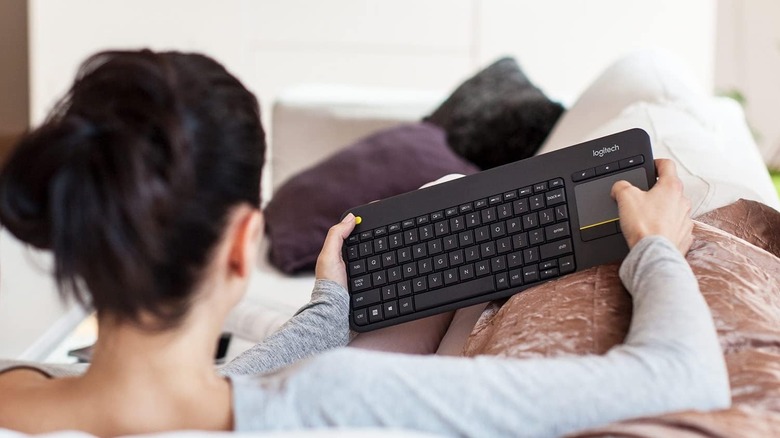
Logitech has clearly gone above and beyond to craft a bunch of Bluetooth gadgets and tech that are actually worth buying, and the Logitech K400 Plus is no exception. The chiclet-style keys are very comfortable to type on, even if their placement may be a bit too cramped for people with larger hands. With a weight of just over half a pound, you won't have to worry about this keyboard weighing you down during your travels. Despite its great form factor, Logitech managed to add a few media control shortcuts to the K400 Plus that let you control music playback and volume levels.
Below the aforementioned volume buttons is a touchpad that is pretty nifty to use, and the best part is that Logitech managed to squeeze in left and right mouse buttons beneath it, similar to what you'll see on most laptops. This is perfect for people who prefer the feedback of a mouse click and find trackpad gestures to be a bit too floaty. It uses two AA batteries and can last for 18 months. The battery compartment can also be used to tilt the keyboard forward and raise it slightly, which can make typing easier for some. For just $29.99, the K400 Plus is easily one of the most affordable and feature-rich Bluetooth keyboards on the market.
ProtoArc XK01
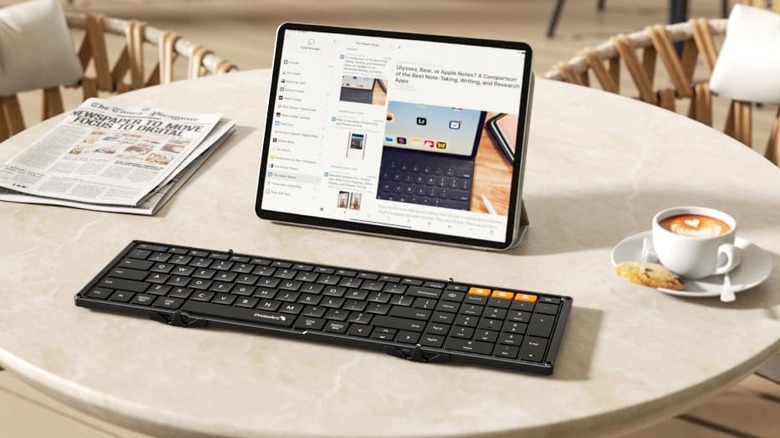
Another tri-fold portable Bluetooth keyboard makes its way here, this time in the form of the ProtoArc XK01. Unlike other devices on this list that compromise on the number of keys on their keyboards, the XK01 is one of the few keyboards on this list to feature a full numpad, replicating the feel of a proper keyboard. At 0.7 pounds, coupled with its space-saving folding design, it makes a perfect travel companion. The keyboard is packaged with a case, a charging cable, instructions... and even a stand that can be used for your tablet or phone. Just keep in mind that this stand is a bit small, so take measures to prevent your tablet from tipping over if you're going to use it.
The 1,500mAh rechargeable battery lasts up to six months on a full charge, perfect for working on the move. The keys utilize a scissor mechanism and are spaced out as much as you'd expect from a compact keyboard. It'll take some time, but you'll get used to cranking out documents on your tablet once you get used to typing on this device. For $39.99, this really is one of the better foldable Bluetooth keyboards on the market.
Logitech MK250
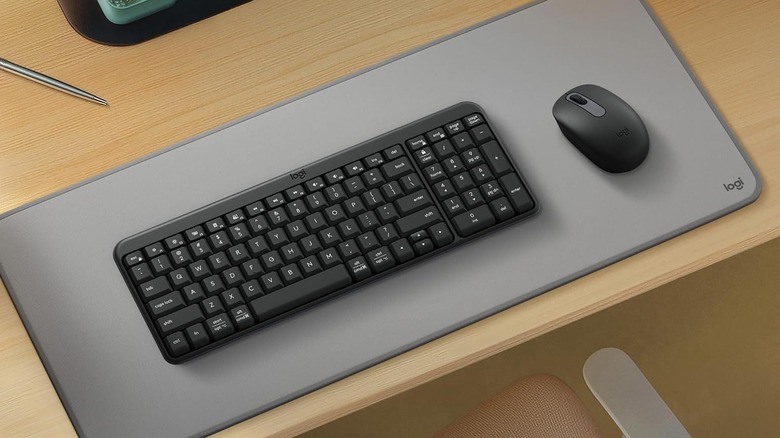
Instead of having to go out of your way to find a wireless mouse that works with your brand-new Bluetooth keyboard, the Logitech MK250 bundles both devices for $23.99. This arguably makes it the best value-for-money proposition on this list for anyone who wants to turn their tablet into a portable, hybrid desktop. The keyboard weighs around 0.8 pounds, so you don't have to worry about making space in your bag for it. While it uses two AAA batteries, Logitech claims the device can last about a year before needing replacement, so you don't have to worry too much about running out of batteries.
Once you get used to typing on the MK250, you'll find it to be one of the most comfortable Bluetooth keyboards to use alongside your tablet. If you prefer typing on a tilted keyboard, then you'll be glad to know that this device comes with folding legs that prop it up at a 7-degree angle, making it more ergonomic. This keyboard and mouse combo really is the full package, and any person who wants to work on their tablet will appreciate the MK250 bundle in spades.
Methodology

Any Bluetooth keyboard with an overall user rating of 4.3 stars or higher on Amazon, based on thousands of reviews, has qualified for this list. Supplementing these scores are reviews from both independent and professional outlets with glowing recommendations for these devices.