

5 Anker Gadgets Under $25 Worth Adding To Your Kit
We may receive a commission on purchases made from links.
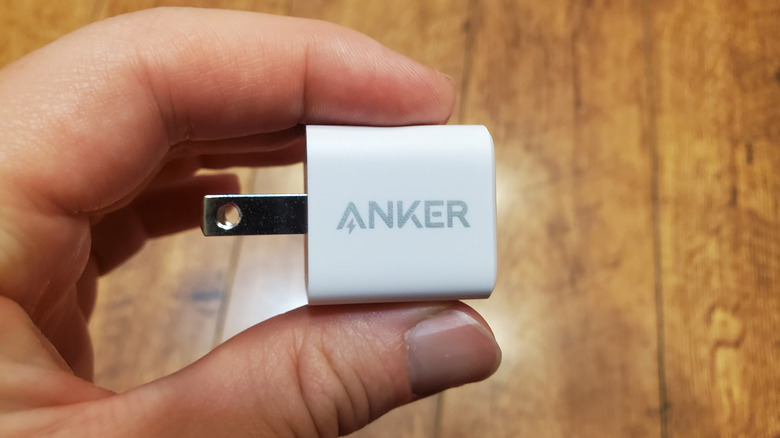
When it comes to tech accessories, few brands stand out in the same way that Anker does. Anker is a Chinese-owned consumer electronics company that is known for its high-quality charging accessories. Some of its popular products include the Anker Prime Power Bank, a 26,500mAh power bank with two USB-C ports that can output a maximum of 140W each and can charge two MacBook Pros at once. Unfortunately, it costs $229.99. Another popular Anker gadget is the Anker Prime Wireless Charging Station (3-in-1), which offers 25W of ultra-fast MagSafe wireless charging for iPhone, Apple Watch, and AirPods, but it costs $149.99. If you're looking for something cheaper to add to your kit, Anker does offer more affordable gadgets.
When building a tech kit, you don't need to splurge on expensive gadgets. For instance, Anker has inexpensive USB adapters that help you bring Gigabit Ethernet to devices without Ethernet ports or plug in USB-A cables and devices into USB-C ports. It also has gadgets that allow you to add more USB ports to your computer, charging cables that can deliver exceptionally high charging currents, and even power strips that protect your delicate or expensive devices from sudden power surges. These are small-but-functional devices that cost less than $25.
Anker USB-C to Ethernet Adapter
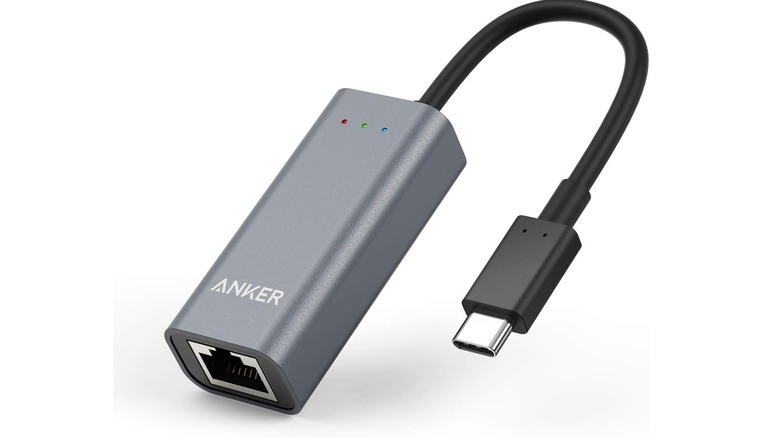
For the longest time, the biggest advantage Ethernet had over Wi-Fi was speed. However, Wi-Fi 6 and Wi-Fi 7 can exceed speeds of 1Gbps in ideal short-range scenarios. What you want when you physically tether your device to the router via an Ethernet cable is the reliability that Ethernet offers over Wi-Fi. It's less prone to signal loss and interference, at the cost of losing convenience and mobility. However, there are devices that don't have Ethernet ports, including ultrabooks, phones, and tablets. You can bring Ethernet to them with the Anker USB-C to Ethernet Adapter for $16.99.
The Anker USB-C to Ethernet Adapter has one Ethernet port that supports Gigabit internet. An example of popular devices that famously lack an Ethernet port is the modern MacBook Pro. You can just jack this into the MacBook and instantly get the stable internet that only Ethernet can provide. You can even use it with phones, such as iPhones (iPhone 15 and newer) and Samsung Galaxy phones. It's best used for activities that experience significant lag when too many devices are congesting the network, such as competitive online gaming, downloading large files, and streaming 4K or 8K video.
Anker USB-A to USB-C Adapter
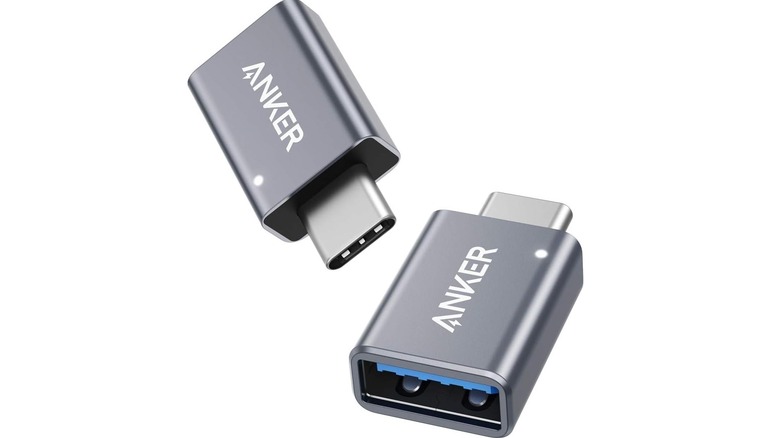
If you have legacy devices that still use a Type-A connector, such as old flash drives, receivers, dongles, mice, keyboards, and gamepads, then the Anker USB-A to USB-C Adapter can help you connect them to newer devices. Modern MacBook Pros, the Microsoft Surface Pro, and Dell XPS, for example, have no built-in USB-A connector (only USB-C). It also comes in handy when you have a USB-C wall adapter, like the Anker Nano Phone 30W Fast Charger that goes for $15.99, and a USB-C to USB-A charging cable.
Furthermore, for $12.99, you get two of them. Just be sure to find a safe place to store them in your kit, as they're small and easy to misplace. What can also be useful for your kit is the opposite of the Anker USB-A to USB-C Adapter — a USB-C to USB-A adapter. This can allow you to connect new gadgets to legacy devices and chargers like the Anker 12W 2-Pack USB Charger that have no USB-C ports. Unfortunately, Anker does not have this type of adapter, but it's worth getting from another brand that does.
Anker 5-in-1 USB-C Hub
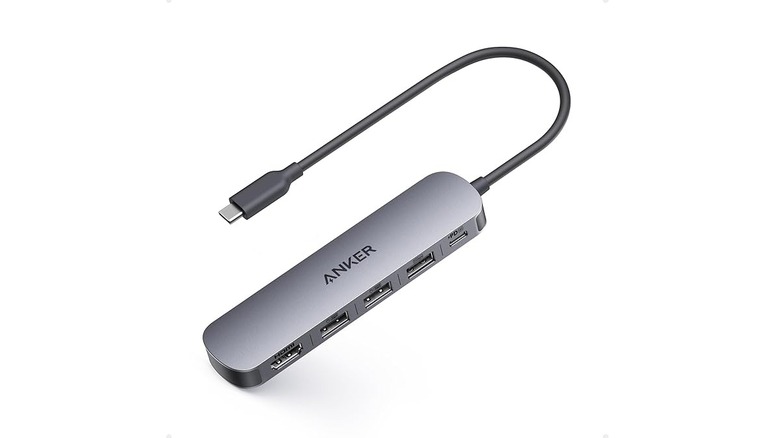
The Anker 5-in-1 USB-C Hub is another useful accessory if you have several legacy USB-A devices that you want to connect to a laptop with few or no USB-A ports. It costs $19.99 and features two USB-A 2.0 ports and one USB-A 3.0 port. One of the biggest differences between the two is that the USB 2.0 ports have a data transfer rate of up to 480Mbps and a maximum power output of 2.5W, making it fast enough for most data transfers from flash drives and for charging low-powered devices.
USB 3.0 ports have transfer speeds of up to 5Gbps and a power output of up to 4.5W. They're suitable for devices that draw more power, like external hard drives, HD cameras, and phones (even though the charging will be slow). Depending on the situation, you might want to use a USB 2 port over the USB 3 and vice versa.
The USB hub does have one USB-C port, and it's a 90W passthrough port for charging laptops only. It cannot transfer data, power peripherals, or charge your phone. It also has an HDMI port, bringing the total number of ports to five, that supports 4K video at 30FPS. It's a big help for ultrabooks since they usually lack an HDMI port, and you can even use it with a MacBook Air if you have an HDMI cable instead of a Thunderbolt cable.
Anker USB-C Charging Cable
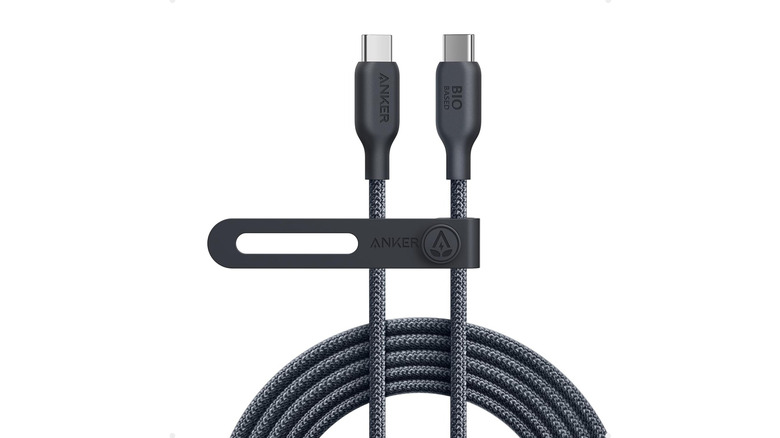
Just because you have a fast charger that can output 30W doesn't mean the USB cable you're using is designed to deliver it. That's where the Anker USB-C 240W Charging Cable comes in, and it costs $22.99 for the 6-foot-long cable. Anker claims that it can charge an iPhone 16 from zero to 50% in 30 minutes while using a 30W charger. If you have a charger that outputs 40W or higher, it can charge an iPhone 17 up to 50% in 20 minutes, provided it supports USB Power Delivery (USB-PD), like the Anker 40W 2-Port PIQ 3.0 USB-C Charger. If you have a charger that can deliver up to 120W, this cable is ideal for charging something like a 14-inch MacBook Pro M1 or later.
One of the best features of this Anker USB-C cable is that it's made of nylon braiding. This makes the USB cable more resistant to fraying than the typical material of most cables. The bio-based braiding is made from materials derived from plants, making it environmentally friendly, and has a 10,000-bend lifespan. And at 6ft in length, you can comfortably plug it into an outlet across the room without worrying about any power loss like you would with longer cables.
Anker 10-in-1 Power Strip with 300J Surge Protector
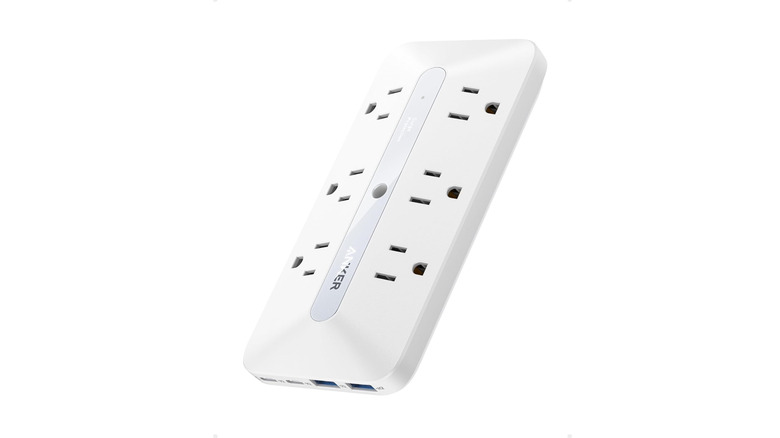
Every person who uses a lot of tech at once, including a desktop, monitor, phone, and audio gear, can be severely limited by a single socket. With the Anker 10-in-1 Power Strip with Surge Protector, which costs $19.99, you can plug in all your devices. It has six power outlets and four USB ports — two USB-C ports and two USB-A ports. Only the first USB-C port supports USB-PD fast charging, with a maximum output of 20W that can charge an iPhone 15 to 50% in 30 minutes. The other USB-C port supports 15W, but when you're using both ports, fast charging is not available. The two USB-A ports have a maximum power output of 12W.
But you don't buy a power strip just for the extra outlets and charging ports. You buy it for the protection it offers your devices against sudden power surges that can damage expensive electronics. This power strip can protect against a power surge of up to 300J of electrical energy. On top of that, it also protects from overvoltage, overcurrent, over-temperature, and short circuits, while also offering grounded protection and fire resistance. Furthermore, should the power strip malfunction and damage your device, Anker will cover the damages up to $200,000.
How we picked these Anker gadgets
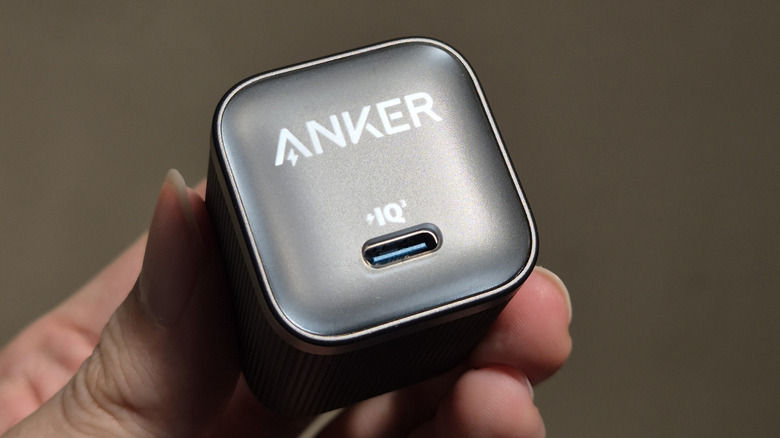
When picking the devices, we decided to skip obvious choices like faster chargers and power banks. Those are things most techies already know they need and may have already added to their kit. Unfortunately, Anker doesn't have USB-C power banks that are under $25. The closest is the Anker 10,000mAh Portable Power Bank that costs $25.99, which falls just out of the $25 range, but it's still affordable. The goal here was to help you find gadgets you might otherwise overlook when beefing up your tech kit. One thing that these gadgets absolutely needed, though, was a good user rating from verified purchases on Amazon. We specifically chose products that have a rating of four or more stars, with thousands of user ratings. This signals that they're a solid product.