

The Last Kindle With A Physical Keyboard Was Released 16 Years Ago
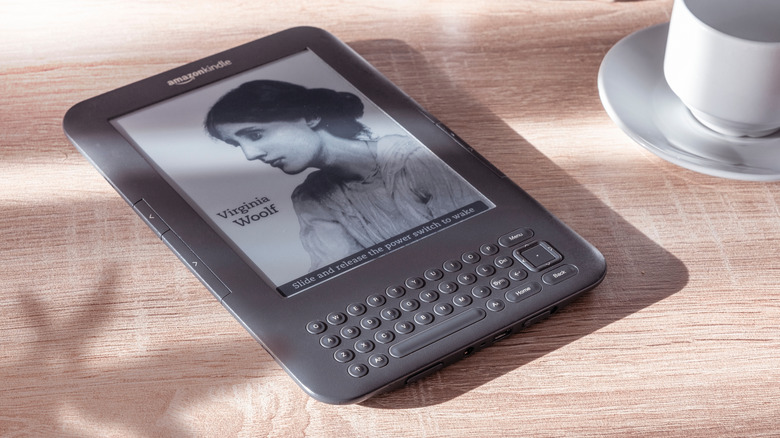
Digital keyboards may be the norm these days, but that wasn't always the case. Like many other electronic devices at the time, the very first Kindle e-readers had physical buttons for text entry. This all changed in 2011, when Amazon revealed that the fourth-generation Kindle would be scrapping the built-in keyboard in favor of a touchscreen interface. In press releases, Jeff Bezos touted these devices as lighter, less-expensive, and easier to hold. That's true, but there's no denying that older Kindles had a certain gravitas, a retro vibe that their descendants lack.
These days, you can pick up a used third-generation Kindle on eBay for around $30. Despite users expressing fondness for the tactile feeling of physical buttons, these devices never became collector's items. Instead, they exist as a reminder of what technology was like in the strange, liminal period when things were neither fully analog, nor completely digital.
Are these devices still usable today? Is the only option to pray for the keyboard's return? Here's why Amazon decided to ditch physical keyboards in the first place.
Why Amazon removed physical keyboards from Kindles
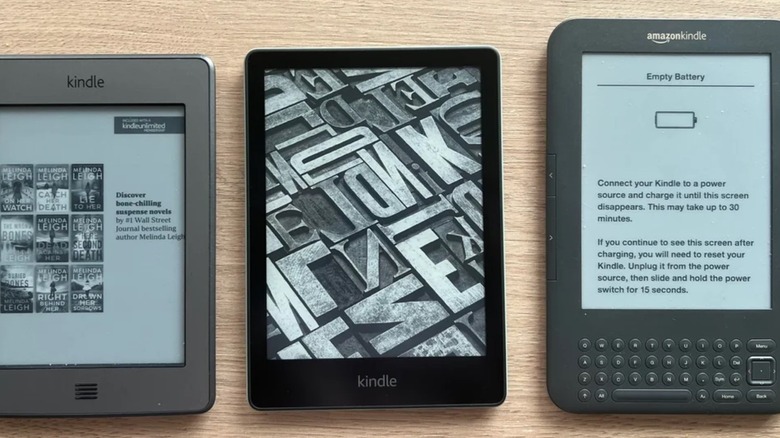
The first Kindle was released in 2007 and featured the famous e-ink screen, a QWERTY keyboard, and various physical navigation buttons. The second and third-generation Kindles cut the front-facing button count from 51 to 45, then 41. In an interview with TechCrunch, Amazon's VP of Design Chris Green mentioned that touch controls were always the goal. However, at the time, touch displays were sepia-toned instead of translucent, causing problems with contrast and visibility. Amazon was, after all, trying to help people read, not give them eye strain.
However, paring down, then removing the keyboard wasn't a purely stylistic choice. Every single physical button represents an additional manufacturing cost and point of failure. They contribute to weight, size, and the device's thickness. They also mean that, if the Kindle was to be released internationally, several different keyboard layouts would have to be designed; and in some cases, entirely different alphabets accommodated for.
In other words, switching from physical keyboards to digital ones would save the company and consumers money. It'd also make repairing devices more straightforward, and allow Amazon to create Kindles that were more portable than ever before. Seems like a win for everyone, right? And it is, except for people with circulation issues which can result in cold fingers, whose presses may not be picked up as reliably by touch screens.
Can I still use an old-style Kindle or an external keyboard on a new Kindle?

There's nothing stopping you from purchasing an old Kindle, but unless you're planning on jailbreaking it, your experience is likely to be pretty negative. Amazon no longer provides support for pre-2012 Kindles, and users can't even access the Kindle store anymore. There's also no telling how reliable or safe a decade-old battery is. What's more, Amazon glues Kindle batteries into place (at least for now), so replacing them is both time-consuming and potentially dangerous.
Some Kindle Fire tablets support Bluetooth keyboards, but most Kindles only allow you to pair headphones or speakers. They also don't recognize USB keyboards, which effectively removes the final possible workaround. In fairness, very few e-readers these days include full keyboards, though Kindle alternatives like the Boox Go Color 7 do allow you to connect one via Bluetooth. You'll lose access to a few Kindle-exclusive features, but given you'll probably be using the device for hundreds of hours, you should at least be able to interact with it how you like.