

5 Apple Music Features You Won't Find On YouTube Music
It's not always easy to choose the right music streaming platform when so many are available online. Although we've ranked major streaming services in the past, some users may be deciding between Apple Music and YouTube Music. Considering they're both available for around the same price (depending on what plan you go with) and seem to offer essentially the same service at first glance, picking between the two can be a challenge. Be that as it may, there are some features with Apple Music you're simply not going to find with YouTube Music.
While YouTube Music promises over a hundred million songs alongside live performances and music videos, Apple Music offers a few additional features. While a karaoke feature may not be enough to justify subscribing, Apple Music also offers several audio features that may make audiophiles take a second look, along with a more streamlined experience and dedicated app options.
Don't get us wrong, there are still plenty of reasons you may want to switch to YouTube Music, but knowing what to expect before paying for a subscription can make sure there are fewer surprises once you're paying that monthly bill. If you're deciding which service to choose, do some additional research to see which platform best meets your needs. Both may deserve your money in their own right, but here are some areas where Apple Music excels.
Lossless audio
At the top of our list is something audiophiles and music lovers may consider essential: lossless audio. Lossless is an audio format that aims to retain the original quality of a recording. Essentially, the higher the bit rate, the higher the song quality. YouTube Music still offers a solid listening experience, but those who are pursuing the best audio formats and codecs may want to do some additional research.
For YouTube Music, listeners can access songs up to a 256 kbps bitrate in AAC & OPUS, which can still provide clear vocals and fewer compression artifacts. Apple Music, however, offers its own audio compression technology, known as the Apple Lossless Audio Codec (ALAC). With this codec, many songs in the Apple Music catalog support 16-bit/44.1 kHz audio (CD quality), up to 24-bit/192 kHz.
Multiple devices support lossless Apple Music streaming; you just need to enable the setting for lossless audio. The audio may be improved, but those interested in this audio format should be aware that higher bitrates will also consume more data. Getting the most out of lossless also requires specialized equipment. Bluetooth doesn't support lossless, so you'll need wired headphones.
Spatial Audio and Dolby Atmos
Like YouTube Music, Apple Music doesn't truly support lossless audio, but it does offer a couple of additional audio perks over the platform. These include access to Apple's Spatial Audio with Dolby Atmos. If you're not familiar, spatial audio creates a three-dimensional audio experience. Like Dolby Atmos surround sound, it's Apple's way of creating a more immersive playback experience, and YouTube Music doesn't offer either.
For those relying on free plans, this may not be a big deal. However, those paying for a YouTube Music subscription may be irked that the platform doesn't support Dolby Atmos or something similar. When you're paying monthly for something, it's reasonable to expect what services like Tidal and Amazon Music offer their premium subscribers. If audio quality is your primary concern, you may want to consider Apple Music over YouTube Music.
To be fair, Apple Music users will need to put in some work to get Spatial Audio and Dolby Atmos going. While it works with iPhone, iPad, Mac, Apple TV, Android, Windows, and more, users still need to remember to enable the feature and have the physical hardware (such as the right headphones) to support it. If you can take advantage of it, Dolby Atmos and Spatial Audio can be a big factor in deciding which service to choose.
A desktop app
If you're using a smartphone or tablet, you can get a dedicated YouTube Music app by going to the Google Play Store or Apple App Store and downloading it. However, if you're on a desktop, the process isn't as easy. YouTube Music doesn't have a dedicated app, not even as a hidden YouTube Premium feature. Workarounds exist, but for Apple Music listeners, this isn't an issue.
If you're using a Mac, the Apple Music app comes pre-installed, and finding the Windows app simply means a trip to the Microsoft Store. Users can also use the web option if needed. Though some may find the lack of a dedicated YouTube Music desktop app trivial, something that runs natively on your machine can potentially perform better. YouTube also offers a paid subscription without a dedicated desktop app.
Fortunately, there are options. It takes a bit of extra research, but one option is to look for a third-party YouTube app. Another quick example is creating a Progressive Web App (PWA). You can do this with a Chromium-based browser like Microsoft Edge or Google Chrome. On Chrome, it's as simple as clicking the Install YouTube icon or selecting the three vertical dots, then selecting Install YouTube Music when you visit the YouTube Music page. Users have options, but none as straightforward as Apple Music's.
Apple Music Sing

It may not be everyone's cup of tea, but one cool thing about Apple Music is its Sing feature. Sing lets Apple Music act like a karaoke player, letting users reduce or remove vocals from a large selection of the Apple Music library. It even offers duet options, and singers can follow along with lyrics that match the beat of the song.
YouTube Music offers access to lyrics (though it's paywalled to some extent), but users can't adjust the vocals for a true karaoke experience. A subscription gives you full access, and there's even an option for live lyrics. This means you can follow the words alongside the music, similar to a karaoke experience (you'll just still hear the original singer). To use it, just tap the Lyrics button in YouTube Music from the playback window.
Apple Music Sing is unlikely to draw people to the platform solely for the feature, but it can be terrific for those who like some goofy fun. If you're the type that likes to belt out a tune at parties, then this feature may be especially appealing. However, even those who prefer instrumentals may still get some use out of it.
Integration with the Apple ecosytem
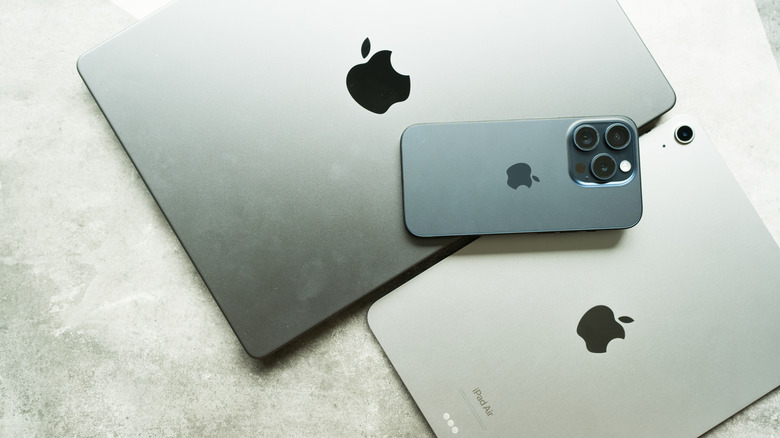
If you already own several Apple products, one of the biggest perks of Apple Music is its seamless integration with other Apple products. This means you're getting a service built with an ecosystem of devices in mind, including the iPad, iPhone, Apple Watch, and more. For just one example, when Apple switched to the Apple Glass look in iOS 26, Apple Music adapted right along with it.
Just as you can bundle YouTube Music with YouTube Premium, Apple fans can also bundle Apple Music with several other services. With an Apple One subscription, users can access Apple Music, Apple TV, Apple Fitness+, and more on one bill. This may be worth considering if you're already using other Apple services, but if an Apple product isn't your go-to device, this integration might be less appealing.
For what it's worth, Google offers its own Google One services, though they focus more on bundling Gmail/Google Drive storage with its AI agent, Gemini. However, the Google AI Ultra plan includes YouTube Premium, and some Google One AI subscribers may also get YouTube Premium at a discount, depending on their plan. You can still bundle YouTube Music, but if you're interested in Apple One, you may want to look at what each offers individually.