

5 Cheap Networking Gadgets You Should Always Have In Your Home
We may receive a commission on purchases made from links.
If you want to set up Wi-Fi in your home, all you really need to know is how a modem and router actually work. These two devices are the essential components for any Wi-Fi network, and many internet service providers will supply them for you. But if you want your internet connection to be fast, reliable, and robust, then there are some other networking gadgets you should always have in your home as well. And luckily, all of them can be bought for cheap.
We compiled a list of five networking gadgets that can help you get the most out of your internet service plan. We didn't include any routers or modems in our list — those go without saying. Instead, we wanted to recommend some essential accessories that will bring your existing Wi-Fi network to the next level. Each item we recommend below goes for less than $20, which means you could buy all of them and give your network a significant upgrade for below $100. A full explanation of how we chose these products is included at the end of this article.
Ugreen Cat8 Ethernet Cable
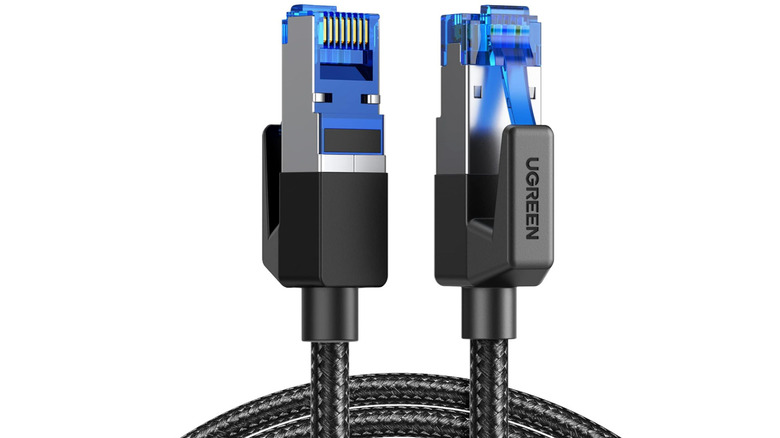
An Ethernet cable is a cord that connects a device such as a computer or a video game console directly to the router. Ethernet is more reliable than Wi-Fi because signals travel directly over the wire; with Wi-Fi, signals travel over the air and can be blocked, dropped, or interrupted. The Ugreen Cat8 Ethernet Cable is a solid choice with a reasonable price. You can get a 6-foot cable for $6.99 or a 15-foot one for $15.99. Sizes range all the way up to 65 feet, with the price increasing accordingly.
If you only have the budget for one Ethernet cable, don't worry; that alone is enough to improve your Wi-Fi experience immensely. Connect your most important or most-used device directly to a LAN port on your router via an Ethernet cable to ensure that it always has a fast and reliable connection. Meanwhile, that frees up some wireless bandwidth on the network so that every other internet-connected device in your home has a bit more room to breathe.
The "Cat8" label refers to the technology standard used in the cable. Cat8 is the latest innovation, with the ability to transfer data at a speed of 40 gigabits per second. This is incredibly fast, and it's overkill for most at-home uses. If you spot a killer deal on any Cat7 or even Cat6 cables, don't hesitate to opt for those instead.
TP-Link UE300C USB to Ethernet Adapter
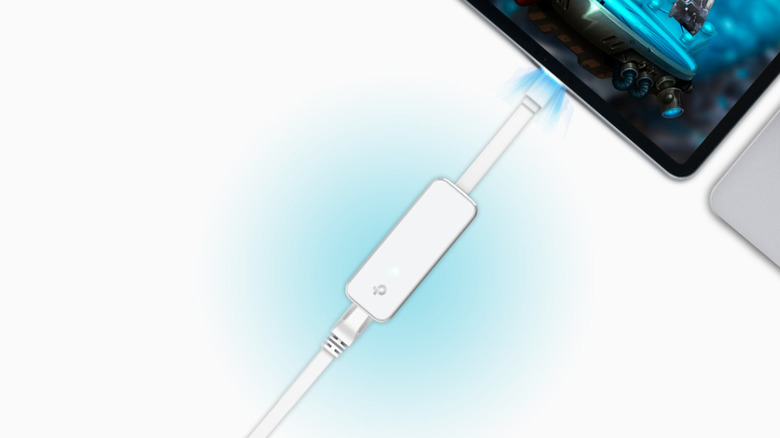
Not every modern device has an Ethernet port. For example, many laptops lack an Ethernet port so they can maintain an ultra-thin form factor. If you're using such a device and want a superior internet connection, the TP-Link UE300C USB to Ethernet Adapter can be your saving grace. The USB-C 3.0 adapter goes for $13.99, but TP-Link also offers versions that are compatible with USB-A ports. Make sure you know how to tell what type of USB ports you have so you can purchase the correct adapter.
Another reason you might want an Ethernet adapter for your laptop is so you can use it like a second router. This is one of the cool things you had no idea Ethernet ports could do: On your Ethernet-connected laptop, look for internet sharing or mobile hotspot options in the device settings. Then, other devices can connect to the internet from the laptop rather than from the main router, which might be too far away to provide a strong signal. This turns a cheap Ethernet accessory purchase into a major quality-of-life improvement in certain scenarios.
TP-Link RE105 N300 Wi-Fi Extender
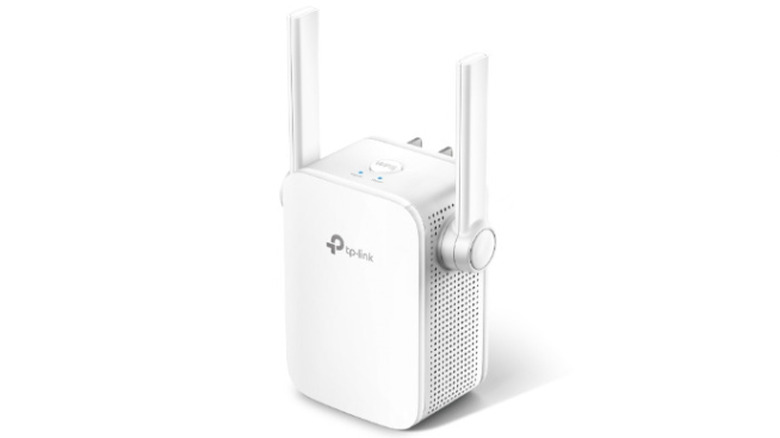
The TP-Link RE105 N300 Wi-Fi Extender is a simple gadget that plugs into a power outlet and repeats the signal from your router to the area around itself. This makes it very well-suited for eliminating certain "Wi-Fi dead zones" in your home where you just can't seem to get a good signal otherwise. And for the price of $19.99, it's a prudent way to patch up the problem without overspending on an expensive whole-home solution.
Of course, if you compare Wi-Fi mesh networks and range extenders, the mesh system is the one that will provide better coverage across your entire home. That's because a mesh network is made up of multiple nodes that each function like an independent router. But that also means that it costs a lot more money to set up a mesh. Keep an eye out for signs that you should buy a Wi-Fi extender instead, and you'll be able to improve your network for a fraction of the cost.
Netgear GS305 Ethernet Switch
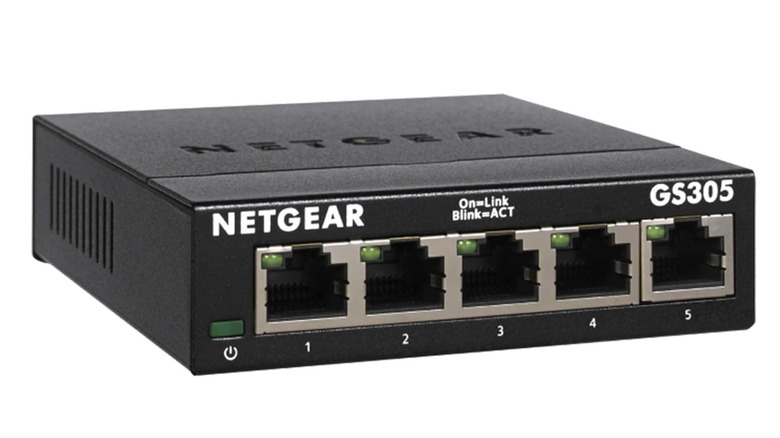
If you want to connect many devices to the internet via a wired connection, that's when you need to know what an Ethernet switch is. It's a gadget that can connect to your internet access point or router, and it has several LAN ports that other devices can connect to. The Netgear GS305 Ethernet Switch costs $15.99 and has five ports, but Netgear also sells other variations with as many as 48 ports. That makes for a lot of devices that you can hardwire to the internet with a reliable, high-speed connection.
There are other ways you can use network switches, too. When you connect devices directly to one another via Ethernet, you can move files between them over a fast and reliable connection. With a network switch, you can create a local network of several computers or servers that can share data without even needing to connect to the internet. This is useful for working on large-scale development projects or accessing a personal collection of movies and other media.
Tesmen TLP-123A Network Cable Tester
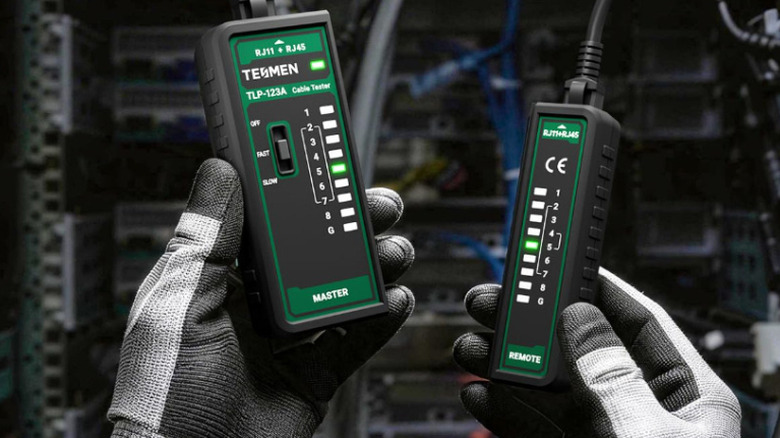
The Tesmen TLP-123A Network Cable Tester is an Ethernet cable tester that you can pick up for $12.99. If you're experiencing connectivity issues with your wired internet and are struggling to isolate the problematic component, this tester will help you find and replace any cables that aren't working properly anymore. The performance of an Ethernet cable can diminish due to damage or wear, but it's difficult to identify these problems during everyday use. An Ethernet cable testing device can quickly evaluate wired connections and help you troubleshoot cable damage.
Here's what a network cable tester like the TLP-123A actually does: It sends a signal from the master unit, through the individual wires within the cable, to the remote unit. The tester checks if the signals successfully traveled from end-to-end, and whether they arrived in the correct order. This process reveals whether there are any broken wires, crossed connections, or short circuits in the Ethernet cable.
How we selected these cheap but essential home networking gadgets

In our mission to find affordable ways to improve your home networking setup, we wanted to isolate some genuinely useful gadgets that are cheap enough to be bought for less than $20. Don't let the word "cheap" affect your opinion, though; these are accessories that can make a noticeable difference in your network over a long period of use. These are products that will either speed up a device's internet connection, increase the number of devices that can connect simultaneously, or help improve the longevity of your networking equipment.
Each item we recommended in this list has at least a 4-star customer rating on Amazon at the time of writing. We checked the user reviews to make sure that none of these products had any frequently reported defects that might affect your experience. In instances where multiple devices that perform the same task surfaced in our research, we gave preference to those backed by a more reputable brand.