

The 7 Best Food Counter Apps To Track Your Calories
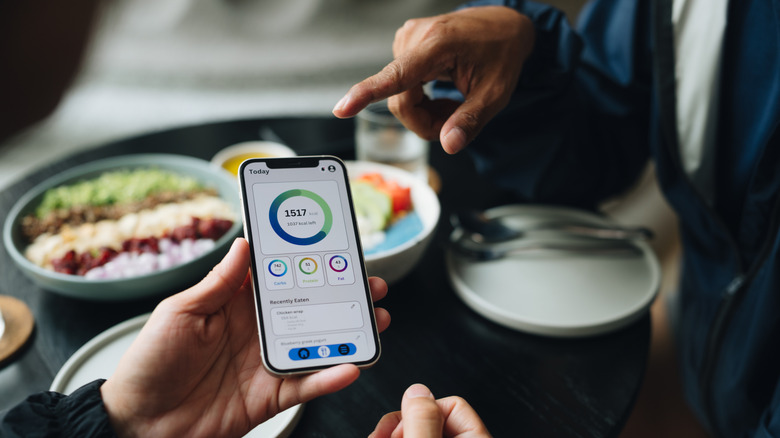
Modern fitness tech and apps have made it easier to stay healthy these days, especially if you like to mind what you eat. Instead of squinting at nutritional labels and doing the math, you can use apps to scan barcodes, take a photo of your plate, and pull from a database of millions of foods to record a meal in seconds. A good food counter app is one of those essential fitness apps to always have installed, but with all of them promising similar features, it's hard to pick the right one. It's especially difficult when some of these apps, like Foodllama, use AI to count calories, which makes many people skeptical.
A good calorie counting app should be accurate in terms of the numbers it presents and provide sufficient nutritional details. To save you from wasting time trying out different apps, we have rounded up seven of the best food tracking apps available in 2026, evaluating real user reviews and expert testing to recommend the most reliable options. We'll talk about the free features offered by each app, while also looking at what they have to offer with a subscription and whether the upgrade is worth it.
MyNetDiary
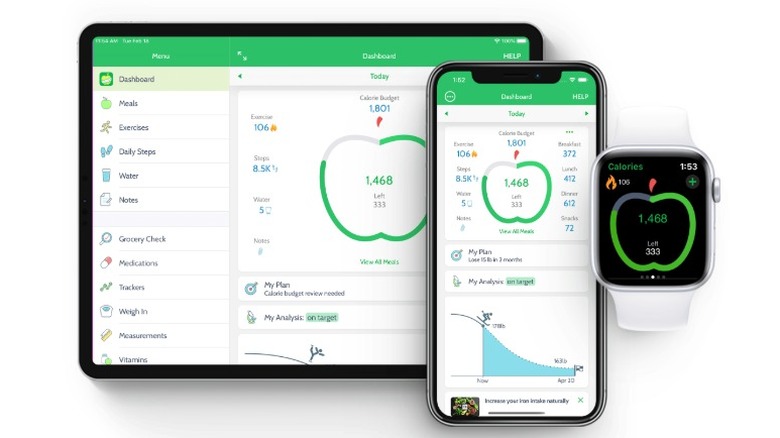
MyNetDiary differentiates itself with a staff-verified food database of more than two million food items, built on USDA and NCC research-grade sources. Many calorie-counter apps rely heavily on community-submitted entries, which can introduce errors. In addition to standard calorie and macro logging, the app offers condition-specific tracking plans, including options for diabetes, keto, GLP-1 medication users, and other specialized needs.
The free version is quite generous, including a barcode scanner, food diary, and information on 108 nutrients — all with no ads. As for the paid plan ($9 per month), it unlocks Meal Scan (which logs a meal from a photo), advanced diet plans designed by dietitians, and the ability to automatically adjust your calorie budget based on your progress. It also syncs with Apple Health, Fitbit, and Garmin. MyNetDiary has a 4.6-star rating on the Google Play Store with over five million downloads. The iPhone version is also well reviewed by users, with a 4.8-star rating across 163,000 reviews.
Cronometer
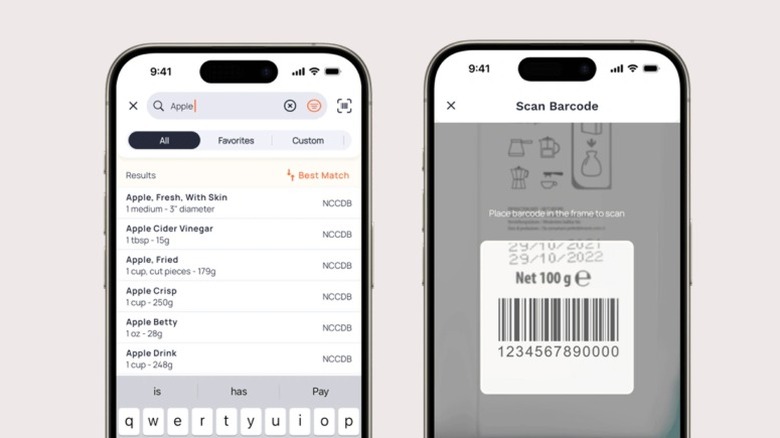
Cronometer stands out as one of the most accurate calorie counters available because its food database is built from verified sources, such as the USDA. Again, such accuracy matters when you're trying to hit precise targets rather than just ballpark numbers. Cronometer tracks up to 95 different nutrients, covering vitamins, minerals, amino acids, and fatty acids, giving you a more detailed picture of your diet. Barcode scanning is available for free, and manually logging your meals is easy.
One thing to note here is that the user interface is a bit simpler than apps that present themselves as a jack of all trades. It doesn't offer meal plans or cater to specific needs like GLP-1 medication users. The app is better suited as a simple calorie and nutrient tracking app, and it nails those fundamentals, assuming you already have your diet plan and other needs mapped out. Cronometer has a 4.8-star rating on the iPhone App Store across 97,000 reviews, and similarly positive reviews on the Google Play Store, with a 4.6-star rating and over 57,000 reviews.
Yazio
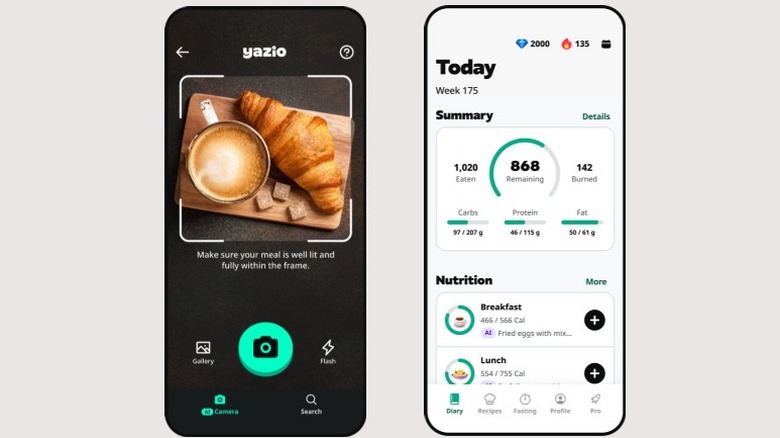
Yazio promotes itself as an all-in-one food, fitness, and fasting tracker. The app functions around a countdown-style calculator that shows calories eaten, burned, and remaining for the day, along with a macronutrient breakdown. On first launch, the app is immediately responsive to your specific calorie and macro targets, asking you to complete a short quiz to get started. The app uses this quiz to set goals for you, which you can manually adjust.
The free tier covers the basics: barcode scanning, protein, carb, and fat breakdown, along with water logging. Yazio is also a solid alternative to Google Health, as it features a built-in intermittent fasting timer that's missing from Google Health. It's a thoughtful feature if you partake in intermittent fasting, as the timer lets you know when you're good to eat, and you can directly jump into the app to log that meal. The paid version ($47.90 per year) adds custom meal recommendations, recipes, and a nutritional food-rating system. Yazio has a 4.4-star average rating on the Google Play Store with over 853,000 reviews backing it up, and the iPhone version also has positive reviews with a 4.7-star average rating from 50,000 users.
FatSecret
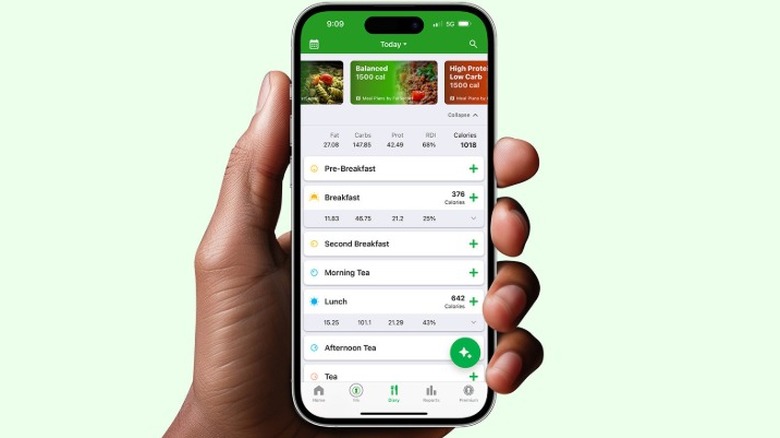
FatSecret offers a majority of the features you'd require from a calorie counter for free. Without paying a dime, you get a food diary, a large crowdsourced database, a monthly summary view, and a barcode scanner. The core calorie counting functionality is simple: Every time you log a meal, your homepage will be updated with your total calorie intake and macro breakdown for the day. An interesting tidbit here is that, while FatSecret offers exercise tracking, burned calories are not added back to your daily budget, as eating back calories you burned isn't exactly great for weight loss.
Because of these generous free features, FatSecret is well reviewed on the App Store, with a 4.8-star rating across 15,000 reviews. Android users also praised the app on the Google Play Store, rolling up a 4.6-star average rating across a whopping 545,000 reviews. An annual subscription costs $60 per year, and it unlocks AI photo recognition for meal scanning and pre-made diet plans from dietitians.
MyFitnessPal
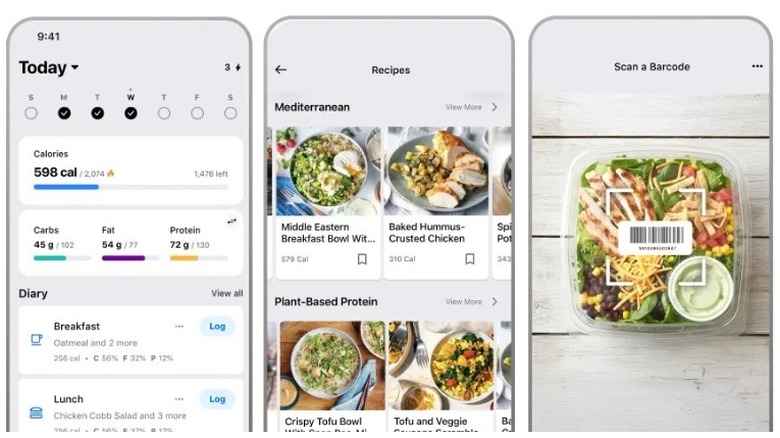
MyFitnessPal is one of the most famous names in the calorie-tracking app world, largely due to its massive food database. This database makes it simple to look up any packaged or restaurant item, covering meals from across the globe. The interface is easy to navigate, food logging is quick, and your daily calorie count is front and center. Additionally, the app offers access to topic-based community groups focused on weight loss, fitness, and motivation, though without the added benefit of coaching from nutritionists that some apps offer.
With MyFitnessPal, you also get unlimited food tracking, manual workout logging, and a step counter that displays pedometer data synced from your phone. It's one of the best free apps simply due to the number of features on offer, but barcode scanning is locked behind a paywall ($20 per month). The app has a 4.7-star rating on the iPhone App Store and over 2.4 million reviews. The app is also popular on Android, crossing over 100 million downloads with an average 4.4-star rating from nearly three million reviews.
Lose It!
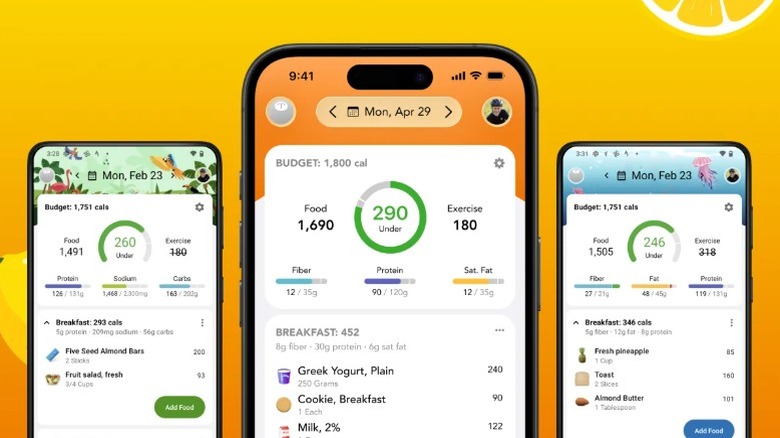
Lose It! keeps things simple. The free version gives you a personalized daily calorie budget, food logging through search, access to a large database (27 million items), basic progress tracking, and bodyweight logging. If you enjoy customizing your iPhone, the app lets you add and adjust widgets that present a macro breakdown and goal rings. Widgets are also available on Android, but you only get simple macro and calorie summary widgets there.
If you use Fitbit, Garmin, Samsung Health, or Apple Health, Lose It! syncs exercise data with these apps automatically. On the iPhone App Store, the app has a 4.8-star rating across an impressive 774,000 reviews. The Android version has a 4.6-star rating across 182,000 reviews. Unfortunately, similar to MyFitnessPal, the barcode scanning feature is locked behind a subscription. There's no monthly subscription either, meaning the app will cost you around $40 per year for the extra features — a fasting timer, zero ads, and the aforementioned barcode scanner.
Lifesum
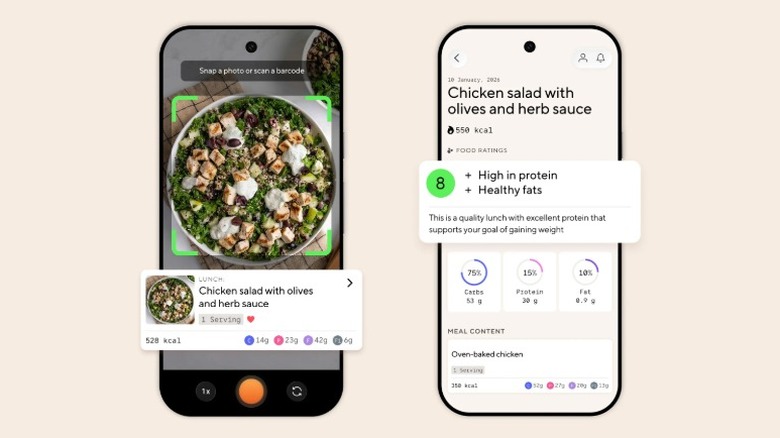
Lifesum focuses on clean design and structured guidance rather than pure data depth. The free version covers manual meal and calorie logging, a barcode scanner, and provides basic daily summaries. If you're looking for a free app that includes features like workout tracking and custom macro targets, something like MyNetDiary is probably a better choice. Where Lifesum excels instead is with its custom meal plans that you only get with a subscription ($7.49 per month).
If you're planning on doing intermittent fasting, which is good for both your brain and body, LifeSum can create meal plans or suggestions based on different fasting windows. The diet plans cover a vast range of diets, including keto, Mediterranean, Scandinavian, high protein, and even sugar detox. It's less work on your part, as the meal plans include recipes, ingredients, and calorie and macro targets. The app holds a 4.4-star rating on the Google Play Store with over 378,000 reviews and a 4.6-star rating on the App Store across roughly 151,000 reviews. LifeSum is still decent for basic calorie counting, but we recommend it more for the meal plans instead of the limited free features.
Methodology
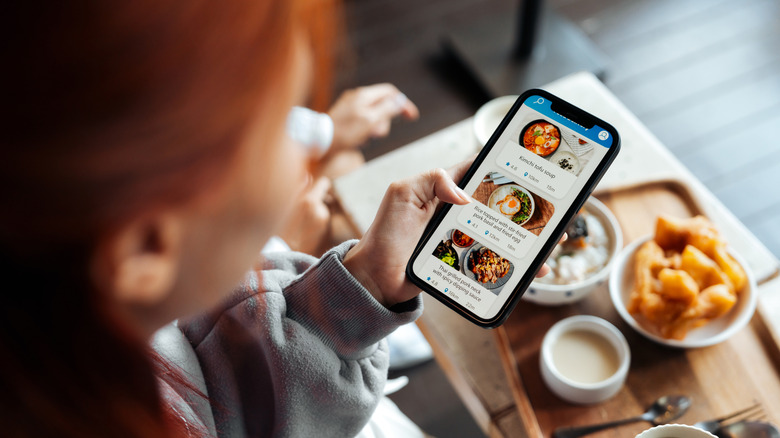
For this roundup of calorie tracking tools, we prioritized apps with a genuine track record of user trust. Every app included has a minimum of a four-star user rating on the Google Play Store, with similar reviews on the iPhone App Store, instead of depending on inflated marketing claims or recent hype. Each app is free to download, but as we live in a subscription-driven world these days, we also evaluated apps based on what benefits they offer behind the paywall.
We downloaded and used the apps ourselves to conduct thorough testing, which includes a comparison of free versus premium features, the speed at which you can manually log meals, how the apps sync to platforms like Fitbit or Apple Health for exercise tracking (where available), the depth of the food database, and overall ease of use for daily logging. Our findings were verified by cross-referencing outlets like Fortune, Lifehacker, and Healthline, in addition to evaluating Google Play Store and App Store review data.