

Please Stop Downloading 'FPS Boosters' On Your PC - Do This Instead
As a general rule of thumb, gaming PCs cost more than consoles because they can do more. You can crank up graphical fidelity and frame rates beyond what an Xbox or PlayStation 5 can do. While PC gaming has plenty of other advantages such as free online multiplayer, your mileage depends on your individual computer's specs. Some companies offer easy solutions, but you know what they say about shortcuts.
You've probably heard of FPS Boosters, also known as Game Boosters. These programs allegedly suspend apps and clear caches so your computer can allocate more RAM and processing power to games. However, people who have tested these programs say they usually don't work or at least don't work as advertised. More often than not, these programs don't free up enough RAM to make a tangible difference in game performance or outright lie about how much RAM they make available. In some cases, these apps close programs you want to stay running (such as OBS Studio, a popular recording suite for gamers and streamers) or even throttle framerates. Then there are boosters like Game Fire and Hone.gg, which many users claim are spyware at best and malware at worst. Not the kind of stuff you want on your PC.
One potential exception is Razer Cortex, but not in the way you think. When people like RGT Productions tested the program, it didn't improve frame rates but instead improved frame time, or the time it takes a computer to render a frame. However, the improvements are so infinitesimally small that you can barely notice them with the naked eye.
Only you can improve computer performance
Nine times out of ten, any improvements an FPS booster provides are a product of the placebo effect: You want the program to improve performance, so you think it does (speaking from experience). However, just because these programs can't squeeze out a few extra frames per second doesn't mean you need an RTX 5070 to do that, either.
If you are really pressed for framerates (or just want to play at a buttery-smooth 120 FPS), turn off programs you don't need before starting up a game. Ideally, you should stop their background services, but simply closing them so they use minimal RAM can be enough. However, some optional programs can improve game performance, but lumping them in with FPS booster apps is like comparing a tiger to a housecat.
Gaming PC manufacturers often ship computers with built-in software designed to customize PC capabilities. Apps such as ASUS GPU Tweak III and MSI Afterburner let you improve game performance by tweaking various components. You can overclock your GPU, increase fan speed, and increase your GPU's voltage. Unlike FPS boosters, these programs actually work, and you can download them for free even if you don't own an ASUS or MSI GPU, respectively. But use caution; you don't want to accidentally burn out your GPU.
It's all in the engine
Modern computers require a lot of RAM and powerful CPUs and GPUs to run games. Or do they? Shouldn't all games running on a certain graphics card provide the same performance? Optimization is the true deciding factor in framerates.
First and foremost, the best way you can improve game performance is to update your graphics card driver. While a GPU will render a game regardless of the driver version, updates often improve how efficiently it performs this task, which can lead to higher framerates. Moreover, graphics cards use optional rendering features that further improve efficiency. For example, Deep Learning Super Sampling (DLSS) leverages the power of AI to improve graphical fidelity without significantly impacting framerates. In fact, some games run better with DLSS on than they do without. Alternatively, switching between graphics driver APIs such as DX11, DX12 and Vulkan (if available) can also increase framerates and performance.
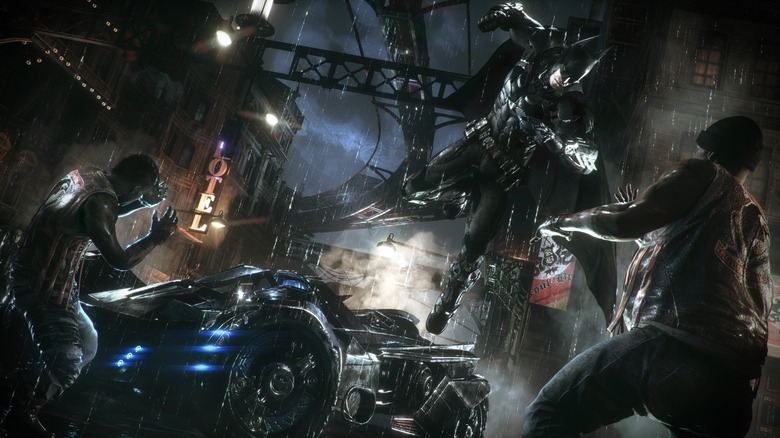
Unfortunately, sometimes the number of frames per second your PC can display is out of your control. If a game is poorly optimized, even the strongest GPUs will struggle to render it and might even give up trying and crash ("Batman: Arkham Knight" is one of the most infamous examples). Sometimes developers ship a PC game with built-in DRM, such as Denuvo, to scare off would-be cheaters and pirates. However, these programs only increase load times, bloat file sizes, and slow down frame rates. Sometimes all you can do is wait and hope a developer fixes the problem they unintentionally created by patching performance woes or removing DRM.