

10 Desk Gadgets You Should 3D Print Instead Of Buying
We may receive a commission on purchases made from links.
One of the most appealing things about owning a 3D printer is the seemingly infinite potential it has. You can create large scale costume pieces and high-detail tabletop miniatures, watch gears and water wheels, bookends and broom holders. The possibilities seem limited only to your imagination. Not just yours, either. By visiting the best sites for free 3D printing projects and open source models, you can find some of the most clever and creative 3D model designs from like-minded people around the world, all for free.
That level of accessibility can help save you money, as well. A lot of household items, especially those for a desk or office space, can be easily replicated with a 3D printer, often costing less than a dollar in filament or resin. Combine that with being able to only print exactly what you need, and that $15 Amazon order can cost as little as 23 cents.
We've highlighted some examples of desktop gadgets that you're simply better off printing yourself. Each one is something that will make for a relatively quick print with minimal complications, maximum effectiveness, and a high margin for saving money compared to buying them outright. Printing costs mentioned are calculated by the Chitubox printing software, assuming a resin print with a resin cost of $20 per kilogram.
Bespoke cable mounts and managers
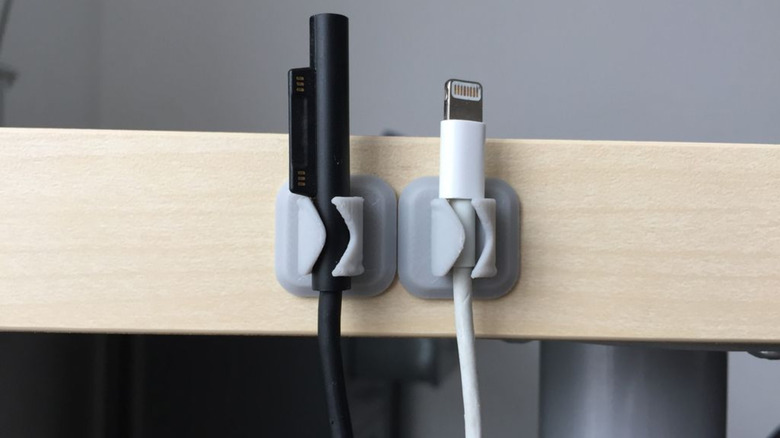
An organized desk can make all the difference in how you feel when you sit down. A messy mass of strewn cables can really hinder your comfort. The easy answer is to get some cable management going on. And while there are some great computer cable accessories that just work, you can simplify things by printing your own.
You can control the flow of your cables with Thingiverse user TJH5's Cable Holder, for example. The simple design will quickly and easily hold your cables wherever you need them, just add an adhesive pad. Instead of buying a pack of 50 little plastic tabs, save money by only printing out the exact number of clips you need. But, with an estimated printing cost of 3.6 cents per mount, you can probably afford to print a couple extra. You can even resize the model in your printing software to be the perfect fit for your bigger or smaller cables.
Or consider the Portable Cable Winder by Printables user Squinn for your loose or on-the-go cables. It's a simple but effective design that allows you to wind up any size cable into a compact, tangle free form. They provide three different widths, too. You'll struggle to find similar products online for less than $10. Meanwhile, the largest size will only cost about $1.34 each to print.
Ethernet replacement tabs
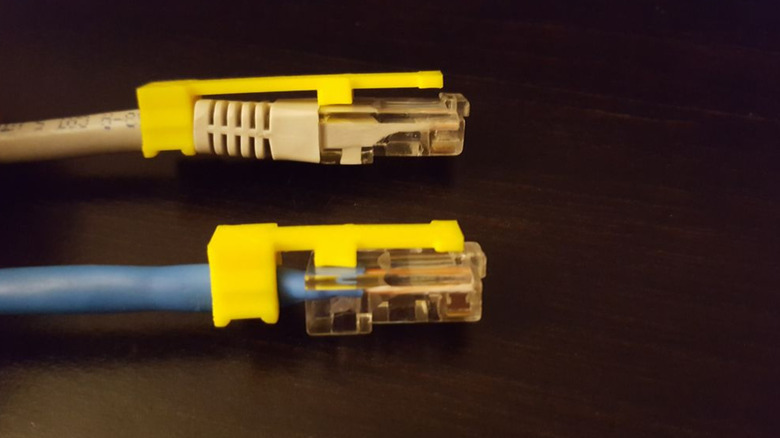
The digital era lives and breathes via the internet. From streaming video to online gaming, to even just working remotely, it all needs a stable internet connection. And while Wi-Fi works for many things, there are still times where ethernet is actually more reliable than Wi-Fi. That's why it's always such a tragic inconvenience when those terribly fragile connection clips break off.
Buying an entire new ethernet cable is overkill, especially if it's a longer one. The frugal alternative is to get a replacement clip attachment instead. But there remains an even better alternative for 3D printer owners: print your own!
Thingiverse user kohlmaker has an RJ45 Ethernet Cable Clip Repair model available that does just as well of a job. It's an incredibly simple model that takes advantage of the main cable for extra support. There are multiple different model variations to suit your specific needs. And best of all: it will only cost about 1.6 cents in material to print. Even bulk bags of replacement clips cost at least 30 cents each, and that's assuming you buy a bag of 50 of them. We're willing to bet you don't need that many.
Custom speakers
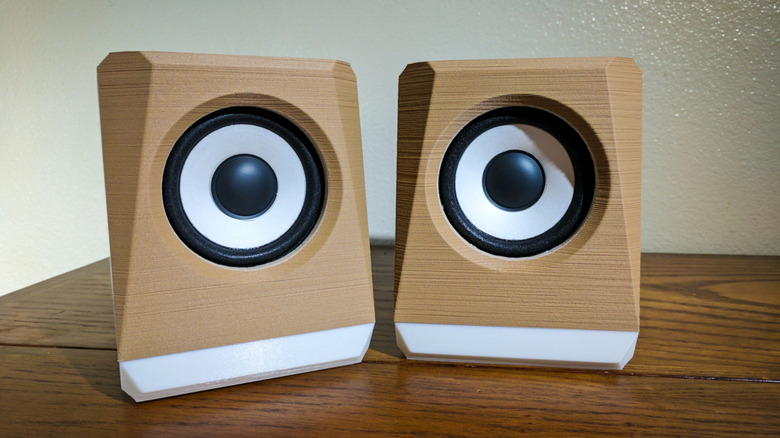
Every computer desktop needs a speaker set — even if you use a laptop at your desk, any set of speakers will sound better than the built-in option. But before you go spending a bunch of money on a new set, know that there might be a better option.
For the particularly tech savvy, making a complete speaker set from scratch is a fun and engaging project. Print a speaker body, like Thingiverse user loidolt's Angular Speaker Box. Then get 3 inch speaker drivers at MicroCenter for about $3 each. You can find 3 watt audio amplifiers, power supplies, and 3.5mm audio port panels on Amazon for a total of $21. Add on the $16.60 in material costs for printing a block this large, and you have a nice set of audio speakers for about $40.
While low-end budget speakers can be found for cheaper, there's still plenty of reason to consider printing your own. If your current set is cracked but still works, you can just replace the body with a new one while keeping all of the internal electronics. And if you have a particular vibe for your desk space, printing a customized speaker body will allow you to match that style perfectly.
USB cleaning picks
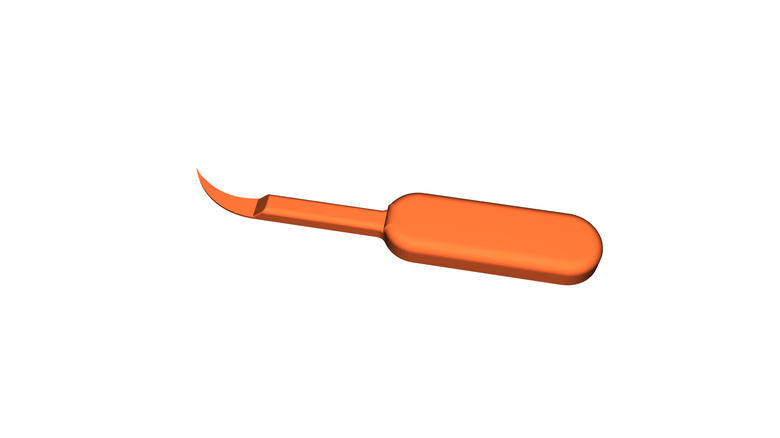
Every day constant carry tech, like smartphones and AirPods, gather a surprising amount of dust, dirt, and generally grimey gunk. They should be cleaned regularly. And while we're not in the business of shaming you for not cleaning them often enough, we are looking to tell you what tool to use. Electronics cleaning picks are, more or less, a toothpick for your tech. The small plastic hooks help pull debris out of places like charging ports and speaker vents without leaving fibers behind like a swab will.
Sure, you could buy a bulk pack of charging port cleaners for a few bucks, or invest in an over-engineered multi-end cleaning tool for between $15 to $25. But why go through that trouble when you could 3D print your own for the same price as a rounding error?
Printables user Bobytoo has a charging port cleaning pick model you can use. The larger handle and curved point makes it easier to use, and it'll only cost about five cents in material to print. This concept is particularly popular in the 3D printing community, though, so there are tons of other designs and variations available that might suit your needs even better. Just make sure you read up on how to clean your phone's speakers without damaging them.
GPU supports
Many people don't realize the tremendous burden of high-end gaming. More specifically, on the GPU port of your computer's motherboard. Depending on the placement, big, powerful graphics cards can cause extra stress on your computer due to their weight. The solution? Prop it up with a stick. Seriously. A GPU support can protect your Nvidia GPU from serious damage.
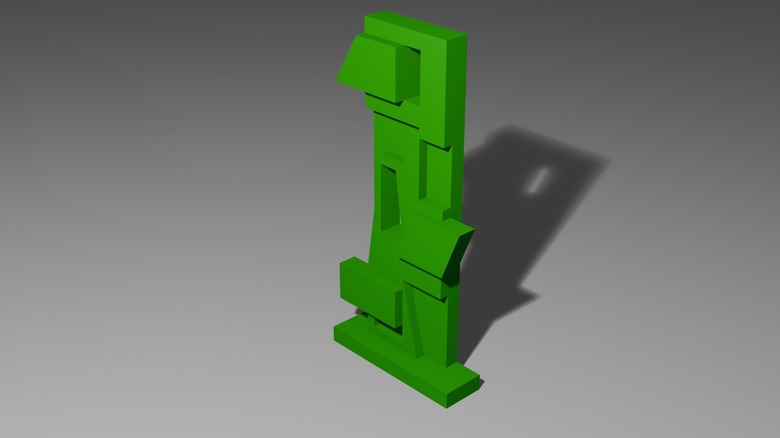
Except that, for some reason, all of the lower-priced options online are terribly boring. They're basic, black bars. Sure, they do the job. But why not have something far more interesting for a fraction of the cost? Solid, sturdy objects are one of the things 3D printers do best. And there are countless fun and unique designs out there, like the GPU Support by Printables user WD40. At 69mm tall by default, this stylish cyberpunk style support costs only 16 cents to print. You can even adjust the model size before printing to ensure it fits your PC's exact specifications.
Custom keycaps
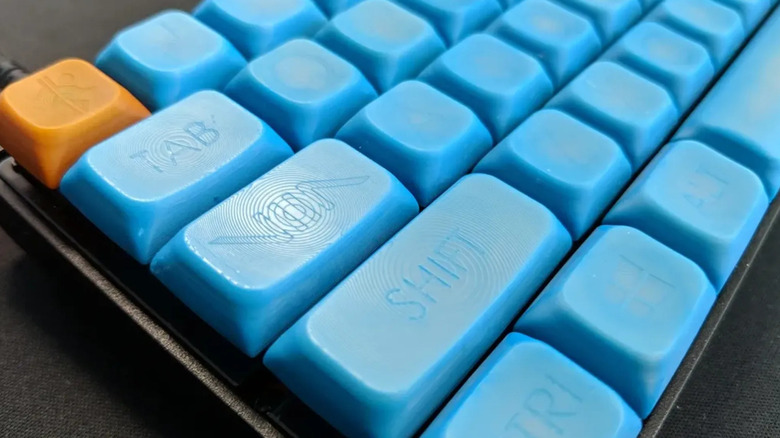
Save for maybe your mouse, your keyboard is the most important way to interface with your computer. So when something happens and you need to replace a single broken keycap, it'll be a problem you want to fix as soon as possible. Buying individual replacement keycaps isn't an easy option, and full replacement sets can be expensive and excessive, with even basic sets ranging from $10 to $20 online. Avoid all that trouble by 3D printing a replacement keycap at home.
For simple replacement projects, Printables user 3dNerdcave's Simple Cherry MX Keycap can provide you with exactly what you need. It only costs about two cents in material to print, too. Even full replacement sets, like Toukejin's DSA-ish 61 Keycap Set with Legends, are available. This particular set costs about $1.28 in printing material.
None of this even touches on the creative potential. By using unique printing materials, multiple colors, or even by customizing the 3D models, you can make a keycap set that is truly one of a kind for less than the price of a bottle of water. You can also 3D print keycap puller tools, like this one by user braga3dprint.
Battery keeper
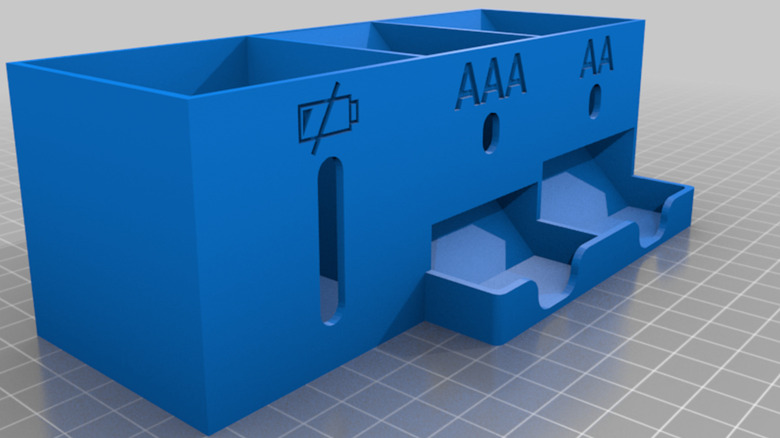
While a lot of tech is rechargeable now, plenty of electronics still rely on batteries. Instead of letting all of those AAA and AA batteries sit in a loose pile in a random drawer in your kitchen, bring a sense of order by printing a set of battery keepers.
Take this Small Battery Dispenser model by Thingiverse user robert700x, designed so that fresh batteries automatically roll down into the pickup slot. It's a compact way to have quick and clean access to new batteries. It even has a section for you to store depleted rechargeables. It's more convenient, better looking, and frankly, more fun, than the large battery cases you'd find online for $10 to $15. That's more than five times the $1.85 it would cost to print this yourself.
It doesn't have to be all utility, either. There are more fanciful and entertaining options out there, like Marzochi's Beer Crate battery holder. These tiny replicas of plastic beer crates can hold AA, AAA, 18650, and nine volt batteries, depending on the 3D model. It's a charming way to say "let's party tonight, and by party, I mean keep my electronic power supplies accessible and organized." You could even print each crate in a different color to help tell the batteries apart. Costing about 60 cents in materials per crate, you can afford to have some fun with it.
Pop culture trinkets that make you happy
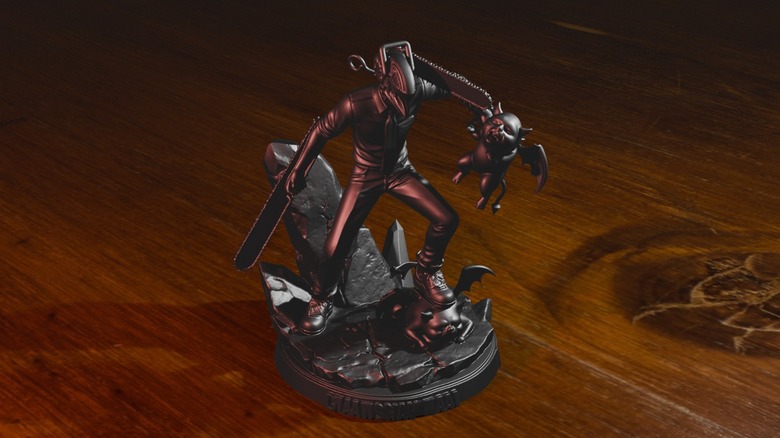
A lot of desk layouts focus too much on efficiency and organization. It's important to recognize that having little things you love looking at you is just as important in a place you plan to sit for extended periods of time as any efficiency tool. 3D printing allows you to bring any concept to life, whether that's models from your favorite movie franchise, tiny dragon trinkets, or a pop culture character phone holder.
Take this Chainsaw Man Figurine by Makerworld user EmirPrints, or this Star Wars AT-ST model by Marjers. If items like these spark joy, then they deserve a spot on your desk. So why not 3D print them? Similar trinkets from official outlets cost a good $40 minimum. The cost to print one of these figurines is a fraction of that, at an estimated $1.21 instead. Even if it's not for you, just imagine the cost-savings when coming up with gifts for friends and family during the holidays.
Fan guards and airflow redirectors
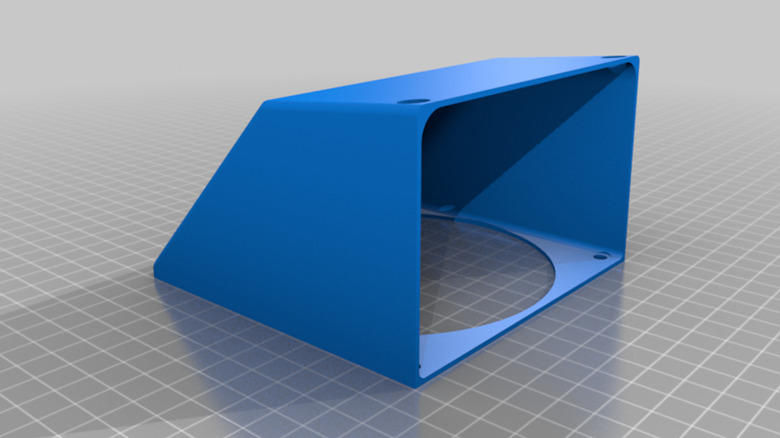
Airflow is important for a PC. Overheating can lead to poor performance or even damage to the internal components. But that doesn't mean you have to invest in a new cooling system or replacement fans. Sometimes all you need is better airflow. Take this 120mm fan exhaust redirector by Thingiverse user rohinp. Better control of airflow means more cool air going in, and less hot air bothering you. Costing only $1.22 to print yourself, it's a fairly frugal alternative to the similar products that go for at least $10 if you buy them online.
Even if airflow isn't your concern, fan guards can be a good opportunity for customization. There are plenty of stylish ideas out there, like Tech_Junkie's 40mm Fan Skull Fan Cover. This is a stark contrast to online marketplaces, where a heavy majority of the available options are basic meshes and grilles. Without a 3D printer, finding available fan guards that suit your personal style might not even be possible.
Microcontroller case
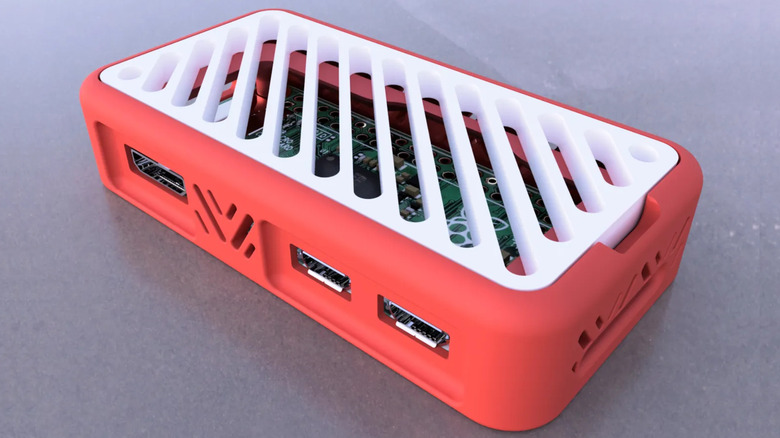
It makes sense why 3D printer owners and people who like to program microcontrollers would overlap. Both concepts draw on the idea that if you can imagine it, you can make it real. Both hobbies benefit from each other too, utilizing various print mechanisms and parts, or software, to transform a regular old print into a dynamic and interactive device. There's a reason plenty of people are looking for 3D printer projects to take their Raspberry Pi builds to the next level.
That's why it almost seems silly that Raspberry Pi themselves sell cases for their microcontrollers. Sure, they only cost $5 at MicroCenter, but when you compare that to say, this Pi Zero case model by Printables user Nikolica, that $5 looks excessive. The 3D printed option will cost you as little as 28 cents in material. Not only that, but you'll be able to print the case out in whatever colors you have available, not just the brand's traditional red and white motif.