

MSI Cyborg 15 C2WF Review: Impressive Execution At A Decent Price
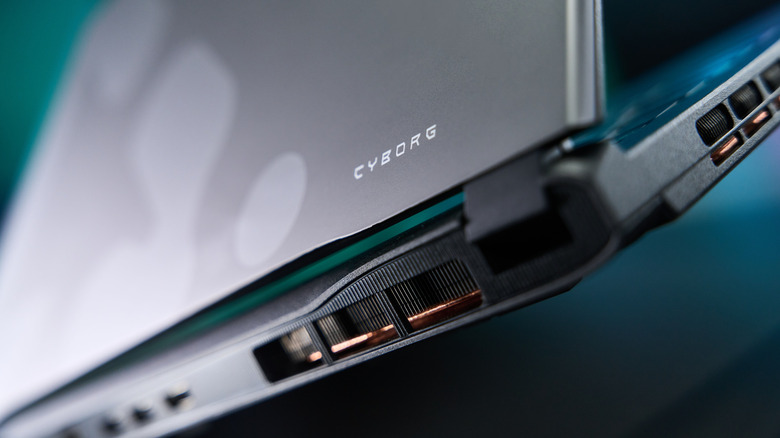
A gaming laptop was once more of an aspirational purchase than a practical one. That has changed in recent years, and now, a gaming laptop can often be just as viable of a choice as a high-end desktop you would build yourself. Simultaneously, competition has become fierce, with every manufacturer trying to get an edge over its rivals with sharper displays, more powerful chips, and ergonomics that won't leave users scrambling for peripherals every time they power the laptop on.
Given the sheer number of options on the market and skyrocketing prices due to the global memory supply shortage, picking the "right" laptop can be a stressful and time-consuming proposition. That's one of the reasons why the MSI Cyborg 15 C2WF-253US (we'll go with Cyborg 15 for short), was such a pleasant surprise. Much like the MSI Crosshair A16 HX we recently reviewed, this is a gaming laptop that nails many of the essentials you would expect from a productivity-focused laptop while giving you enough headroom to run most of your favorite games well.
The biggest downside is the same one we identified on the MSI Crosshair: the price point. At $1,479, the Cyborg 15 pits itself against some seriously impressive entry-to-mid level gaming machines from rival manufacturers, and it doesn't always come out on top in those comparisons. That said, the Cyborg 15 also avoids many of the pitfalls of gaming laptops, offering a refreshingly balanced experience. That's clearly where MSI is hoping the Cyborg 15 wins out.
Specs and configuration
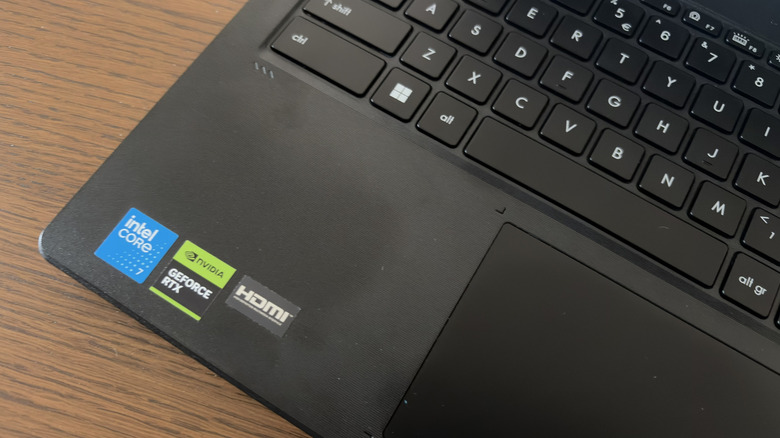
The model that we're reviewing is specifically the MSI Cyborg 15 C2WF, which is a relatively low-spec entry in the Cyborg lineup. This particular unit features an Intel Core 7 240H CPU, 16GB of RAM, 1TB of storage, and Nvidia GeForce RTX 5060 GPU. That falls somewhere in the mid-tier for a modern gaming laptop; a far cry from the powerful Alienware 16X Aurora, for instance. That said, it easily mows through standard productivity tasks and will tackle most games you throw at it, at least on lower graphics settings.
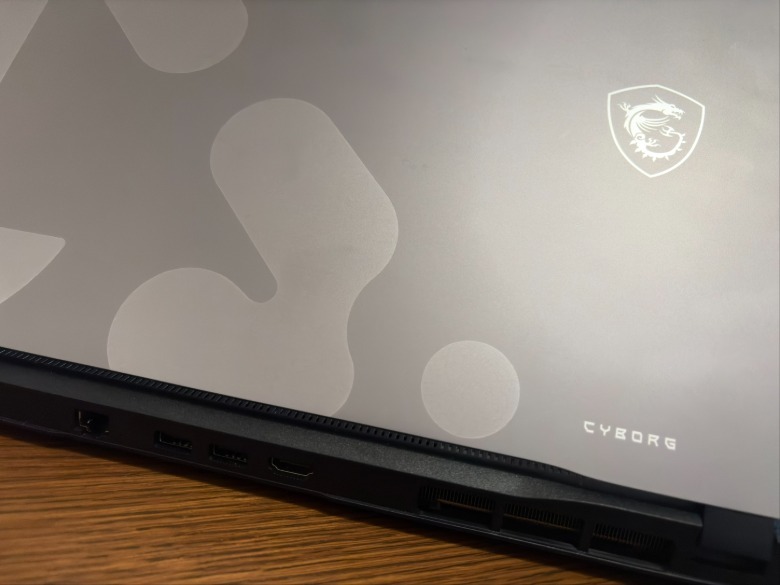
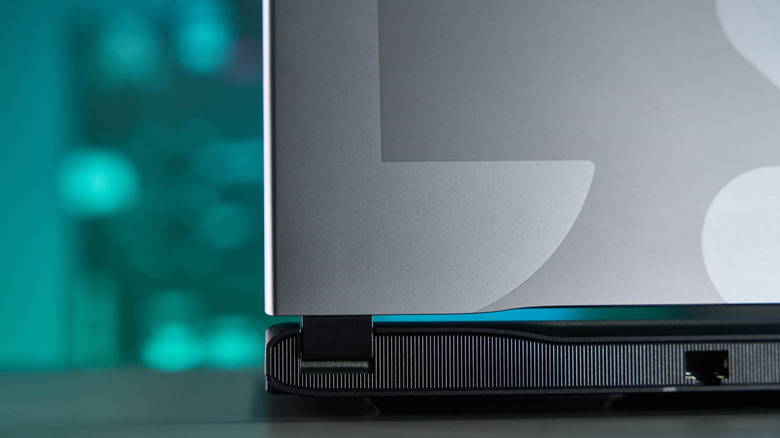
As with most modern laptops, the port situation is serviceable, but unexceptional. Along the right edge, you'll find a 3.5mm combo audio jack, USB 3.2 Gen2 Type-C port, and DC in for power. The rest of the ports are on the back of the machine, including an HDMI 2.1 port, two USB 3.2 Gen2 Type-A ports, and an RJ45 jack for Ethernet cables. If you plan on physically connecting multiple peripherals to the Cyborg, invest in a USB hub.
 Jacob Siegal/BGR
When it comes to battery life, the Cyborg sits somewhere in the middle of the pack for gaming laptops. The 60Whr battery lasts a few hours while performing standard productivity tasks, but you are going to need the charging brick with you if you plan on gaming for any length of time. The built-in battery report says the laptop typically survives for two hours and 53 minutes, but keep in mind that is counting every observed drain since Windows 11 was installed.
The good news is that the Power Delivery 3.0 fast-charging protocol allows this laptop to top up rather quickly. I plugged the laptop in at 30% (when Energy Saver turned on), and after just shy of ten minutes and 30 seconds, it was at 50%. It took 31 minutes to get to 90% and 40 minutes for a 100% charge. If you do need to unplug for a while, at least you always know you're an hour or less away from a full charge.
While some of the specifications are customizable, every Cyborg 15 ships with a 15.6-inch Full HD IPS display with a 144Hz refresh rate. The fast refresh rate is a nice touch, and while the display is not likely to blow anyone away, it's bright, clear, and does an admirable job of showcasing games when you are away from your primary monitor.
Design and ergonomics
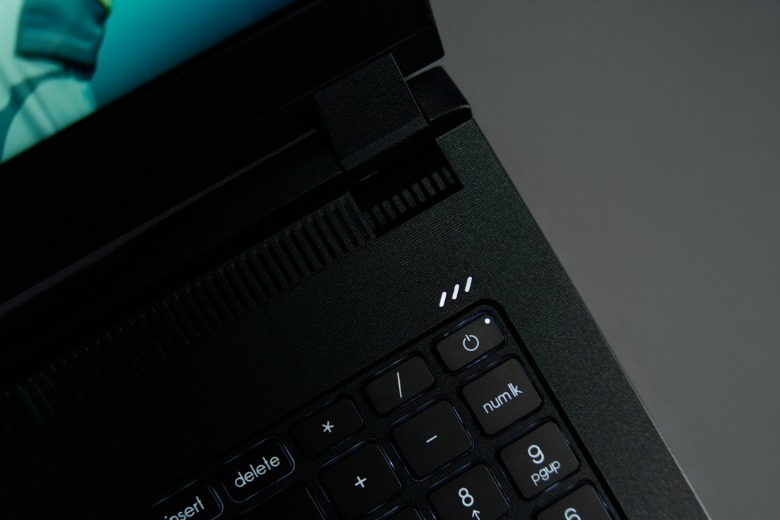
For a gaming laptop, the Cyborg 15 features a relatively understated design. Admittedly, the shield emblazoned with a dragon does give away the machine's intended purpose, but the silver and gray design on the lid is inoffensive, and even somewhat stylish. The same can be said of the black bezel surrounding the display, the black chassis, and the black keyboard — you certainly won't attract any undue attention when you pull this out of your bag. It's a notable change of pace from the LED-infused light show of previous models.
 MSI
MSI
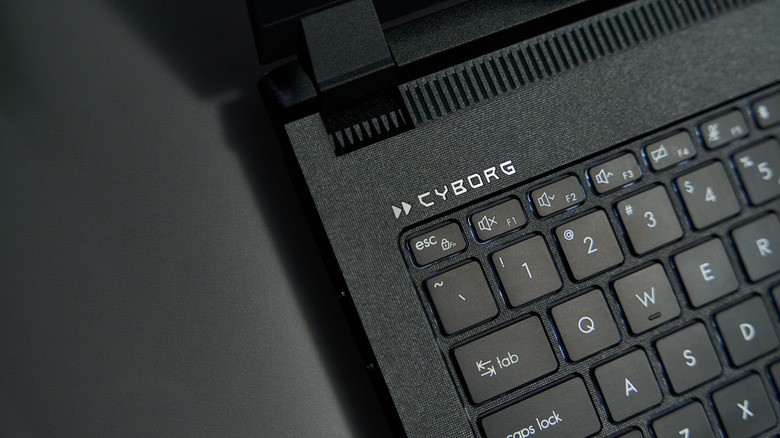
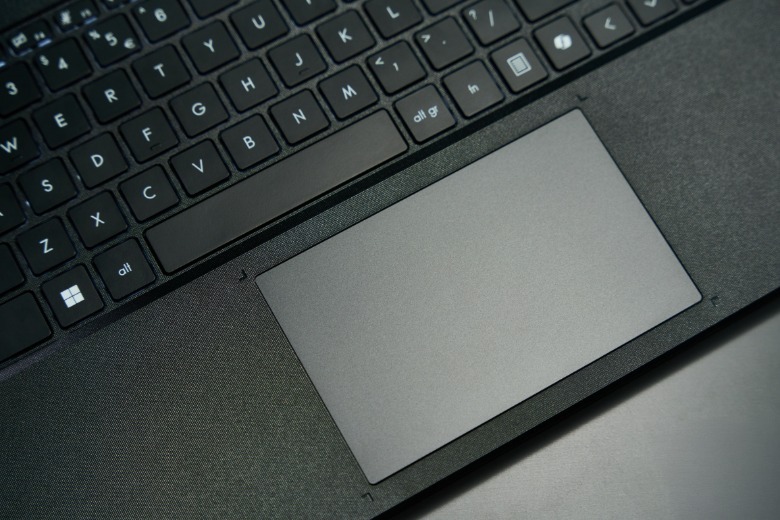
I also found the ergonomics of the keyboard and trackpad to be surprisingly competent. MSI is aware that a vast majority of people who purchase this laptop will likely end up using a mouse and a separate keyboard more often than not, so a sturdy, reliable keyboard and trackpad are not top priorities. Nevertheless, as I type out this review, I can't help but wish my own laptop's keyboard was this easy to type on. That's a noteworthy selling point for a laptop that plenty of owners will want to double as a workstation. Plus, it weighs just 4.36 pounds, so it's pretty painless to lug around.
 MSI
MSI
Given its lower specifications, I kept my expectations in check, but what I never ran into was a true Achilles' heel. With mid-tier laptops, there's always a chance you'll run into at least one potential dealbreaker; be it the display, the keyboard, the processor, the ergonomics, or even something smaller. After spending many hours with the Cyborg 15 over the past few weeks, I never identified an element of this experience that would cause me to steer clear of recommending it to someone in the market for a cheap gaming laptop. That might sound like faint praise, but it's a genuinely impressive feat for a laptop in this price range.
Benchmark results
For the sake of completeness, I gathered up a laundry list of benchmark results from various sites, apps, and games to provide some hard numbers to those who are interested in such things. First up was Geekbench 6, which came back with a 2372 single-core score, 9796 multi-core score, and 73158 OpenCL score. That's a solid enough single-core score for a laptop in this price range, but the multi-core score highlights the limitations of the processor on board.
Moving on to Cinebench, the results came back as follows: 42566 pts for the GPU, 3444 pts for CPU Multithread, 587 pts for CPU Single Core, and 443 pts for CPU Single Thread. Once again, relatively modest scores, but nothing especially surprising for a laptop with these specs. I also tested with UNIGINE's Superposition benchmark, which spat out a score of 19403. You can see other CPU and GPU combos in the same range on UNIGINE's website.
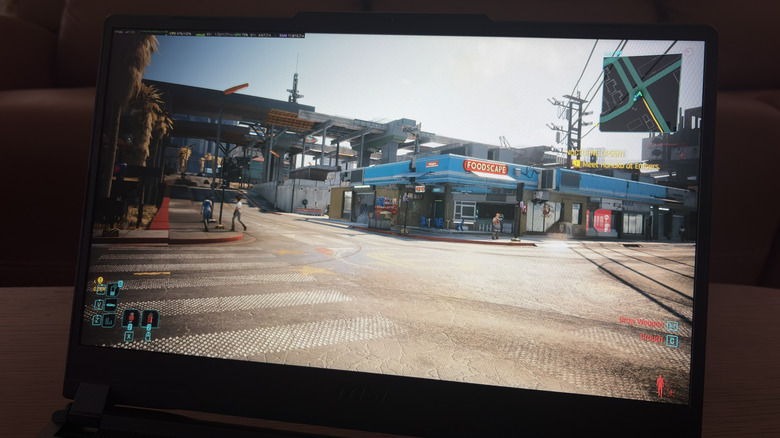
Finally, I used the benchmarking tool in "Cyberpunk 2077" to see what the laptop would be capable of at different presets. On the "Ray-Tracing Low" graphics preset (1080p resolution, high texture quality) the laptop achieved an average fps of 36.87, maxing out at 50.13 fps and only dropping as low as 29.59 fps. I also switched the preset to "High" and ran the test again, which delivered an improved average fps of 57.60 (maximum: 71.31, minimum: 44.70).
Display and gaming performance
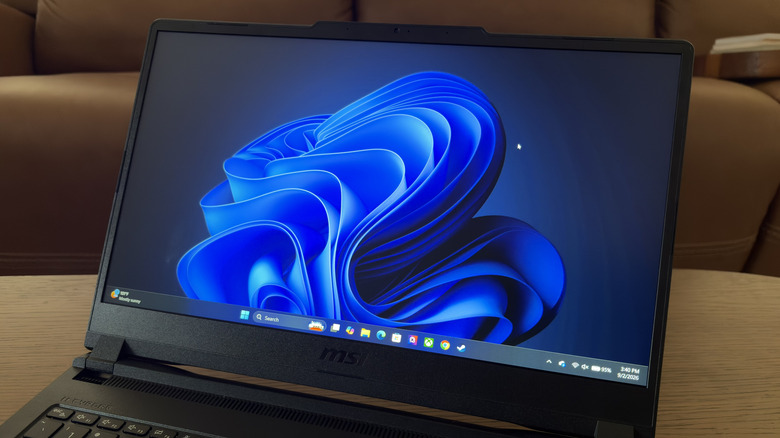
The 15.6-inch IPS display, as noted above, isn't anything to write home about. I found it to be accurate enough, and the 144Hz made gameplay smoother than it would have been otherwise. Using the EZIO Monitor Test, the display passed virtually every test with flying colors (excuse the pun). As with many other elements of this laptop, the screen is as technically sound as you could hope for from a 1080p IPS display, but I probably wouldn't watch movies on it unless it was the only screen I had on me during a long flight.
As for the Nvidia RTX 5060, it has a less than sterling reputation, but I found it to be more than adequate for light to moderate gaming. "Cyberpunk 2077" seems to find a way to run well on virtually any machine, but it more than met my expectations after playing for a few hours. I already discussed the game's benchmark results, but numbers aside, I thought the game was perfectly playable at both the High and Ray-Tracing Low presets.
My time with the competitive first-person shooter "Marvel Rivals" was similarly enjoyable, with minimal slowdown detected in matches while running on the Medium preset. As mediocre as I am at team-based shooters like this, the last thing I need is for my computer to put me at an even greater disadvantage, and the Cyborg didn't let me down there.
"Palworld" was a different story. Even at the Medium graphics preset, the machine was struggling to keep up with multiple creatures running around my base mining, chopping wood, and slacking off. I can't really speak to the level of optimization in a game like "Palworld" compared to AAA releases like "Cyberpunk 2077," but I was disappointed that I needed to sacrifice a significant degree of visual fidelity to achieve a playable experience. That said, it might have more to do with the game than the hardware.
It's certainly not a problem exclusive to the MSI Cyborg 15, but I found the fan noise to be a touch more obtrusive than other gaming laptops I've used. Fan noise is an all but inevitable byproduct of stuffing this much power into a portable shell, but the hackneyed jokes about a laptop sounding like a jet engine are certainly applicable here. You're definitely going to want to game in a room where no one else is trying to get any work done.
Is the MSI Cyborg 15 C2WF worth it?
For anyone looking to dip their toes into the world of portable PC gaming without breaking the bank, the MSI Cyborg 15 line is a reasonable option. Rather than try to reinvent the wheel, MSI was comfortable iterating and upgrading upon its previous releases. There is plenty of viable competition across the market, though, which is why a recommendation can be tricky. On the other hand, finding a capable, new gaming laptop for under $1,500 can be a struggle.
As noted at the beginning of the review, the biggest knock against the MSI Cyborg 15 is that you can do better for the money. For instance, last year's Asus ROG Strix G16 features a faster processor and a 165Hz display for just $120 more. The Lenovo Legion 5i is also available for just $20 more than the MSI Cyborg 15 C2WF, but adding an OLED display and a faster processor with twice the number of cores. Extend your budget a little further, and the OLED-equipped Acer Predator Helios Neo 16S becomes a tempting option at around $1,700.
Depending on your personal preference, all of these are viable options. But putting aside all of the numbers, MSI has built a gaming laptop that looks nice, plays new games, has solid battery life, and never once set off any red flags in the two weeks I used it. There's nothing wrong with being good enough, and that's exactly what this laptop is.
Laptops, especially gaming laptops with enough RAM to handle a majority of modern games, are as expensive as ever as the global computer memory shortage rages on. Committing to a high-end model simply isn't going to be plausible for many consumers. That's precisely where a solid, affordable, utilitarian option like the Cyborg 15 slides in. It's enough to get you comfortably in the door when it comes to PC gaming, giving you a chance to play newer games that won't immediately overwhelm the hardware. Sticklers for high-resolution, 60 fps+ gaming will want to look elsewhere for a machine with more horsepower, but if that isn't your top priority, there's a lot to like about the MSI Cyborg 15 C2WF.