

9 Reasons Why Users Love Lenovo ThinkPads
We may receive a commission on purchases made from links.
For most people, the Apple MacBook might be the most iconic portable computer, but for many IT professionals, the Lenovo (formerly IBM) ThinkPad is the laptop to be seen with. Maybe it's become a little performative at this point, but the ThinkPad series didn't become the laptop of choice for technicians, programmers, and other properly nerdy computer users for nothing. If even NASA used ThinkPads, there has to be something to them!
What's really happening here is a case of many people with real professional needs gravitating towards the ThinkPad series over the years. Along the way and as a byproduct of that hardcore use, owning a ThinkPad became a sign that you were a true tech professional. The phenomenon is not all that unlike a MacBook being a sign that someone is a creative professional, even if all they ever do with it is check emails at a coffee shop.
But, by and large, ThinkPads really are excellent work computers. They might look like they haven't changed since the first ThinkPad rolled out in 1992, but that's largely for the same reason the Porsche 911 still looks the same on the outside. The design has become iconic, but what's under the hood is as cutting-edge as anything else on the market. Young, technically-minded professionals might have bought a ThinkPad because that's what they see their seniors using, but once that laptop is in their hands, there are many things people genuinely grow to love about these retro-styled portable computers.
ThinkPads still have some of the best laptop keyboards

The keyboard is one of the most important parts of a laptop. After all, if you're a coder, a writer, or anyone who has to produce plenty of accurate text for work, you need your keyboard to perform. It's not like you can just get rid of the keyboard that your laptop came with, the way we do on desktop PCs.
While it's not necessarily true of every ThinkPad model that's ever been released, by and large, ThinkPads are known for having excellent keyboards. Opinions differ on which ThinkPad had the best built-in board, but a surprisingly wide variety of users have found the ThinkPad's approach to keyboards a great fit.
It's not just about how good the keyboards feel to use or even how accurate they are for skilled typists. These keyboards are also durable. Lenovo eventually realized that ThinkPad keyboards were popular enough that it released a standalone version of the keyboard for use with a desktop computer. While the MacBook Butterfly keyboard is considered to be one of Apple's biggest design disasters of all time, both IBM and Lenovo have avoided a similar pitfall by refusing to completely reinvent a keyboard so many people love. That said, there is a difference between classic and modern ThinkPad keyboards, with staunch defenders of both eras, but actual haters are few and very far between.
The TrackPoint lets you move the cursor without leaving the keyboard
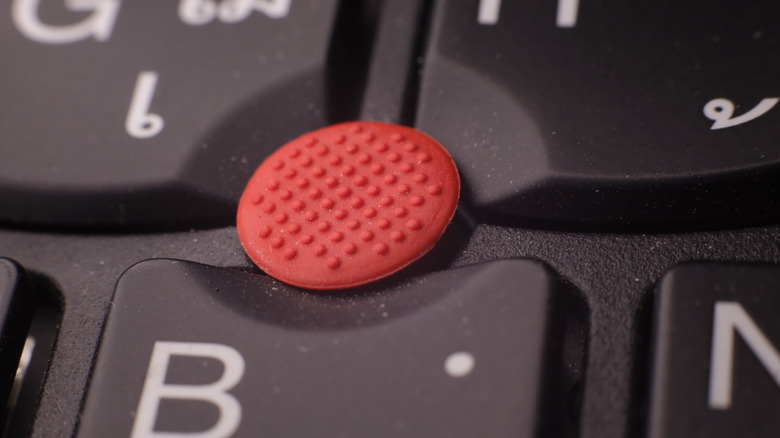
The little red button in the middle of a Lenovo ThinkPad keyboard is known as the TrackPoint, and it actually predates the laptop trackpad by two years. The TrackPoint made its debut in 1992, on the IBM ThinkPad 700C. This was a computer designed as a tablet meant for data entry, aimed largely at hospitals and warehouses. The idea was that you could move a pointer around without ever removing your hand from the keyboard. The nub is also pressure-sensitive, which means that the harder you press it in a given direction, the faster the mouse pointer moves. Quite ingenious!
Modern ThinkPads come equipped with a regular touchpad just like any other laptop, but that little red nub remains. It's a non-negotiable part of the ThinkPad identity, but is it just a gimmick at this point? ThinkPad users don't think so, and once you're versed in the art of the red nub, you'll likely be able to sustain higher words-per-minute numbers because your fingers can stay in position.
Unfortunately, the TrackPoint is a somewhat incomplete pointing device on modern computers. You can only perform pointer movement, but you need to use your left and right thumbs on the physical mouse buttons to perform left- and right-clicks, as well as to click-and-drag items. However, this technique, which requires some rewiring of your brain, still keeps your fingers in position over the keyboard while your thumbs operate the mouse buttons as well as the space bar.
Real physical mouse buttons
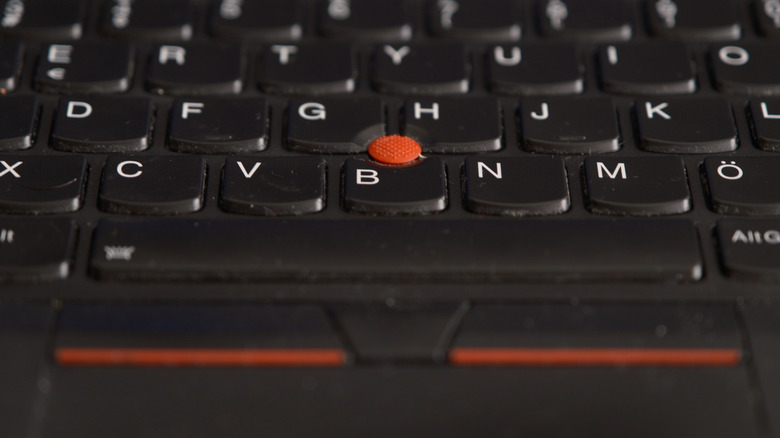
We just mentioned that the correct way to use the iconic TrackPoint is to leave your fingers on the keyboard and operate the mouse buttons with your thumb. As it turns out, those buttons themselves are one of the things that ThinkPad users like in their own right.
Physical mouse buttons on laptops have, of course, been a thing for almost as long as laptops have had built-in pointing devices. Trackballs had them, and even some 486 laptops in the '90s did, too. Early trackpads also featured physical buttons, but with the advent of modern trackpads, those distinct buttons largely disappeared. Today, trackpads often use a physical hinge for clicks, with your finger's position on the pad determining whether it was a right or left click. Completely static trackpads, such as the haptic trackpad on MacBooks, are also becoming more common. These are pressure-sensitive and use a haptic motor to simulate the feeling of a button click.
ThinkPads have been a long holdout when it comes to physical buttons, and when models like the ThinkPad Z13 arrived on the scene sans physical buttons, it caused something of a stir. On those models, the top part of the touchpad functions like physical buttons, with the top-end placement being a nod to TrackPoint aficionados. Those who don't use the TrackPoint can disable this feature and use the full trackpads for just trackpad stuff. On paper, that seems like a nice compromise, but ThinkPad fans are divided on this. Thankfully, core ThinkPad models today still have physical buttons for now.
They're built tough
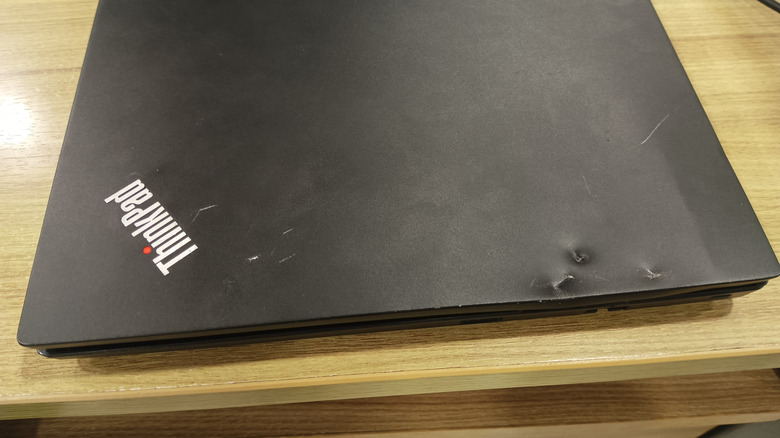
If you wander the halls of a large enterprise, it's not unusual to see IT staff running-walking from one place to the next while holding a half-open ThinkPad. These laptops are used by people who don't have the time to tuck them away in a bag or put them gently on a table. A ThinkPad in its natural environment will probably be knocked off a table, dropped, dinged, kicked, and generally abused at some point in its lifecycle. The good news is these laptops are built tough, and you can find plenty of ThinkPad survival stories on sites like Reddit detailing all the ridiculous things these computers have endured.
Of course, these stories paint a picture skewed by survivorship bias, but if you look at the official data on how ThinkPads are built, it does make sense that they'll stand up to more punishment than usual. Specifically, Lenovo started using the US DoD's MIL-STD 810G as a guideline for designing and testing ThinkPads back in 2007 and continues to do so to this day.
This means ThinkPads are tested to withstand repeated mechanical shocks, hours of vibration, sand, dust, high humidity, and even a fungal infestation. They operate at altitudes of up to 15,000 feet, can be stored at -25 degrees Celsius for at least 24 hours, and can operate for at least eight hours at -21 degrees Celsius. Temperature cycling testing takes the laptops through three rounds of extremes, ranging from -23 degrees Celsius to 60 degrees Celsius over the course of two hours. Bear in mind, these are just the minimums the laptops must survive.
ThinkPads are highly repairable
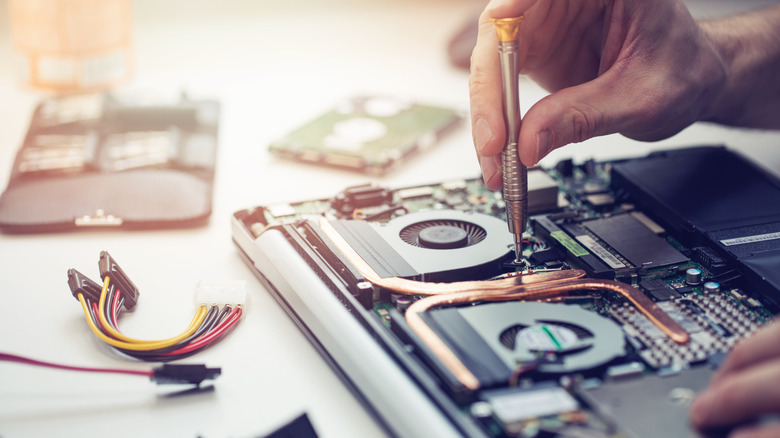
Repairability has been a hot topic for years now when it comes to laptops, tablets, and smartphones. Manufacturers are incentivized to sell products only they can repair, which makes it easy to nudge you towards buying a new model if the fixes are too expensive or inconvenient to justify. There has been constant fightback from lobbyists and governments, trying to force companies like Apple to make their devices independently repairable. This is why, for example, EU residents are getting a version of the Nintendo Switch 2 with a user-replaceable battery.
ThinkPads, given the target audience, have largely bucked this trend. You can strip one of the laptops quickly and easily and find spare parts with relative ease. If you hop on Amazon, you'll have no trouble finding replacement keyboards, TrackPoint nubs, screens, batteries, or whatever else you need. Lenovo even teamed up with iFixit to further elevate the repairability of its laptops.
Lenovo has gone above and beyond merely making its laptops repairable. The company maintains a database of instructional videos that show you how to replace components like the heat sinks, LCD panel, mainboard, or anything really. There's enough information here that you could assemble a whole laptop from parts if you were so inclined. The only way to do better in terms of having full access to components is by getting something like a Framework laptop, but modular laptops have their own problems. ThinkPads have all the benefits of mass production and few of the downsides that modern laptops held together by glue and corporate greed are saddled with.
Most models are still decently upgradable
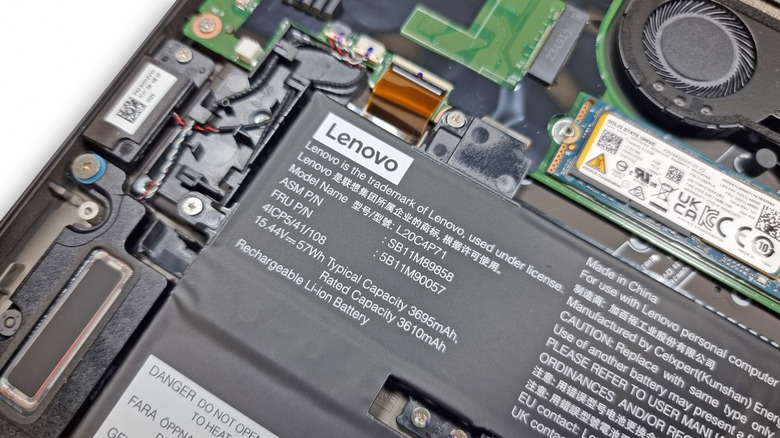
Laptops like the Apple MacBook and other brands that tend to follow in Apple's footsteps have significantly reduced how upgradable common consumer laptops are. With a handful of exceptions, laptops generally don't let you upgrade the GPU or CPU. But RAM, internal storage, and sometimes even a few modular expansion cards have been swappable for something better in years past. Buy something like a MacBook today, however, and you'd better be sure about how much storage and RAM you'll need, because you're pretty much stuck with what you get in the box until you're ready to buy a whole new laptop.
That's not to say some ThinkPads haven't run afoul of this. The X1 Carbon you see pictured above is part of an ultraportable ThinkPad series that has RAM soldered to the mainboard. However, this is thankfully the exception rather than the rule. The ThinkPad T, P, E, L, and IdeaPad families generally do let you upgrade the RAM, storage, and, in the case of the T and P models, the Wi-Fi card.
Because parts are readily available, it's also technically possible to upgrade components like the screen. Obviously Lenovo doesn't warranty or officially condone the use of components from third parties, or parts installed in models they were not approved for. Nonetheless, if you want to Frankenstein together your own ThinkPad, it's generally quite doable. That truth, in turn, incentivizes a community and market for such upgrades.
Lenovo publishes detailed technical documentation

It's great that Lenovo puts out video guides so that regular users can quickly and easily perform common repairs and upgrades. But what if you want to dig deeper? It turns out that Lenovo maintains a comprehensive database of documentation for its laptops that goes well beyond the basics.
If you visit its product manual search page, you can find a digital copy of the manual that would have been included with the laptop when it was new. But there are also many more documents linked to each device, not all of which would even have come with the system in the first place. For example, you can get service manuals and hardware maintenance manuals from the site within seconds. Lenovo has also made it easy to figure out what ThinkPad you actually have on hand. That's an important service, because they all look broadly the same, if we're being honest.
These are documents usually distributed to repair shops so that technicians know exactly how to diagnose and repair a device. These aren't written with the end-user in mind, but they are perfect for a technically-minded person who wants to tinker and maintain their own laptop. It's also a good reason why used ThinkPads, or those sold cheaply for spare parts, represent a thriving business.
You get more ports than average with a ThinkPad
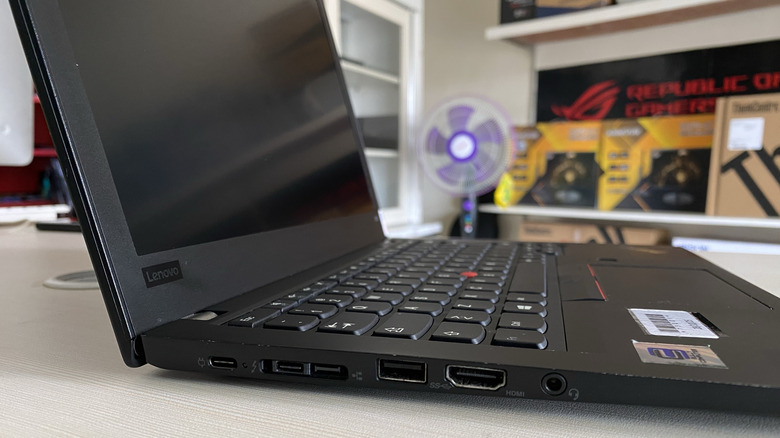
In today's tech world, every laptop manufacturer seems bent on reducing your jack selection to a single USB-C port, forcing you to carry around a bag of dongles. Lenovo's ThinkPad laptops stand in stark contrast to this trend, happily stuffing another port into every square inch of available space.
Using the ThinkPad T14 Gen 6 as an example, you get no fewer than nine ports. That machine includes the two Thunderbolt 4 ports that would have been the stopping point on other laptops, then throws in two fast USB-A ports, full HDMI, a card reader, SIM slot, and Ethernet slot. To be clear, these aren't big and bulky desktop-replacement laptops. They're not as slim as a MacBook or Lenovo's own X1 Carbon, but ThinkPads are plenty portable. After all, they might be carried around more than most other brands of laptop, considering the audience who likes to buy them.
That's a major reason ThinkPads are a good fit for the tech crowd: If you're carrying your laptop naked under your arm as you hurry to attend one service call after another or speed to that morning's standup meeting, where are you going to put your dongles? In your pockets? In your mouth? So much easier if you don't need that extra baggage in the first place.
Linux support is great on ThinkPads
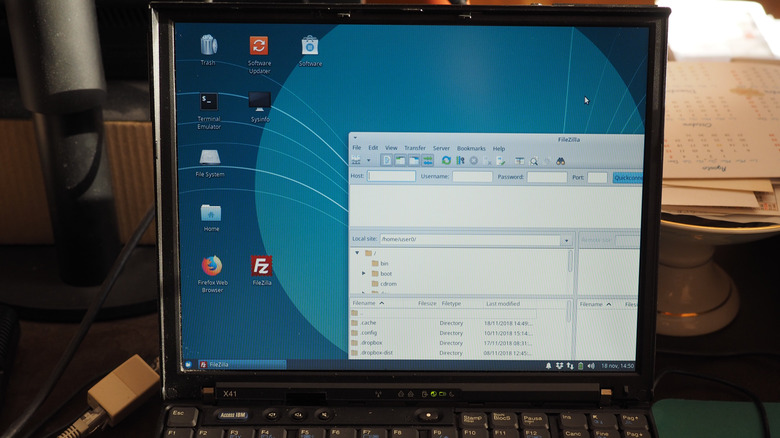
If you had to draw a Venn diagram depicting Linux and ThinkPad fans, it won't be a perfect circle exactly, but there's probably going to be a lot of overlap. Your IT and computer engineering types in particular are probably going to be running Linux on their laptops at least part of the time, so it makes sense that ThinkPads have great Linux support.
The Ubuntu website maintains a list of certified Lenovo laptops, and you'll find plenty of popular ThinkPad models on the list. But what does it even mean for a laptop to be Linux certified? Can't you just install Linux on any old laptop? That is technically true, but if you just grab a random Windows laptop and install Linux, you're likely to run into some issues. Perhaps the Wi-Fi doesn't work right, or maybe the Bluetooth chip doesn't have Linux drivers. It could also be that Linux just doesn't play well with that laptop's power management system, meaning you can't put it to sleep, or that the OS doesn't correctly manage the CPU's power draw.
That's not an exhaustive list, but the point is that a laptop that's been certified for Linux, even if only a specific subset of distributions, means you don't have to pull your hair out trying to get a Bluetooth mouse to work with your laptop — which worked just fine when you were running Windows. Lenovo knows its ThinkPad audience, and the Linux crowd is welcome.