

SteelSeries Arctis GameBuds 'Cozy Collection' Review: A Compelling Alternative To Big Headsets

We may receive a commission on purchases made from links.
Gaming accessories skew toward a specific aesthetic, and that's not a criticism. Glossy black, RGB accents, translucent plastic, and brushed metal components have a certain appeal. Despite that, not everyone wants a gaming accessory that makes a show of itself, and gamers with that preference are typically limited in their options: white or black, or maybe a muted, desaturated slate blue if you're lucky.
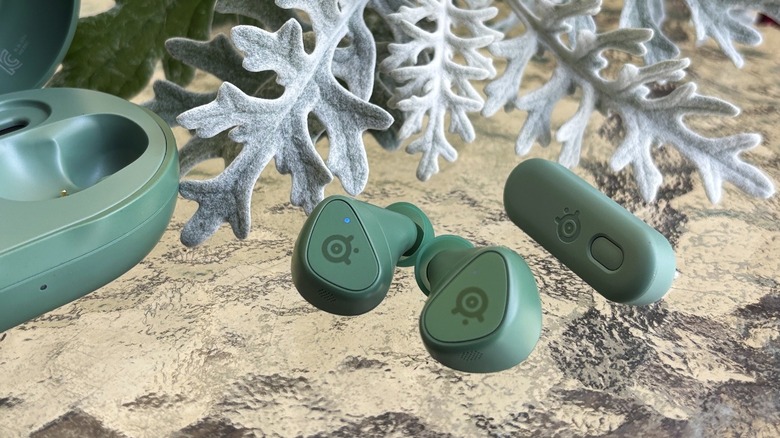
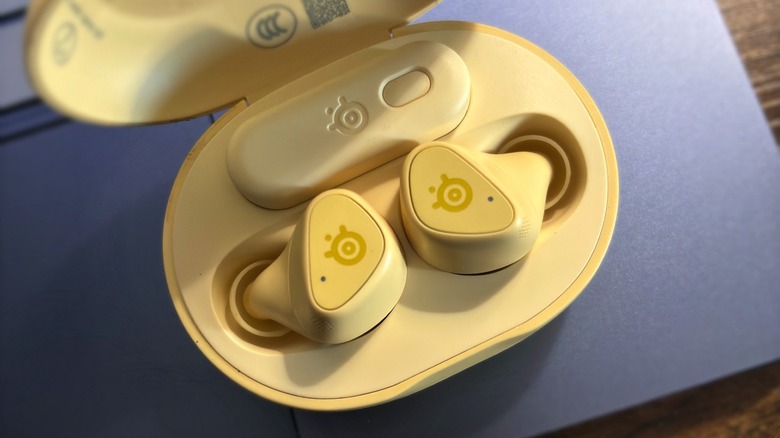
SteelSeries has pivoted fully away from that trend with its limited edition Cozy Collection drop just in time for the autumn season, offering buyers its Arctis GameBuds in new earthy Matcha and Yuzu colors. Unlike the white, black, and transparent orange options already available, these two new "cozy" variants sport earthy shades representative of their namesakes. The colors are saturated but not bright, which is to say that they're not pastel in nature — the colors are unmistakable from any distance — but they are not aggressively green or yellow, either. These earbuds will blend in perfectly with your fall jacket, canvas backpack, and the "Stardew Valley" stickers on the back of your Switch.
We recently tested the PlayStation 5 version of these earbuds sporting the latest 2026 firmware, but SteelSeries offers a version for the Xbox and PC as well, and you can connect them using Bluetooth to a number of other devices — even the Meta Quest headset, which we tested as part of this review. If you like what you see, the SteelSeries Arctis GameBuds in the limited edition Cozy Collection colors are available now for $199.99.
Charging case and battery life
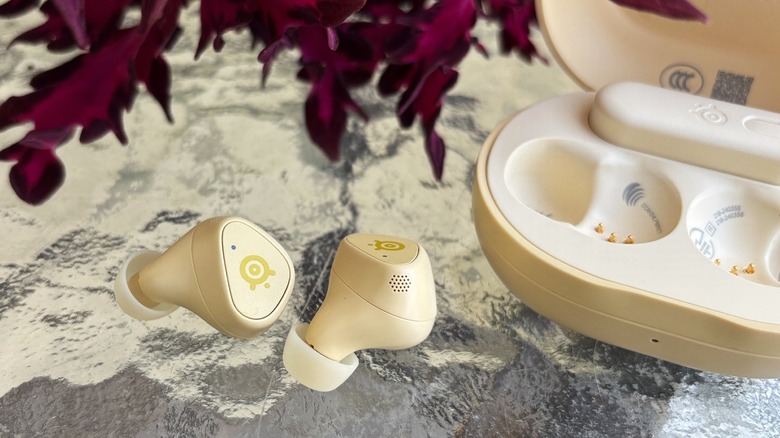
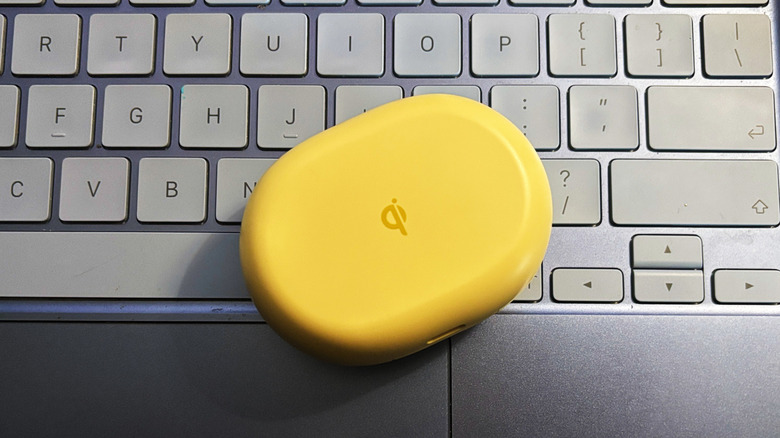
The GameBuds case is roughly the size and shape of a bar of soap, though lighter at 48 grams — that's a bit under two ounces. The lid has a two-step hinge; you can pop it up easily and retrieve the earbuds, letting the lid fall back down under its own weight, or you can press it a bit farther back to "pop" it open, where it'll stay elevated until you deliberately snap it closed again. You're greeted with a recessed "GLHF" stamp on the interior of the case, which likewise houses a slim USB-C 2.4 GHz wireless dongle.
SteelSeries says the earbuds will give you 10 hours on a charge, at which point you'll need to pop them back into the case to recharge — the case itself offering another 30 or so hours of use, depending on whether you have ANC turned on. From my testing, I found this wasn't an exaggeration. Eight hours had passed using the earbuds without ANC, having switched from gaming to movies at some point, when I started wondering whether I was ever going to get the low battery warning.
Using ANC will trim some run time off the battery life, but you can still expect to get several hours before you have to take them out. One of the compromises that comes with this form factor is the inability to switch to wired use when the batteries run low, but 20 or so minutes in the case will get you a few more hours of battery, so it's a good excuse to put down the game and take a snack break.
Comfort and fit
I find myself in a typically frustrating position: I prefer earbuds over headphones in any context, and yet most earbuds do not fit my ears well. I must wear AirPods with the stems pointing forward to avoid discomfort after half an hour, for example. As a result, most earbuds that come my way leave just as quickly, too uncomfortable to find a fit that doesn't destroy my ears or ruin the audio quality.
With that context in mind, know this: the GameBuds fit perfectly, sealed perfectly, and were so comfortable that, after an hour of wearing them, I forgot that I had earbuds in, accepting the audio as something beamed directly into my head. The nozzle (the part of the earbud that holds the tip) has a small diameter and is positioned deep in the ear canal, yet does not feel uncomfortable, resulting in a fit that seals out quite a bit of noise even without the active noise cancellation enabled.
The GameBuds do not fit perfectly flush in the ears (nor would one expect that from a pair of ANC earbuds), but they are considerably nestled in the ear, and, when facing forward, only the upper half of the earbud is visible. This is to say, if you intend to use the GameBuds as your sole source of audio and you also sleep with earbuds in, don't expect to sleep on your side and find them comfortable. For long gaming sessions, however, you'll likely find the GameBuds more comfortable than a headset.
Microphone and active noise cancellation
A very real concern that keeps many gamers from embracing earbuds over a typical headset is microphone quality — specifically, how clearly your companions can hear you when there's a competing ambient noise you can't avoid, such as an HVAC unit running. Tinny, clipping voice audio in a noisy environment is a common issue even with the best earbuds on the market, and running into this issue while trying to strategize with teammates would be immensely frustrating. Pair that with Bluetooth compression and, well... there's a reason many people reach for wired earbuds when they need to make a call.
I had low expectations for the GameBuds in this regard, but they performed better than anticipated. In a quiet room, my gaming partners could hear me fine. The true test was firing up the box fan in the window and seeing if it decimated the voice quality; it did not, and though others on chat reported being able to hear a fan in the background, they said they could still hear me clearly and that it wasn't annoying.
The proof of that came three hours later — no one had brought up or complained about the background fan in that time nor asked me to repeat myself. Their subjective perception of the voice quality was simple: it didn't sound as good as my usual (over-ear) headset, but they didn't find it hard to listen to over a long session.
The active noise cancellation, meanwhile, is very good for a set of earbuds. I put them to the test with the best noise machines possible in a realistic setting: fans. Specifically, one fan to my left and a box fan to my right. The passive noise isolation that comes from the ear tips was sufficient enough to clearly hear the game and chat without ANC, but the fans were still a very noticeable reality. Pressing the left earpiece button enables active noise cancellation, which knocked out all but the lowest note of fan noise, pushing the ambient environment's sound low enough that it took deliberate attention to hear it behind the game audio.
EQ presets and mobile app
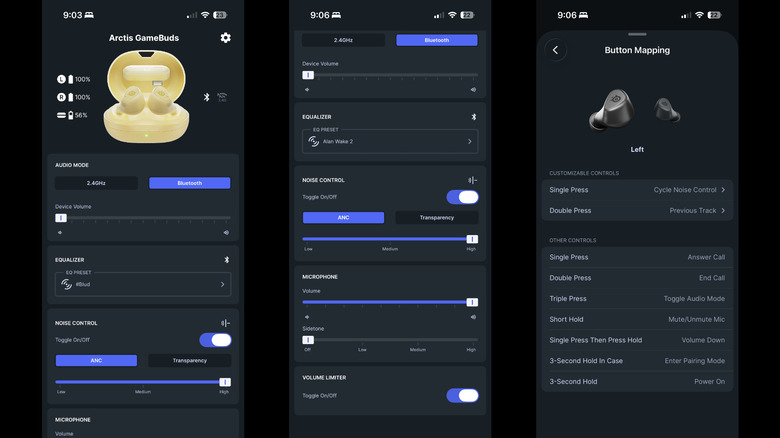
If you purchase the GameBuds, the first thing you'll see when you open the box is a QR code; scan it, and you'll be taken to your device's respective app store to download the Arctis Companion mobile app. You'll be prompted to connect to your device either using the wireless USB dongle or Bluetooth; both connect quickly, and swapping between them involves tapping a button in the app or pressing the button on the dongle. This means, for example, you can easily transition from game audio to Bluetooth for taking a call, then toggle back to the console once the call is over.
The most interesting part of the companion app is its vast array of EQ presets tuned for different popular games. More than 200 titles are included in the list; they range from games like "ARK: Survival Ascended" and "Red Dead Redemption 2" to "Animal Crossing" and "Cult of the Lamb." You can search for a game by name or scroll through the alphabetical list; toggling between presets involves a single tap. No, "Power Wash Simulator" isn't among them, but in case you were wondering, the default Flat setting sounds best when spraying virtual water.
Another nice option in the app is button mapping — by default, a single press on the right earbud will play/pause audio, for example, while the left earbud controls the ANC. You can remap these buttons to a number of other functions, including mic control, volume adjustment, voice assistant access, and the ability to skip forward and back for audio tracks. There are mapping options for double presses and long presses, as well.
Audio quality for games and media
I extensively tested the Arctis GameBuds with a variety of different games, including ones that have EQ presets in the app and ones that aren't included, leaving me to try different options until I found one that worked best. Overall, I was very impressed with the performance of these earbuds — the audio is clear, the tuning is sensible, and most importantly, you can discern the direction of any given audio source, cutting down on the number of times someone sneaks up behind you.
Over 20 hours of use, the GameBuds performed very well, but they weren't perfect. A total of three times during that gameplay, the audio briefly became choppy and lagged for a couple of seconds before catching back up. Of note, however, all three of those instances happened while using Bluetooth to connect the GameBuds to my Mac for use with Steam. I didn't encounter this same issue when using the wireless dongle with the PS5. As far as latency goes, the experience was great when using the wireless dongle and likewise excellent over Bluetooth — those few momentary stutters aside.
Outside of gaming, I also found these earbuds to be perfectly suitable for a variety of media — they won't blow you away when listening to music, but they're more than adequate for the non-audiophile who wants a single pair of earbuds to use across their gaming, music, and movie sessions. I used the earbuds to watch YouTube videos and movies on the PlayStation, and that underscored the benefits of choosing earbuds over a headset. A pair of over-ear headphones may not be bothersome while gaming, but if you're ready to switch from the game to Netflix to catch up on a show and relax, using earbuds is a far more enjoyable experience.
Arctis GameBuds + Meta Quest VR
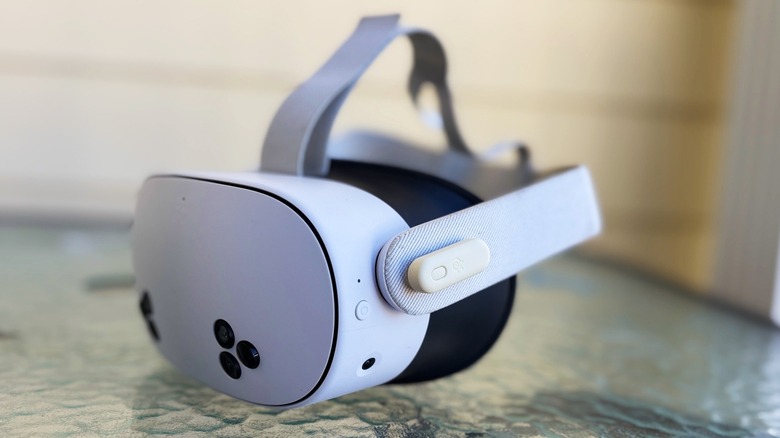
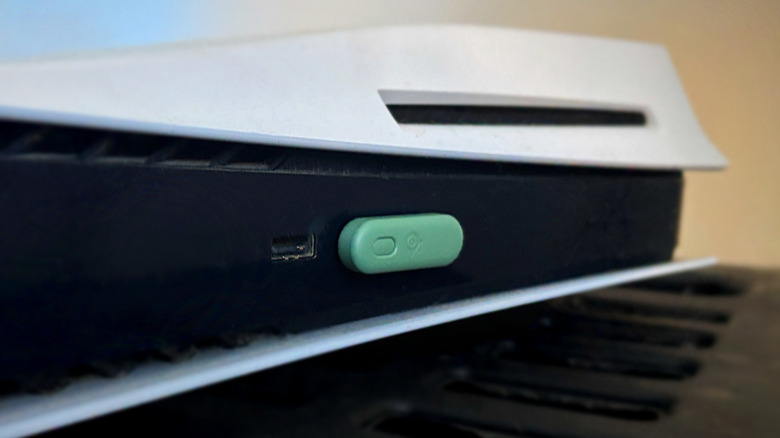
Surprise! The Arctis GameBuds also support the Meta Quest 2, 3, and 3S headsets, meaning if you're a gamer who likes to toggle between platforms, these earbuds make it a seamless experience. You can connect the GameBuds using Bluetooth or simply pop the wireless dongle into the USB-C port, and it'll work without issue — though it only supports audio when paired with the Meta Quest. The quality was exactly the same as what I experienced on the PS5 and Steam, and I could easily discern the position of items relative to my own place in the 3D environment, making them a great alternative to the headset's built-in speakers.
Of course, there is one small downside here, though whether it's a true downside depends on your feelings about Bluetooth: because the wireless dongle takes up the USB-C port, you'll only be able to use it for as long as the battery lasts. Once it's time to plug in the headset, you'll need to toggle over to Bluetooth. I didn't have any trouble with that — no perceivable lag or struggles with connecting in general. But if you really, really want to avoid Bluetooth, and your gaming primarily happens in VR, then that's something to keep in mind.
Conclusions
To put it simply, the SteelSeries Arctis GameBuds are an excellent pair of earbuds no matter what you plan to use them for. The model held its own across extensive use, proving itself worthy of everything from fast-paced action games to late-night Netflix binge sessions to catching up on podcasts at work. The ANC isn't quite as powerful as what you'd get from a premium pair of noise-cancelling headphones, but it's sufficient enough to mute ordinary household noise down to a low hum.
Likewise, battery life is quite long, so you won't have to worry about a disruption to your gaming session four hours in. Support for wireless charging is a great addition at this price point, and the mobile app offers control over everything from the audio preset to what the right button does when you hold it down for three seconds.
Performance was not perfect across the entire testing session — the general struggle that comes with Bluetooth popped up at times, causing brief lag and choppiness, though it was infrequent enough to say it was a rare issue, not something you should expect to encounter often. Likely the biggest "issue" you'll need to contemplate before picking up the earbuds is inherent to the form factor itself: the voice quality. While everyone could hear me clearly and no one had any complaints, it was also clear that the quality wasn't as good as what my gaming companions heard from the over-ear headset microphone.
Is that a problem? It depends entirely on your needs. If you're a streamer who wants the best possible voice quality, earbuds in general probably aren't the right choice for you, and it would be better to check out SteelSeries' headsets instead. If you're someone who just wants a quick, easy, and capable option for Friday night game sessions with your friends (and then movie night, and then podcasts, and then music...), the Arctis GameBuds will surprise you, and it may be hard to go back to regular over-ear headsets once you've tried them.