

Why Do Some AMD CPUs Still Use Pins?
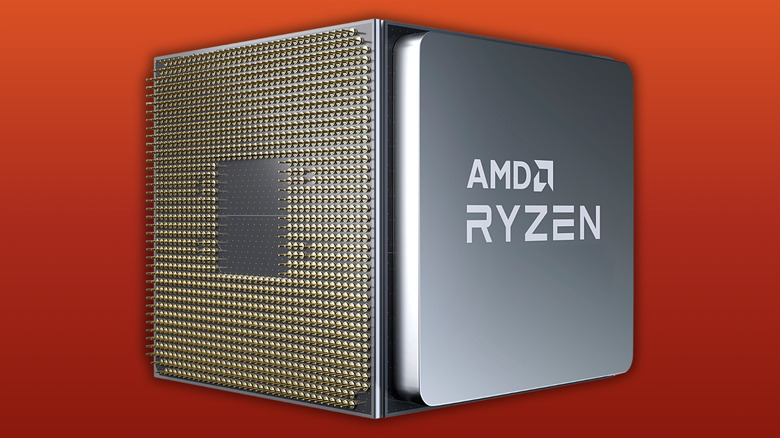
CPUs talk to motherboards and other PC components through a series of pin connections. For decades up until 2022, AMD's CPUs used pin grid arrays (PGA), where pins attached tothe underside of the processor plugged into AM4 and earlier sockets on a motherboard. This kept motherboard manufacturing costs down, but it also left AMD processors fragile as one small touch or mishandling of the CPU would knock a pin out of alignment and render the CPU useless.
AMD switched to land grid array (LGA) with AM5 sockets, where pins are built into the motherboards instead, making contact with corresponding contact pads on the CPU. But the AI boom's resulting component shortages and price hikes have pushed some PC builders to move back to the AM4 platform, with older and thus cheaper memory and parts, especially when buying pre-owned AMD CPUs. For some, it's worth buying a used CPU to save money, though CPUs and GPUs are parts you should generally avoid buying used.
The pins on CPUs facilitate power delivery, regardless of them being on the processor for AM4 sockets and on the motherboard for AM5 sockets, which is AMD's current CPU generation socket. Misaligned pins can cause data corruption, electrical hazards, and overheating, so it's worth taking this part of the build slowly to make sure it's done correctly the first time. I've personally made mistakes long ago that ultimately hurt my machines, and it's taught me that rushing isn't worth paying for a motherboard or processor twice in a row.
AM5 CPUs don't have pins
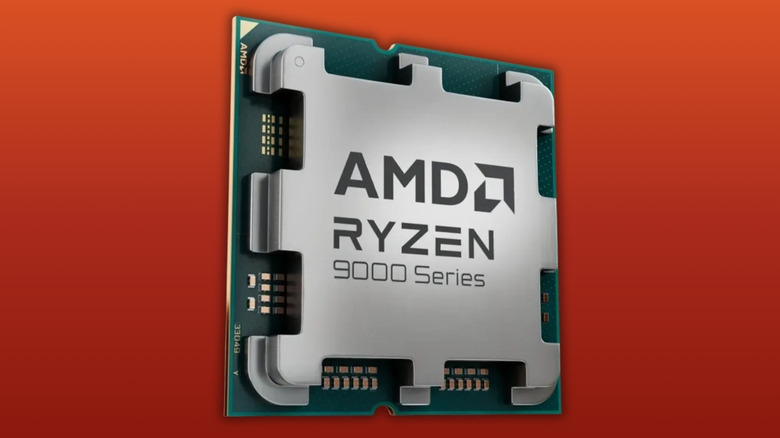
AMD's AM5 processors don't have the same fragile design, since they moved from PGA design to a Land Grid Array (LGA). For this design, known as LGA-1718, the processor has a flat array of connection points that sit on top of 1,718 pins housed inside the motherboard's AM5 socket itself.
It's the same story for Intel, with both CPU manufacturers opting for LGA sockets and leaving the processors pin-free. While this breaks backwards compatibility between AM4 and AM5 generations, it is overall a much safer design, especially since a broken pin on a motherboard is cheaper to replace than a CPU.
AM4 is a mature platform, which means manufacturers have a better understanding of its quirks. Crucially, it's also compatible with older DDR4 memory, which is generally cheaper amid the global component shortage. For the budget-conscious, this is a great move for solid performance at a lower price point with real-world performance gains when upgrading. AM5 supports DDR5 RAM, upcoming Ryzen CPUs, and newer I/O standards. So for those who want a build that they can upgrade to higher-end CPUs and RAM down the line, it's a solid choice.
AM5 also comes with PCIe 5.0 compatibility, which is great for future-proofing a build for unannounced GPUs that might use the extra bandwidth, but current generation GPUs don't fully take advantage of PCIe 4.0 bandwidth. PCIe 5.0 M.2 drives can reach up to 14,500MB/s compared to PCIe 4.0's 7,450 MB/s, but again this is hardly utilized when booting and gaming. Understanding how specs translate into real-world performance is one of the best tips and tricks for beginner PC builders.
Pins protect from electrical and thermal damage
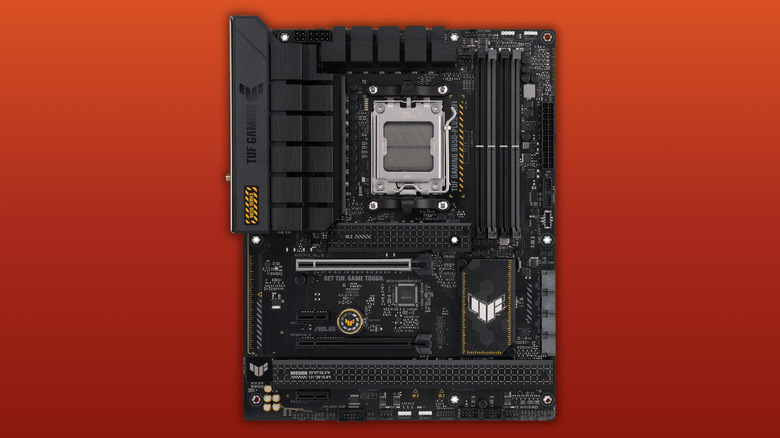
Regardless of whether the pins sit on the chip or the socket, they're still thin and fragile, and not easily bent back into place for a repair. Proper installation requires zero force, with CPUs dropping directly into the socket using the missing pin patterns and arrow printed onto processors as a guide.
An electronic component can be destroyed with as little as 30 volts of static electricity, meaning electrical power surges and electrostatic discharge (ESD) can instantly cook processors through their contact points. That includes shocks from your fingers, so don't touch them. I'd highly recommend using an antistatic mat during installation, although there are certain antistatic protections in place on modern motherboards such as diode pairs and resistors near vulnerable ports.
This should go without saying, but it's essential to install an efficient air or liquid cooler to the fitted CPU. They usually come with brackets for AM4 or AM5 sockets, so make sure to double-check that the cooler has the right fittings. Not installing one with good quality thermal paste will leave the heat generated inside the CPU with nowhere to dissipate, potentially destroying the processor. Liquid cooling AIO systems are some of the best options and easy to fit, though air coolers have brilliant performance and value for money.