

You Can Build An Ad Blocker With A Raspberry Pi For All Your Devices
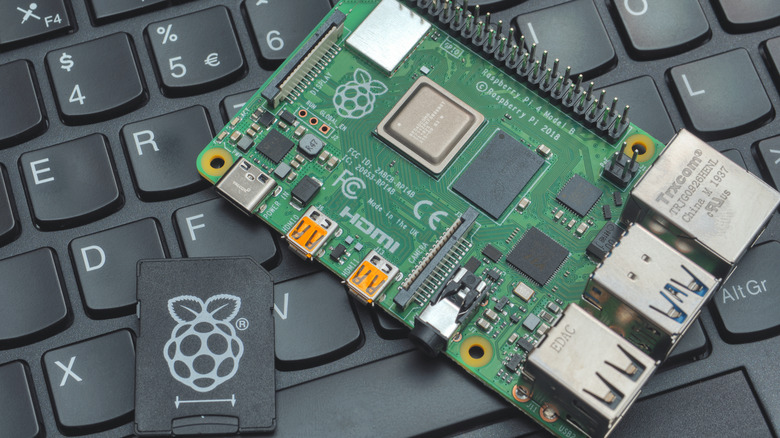
Browsing the internet without an ad-blocker is like walking through a minefield and hoping for the best. You never know what's going to show up, how intrusive it'll be, or whether personalized ads might expose your shopping and search habits to anyone who glances at your screen. Worse still, while ads can be easily blocked on PCs, there's no simple way to get rid of them on Smart TVs or games consoles. That is, unless you have a spare Raspberry Pi laying around.
With around an hour of work, you can turn a Raspberry Pi into something called a Pi-hole. This sits between your device and the internet, filtering out DNS requests to known ad delivery networks and ensuring that most ads never actually load. This is a beginner-friendly Raspberry Pi project, with all you need being the Pi mini-computer itself, a microSD card (and adapter), a USB cable, and a power supply cable.
The setup process is straightforward, but if you're struggling, Raspberry Pi's website has a full Pi-hole setup tutorial that explains the process step-by-step. Just install Raspberry Pi OS Lite on your device, connect it to the internet, and enable SSH. After connecting to the Pi via SSH, you'll run a single line of code to install Pi-hole. At this point, all that's left is to access your router's control panel and tell it to use your Pi-hole as the network's DNS server.
Pi-holes are effective, highly-customizable ad-blockers

Using a Raspberry Pi as an ad-blocker has a few major benefits. For instance, they protect every device on your network, can be customized with blocklists, and even stop some forms of online tracking. Plus, Raspberry Pis tend to have fairly long lifespans, so once you're set up, you shouldn't have to replace the hardware for the foreseeable future.
There are a couple of caveats, though: Pi-holes do not block YouTube ads. This is because YouTube serves ads and content from the same domains – blocking one means the other won't show up either. If your goal is to watch YouTube without ads on a Smart TV or other device where traditional ad-blockers are unsupported, your best bet is paying for YouTube Premium. Additionally, while ad-blocking browsers are increasingly popular, blocking ads goes against some website's terms of service and may make it harder for creators to monetize their content.
Pi-holes are primarily for reducing bandwidth usage and improving your online experience. However, every website and app is different. This means that the Pi-hole may cause problems once in a while, for instance, preventing legitimate content from appearing. This can be resolved by adding the required blocked domain to the Pi-hole's allowlist via its dashboard.
If you hate ads and are looking for a productive way to spend your time, there's no harm in trying Pi-hole for yourself. Besides, if it doesn't meet your expectations, there are plenty of other creative Raspberry Pi projects to work on instead.