

4 Reasons Why You Should Choose Intel Instead Of AMD
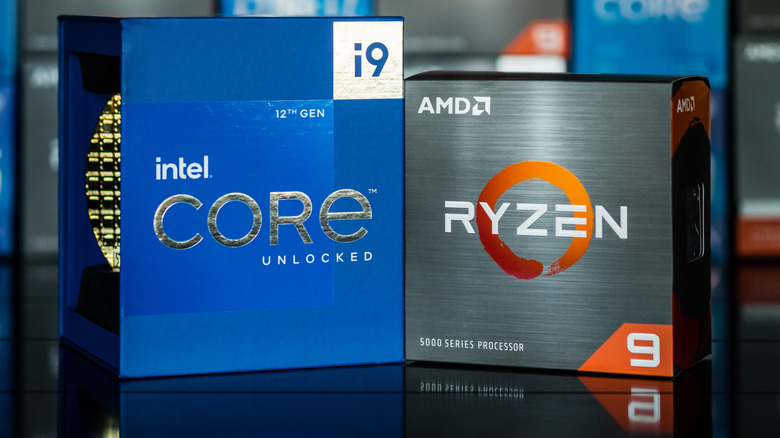
Despite their different approaches, Intel and AMD offer excellent processors for gaming, video editing, or work, but they suit different types of users. Even though the processors from both can run the same programs without problems, their performance can vary quite a bit. For that reason, understanding the difference between these two brands is important when choosing one of the most important parts of your PC build.
Part of that difference comes from each chip's architecture. The combination of cores, amount of cache memory, and acceleration features helps determine how the processor handles different tasks. So, an AMD chip can be good for gaming without always being the best option for someone who wants to render a video faster. The same goes for Intel, since it is not always the best pick for everything. Outside of gaming, though, Intel has some good advantages over AMD that users interested in the brand can consider. Some models offer competitive performance in code compilation or engineering software, with features that can make an Intel system more flexible for different tasks.
1. The hybrid architecture can speed up code compilation

Users who work with code can take advantage of several features of an Intel processor to speed up the process, especially the higher core count. The P-cores in the brand's hybrid processor architecture prioritize performance per core, while the E-cores add parallel processing capacity. They also handle demanding tasks, as long as the software can spread out the work.
The Intel Core Ultra 7 270K Plus combines eight P-cores and 16 E-cores, for a total of 24 cores and 24 threads. Meanwhile, the AMD Ryzen 7 9700X has just eight cores and 16 threads, making the difference between them important in this situation. The Ryzen's additional threads share resources within the cores, while there are more physical cores on the Intel chip. In practice, tests show that the 270K Plus could compile the Unreal Engine in Visual Studio in half the time the 9700X took. The result also depends on memory latency and bandwidth, along with the project you compile, but that advantage is good for many devs, but it does not mean Intel leads against every Ryzen processor.
2. Some CAD tasks favor Intel processors

CAD programs do not always spread their operations across every core your processor has. Autodesk Inventor, for example, relies heavily on processing in a single thread. For that reason, you also need to consider the processor's frequency in GHz, and this is another area where Intel tends to have an advantage over AMD. In Puget Systems' evaluation, for example, the Intel Core Ultra 7 270K Plus outperformed the AMD Ryzen 7 9700X by 25% in the Inventor modeling test. When converting STEP files to the program's native format, the advantage dropped to 21%, but that was without overclocking the processor.
Puget also tested each platform with memory running within the official specifications, since both support DDR5, but Intel supports speeds of 7,200 MT/s, and AMD supports 5,600 MT/s. In dynamic simulation, the 9700X had the advantage, but the 270K Plus delivered better results in modeling and file conversion, which matters more for people who work on creating and modifying parts.
3. Intel 200S Boost allows overclocking with warranty coverage
Overclocking is usually your own call, since the settings you apply to a component can affect its warranty. Intel, however, supports certain adjustments through Intel 200S Boost, which is available on some of the brand's processors, such as the Core Ultra 7 265K. The profile, with limits set by the manufacturer, lets you adjust internal frequencies and use DDR5 memory with XMP at up to 8,000 MT/s. You need to make these adjustments manually in your PC's BIOS, but take care, since it can damage your PC as well if not done properly.
The difference is the warranty Intel offers for this, since staying within the established limits lets you keep the processor's limited warranty coverage. AMD, on the other hand, says that running the processor or memory outside the published specifications will void the applicable warranty, including when using EXPO. The protection from 200S Boost, however, does not cover potential damage to the motherboard or RAM from making these adjustments.
4. Z890 offers more bandwidth for devices working at the same time
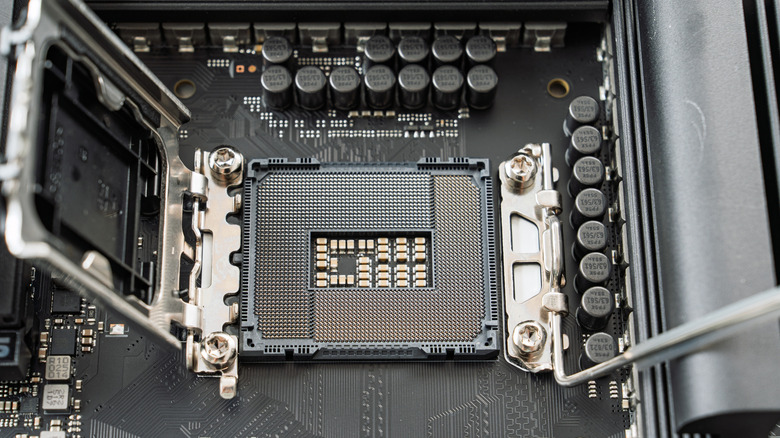
The Intel Z890 platform offers an eight-lane DMI 4.0 connection between the processor and chipset, a component that handles many of the motherboard's connections. On an AMD AM5 system with X870, for example, you only get a four-lane PCIe 4.0 connection for this communication. Intel therefore offers twice the theoretical bandwidth along this path, which devices connected to the chipset share.
In practice, this capacity helps if you have several devices that need to transfer data at the same time. NVMe SSDs, USB controllers, and network cards connected through the chipset need to share access to the processor. So, copying data while other peripherals are working can saturate this path, and having a wider connection gives you a bit more breathing room. This advantage is also useful if you plan to add more USB ports to your computer, for example.
But this benefit also depends on how the motherboard distributes its connections. An SSD connected straight to the processor does not use this chipset link, and having several devices installed does not mean they will all transfer data at the same time. For that reason, the advantage matters more for configurations with heavy simultaneous traffic, such as video workstations that access several SSDs at once.