

5 Easy Ways To Get Wi-Fi On A Cruise Ship

Having Wi-Fi on a ship is essential for staying in touch with family through messages and even sharing photos from your trip without waiting for the next stop. However, to access this convenience, you usually need to spend a considerable amount, especially if the cruise's Wi-Fi package charges per day and per connected device. If you only plan to check emails or send a few messages a day, paying for the most complete cruise Wi-Fi plan can be an unnecessary expense.
Besides the price, it's important to understand how the connection works during the trip as well. Technologies such as Starlink satellite internet may help you to stay online far from shore. However, many cruise lines ban the use of this technology on their ships, and packages purchased on board also tend to limit which apps you can use during the trip, requiring attention before you sign up.
Fortunately, there are some ways to access the internet on a cruise and pay less, helping you save during your vacation. You can get discounts by booking a package before boarding, and evaluating specific alternatives for connectivity at sea can also be useful. For that reason, we gathered some ways to save and explained when each one makes sense.
Buy your cruise Wi-Fi package before boarding

One of the simplest ways to save on a Wi-Fi package on a cruise is to buy the package in advance. Depending on which cruise line you plan to travel with, the company may offer discounted prices to passengers who purchase the service through its website before the trip. For that reason, it is worth checking whether any special conditions are available instead of postponing this decision until you are on the ship.
With Carnival, for example, buying the Carnival Premium Wi-Fi Plan in advance can offer up to 15% off the onboard price. However, it is important to watch the final price, since these advance plans usually cover every day of the trip, which may not make sense for someone who only wants occasional, light internet use.
Planning ahead also lets you compare Wi-Fi with an international roaming plan that suits your trip, considering your usage and itinerary. In this case, check maritime coverage specifically, since access in other countries may not translate into coverage at sea. In addition, it is also important to check the number of connected devices and which apps the plan allows.
Choose a basic or social media Wi-Fi plan

You can reduce Wi-Fi costs on a cruise by going with a more basic plan, especially if you just need to stay in touch with other people and post a few pictures. So, instead of looking at the most feature-rich options with streaming or similar features, it's better to consider which apps you actually want to use during the trip. For example, you can choose an option that only allows WhatsApp, Facebook, and Instagram and blocks other websites, for less. So you can get the basics, and still save some bucks.
Before subscribing, it is also worth checking whether voice and video calls are included, since having access to some apps does not mean all of their features are available. If you want some entertainment, streaming apps such as Netflix have features that let you download movies and series to watch offline. So, you may only need to load up a few longer titles beforehand, then you won't need to worry about paying more to access them while you are on the ship, removing the need to pay extra for features that you can work around in other ways.
Switch devices using a single Wi-Fi package

If you're taking more than one device on the trip, such as a phone, a laptop, and a tablet, that doesn't mean you need to pay for an individual plan for each one. Some packages allow switching devices, as long as only one is connected at a time. Some cruise lines even state this outright, saying their plans can work on multiple devices as long as you stay within this restriction. You can then check messages on your phone, then do something else on your laptop at no extra cost.
You just have to know if the limit is per registered device or concurrent connection, then check the details as to how to switch between them. You can find some routers that can share a connection on multiple devices, but you shouldn't assume the cruise line permits this usage on board, so it's best to check the rules. In contrast, for solo travelers, using only one plan and switching devices may be enough, but it's unlikely to be a good solution for those traveling with others who require several devices online at the same time.
Use loyalty benefits and Wi-Fi included in your booking

The cruise line's loyalty program may already include benefits that lower your Wi-Fi costs. Depending on your tier, you may get discounts, free minutes, or even internet access on the ship without additional charges. Celebrity Cruises' Captain's Club (PDF warning) offers benefits like these based on the passenger's level. For anyone who only needs to answer a few messages or check emails, a smaller allowance may already be enough, avoiding the extra cost of an internet package during the trip.
It is also worth reviewing some of the services included in your booking. Certain Celebrity Cruises All Included fares also come with the Celebrity Cruises Basic Wi-Fi Package, which lets you browse the internet, send emails, and use select messaging apps. In this case, check whether the package already meets your needs before upgrading to the Premium tier. If you are still choosing the fare, compare the final price of the package to the price of the fare without these extras — included internet only saves money when the bundle makes sense for your usage.
Compare a cruise eSIM with the ship's Wi-Fi
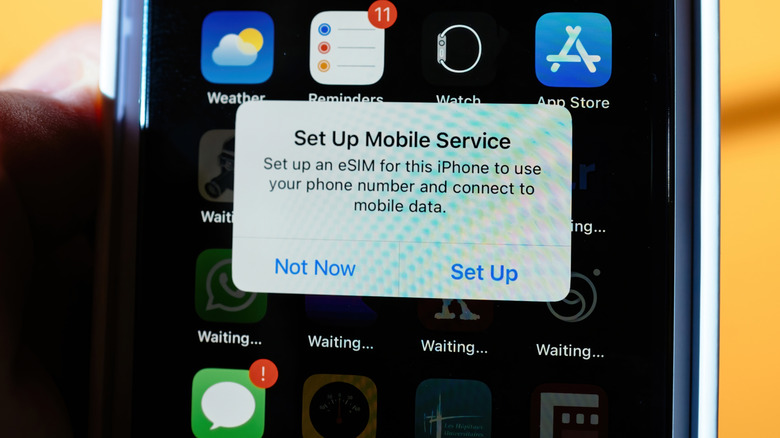
Another alternative method for getting internet access on a cruise is to find an eSIM that works at sea along your route, especially if you don't plan to use much data. The connection works through a maritime mobile network, letting you access the internet without having to buy the cruise line's Wi-Fi package. When comparing eSIMs for international travel, look for plans that explicitly mention maritime coverage. GigSky, for example, lists different options for this purpose, with Cruise and Cruise + Land tiers for certain ships. It is also worth remembering that a package intended only for the countries you visit does not guarantee that the internet will work during the voyage.
Before buying, confirm your phone's compatibility, whether it is unlocked for other carriers, and whether your ship appears on the coverage list. Also check the data allowance, validity, and the price of possible top-ups. Videos and other downloads can quickly use up your purchased data. With GigSky, you'll usually have maritime connectivity about 12 nautical miles from the shore, and that can come with port access, depending on your plan. If you send messages and emails only occasionally, then compare it with the total cost of Wi-Fi before deciding.