

These 5 Smart Home Devices Will Work Even Without Internet
We may receive a commission on purchases made from links.
This may come as a surprise, but not all smart home devices need the internet to continue functioning properly. However, they do still need local network access or wireless technologies, like Zigbee, Z-Wave, Matter over Thread, or Bluetooth. The wireless connectivity allows them to communicate with a central hub or controller, and, in some cases, allows you to interact with them locally via an app.
If you want to set up an offline-friendly smart home, you'll have to plan ahead, intentionally choosing devices that support the option before installing — some do and some don't. As to why you might go through all the trouble, for starters, your home devices will continue to function even when there's a major internet outage. If you have offline support, if and when a brand's cloud services go dark, you can continue using all your devices. Moreover, using devices offline can help buck the kind of creepy data tracking that seems to follow us everywhere these days, certainly into our homes, which should be safe havens. You can also avoid having different apps for each new device you install, instead using one hub or connection point, as long as you choose compatible platforms. If you're not sure where to start, or which platform to choose, keep an eye out for Matter or Matter over Thread. It's an industry standard that ensures a host of devices across brands will work together.
All that aside, here are some devices you can install and use over a local network. Every device we chose will work offline, using Matter over Thread or Zigbee, and is either well-received or has a documented history of offline support. Many also include support for additional platforms or ecosystems, offering you freedom of choice.
The hub you need to start it all
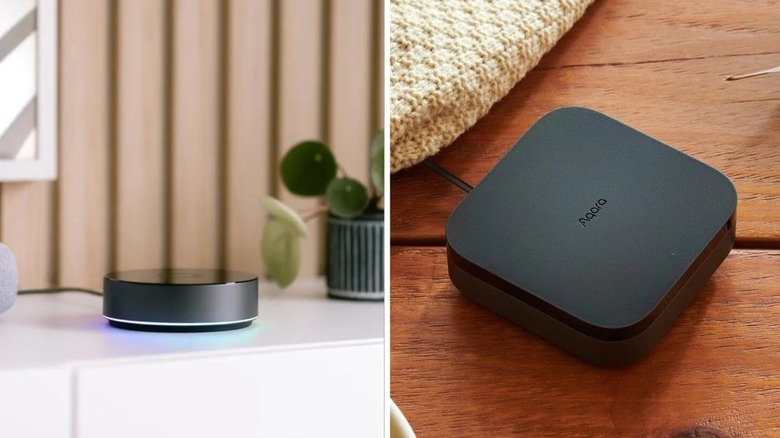
I'm going to cheat a little for this entry and include several options, that way you have extra choices. Think of the hub as the central controller or brain that's used to interact with the various limbs, parts, and organs. It still needs wireless access over something like Zigbee or Thread, for instance, to communicate with external devices. You'll want to select a hub that follows the ecosystem or platform you're most interested in. If you choose Matter or Thread, you want Matter or Thread-capable devices, if Home Assistant you'll want that, if Zigbee you'll want that, and so on.
First up is the Aqara Hub M3 for $160, which features support for Zigbee, Bluetooth, Wi-Fi, and Thread, and also works with Apple HomeKit, Home Assistant, SmartThings, Alexa, Homey, and more. Homey Pro is another option for $449 — or Homey Mini for $249 — which support Zigbee, Bluetooth, Thread, Wi-Fi, and Z-Wave Plus. They're also compatible with Apple's Siri, Alexa, and Google Assistant. Hubitat Elevation C-8 Pro is $210 with Zigbee, Matter, Z-Wave Plus, Bluetooth, and Wi-Fi. It works with Alexa, Google Assistant, and Apple HomeKit.
Finally, Home Assistant Green by Nabu Casa is $199 and supports Zigbee, Z-Wave, Bluetooth, and Thread, works with pretty much any ecosystem, and is actually meant to help you switch over to one of your choosing. It's compatible with Apple HomeKit, Google Home (Assistant), SmartThings, and Alexa. As long you configure the hub to work over one of the mentioned wireless protocols, it'll communicate seamlessly with your smart home devices while offline.
Philips Hue for lighting

The Philips Hue brand spans a ton of lighting options from conventional smart bulbs to behind-the-TV smart LED strip lights, decorative sconces, and beyond. But what most of them have in common is the option to control them locally, without online service. Most Hue products work directly over Bluetooth, so you can control them from a mobile app without Wi-Fi. However, a great deal of them also support Zigbee, which means access through your hub of choice or one of the Hue starter kits.
Keep in mind that there are a variety of options, so you'll want to look through the Hue catalog and find lighting solutions that match whatever ecosystem you go with. Honestly, that's pretty much true of any smart home products you'll be shopping for from here on out.
To give you a better idea, the Hue E26 75 watt smart bulbs work over Bluetooth and Zigbee, don't need Wi-Fi or internet, and also support Alexa, Google Assistant, Apple HomeKit, IFTTT, Samsung SmartThings, Sonos, and some other ecosystems. You can use the Philips app over Bluetooth to control them, use a connected smart speaker like an Echo with Alexa, or pair with Philips Hue products like the Bridge.
Shelly smart plug Gen 4
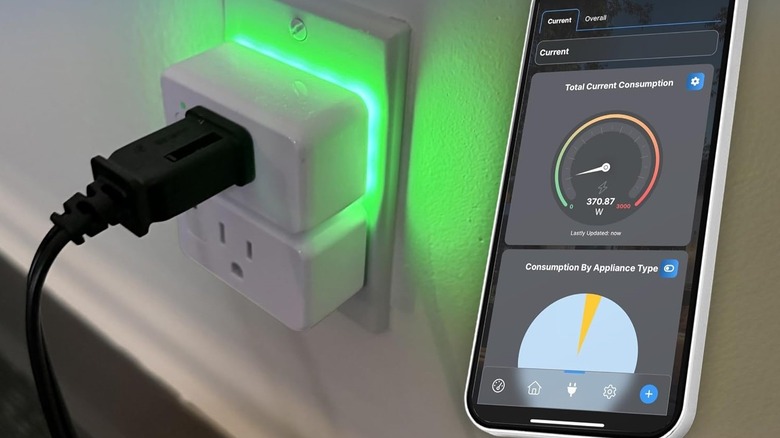
With a smart plug, you can remotely turn it on or off, and set it to run on a schedule, like when you want to automate lights and other electronics. Basically, anything you plug into the switch you can control, from coffee makers to lights and other gadgets. The Shelly smart plug (Gen 4) is $25 and supports Bluetooth, Zigbee, Matter, and Wi-Fi, giving you the full breadth of wireless connectivity options. It also works with Apple HomeKit, Google Home (Assistant), and Alexa.
I use a few of these during the holidays to automate blow-up decorations and outdoor lighting. There are lots of useful automations like that to make your mornings and day go smoother, or help you save money on bills when you have everything setup appropriately. A smart plug like this can certainly help you save a few bucks by automating lights, making sure they turn off when you're not home or when you go to bed. It's also a reliable way to continue accessing your electronics and lights if and when there's an internet outage or you don't want to connect them to the internet altogether.
The Shelly smart relay switch is another device worth mentioning. You install it behind an actual electric switch for remote access, and it doesn't need a hub or internet. It does require technical knowledge to install, however.
Bluetooth or Matter smart locks
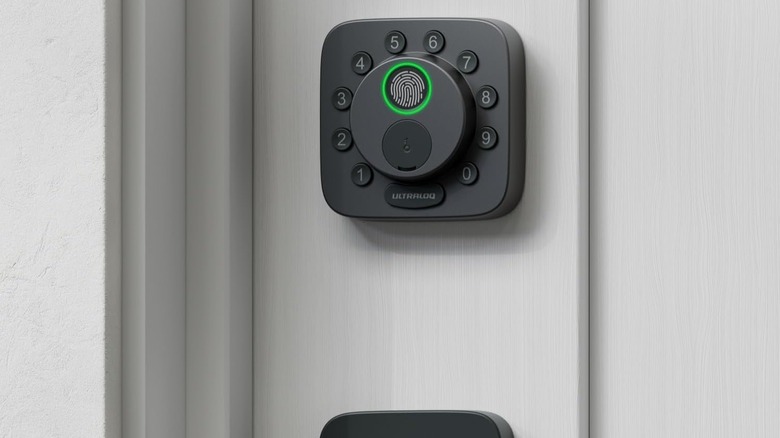
Another multi-device entry, this one includes multiple smart lock options. Many smart locks, believe it or not, continue to work while offline, as they use Bluetooth or local access, like a built-in code input system, to unlock the deadbolt or lock. But what's relevant here is if you don't want the lock to ever communicate with the internet, you can set that up with the right models, namely Bluetooth and Matter supported options.
Two call-outs include the Level Lock with Matter for $249 — there's a deadbolt version, too — or the Ultraloq U-Tec Bolt SE with Matter for $100. If you need Z-Wave support, there's another Ultraloq with that, the Bolt Z-Wave 800 Series for $180. In the interest of choice, Aqara Smart Lock U100 is another solid option for $150. It offers Bluetooth, Matter over Thread, and Zigbee, and works with Apple HomeKit, Alexa, and Google Home.
I have the U-Tec Bolt SE installed in my home, and what I love most about it is the sheer amount of options available for unlocking the door. You can use your fingerprint, personal codes, a physical key, the mobile app, and NFC unlocking via the app, so when you come close to your door it unlocks for you, which is great if your hands are full. Most of that still works without internet. If you go the Matter over Thread route, you'll need a compatible hub, if you don't have one already.
IKEA MYGGBETT door and window sensor
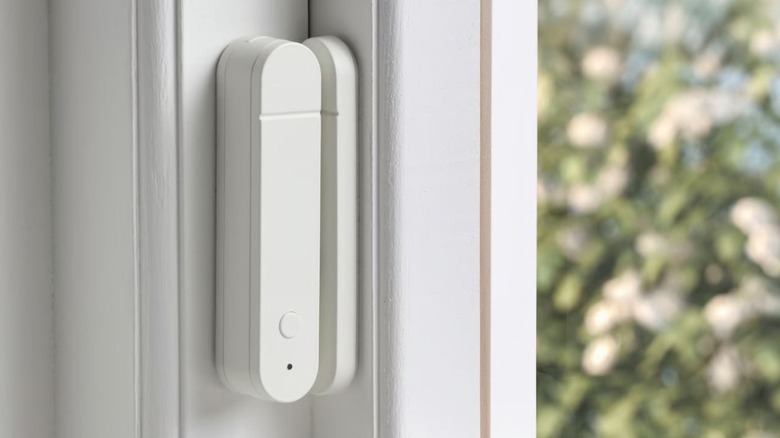
Smart security cameras, smart video doorbells, and smart locks are the more common security-focused devices, it's true. But sensors are also a big deal. When installed correctly and in well-chosen locations, they can tell you a lot about your home. Which brings us to IKEA's inexpensive MYGGBETT smart door and window sensor for $12. It's Matter compatible, though you'll need a Matter over Thread hub, but it continues working on your local network without internet. Its purpose is incredibly simple, but the information it can give you is valuable, especially if you're away from home. It tells you when a door or window is open or closed, and sends a notification to your phone through the system you use. IKEA also carries a variety of additional but similar sensors, for water leaks, temperature readings, motion, and more.
For MYGGBETT, you don't have to use the IKEA app, and with Matter you can also connect the sensor to Apple HomeKit, Google Home (Assistant) or Home Assistant. It can also be used with Homey if you grab a hub.
The price alone makes this sensor worthwhile, especially since it wouldn't cost much to install them on your most-used windows and doors. It's one of many smart home upgrades you can make in a weekend, too. Quick installations can get you up and running with minimal effort, and it's always a bonus when they continue working offline.
Methodology
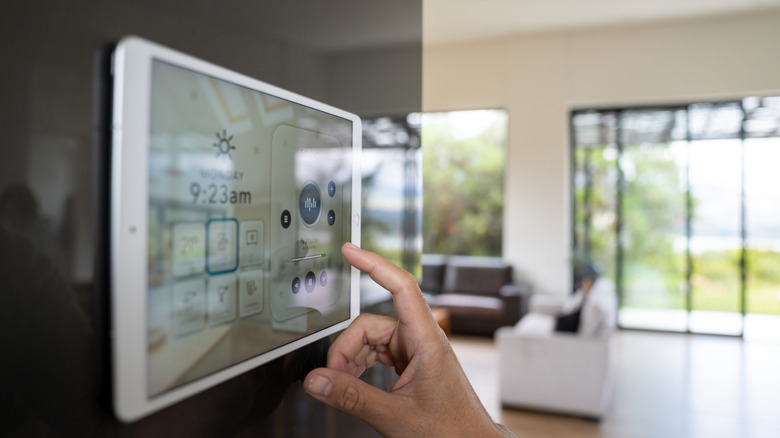
Every device selected for this list will work offline, using Matter over Thread or Zigbee, and is either well-received or has a documented history of offline support. Many also include compatibility with additional platforms or ecosystems, offering you freedom of choice.
That last bit is going to be important when you're shopping for and building out your smart home, as strictly hunting down products that pair with your chosen ecosystem can be challenging. You might run into a smart lighting solution you like that only works with Apple HomeKit or Home Assistant versus some others, for example. Everything here should afford you ample flexibility in choice.
In addition to offline support as the core factor, recommended devices have mostly positive reviews from either professional media outlets or consumers. The Aqara Hub M3, Homey Pro, and Hubitat Elevation C-8 Pro all have at least 3.5 stars out of 5 on Amazon with dozens of reviews, enough to form an accurate picture of the device's general experience. Moreover, devices like the MYGGBETT from IKEA have similar review scores on respective sites; Shelly's smart plug is another. Some of these smart home devices have been shared extensively by prestigious outlets such as The Verge, CNET, Tom's Guide, TechRadar, Wired, and many others.