

7 Essential Apps Every EV Owner Should Have Installed
We may receive a commission on purchases made from links.
Owning an electric vehicle means you don't have to worry much about maintenance or gas prices, but it's a drastic change coming from an ICE (internal combustion engine) vehicle. Apart from just how you fuel up, an electric motor changes how you plan road trips, find places to charge, and keep track of your car. While these are manageable aspects of owning an EV, they will feel unfamiliar for new owners. Fortunately, there are plenty of great apps dedicated to EV owners that make it easier when switching to an EV.
Whether you need help planning a long drive, finding free places to charge, or managing your vehicle away from home, the right apps can help eliminate a lot of guesswork. Some apps are designed for specific vehicles or charging networks, while others work across a wider range of cars and services. We'll be taking a look at both options in this roundup, focusing on apps that make owning and driving an EV more convenient. Whether you're worried about your daily commute or a longer road trip, these are the essential apps you should install as an EV owner.
A Better Routeplanner
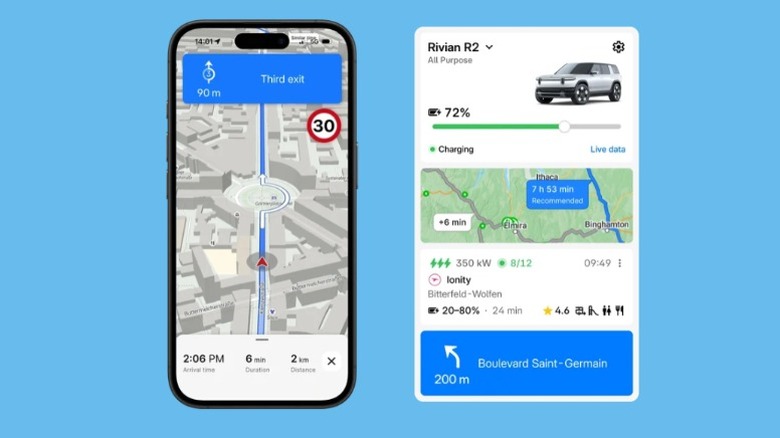
Rivian acquired A Better Routeplanner back in 2023, but the app continues to work as a standalone service for EV owners regardless of what make or model you have. As a CarPlay app, it's a better alternative to Apple Maps, and it even works with Android Auto. ABRP's biggest benefit is that it can plan trips around the needs of your EV. You add your EV, enter a destination, and the app handles the rest by calculating an optimal route with charging stops. The app keeps track of your battery, expected energy consumption, and charging speeds to find the right route. For this live data to work, some vehicles will need an OBD2 adapter to send the data from your car to the app.
ABRP also gives you live traffic and weather data and can reroute you when the situation gets tricky. It also offers a good bit of customization, as you can adjust routing preferences, compare commute options, and use the built-in charger map to manually find stations along the way. The free iPhone and Android versions get you the charging map, live vehicle data, in-app navigation, and driving profiles. For live weather and traffic data, CarPlay and Android Auto support, and the ability to add multiple vehicles, you'll have to upgrade to the premium version ($5/month).
PlugShare
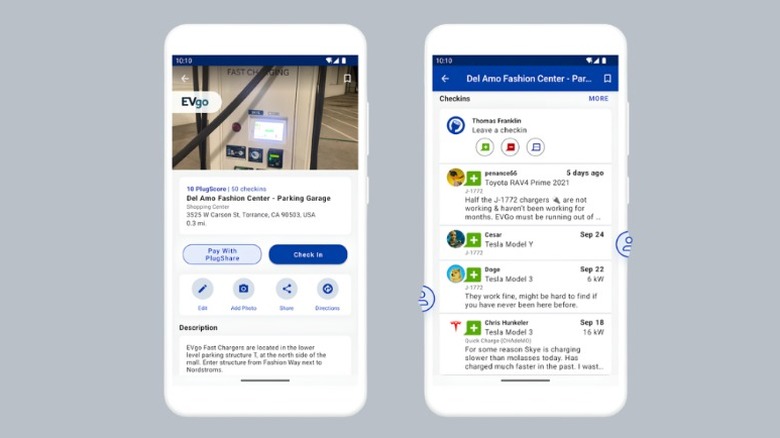
Route planners such as ABRP are great for figuring out stops on a trip, but PlugShare helps you decide which charging station is actually worth visiting. The app maps public EV chargers across multiple networks and lets you filter results based on plugs, networks, and charging speeds. PlugShare thrives on its community, and most stations on the map will have a "PlugScore" and comments from users. This helps you identify chargers that are out of service, difficult to find, or unreliable before making the trip. The EV charging infrastructure can often be unreliable, so this is an essential app that helps avoid frustrations on the road.
For the most seamless setup, we recommend using ABRP alongside PlugShare. ABRP will help calculate an optimal route, while PlugShare lets you check recent reports and photos before heading to a particular station. This setup might save you an unnecessary detour. PlugShare also gives you the ability to pay directly from the app. The app is free for iPhone and Android, and CarPlay and Android Auto support is included. There are no premium features here locked behind a paywall, but you can pay $15 annually to remove ads.
Google Maps
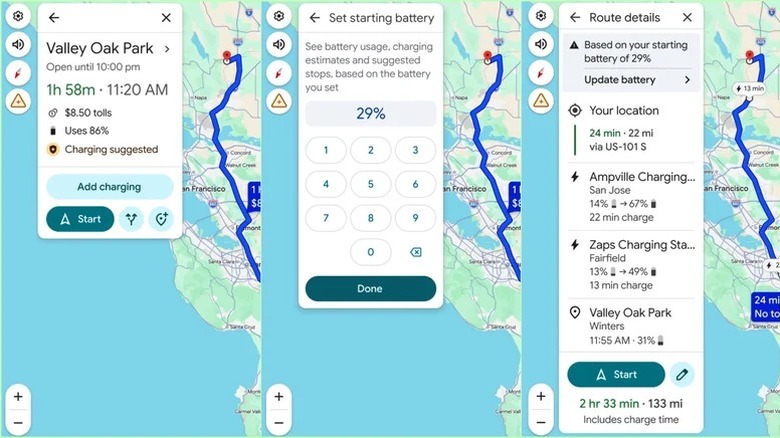
Google Maps is already the go-to navigation app for most people, but EV owners have even more reason to keep it installed. In March 2026, Google added battery predictions and trip planning functionalities specific to EVs, with support for over 350 Android Auto electric models. Adding a supported EV, current charge level, and your destination gives you expected battery usage, and Google will automatically plan a route for you with charging stops based on that information. The app also offers information on charging stations, including charging speeds, reviews from other users, and plug types.
Some EVs from the likes of Polestar, Renault, Volvo, Ford, GM, Honda, and Nissan have Google Maps features built into the car itself. On these models, charging stops are added automatically, and you'll get battery-on-arrival estimates as you drive. Even if you don't have an EV with these features built-in, the trip planning features on iPhone and Android alone make it essential. However, a lot of these features are still rolling out at the time of writing, and in case you don't have them in your region or your car isn't supported yet, A Better Routeplanner and PlugShare can fill in the gaps.
Your EV's Companion App
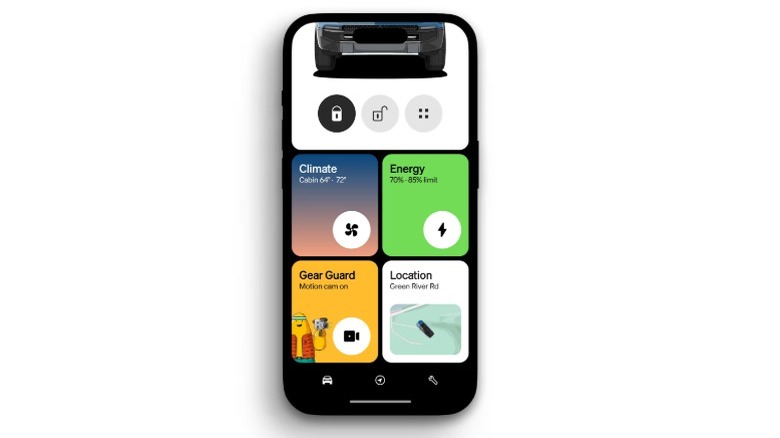
Most EVs will come with a companion app for your phone, and it's always worth installing it as soon as you get the car. Every automaker will offer some way to check the battery level, monitor charging, and control certain vehicle functions remotely. Depending on the vehicle, you may also be able to lock or unlock the doors, check its location, adjust charging limits, and schedule charging for cheaper electricity rates. Some models also support battery preconditioning, which prepares the battery for faster DC charging in the right conditions.
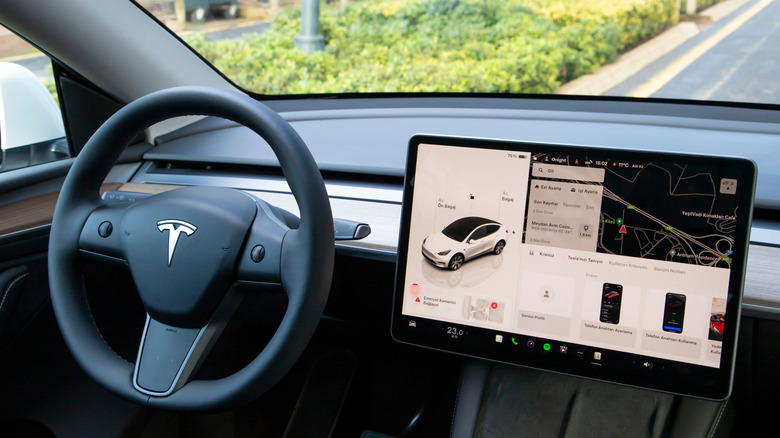
Tesla's app lets you schedule charging, enable Dog Mode for keeping the AC on, and get a live feed from your Tesla's cameras. The app is still worth downloading if you don't drive a Tesla, as Tesla has opened many Supercharger locations to non-Tesla vehicles, and the app lets you view them on a map. The Rivian app is also excellent, as it lets you plan trips, send routes to the car's nav, manage individual seat heating, and remotely control features such as the windows, front trunk, and rear lift gate.
The exact features vary by vehicle, trim, region, and subscription, but these companion apps are often the best way of checking in on your car and customizing your driving and charging habits.
ChargeHub
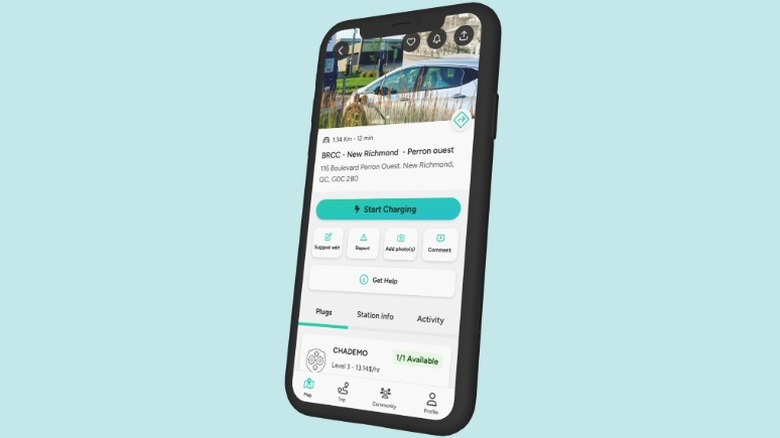
One of the more frustrating aspects of owning an EV is dealing with different charging networks, each with its own app, account, and payment process. ChargeHub aims to simplify that by letting you activate and pay for charging sessions at participating stations across multiple North American networks using a single account. Currently, the app supports over 160,000 charging ports in the U.S. It also includes a charging station map, with filters for connector types and charging speeds, so you can find compatible options when you're away from home.
If you own a Tesla, you can also load up the ChargeHub map on your infotainment screen by visiting the website from the browser. This is helpful if you want to look up third-party chargers straight from your Tesla. The app also features a trip planner, but it's not as robust as A Better Routeplanner, as it can't pull live data from your EV. ChargeHub is free on iPhone and Android, plus it supports Apple CarPlay and Android Auto.
Electrify America
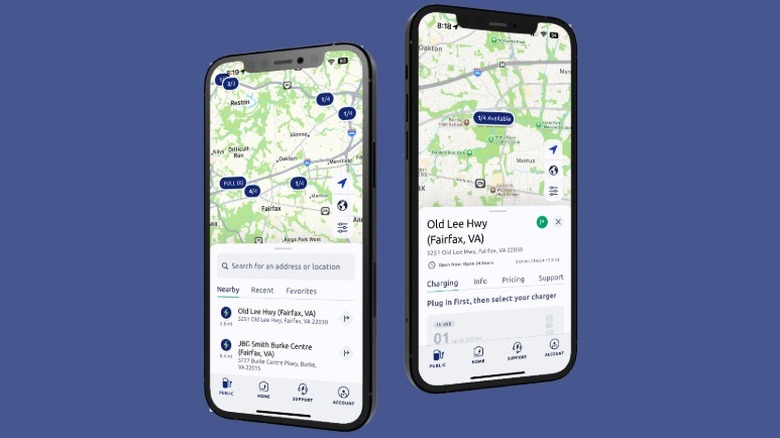
Second only to Tesla, Electrify America (iPhone and Android) is one of the leaders when it comes to DC fast charging stations. These fast charging stations can add up to 200 miles of range to your EV in under 30 minutes, so they're essential stops for long road trips. While ChargeHub and PlugShare let you pay for a lot of stations, support isn't always guaranteed, and some stations might not always show up on the map. So, Electrify America is more of an essential EV app not because of how good it is, but because you'll likely just need to use it on the road.
As for the app itself, you can use it to find nearby stations, check real-time availability, and view connector and charging speeds before you arrive. It also supports CarPlay and Android Auto. ChargePoint and EVgo are other popular networks, and it's worth installing their apps if the stations are a part of your regular routes. Tesla Superchargers are also great, but not all Superchargers will support every EV.
Drive Weather
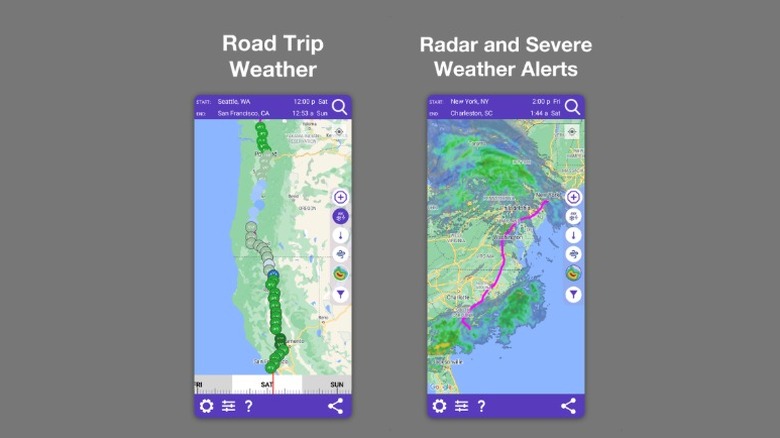
Drive Weather is not specifically designed for EV owners, but it's a useful addition if you take longer road trips. Instead of giving you a forecast for your current location or destination, the app shows expected weather conditions along your entire route based on your estimated arrival time at each point. The app is available on iPhone and Android, and more importantly, it supports both Apple CarPlay and Android Auto. This helps you see when you're likely to encounter rain, snow, strong winds, and other conditions that can make driving difficult, right from your car's infotainment screen.
As an EV owner, it's important to pay attention to weather forecasts more than you think. Cold weather is one of the many issues that can impact your driving range. Additionally, while the instant power from the electric drivetrain is great, it can be dangerous on icy roads. With Drive Weather's road conditions updates and robust forecasting, you can always prepare for such difficult situations. Unfortunately, some of the best features here, like the icy road indicator and wind information, are locked behind a $20/year subscription.
Methodology
For this roundup of must-have EV apps, we focused on apps that solve real problems EV owners face when planning trips, finding reliable chargers, or managing their vehicles day to day. Our essential list of apps prioritizes tools that are widely used by the EV community, regularly updated, and rated favorably on the Google Play Store, and Apple App Store.
While we did touch on companion apps such as those from Tesla and Rivian, as well as essential charging network apps such as Electrify America, we also wanted to include a decent number of broader third-party apps to deliver meaningful value for all EV owners.
We cross-checked features and reliability as well as expert coverage from outlets such as Car and Driver and MotorTrend. When it comes to apps with charging maps functionality in particular, you'll find dozens of options, but we only included PlugShare, ChargeHub, and Google Maps as we believe these offer the best features and ease of use.