

7 Useful Apps That Can Control Your Home Audio System
We may receive a commission on purchases made from links.
Whether you're turning your basement into a home theater or building a dedicated listening room in your house, optimized home audio requires a fair bit of planning and the right tools. But even when the dust has settled and you have everything you need, managing a home audio system can get complicated quickly. This is especially true if your setup involves multiple speakers, an audio-visual (AV) receiver, soundbar, and streaming devices. You may find yourself juggling remotes, fiddling with different audio sources, or struggling to set up multiroom audio.
Fortunately, there are plenty of apps out there that can make it easy to manage speakers, fine-tune sound settings, and control playback for various audio devices. Many of these apps are designed for specific brands and equipment or specific audio ecosystems, so compatibility can be a bit tricky. To help you find the right tool for your setup, we have gathered some of the best apps that offer a good level of control for your home audio system. Each entry in the list below provides broad compatibility and comes with solid ratings from users and experts.
Dirac Live
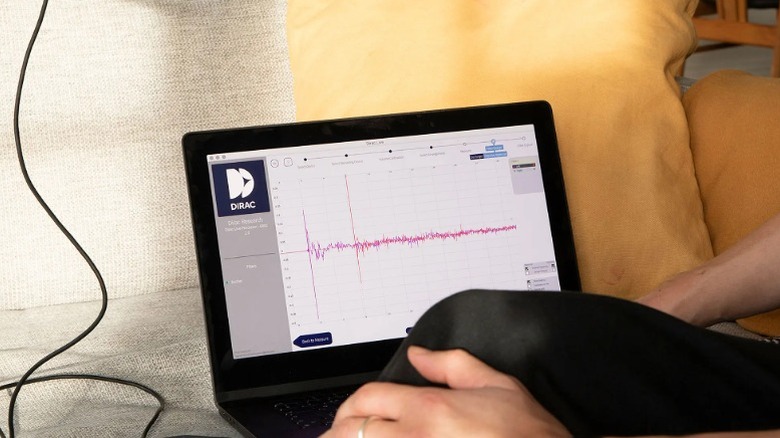
Not all spaces have the most optimized layout for audio, and Dirac Live – specifically the Room Correction feature — can help with that. Room correction is one of those settings that can instantly improve home theater audio, using a calibration microphone to auto-balance speaker levels in your space. Dirac Live is available as a desktop app for Windows or macOS, but it's also integrated into some amplifiers. A lot of home receivers won't have that integration, though, but you can use the desktop app as long as your device is compatible. A microphone and laptop are required to run Dirac's Room Correction, and the calibration is applied automatically to all speakers connected to your receiver. You can also then fine-tune the system's applied settings yourself.
This room correction tool produces great results, but it can add to the cost of your system (anywhere from $100 to $350 depending on your device). However, several modern AV receivers bundle Dirac Live with the purchase price, so it's worth checking your model's specifications before paying for a separate license. The Onkyo TX-NR7100, for example, includes a Dirac Live license, meaning you just need to use the Desktop app and a third-party USB mic to get up and running. Dirac also sells Bass Control as an add-on to Room Correction, which can help improve your subwoofer's bass response.
Sonos
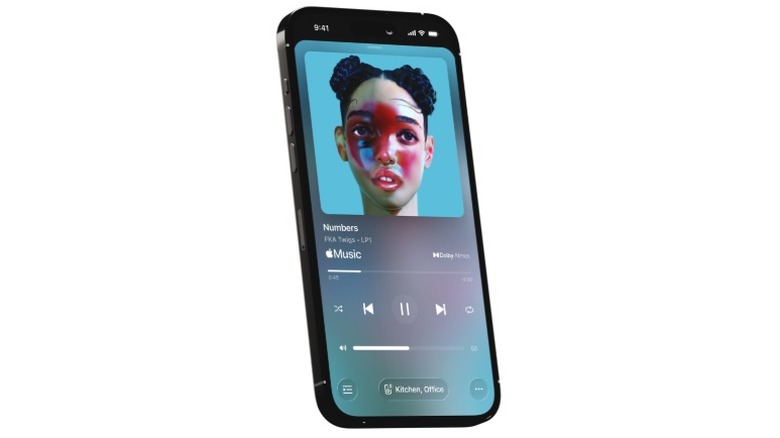
Sonos speakers tend to be popular among those passionate about wireless audio, and the Sonos app offers a lot of features and control that make their ecosystem exciting. The Ultimate Immersive Set is one of the best Dolby Atmos home theater bundles available, and you can expand it to multiroom audio with additional Sonos Play speakers. The Sonos app comes in handy in such situations, as it lets you group rooms with different speakers in each to play the same audio. It also handles room correction for Sonos devices that support TruePlay. However, some speakers will only offer advanced tuning options for the iOS app, so Android users are left out in some cases.
The Sonos app also connects to music streaming services like Apple, Spotify, Tidal, and even Libby. This is helpful as it puts your entire music library in one place. Other than that, the app offers the usual basic controls: adjusting volume, changing tracks, and assigning speakers to specific locations in your house. Admittedly, the ecosystem is entirely exclusive to Sonos devices, almost like Apple's walled garden. But if you're already invested in Sonos hardware, using this app is essential for the best experience.
Yamaha MusicCast Controller
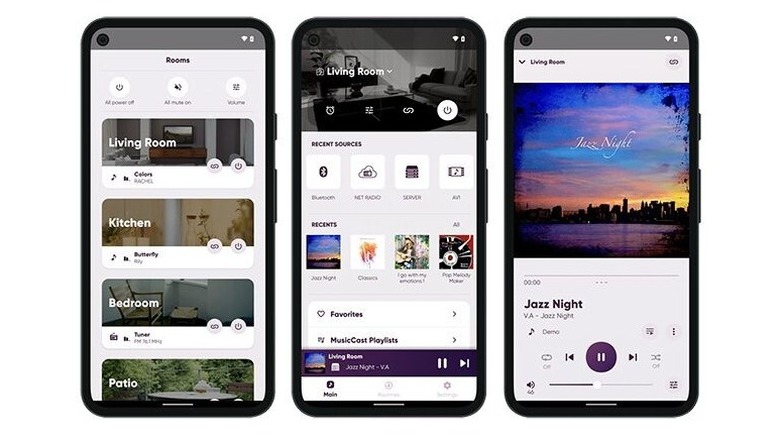
Yamaha's MusicCast Controller works with compatible receivers, amplifiers, soundbars, and wireless speakers. Directly from the iPhone or Android app, you can access supported music streaming services, add other MusicCast speakers for multiroom audio, and play files from your Network-Attached Storage (NAS) drive. If you want to create a wireless setup, you can use the MusicCast app to pair certain models in stereo, a 2.1 configuration with a subwoofer, or full surround sound with multiple speakers. You can switch audio that's currently playing to different rooms straight from the homescreen, and you can even set a sleep timer for that particular area.
The app also offers Routines, which serve as listening presets you can activate with one tap. For example, you can create a morning setup that links speakers in your kitchen and lounge, selects a radio station, and sets the volume for each room. This feature is helpful because it reduces manual input in a multiroom setup. One limitation is that the app does not let you configure room correction, as Yamaha's system for that is a bit more advanced and works directly in supported devices without needing the app.
Bose
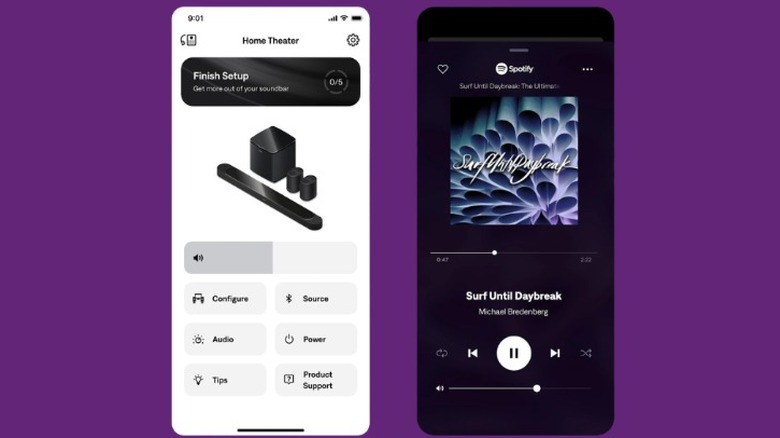
The Bose app for iPhone and Android lets you manage compatible Bose smart speakers, soundbars, and amplifiers from within a single interface. Like Sonos, a lot of wireless Bose speakers also support multiroom audio, and the setup and controls for that feature are accessible from the app. For such setups, which Bose calls Party Mode, you can either adjust volume for each speaker or use the group volume slider to control playback throughout the house. You also get a three-band equalizer (EQ) here, but the results from this basic EQ slider can be a bit underwhelming depending on your specific Bose speaker.
Bose also offers some settings that are specific to its soundbars within the app. For example, with the Smart Soundbar, the app can adjust audio when wall-mounting a soundbar, help you configure Amazon Alexa and Google Cast, explore internet radio stations, and add more speakers to the setup. For Bose soundbars that support Dolby Atmos, you can also adjust the volume for center, height, and surround channels. Some soundbars feature an AI Dialogue mode, which you can enable or disable from the Bose app.
WiiM Home
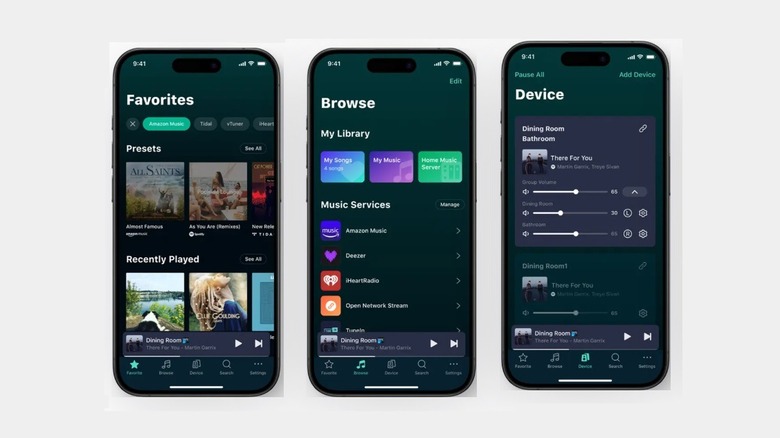
The WiiM Home app for iOS and Android lets you stream services like Spotify, Qobuz, Amazon Music, and Tidal directly from the app. With compatible WiiM devices, you can also build routines that trigger based on voice input or time of day. The app also offers room correction for WiiM speakers or any speakers connected to a WiiM amplifier. It also supports multiroom playback, allowing compatible WiiM devices to be grouped for synchronized music or used independently in different rooms.
The WiiM Ultra is a good example of what the app can do with compatible hardware. This streaming hub and amplifier can breathe new life into old stereo systems. It adds network streaming, room correction, and multiroom capabilities to your existing speaker setup with the combination of the app and amplifier. The app is responsive and easy to use, and it can bring your retro setup to the modern era by enabling music streaming functionality. It also features a 10-band EQ slider with 24 preset EQ modes.
Google Home
Google Home isn't a dedicated audio controller, but it offers a convenient way to manage compatible speakers from different manufacturers. A lot of modern audio receivers, speakers, and soundbars support Google Cast these days, and you'll need the Google Home app for iPhone or Android to add those devices to the Google ecosystem. The setup process is incredibly simple, and once you're done, you can assign labels corresponding to different areas of your house for each speaker. You can also create speaker groups for multiroom audio in a few taps.
It's great that you can get all these ecosystem benefits without buying a dedicated Google device, such as the Google Home Speaker. With the Google Home app, you can also create routines that combine audio playback with controls for other smart home devices. For example, you can set up an evening routine that dims the lights, adjusts the thermostat, and starts playing relaxing music. This ultimately makes Google Home more versatile than manufacturer-specific audio apps, as you can coordinate your entire smart home rather than just the speakers.
BluOS Controller
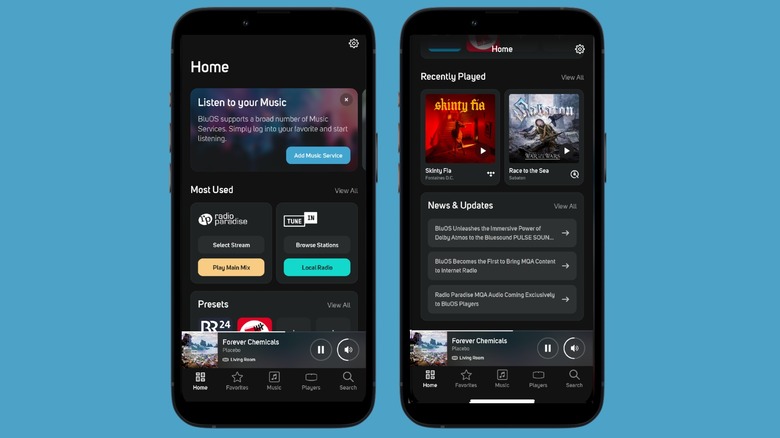
BluOS Controller on iPhone and Android is worth checking out as it supports many wireless high-resolution music systems. The list includes Dali, NAD Electronics, PSB Speakers, Bluesound, Monitor Audio, Roksan, Cyrus, and Peach Tree, and supported devices come in the form of speakers, receivers, and amplifiers. If you have any of these devices, the BluOS app lets you stream music from Spotify, Qobuz, Tidal, Amazon, Apple Music, and more.
You can also add your external library from a NAS or computer and control playback from the app for any BluOS-supported device. BluOS also supports multiroom audio, whether you want to play the same music or different music in various rooms. You can also add multiple sources to the main Now Playing screen, making it easy to adjust the volume for each room. The app is fast and responsive, and other than the iOS and Android versions, you can also get desktop control thanks to the macOS and Windows apps.
How we picked these apps to control your home audio system
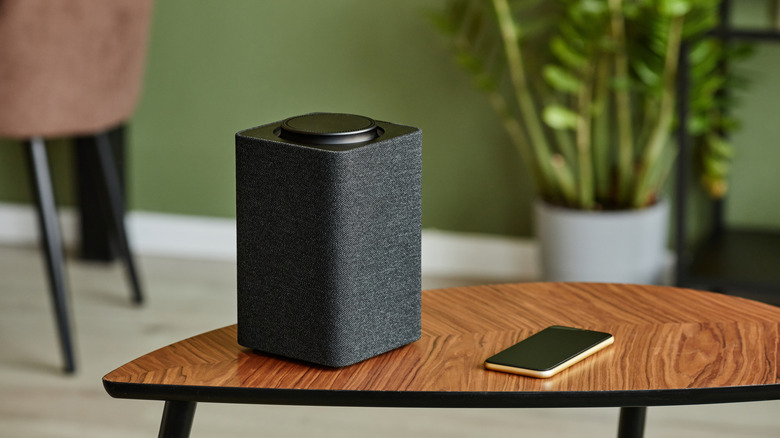
To put this list together, we looked for apps that offer meaningful control over a home audio setup rather than simply serving as music players or streaming clients. We considered features such as multiroom playback, speaker grouping, volume and source management, equalizer settings, and room correction, along with the range of compatible hardware and supported platforms. Every brand wants to build its own ecosystem these days, so we also looked at what that means for each app, including which devices it supports, whether it works across multiple manufacturers, and which features are limited to specific products.
We also consulted manufacturer documentation, independent reviews, and user ratings on the App Store and Google Play to assess each app's functionality and overall reception. Specialist calibration software is included where it provides meaningful control over a system's sound, but we left out tools such as Room EQ Wizard, which focus on detailed room measurement and acoustic analysis rather than everyday audio control. From among the candidates we gathered, only the ones with the widest support, fullest feature set, and strongest ratings made the final cut.