

How Long Does Thermal Paste On Your GPU Actually Last?
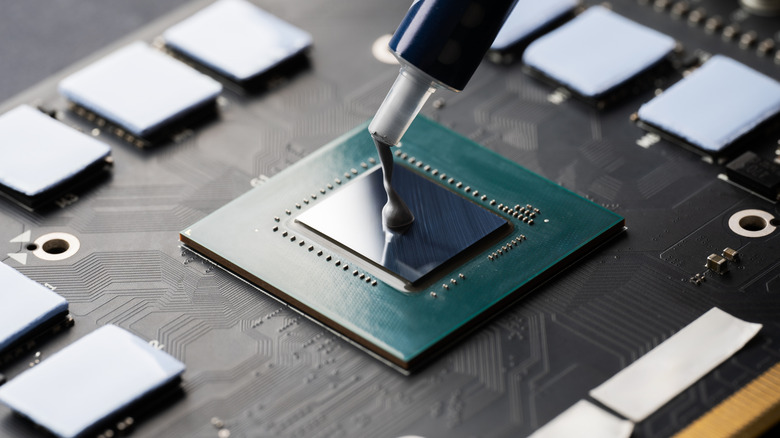
Thermal paste and pads are essential for managing heat dissipation across a GPU core and VRAM. On an Nvidia graphics card, for example, thermal paste usually sits directly on top of the bare silicon GPU chip, which transfers heat straight to the metal cold plate of the main heatsink. But how often should GPU thermal paste be replaced?
The main difference between thermal paste and thermal pads is that thermal paste can be squashed down to very thin levels, making it great for helping move extreme heat from GPUs to heatsinks quickly. Thermal pads, on the other hand, are applied directly on each module. They are usually used for bridging gaps between heatsinks and secondary components like VRAM while still offering solid heat transfer properties.
Under normal gaming workloads and well-maintained case conditions, standard silicone compounds usually last three to five years under light-to-moderate use, whereas premium metal-based or liquid metal pastes can handle seven to 10 years of continuous use. Aftermarket thermal paste options often promise extended durability ratings over factory-used thermal compounds, such as BSFF Thermal Paste with a five-year durability rating and Arctic MX-4 offering up to eight years.
Warning signs that your thermal paste has degraded
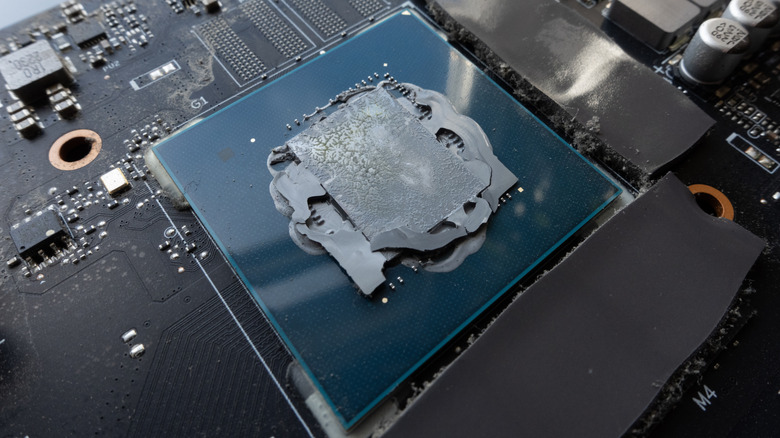
With thermal paste and pads sitting under a giant heatsink on a graphics card, it can be tricky to determine if a GPU needs new thermal material. Over thousands of heating and cooling cycles, the thermal expansion and contraction of the chip results in a "pump-out" effect, which physically pushes the thermal compound out from the center of the die toward the edges.
Over time, the solvents inside the compound evaporate, drying out the thermal paste and causing air gaps. This transforms the thermal paste into a chalky solid that can actually block heat transfer, resulting in thermal warnings that can ultimately cause computer components to fail.
Rising idle temperatures and increased fan noise are early indicators that thermal compound is losing its effectiveness. If core temperatures sit unusually high when doing nothing or GPU fans randomly ramp up to 100% speeds during light use, the GPU cooling is struggling to draw heat away from the core die. If temperatures cross safety limits, the graphics card should automatically throttle its clock speeds, or in extreme circumstances, trigger a full system crash to prevent permanent hardware damage.
Risks, maintenance rules, and longevity alternatives
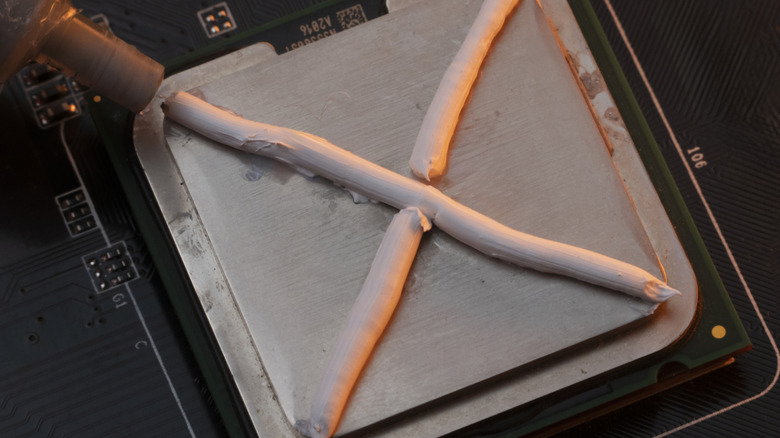
Unlike simply removing a CPU cooler, repasting a GPU chip carries higher hardware risks that you should think about before removing the graphics card's outer casing, heatsink, and fans. As CPUs have integrated heat spreaders, GPU chips feature direct die contact, so one error in mounting pressure or thermal pad thickness can crack the silicon die or void the manufacturer warranty.
If a graphics card's performance is stable with normal temperatures, it's usually a good idea to skip replacing the thermal paste. That's the general hardware community consensus, with experienced builders emphasizing that unless core or hotspot temperatures increase significantly over time, repasting a GPU before the recommended three to five years isn't needed in most cases.
Dust buildup inside heatsink fins is usually the No. 1 early cause of thermal spikes, rather than old thermal compound. Make sure to regularly clean case filters and blow out heatsink dust while the PC is powered off. This restores natural airflow without needing to dismantle a graphics card shroud. Software settings like AMD's one-click setting for its GPUs can also help extend the lifespan of a graphics card by controlling heat output without messing around with hardware.