

Alexa Tablet 11 Review: Amazon's New Sweet Spot Tablet
Amazon has turned the page on its line of tablets. For many years now, buying an Amazon tablet has meant accepting plenty of compromises — but those compromises were easy to deal with given how inexpensive the tablets were. Fire tablets were cheap and often good enough for streaming or reading, but Amazon's Fire OS kept them from the wider Android app ecosystem, preventing users from even being able to access Google Play services like the Google Play Store. Now, the Fire brand is gone, and its replacements are the $229.99 Alexa Tablet 8, the $329.99 Alexa Tablet 11, and the $499.99 Alexa Tablet 12 Pro.
The Alexa Tablet 11 is the middle child of the lineup, built to compromise between the Tablet 12 Pro's higher price and performance and the Tablet 8's limited feature set. Like the others, the Alexa Tablet 11 has the full Google Play experience, including the Play Store. And, like the others, it's built to offer a more premium look and feel at a slightly higher price than the Fire tablets, but still at a price that undercuts much of the competition. So, does the Alexa Tablet 11 have enough going for it to make it a good option at this price, or are there competitors you should go for instead?
Design
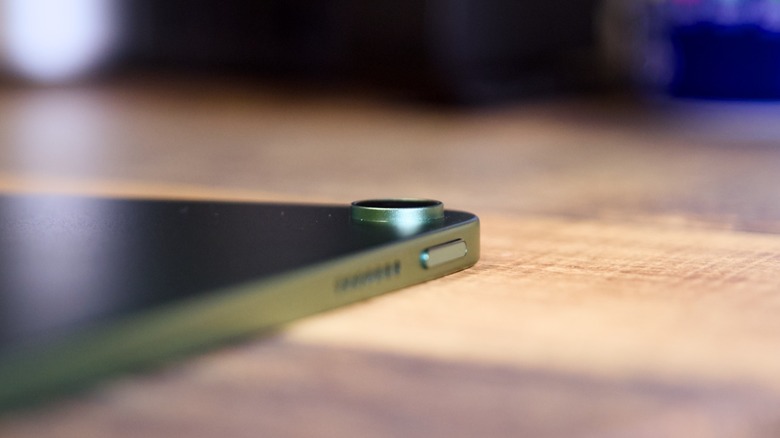
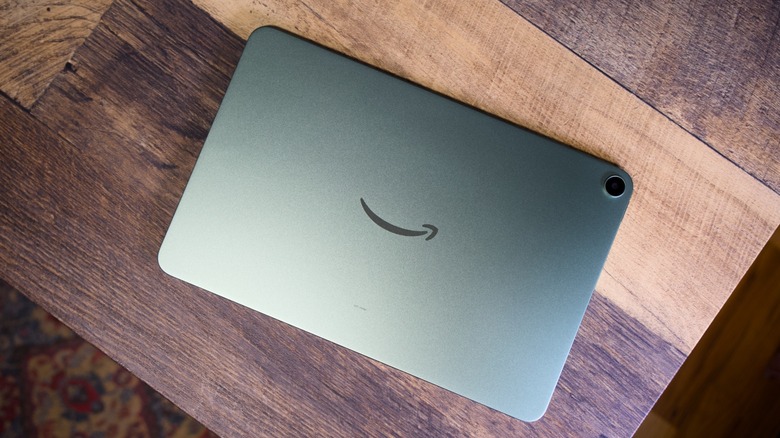
The Alexa Tablet 11 has an aluminum unibody design that's very reminiscent of Apple's modern iPads. In fact, you could really argue that it's a rip-off of Apple's design, but I'm certainly not complaining, given the premium look and feel. It measures 253.2 x 164.8mm, it's about 6.9mm thick, and it weighs 466g. That's light for an 11-inch tablet and well below the Alexa Tablet 12 Pro's roughly 550g. Graphite, Amethyst, and Matcha color options are available, and I'm reviewing the Matcha model, which is a nice, dark green.
The Alexa Tablet 11 has an IP52 rating, which is neat, but it doesn't mean that you can take it into the bath. Basically, the IP52 rating means that it should survive light splashes, so you can use it near the kitchen sink, but I certainly wouldn't hold it under running water.
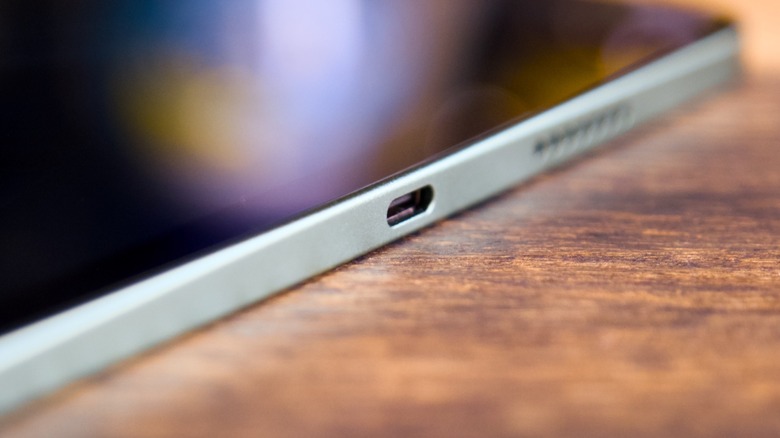
Most of the design is what you would expect. When you're holding it vertically, there's a power button on the top, volume buttons on the right, and a USB-C port on the bottom. In that orientation, the front-facing camera is in the right bezel, which is the right spot for it. It means it's in the top bezel when you hold the tablet horizontally.
Unlike the Alexa Tablet 8, the Tablet 11 thankfully has a fingerprint sensor in the power button. That means that you can easily unlock it without having to constantly type in your password. I recommend adding a finger on each hand so that you can unlock it when you're using it vertically and horizontally without any awkward positioning.
The accessories available for the Alexa Tablet 11 are more limited than those available for the Tablet 12 Pro. You can connect a Bluetooth keyboard, of course, but there's no dedicated keyboard case from Amazon, which I would have liked to see for the Tablet 11, too. I think 11 inches is perfectly fine for a laptop-like experience — it's my preference for the iPad Pro, for example.
Essentially, the design and build quality are very good on the Alexa Tablet 11. That's true of all of the new tablets in Amazon's lineup. Sure, that's largely because they basically copy the iPad design language, but there aren't many better tablets to take inspiration from.
Display
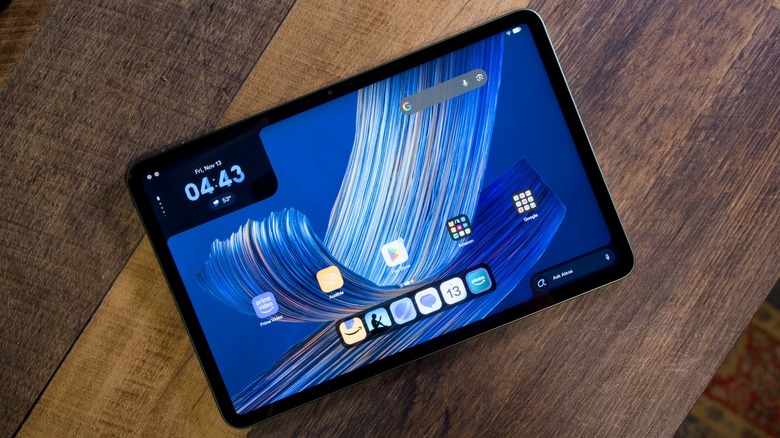
The display was one of my main disappointments with the Alexa Tablet 8. Thankfully, it's a little better on the Tablet 11, though it's still not incredible. The device has an 11-inch IPS LCD screen with a 2560 x 1600 resolution, 16:10 aspect ratio, and roughly 276 pixels per inch. Things like text and images are reasonably crisp — much more so than on the Tablet 8.
The display also has a higher refresh rate than the Tablet 8. It sits in at 90Hz instead of 60Hz, which will make animations and navigating the software look and feel smoother. It's not as fast as the 120Hz screens on many modern tablets, but it's still a notable upgrade.
Amazon hasn't said what the brightness of the display is. I found it to be bright enough for most usage. It was very easy to see indoors, and while there was some glare outdoors that hindered my ability to see the display, it was still usable. Unfortunately, Amazon's Nanomatte anti-glare glass is exclusive to the Alexa Tablet 12 Pro. I would have liked to see that on more tablets in the lineup.
Performance
The Alexa Tablet 11 isn't quite designed to be an ultra high-performance machine. It runs on a MediaTek Kompanio 540 — a budget chip built on a 6nm manufacturing process. Its eight cores split between two Cortex-A78 performance cores and six Cortex-A55 efficiency cores, while a Mali-G57 MC2 handles graphics. This is budget-class, so expect that to reflect in day-to-day use.
For the most part, the tablet was able to handle standard tasks like media consumption, emails, and general productivity without too much of an issue. Heavier multitasking and mobile gaming will be a challenge, though. That's in contrast to some tablets that come at a similar price. The base iPad, for instance, offers much better performance, to the point where you can use it for high-end gaming, even if its chip isn't as powerful as Apple's best. Again, this is more of a media consumption machine than anything else.
Thankfully, the tablet does have more RAM than the base Tablet 8. On the Alexa Tablet 11, you'll get 8GB of RAM, which will make multitasking a little easier — especially compared to the Tablet 8's 4GB base model. Keep your expectations in check, and you won't be disappointed.
Battery and charging
Amazon rates the 6,500mAh battery for up to 15 hours of video playback and up to 20 hours in Kindle mode. That's not bad, but don't expect it to go weeks between charges. If you use your tablet every day for a couple of hours, you should expect to charge every few days. Again, that's par for the course when it comes to tablets.
Of course, a few days of use makes sense, because a tablet spends much of its time idle rather than actively doing anything. And you can extend the battery by using Kindle mode, which shuts off notifications and limits background activity.
The Alexa Tablet 11 supports 27W charging. However, there's no charger in the box, so you'll have to supply your own. That charging speed is nothing to write home about. Expect it to take a few hours to charge up the tablet from empty. If you're good at remembering to charge and do so regularly, it may not be much of an issue for you.
Camera and speakers
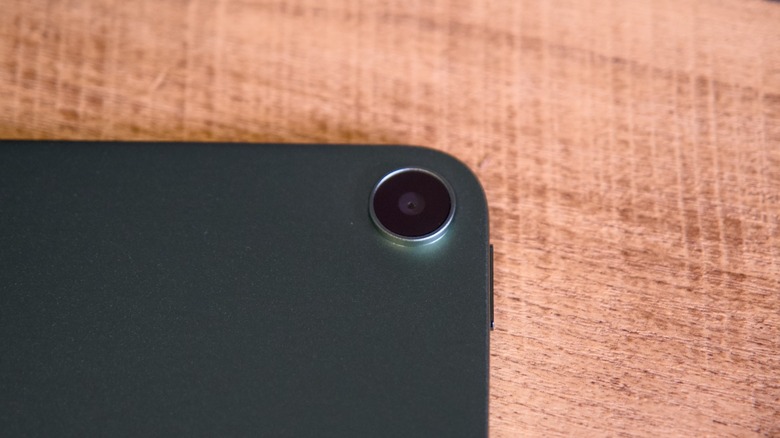
A tablet's camera isn't necessarily all that important, at least compared to the camera on your smartphone. On both the front and the back, you'll find 8-megapixel sensors. Both are fine at best.
That's not surprising or all that big of a deal. The cameras work well enough for video calls, scanning documents, and snapping quick photos. And they're actually better than some other tablets, like the Alexa Tablet 8, which has a pretty washed out 5-megapixel front-facing camera.
Apple still offers a stronger video-call setup on the iPad. Its 12-megapixel front camera is positioned for landscape use, which makes more sense when the tablet sits in a case or attaches to a keyboard. It's one of several small conveniences that help justify the iPad's higher price, if calls are a regular part of your routine.
On the back, the 8-megapixel camera should be able to scan documents in good light. Think receipts, book pages, forms, and whiteboards rather than family photos. You'll get usable results when the subject is well lit and the tablet is held steady. A decent phone camera remains the better tool for almost everything else.
Low-light photos and videos won't look great, though. Expect noisy images, softer detail, and less reliable colors as the camera works harder in darker environments. The 1080p video limit also keeps both cameras in the functional category. They'll handle casual calls and clips, but I wouldn't choose this tablet for recording anything important.
Amazon includes dual stereo speakers with Dolby Atmos support, which uses audio processing to make sound feel more spacious. They actually sound pretty good, at least compared to other tablets in this price range. They're not incredible, but they work in a pinch, and they provide more bass and better clarity than you might expect.
Software
The software changes are perhaps the most important for the experience of using the Alexa Tablet 11. On this device, you'll get Android 16 with full Google Play Services and the Google Play Store. You can install Google's apps and the wider Android catalog without workarounds. Amazon promises security updates through at least December 31, 2032, seven years of Android OS upgrades, and plans to bring Android 17 to the Tablet 11 in early 2027.
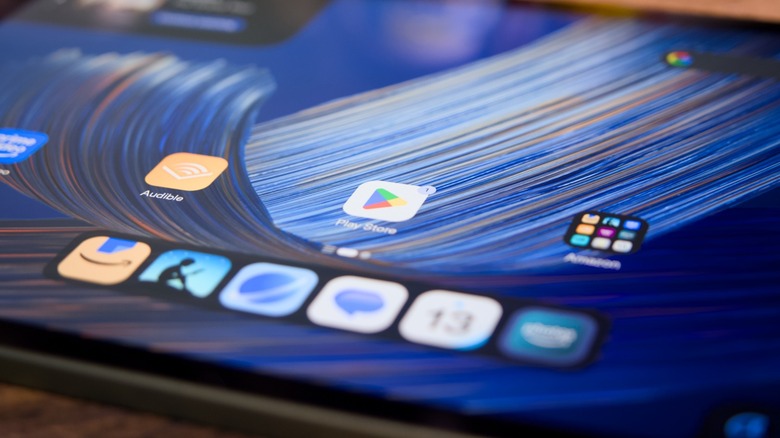
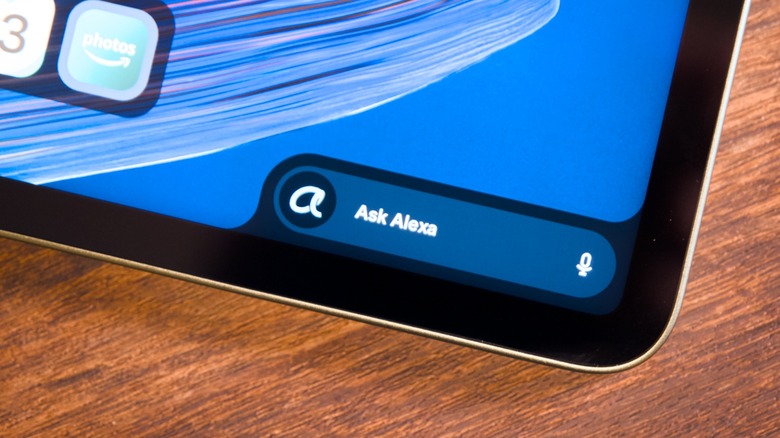
Alexa+ sits at the center of Amazon's launcher. When you start a Kindle book, Prime Video show, or Amazon Photos album on another device, a persistent Dynamic Tab can pick it up here. An always-on Ask Alexa box supports wake-word voice commands and live conversational sessions, while opt-in On-Screen Intelligence lets Alexa interpret what's displayed when you ask for help. Kindle mode suppresses notifications, warms the screen, and prioritizes reading. The built-in Amazon smart home hub and Kindle mode are features the iPad doesn't offer.
As an assistant, Alexa+ is acceptable. It's slow when responding to complex prompts and can lose the thread during longer conversations, leaving it behind ChatGPT, Gemini and Claude for general-purpose questions. If you mainly want to use Alexa to access your Kindle and Prime content, though, it does that job well enough.
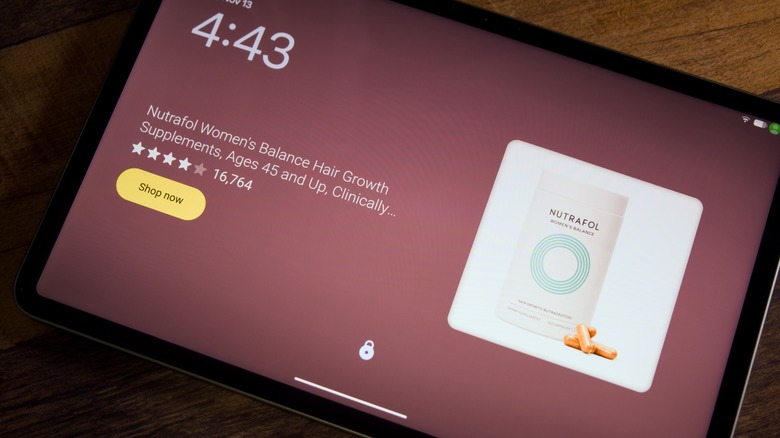
I find the ads harder to defend than anything else here. Paying an extra $20 removes the fullscreen lock screen ads, but widget ads on the home screen can't be removed at all. Lock screen ads are annoying at any price. They're especially hard to accept on a tablet costing $329.99, and charging to remove one set while keeping another feels like a poor compromise.
Conclusions
The Alexa Tablet 11 is the sweet spot of Amazon's new range. It delivers most of what the 12 Pro offers for $170 less, with an aluminum build, a sharp 90Hz screen, Google Play, Alexa, and Kindle mode. It's better than the Fire tablets it replaces and is arguably the most premium-feeling Amazon tablet under $400.
But it's no longer the cheap, easy recommendation that Fire tablets often were. The $299.99 Galaxy Tab A11+ and the frequently discounted Lenovo Idea Tab cost less and offer microSD expansion, while Amazon's sharper 2560 x 1600 screen and 8GB of RAM are its main advantages over both. The $449.99 iPad (A16) is the more versatile tablet, if you can afford it, and the $499.99 Alexa Tablet 12 Pro is the better pick if you need its pogo-pin keyboard, 120Hz screen, or faster processor.
The non-removable widget ads, absent pogo pins, and lack of microSD expansion are all meaningful annoyances. They don't ruin the tablet, but they narrow the appeal. Buy it if you want a premium-feeling Google Play media tablet with Amazon's features, and look elsewhere if you need a pogo-pin keyboard or expandable storage.