

5 Of The Best Android Apps You Won't Find On Windows
With over 40 years in the industry, Microsoft Windows has had many applications come and go. However, with Microsoft admitting Windows 11 is a mess, folks may be looking for ways to get certain software and services on other devices. Whatever your reason, Android is a platform with a good number of apps that you won't find on Windows.
For those looking, we scoured the Google Play Store and user recommendations to curate a list of apps you won't find on the Microsoft Store for Windows. These apps will expand your messaging experience, deliver improved browsing, manage your notifications, and more. Windows may have its own alternatives for these applications, but they may not be as good as these apps.
Most options on this list are free with in-app purchases — we'll let you know when that's the case. If you're looking for the best of both worlds, there are many different ways to use Android apps on a PC. Keeping that in mind, let's take a look at some useful Android apps you may have a hard time finding on Windows.
Textra SMS
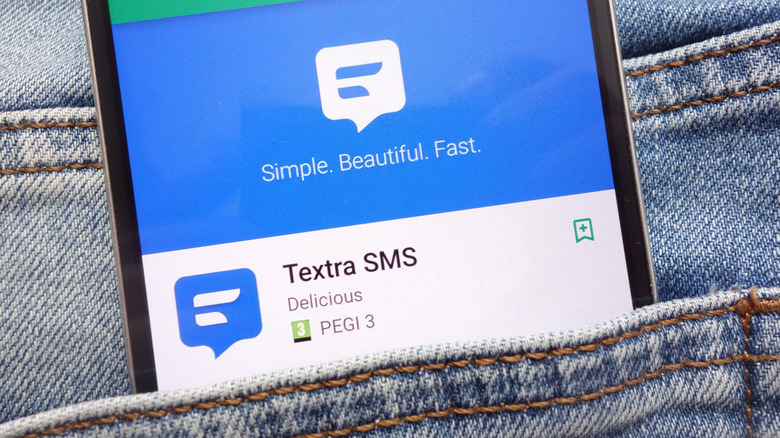
Textra SMS by Delicious is an alternative to the stock Android messaging app. Considering Google added one of iMessage's best features in August 2025, you don't necessarily have to look for different messaging apps; however, it never hurts to know what's out there, since Phone Link is its most viable alternative on Windows.
Textra SMS is for those aiming to customize their SMS and MMS messaging app, as it provides options you may not find in a typical Android experience. The app's customization settings for themes and message bubbles are its most interesting features. They allow you to get the look you want while sending and receiving messages. The app also includes features like message scheduling, font options, picture and video compression, and more.
With over 10 million downloads in the Google Play Store, Textra SMS has a 4.3-star rating based on more than 438,000 reviews. Users appreciate the app for its speed, consistent updates, and functional design. However, at least one user reported having issues with receiving messages. While the app is free to download, it shows ads that can be removed with the one-time purchase of a $9.99 license. This license has the same features as the free experience, so it may not be needed even if you still use SMS and MMS messaging often.
BuzzKill Notification Manager
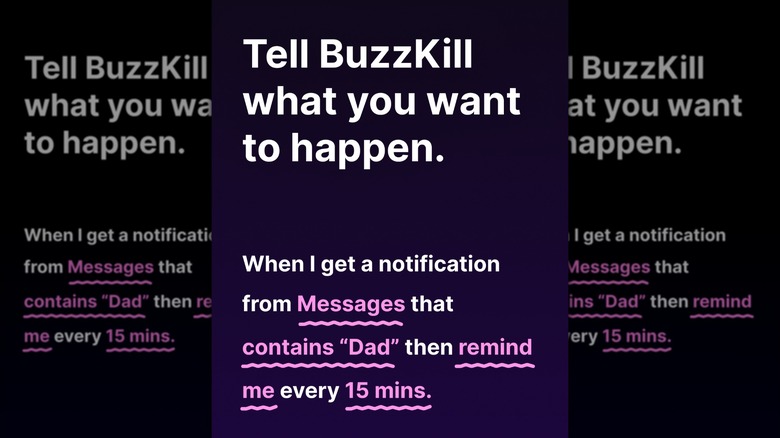
Voted by Time Magazine as one of the best inventions of 2025, BuzzKill Notification Manager by Sam Ruston is an application seeking to put you in control of when, where, and how your Android device sends you notifications. It offers a solid number of features as well as some room for adaptability, but don't expect a free ride from it.
With a focus on privacy — meaning the app has no ads and claims not to track any of your data — BuzzKill includes a large array of options for keeping your notifications in check. This includes cooldown, which prevents the device from pinging you numerous times whenever someone sends you multiple messages in a row. You can also have the app automatically respond to messages you may have missed, dismiss select notifications, send custom alerts, and even hide the content of notifications. While BuzzKill has limited options for phone calls, the app does include support for Wear OS and provides accessibility features for certain automations.
Unfortunately, this app doesn't offer a free trial. Its $3.99 price is a low entry point, and the app offers refunds through the Contact Support button. Currently, BuzzKill has a 4.6-star rating from over 2,220 reviews and 50,000 downloads. Users praise the app's detailed notification control and ease of use, though some found it to be unreliable. Nonetheless, this app pairs well with other Android productivity apps, and its 46 MB file size means it won't take up too much space on your device.
Podcast Republic
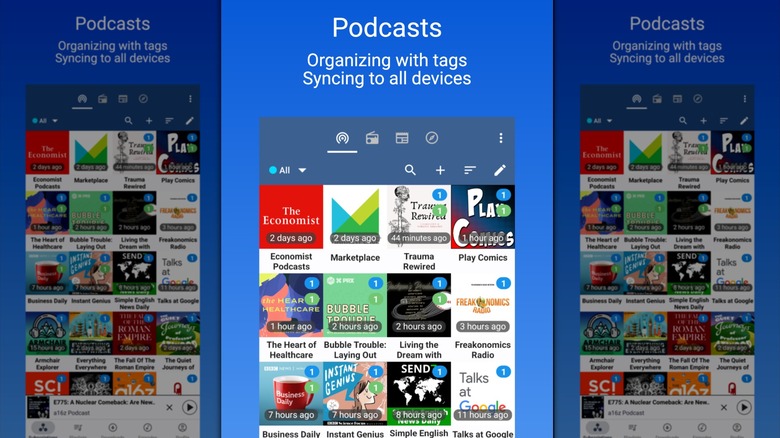
When Google eliminated Google Podcasts in 2023 in favor of expanding YouTube Music's selections, it left users searching for alternatives. While we gave our own suggestions for podcast apps in 2024, fans may be looking for something that offers a bit more. What makes Podcast Republic a good choice is that it focuses specifically on podcasts, online radio, RSS news, and audiobooks.
Podcast Republic features various networks, including CNN, BBC, NASA, Showtime, Slate, The Guardian, and more. All of the podcasts are available for free through the app, and it also supports Chromecast, Android Auto, and Wear OS. Features include volume boost, variable playback, automated downloads, SD card support, and more. Users can even create their own shaking actions to control playback without unlocking their phone. It also comes with options for managing subscriptions through its web app.
While Podcast Republic is free to download, it is supported by ads that appear at the bottom of the screen, though you can remove them with a one-time purchase. Currently, Podcast Republic has over 1 million downloads and holds a 4.6-star rating from 103,000 reviews. While a few reviews mention playback errors, folks still appreciate the app for its ability to locate podcasts, its extensive features, and the quick setup. Considering the app supports Android Auto, you can run it if you turn an old Android tablet into an Android Auto car head unit.
Hermit - Lite Apps Browser
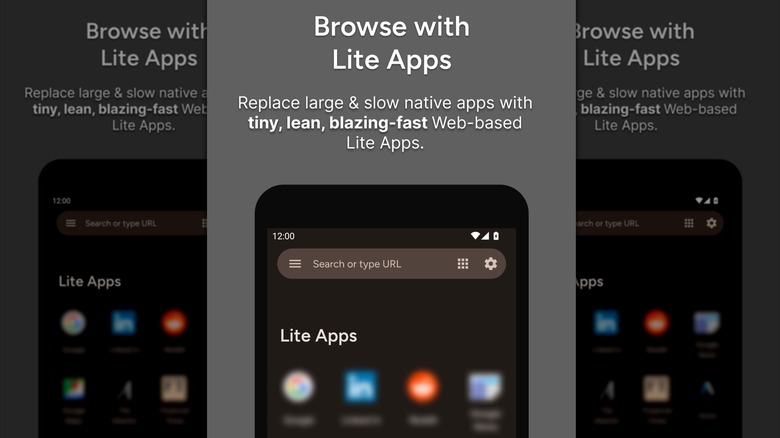
Hermit – Lite Apps Browser by Chimbori is an interesting browser alternative that focuses on web-based apps. It takes up relatively little storage space on a device while still providing many features one would expect from a full-sized browser. Although it's comparable to Midori, which is available on Windows, Hermit has a unique trick up its sleeve.
With an Android download size of just 8 MB — much smaller than Firefox's 232 MB — one of Hermit's best features is that it can generate web-based, lite versions of apps for popular websites, eliminating the need to download their regular apps. Each app opens within its own application window, not as a browser tab, with extra customization features other browsers don't offer, such as per-site settings and feed notifications. Additionally, Hermit also allows for using multiple accounts simultaneously within the same browser and even comes with a permanent Incognito Mode.
This app offers a lot, but even the developers admit Hermit can have a steep learning curve for newer users. To mitigate that, the developers wrote guides for getting started, as well as FAQ and help articles. The app is free to use, with premium features available for a one-time purchase of $9.99. With over 1 million downloads, Hermit currently holds a 4.6-star rating based on 22,200+ reviews. Users like its ability to manage web apps and its stability. It's a good option if you're looking to replace Google Chrome on Android.
Web Video Cast - Browser to TV
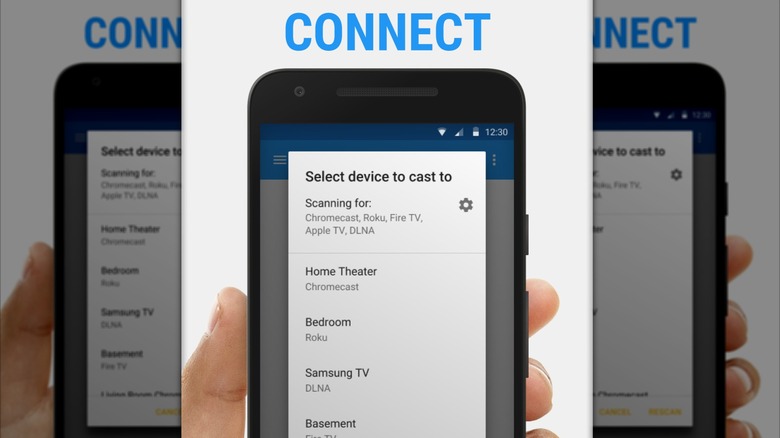
Web Video Cast – Browser to TV from InstantBits Inc allows you to stream a variety of media, including those on your phone, to a TV with a streaming stick, a smart TV operating system, or a web browser. You won't find this one on Windows at all.
Web Video Cast supports a variety of streaming devices, including Roku, Chromecast, Amazon Fire TV, and even the PlayStation 4 through its web browser. It also supports a good amount of media, including MP4 videos, live news, photos, audio files, HTML5 videos, and more. However, the app has some features that require in-app purchases, including bookmarks, video history, queues, homescreen shortcuts, and more. Web Video Cast can include subtitles for videos stored locally on your device.
Currently, the app holds a 4.6-star rating with 2.33 million reviews and over 50 million downloads. Users enjoy the app for its pop-up blocking capabilities, large number of features, and easy controls, while some report connectivity issues. Nonetheless, this can be a great tool for those who love media, and it can also serve as a handy way to further extend the life of an old Google Chromecast.
How we choose our apps
While most of the apps on this list have free options or cost less than $5, your time and money are still important factors for our choices. Along with searching through the Android Apps subreddit for real user recommendations, we ensured that each of these apps is highly-rated with thousands, if not hundreds of thousands, of reviews and ratings. If an app doesn't have at least 3.5 stars and a thousand user reviews, we didn't consider it for this list. We also want to ensure that every app we recommend serves a useful and functional purpose, without the threat of malware or something malicious. However, some apps may show you ads, which is something you can pay to remove.