

9 Signs Your iPhone Battery Needs To Be Replaced
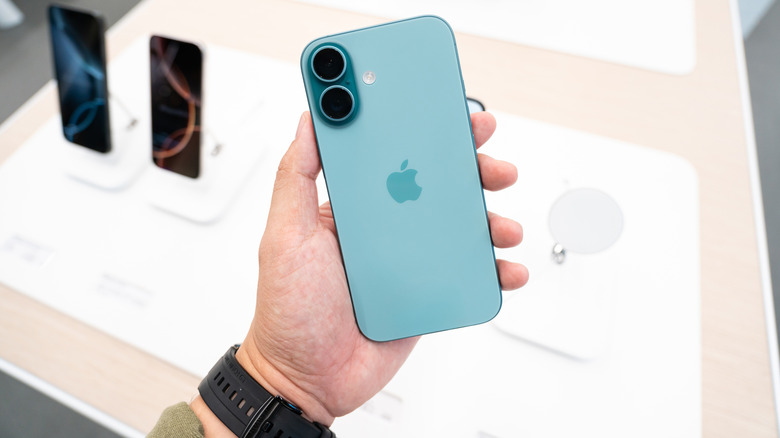
The battery life of an iPhone is one of its biggest selling points. The iPhone 17's battery boasts more than 24 hours of video playback, while the iPhone 17 Pro has a claimed video playback time of 31 hours. A 100% charge on a brand-new 17 Pro will get you two or three days of powerbefore it needs to be plugged in. This is great news for people who aren't around their chargers for extended periods of time or just forget to charge their phone's battery at regular intervals.
Still, as fresh and shiny as the latest iPhone may be in the palm of your hand right now, it's only a matter of time before the years pile on. That three-day battery life will slowly weaken over time, to the point where your device will barely chug on after endless charging cycles. It's inevitable, even if you optimize your iPhone's settings to help the battery last as long as it possibly can.
Discarding a phone the moment its battery starts to fail is common practice, although an iPhone is more than just the electrical unit powering it. As long as you maintain your iPhone in tip-top condition, there's nothing wrong with replacing a battery to add a few more years to your device's lifespan. If your trusty old iPhone starts to show these signs, a battery replacement may be the need of the hour.
Your iPhone shuts down unexpectedly

People expect a reliable phone to stay on for as long as it has some charge, not shut down randomly. Unfortunately, this is a problem that iPhone users experience once their device's lithium-ion battery starts degrading. The batteries chemically age until they're well and truly worn out. This leads to a loss of peak performance, meaning that your battery is unable to provide the voltage it could previously. For the most part, Apple's performance management ensures that an iPhone with a weak battery doesn't overexert itself, but this can't be guaranteed all the time.
As a result, there are moments when iPhones with particularly weak batteries shut down. This happens when the battery's internal resistance reaches a point where processor-intensive tasks lead to voltage fluctuations. To protect the phone's circuitry in such a situation, the phone switches off. Sure, Apple may be protecting your device, but that won't stop you from getting frustrated as your phone conks off over and over again. Do yourself a favor and get this battery replaced if you don't want to jeopardize your iPhone's internal components.
The battery's maximum capacity is below 80%

With the advent of iOS 12.1 and the eighth-generation of iPhones, Apple included a performance management feature that lets users check their battery's maximum capacity and for peak performance capability. In the former's case, a percentage is shown denoting just how much charge the battery can hold at that point. As one would expect, this number starts out at 100% before slowly dwindling over time as your device goes through multiple charging cycles. Thankfully, a number in the 90s or the high 80s means that your battery is still performing admirably. Keep in mind that this feature is accurate only for Apple-verified batteries. Switch out this part with a third-party battery, and your iPhone will display a warning stating that it's unable to verify that this battery is a genuine Apple product.
Once your battery's maximum capacity goes below 80%, it's time to worry. As per Apple, this happens to iPhone 14 (and earlier) models after 500 charging cycles, while iPhone 15 models can last for 1,000 charging cycles before the battery becomes suboptimal. While there's no definitive data on current-gen iPhones, one thing is certain — if your battery's maximum capacity is below this recommended threshold, then your phone will become slower, if not shut down altogether. Save yourself the headache of charging this phone multiple times throughout the day and just replace the battery. Sure, some users have reported that this 80% capacity is still competent enough to keep your iPhone up and running for some time, but why take the risk?
Your iPhone shows a warning message about battery degradation

Whenever your iPhone's battery drops below 80%, a message appears indicatingthat this part has significantly degraded. It recommends replacing this part, and understandably so — we've already discussed what happens if a battery's maximum capacity falls to critical levels. That being said, this concerning warning isn't just limited to an 80% battery capacity. Numerous users have reported that their iPhones display this degradation warning even when the maximum capacity is between 80% and 100%.
Why does this happen? Well, battery health and maximum capacity are two different things. Your iPhone's battery capacity may be high, but a part in poor health has high internal resistance. What this means is that any high-power activity, like gaming or clicking photographs, can lead to your phone shutting off out of nowhere. Usually, iPhones with a ton of years under their belt display this message after the maximum capacity goes below 80%. If you're one of the unlucky souls who saw this warning before your phone reached this point, then a trip to the service center will be required. For what it's worth, AppleCare covers these anomalous errors, so there's a chance you'll get a free battery service.
Charging the iPhone's battery takes an unreasonably long time

Seeing an iPhone at 100% is very satisfying for people, reassuring them that they can get through a long day without worrying about their phone dying. Apple has declared that the iPhone 17 Pro should gain 50% battery after charging with a 40-watt charger for just 20 minutes. So, in an ideal scenario, it should take between 90 and 120 minutes to get to 100% charge. This is why it can be pretty frustrating when you've kept your phone plugged in for hours, only to see it charging at a snail's pace or stuck at a certain point.
Before you go ahead and blame the battery, make sure you're not making the same common mistakes most new iPhone users are guilty of. Is your charging cable or adapter broken? Are you unaware that optimized battery charging is turned on? Is the charging port itself dirty? Did you recently update the software? Usually, addressing these problem areas will help your iPhone charge as it should. If long charging times persist even after these measures, it's the battery that's at fault. A weaker unit won't hold a charge as well as it used to, to the point that severe defects will stop the phone from reaching 100%. Once you replace the battery, this issue will become a thing of the past.
Your iPhone battery is swollen

Some warning signs that your iPhone battery is failing aren't subtle. Sometimes, they're literally staring at you in the face, and figuratively shouting at you to get the battery switched before you end up harming yourself. Such is the case with a swollen Li-ion battery, which becomes hard to ignore once it starts raising your screen or displacing your back cover. In such an event, the very first thing you should do is go to a service center and get your battery replaced as soon as possible. A swollen lithium-ion battery is a fire hazard that can potentially explode and burn anything in the vicinity, including yourself.
An iPhone battery can start doing its best Violet Beauregarde impression if it's charged with improper cables or adapters, stays plugged in while exposed to sunlight for too long, suffers physical damage after a particularly hard knock, was improperly assembled in the factory, or is just getting on in years. Either way, don't sit on this for any longer than necessary. Get this battery replaced before it burns a hole in your pocket ... in more ways than one.
The battery drains too fast

Given that a long battery life is a major USP for any iPhone (especially when it comes to eSIM-only models), seeing this number plummet at an alarming rate is going to be quite worrying. Sure, you're largely to blame if you keep the brightness high at all times, use your iPhone intensely throughout the day, never clean up background apps, refuse to use Low Power Mode when the battery is dwindling, stick to mobile data instead of using Wi-Fi, and don't enable the Auto-Lock setting. However, if you've been smart about conserving your battery as much as possible, then it's possible that this unit itself has become too old or has some serious defects.
Once again, chemical aging is to blame, and even the most advanced iPhone battery will eventually wear out and struggle to stay on for long after a few years of use. Replace this defective battery, and you'll be able to use your iPhone for days before it needs to be charged up to 100%.
Your iPhone overheats all the time

According to Apple, the optimal temperature for an iPhone is anywhere between 32 and 95 degrees Fahrenheit. Playing graphic-intensive games for too long, heavy camera use, streaming HD content, keeping the GPS on for an extended period, or just leaving your iPhone exposed to the elements in hot weather are all bad habits that drain your smartphone battery in no time. They can also cause temperature warnings to pop up, forcing you to wait until your iPhone has cooled down.
Aside from all these culprits, there's another reason why your iPhone may be overheating. An old or defective battery delivers an inconsistent level of energy, causing this part to overwork itself and heat up. This will be a regular occurrence until you finally decide to replace the battery. Ignoring this and letting your phone overheat can lead to severe problems down the line, even with an iPhone's temperature safeguards in place. The expense of replacing the battery — if any — will seem like a downright bargain compared to the cost of replacing multiple internal components damaged by exposure to excessive heat.
Your iPhone's performance is sluggish and laggy

A spanking new iPhone runs like butter and will carry out any processor-intensive tasks in a flash. People should relish how fast their phone runs right out of the box, since this performance speed won't last forever. Eventually, wear and tear, a lack of storage space, and numerous background processes take their toll on your device. Regularly cleaning up your phone's storage, refreshing background apps, and disabling elaborate animations can help speed up an iPhone that is slowing down. Despite adopting these practices, your iPhone can still become so unbearably laggy that even the simplest processes take an unreasonably long time to execute.
Extreme temperatures and malware infections can also slow down your iPhone, but if you've covered both these bases, then it's time to inspect your device's battery. A suboptimal battery with diminished peak performance will struggle to supply power to your iPhone. In this scenario, Apple's performance management processes come into the fray, limiting GPU and processor performance to prevent the phone from drawing a voltage level that this dated battery simply can't provide. It feels like your device is permanently in Low Power Mode, leading to longer app launch times, lower speaker volume, laggy scrolling, and, in extreme cases, a disabled camera flash. To bring your iPhone's performance back up to par, a battery replacement is critical.
Your iPhone only works when plugged in

Another obvious sign that your iPhone's battery has reached the end of its lifespan is when it simply refuses to turn on when unplugged. Given that one of the most useful perks of a mobile phone is portability, anyone will get frustrated if their device refuses to run without a constant power source. Sometimes, the battery connector may be at fault. Other users have reported solving the problem by cleaning the charging port.
But let's face it — nine times out of 10, the obvious perpetrator here is your battery. A defective or old battery that has been pushed to its limits will stop functioning as intended . A replacement becomes mandatory, but look on the bright side. If your iPhone's battery were totally dead, your phone wouldn't boot up even after being plugged in. At least in this scenario, you can turn on your phone and back up its data before taking it in for repairs.