

8 Of The Cheapest Ways To Upgrade Your Gaming Station
We may receive a commission on purchases made from links.
Some PC upgrades simply aren't worth your money, but things like faster CPUs, more powerful GPUs, or 4K gaming monitors are definitely worth saving up for. However, there's one unfortunate thing those products all have in common: they're expensive. If you feel you've spent too much on your gaming PC in recent years, you're not alone. It's officially no longer cheaper to build your own PC than it is to buy a prebuilt machine. But if you're thinking about how you can make additional upgrades to your setup, there are many simple improvements you can make even with a modest budget.
We've determined eight ways you can upgrade your PC gaming station for cheap; accordingly, we've featured eight affordable Amazon products that make for great choices to fulfill each upgrade. All of our spotlighted products have received ratings from more than 1,000 customers, and we've also gleaned insights from multiple professional outlets to support our product recommendations.
Make every press count with a gaming keyboard
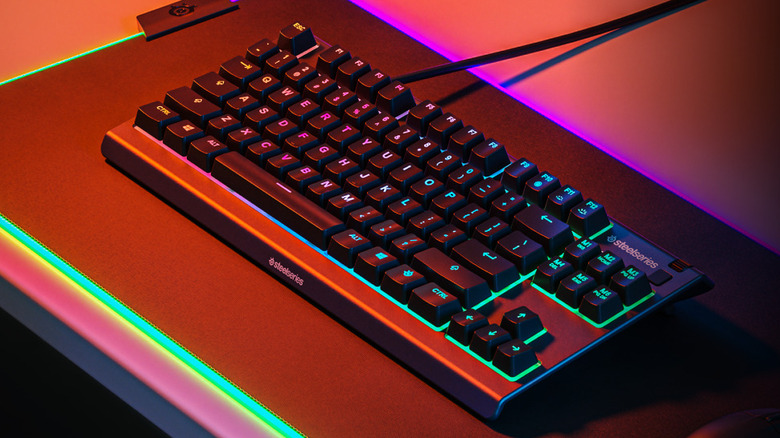
For many games, every single keyboard press counts in securing your victory. Compared to traditional keyboards, gaming keyboards are generally more responsive and more durable. Premium models, which offer useful added features like programmable macro keys, can easily cost you a few hundred dollars, however. Fortunately, there are more affordable options that will still provide you with a considerable boost to your PC gaming experience.
If you haven't bought a gaming keyboard yet, one cost-effective choice is the SteelSeries Apex 3 TKL, which typically retails for $49.99 on Amazon (but it's known to be on sale for as little as $31.99). The peripheral, which has an average score of 4.5 stars on the retailer's website following nearly 2,400 reviews, comes with anti-ghosting technology for accurate key presses, dedicated multimedia buttons that include a volume roller, and eight-zone RGB illumination so you can play with a bit of color at your fingertips. As Tom's Hardware also highlighted, this gaming keyboard is waterproof, so you won't have to worry much if you happen to spill some drinks on it. It's also considerably quiet, which is a welcome feature for those who find the sound of a mechanical keyboard to be distracting.
Improve accuracy with a gaming mouse
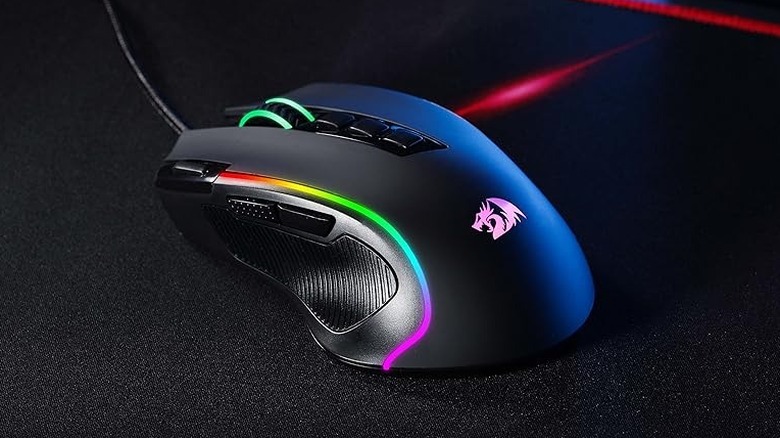
As with every stroke of a keyboard, the accuracy of every mouse click is crucial for gamers. A gaming mouse offers better accuracy than a traditional mouse does, which is important when the difference between winning and losing a round is a single misclick, especially in fast-paced RTS games. A premium mouse often costs over $100, but more affordable options can still give you the benefits you'd expect from a costlier gaming mouse.
At just $19.99 on Amazon, the Redragon M612 Predator is an incredibly affordable RGB gaming mouse. Its price point may seem too good to be true, but its average score of 4.6 stars following more than 9,900 reviews positions it as a surprisingly reliable device. It has five built-in DPI levels between 500 and 4,000 DPI, although you can use Redragon driver software to set DPI as high as 8,000. The mouse has five backlight modes, and it comes with 11 programmable buttons that you can customize as you see fit. TechGearLab said that this Redragon gaming mouse is "exceptionally comfortable," and while its sensor isn't as quick as premium gaming mice, it's more than enough for players who prefer the more relaxed pace of single-player titles.
Glide smoothly with a gaming mouse pad
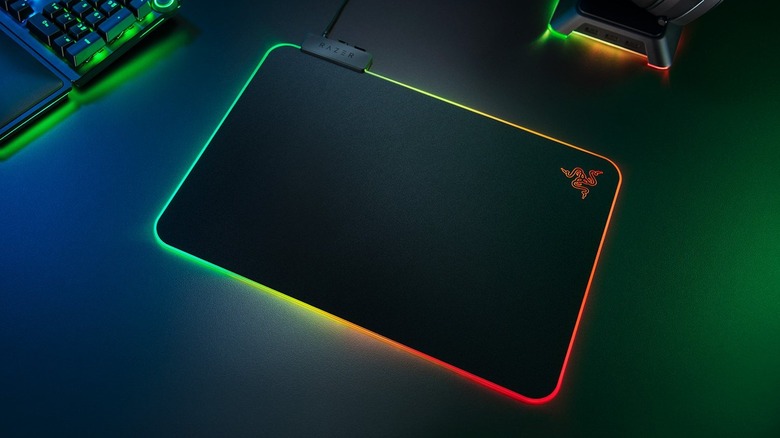
While a regular mouse pad might be enough for basic productivity purposes, investing in a gaming mouse pad can seriously amplify your setup. These types of mouse pads are designed to increase the accuracy of your onscreen movements by allowing your mouse to glide smoothly in tandem with your hand movements. They're also built to withstand the wear and tear of fast and repetitive motions. With the combination of a gaming mouse and a gaming mouse pad, you'll have better control over your player character's movements and actions.
For a mix of functionality and style, you can get the Razer Firefly V2 for $49.99 on Amazon. Not only does it have an average score of 4.7 stars on Amazon with nearly 5,700 reviews to back it up, but it's also IGN's pick for one of the best RGB mouse pads on the market. If you already have RGB lighting set up at your gaming station, this gaming mouse pad will only serve to build upon that aesthetic with 19 lighting zones around its perimeter. According to Razer itself, this mouse pad's micro-textured surface improves the accuracy of your mouse. Its rubber backing easily prevents it from slipping around on your desk, and it even comes with a cable catch at the top to manage the potentially unruly cable on your wired gaming mouse.
Use a gaming controller with a D-pad and buttons
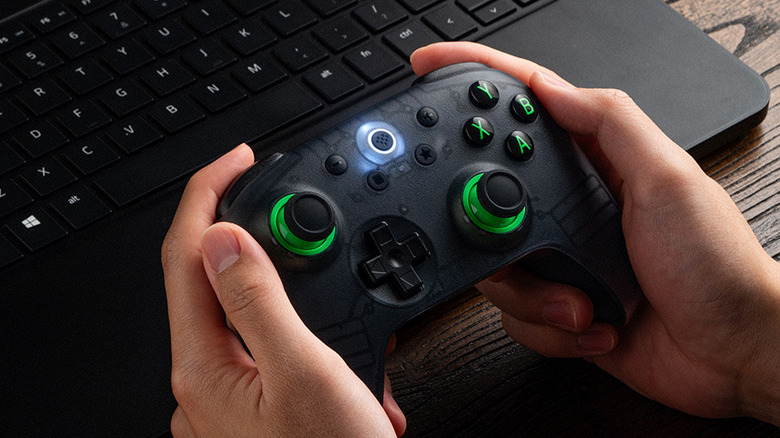
For certain video games, you might find it more effective to use a gaming controller instead of a keyboard and mouse. Joysticks tend to offer more nuanced control over character movements in third-person adventure titles like "Elden Ring," while fighting games like "Tekken 8" are optimally played using a directional pad with action buttons to trigger character moves. If you're a fan of playing those genres on PC, pairing your gaming computer with a gaming controller is a must.
The 8BitDo Ultimate 2C is only $29.99 on Amazon, but it's an excellent controller with an average score of 4.5 stars after more than 8,600 reviews. Despite its affordable price, it feels like a premium gaming controller, according to PC Gamer. The accessory's Hall-effect joysticks and triggers ensure that you don't experience stick drift with this controller, and it even has extra left and right bumpers that you can customize along with all other buttons. You can use it with your PC using a 2.4G dongle, but you can also connect it to your Android devices via Bluetooth.
Stay comfortable for hours with a seat cushion
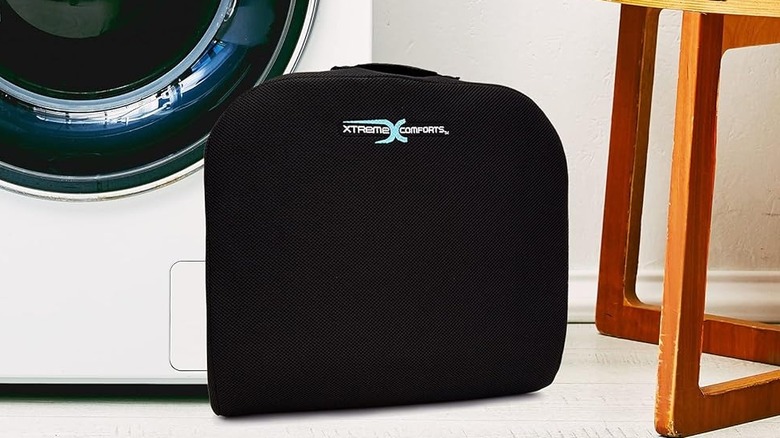
Buying a gaming chair is the right move if you want to be comfortable at your gaming station. With their ergonomic design, gaming chairs support your body such that you shouldn't experience chair-induced pain even after sitting on them for hours. However, you'd be hard-pressed to find an inexpensive gaming chair. Seat cushions are a more affordable option, and you'll be able to use them with whatever chair you have right now.
The New York Times' Wirecutter listed the Xtreme Comforts Large Seat Cushion as its best budget pick for seat cushions. Boasting a notably modest price of $37.99 on Amazon, it's also garnered an average rating of 4.3 stars following more than 27,000 reviews. The cushion stays cool for a long time because of its vented cover, according to Wirecutter, so it's great for extended gaming sessions. The cover is also machine washable, so you can easily clean it regularly. Additionally, because the seat cushion doesn't have to be fixed to your chair, you can easily use it elsewhere in the house, on your office work chair, or even during long drives. It supports your body and promotes better posture no matter where you decide to use it.
Immerse yourself in game worlds with external desktop speakers
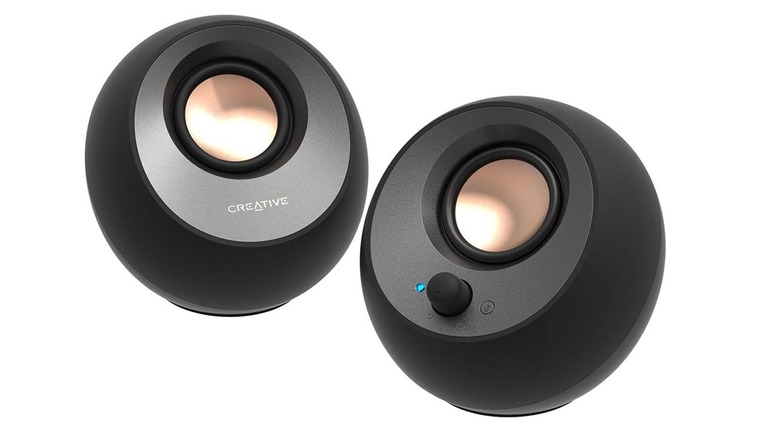
When it comes to video game immersion, audio is just as important as visuals are. If you want to lose yourself in a game world, it's hard to do that if you have basic, tinny speakers at your gaming station. But fear not — there's no need to buy a high-ticket headset or an audiophile-tier TV soundbar to experience improved sound quality. Plenty of affordable speakers are a welcome upgrade from shoddy external audio devices, with one notable example being the Creative Pebble V3. Amazon shoppers adore them; they've earned themselves an average score of 4.4 stars after nearly 5,500 reviews.
Available on Amazon for just $39.99, the Creative Pebble V3s are affordable yet powerful speakers, as noted by Wired. Given they only measure 4.8 by 4.7 by 4.6 inches each, they won't take up much space at your desk. Despite their size, these speakers can get impressively loud. They also feature Creative's own Clear Dialog audio processing feature, which will help you make out every spoken line in a game. The speakers connect to your gaming PC with a single USB-C cable to minimize the wires required for setup, making them just one of many types of useful USB gadgets for PC gaming.
Communicate with teammates using a gaming headset
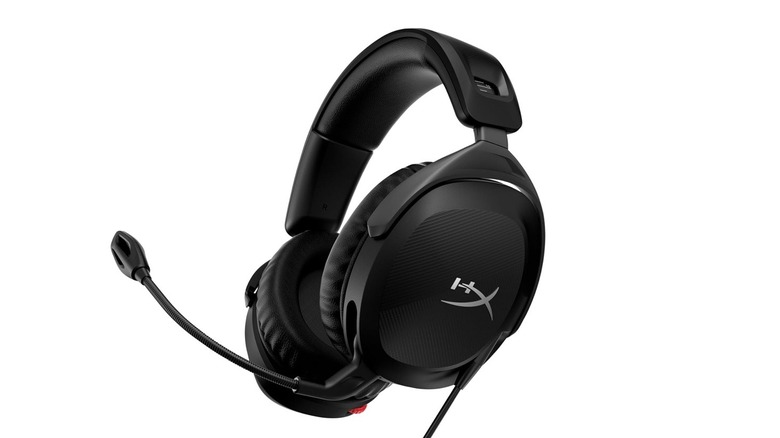
If you don't want the sounds from your video game to disturb others in your home, you should use headphones. However, you can also opt for a gaming headset specifically, which provides other functions besides private listening. If you're a fan of multiplayer games like "Valorant" and "League of Legends," a gaming headset is essential for talking strategy with your teammates. Or, in some cases, barking orders at them.
For a budget-friendly gaming headset, you may want to consider the HyperX Cloud Stinger 2, which over 6,400 Amazon reviewers have collectively rated at 4.3 stars on average. For just $49.99, you can get a headset with memory foam earcups and adjustable steel sliders that manages to weigh just 275 grams. Combined, these features justify CNET's description of this device as "one of the most comfortable gaming headsets under $100." If you're in the habit of playing games for hours on end, you likely won't mind wearing this accessory the entire time, whether you're playing on your gaming PC or a console. You can even conveniently mute the mic by flipping it upright, thanks to the headset's swivel-to-mute feature.
Eliminate wire clutter with cable ties
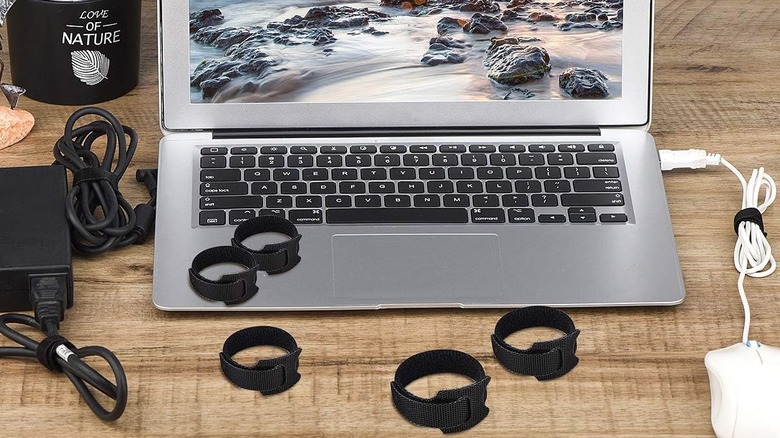
Unless you exclusively go after wireless gadgets, buying gaming peripherals and other accessories might leave you with a messy gaming station rife with cable spaghetti. If you don't take care of that, the chaos could prove to be an unwelcome distraction during gaming sessions. For this purpose, you're going to need cheap gadgets that can fix cable clutter, and cable ties are probably the most affordable way of making sure all the wires in your setup are organized.
If you need help with cable clutter, Amazon sells 60 pieces of the 6-inch Nettbe reusable cable ties for a cool $12 flat, but you might find it on sale for as low as $6.98. They're made of nylon and can be used multiple times. Unlike traditional plastic zip ties that need to be snipped and replaced if you make changes to your wire management, you can easily remove or adjust these Nettbe cable ties to accommodate any setup. They're great for your gaming station, but given you've got a 60-count to work with here, you'll inevitably have extra cable ties to use around the house, like in your home office or garage.
How we chose these cheap gaming station upgrades

We first identified parts of a traditional PC gaming setup that are not only easy to upgrade, but can noticeably augment the gaming experience at a minimal cost. Next, we selected recommended products for each use case.
All chosen products are available on Amazon with a retail price of $50 or less. To ensure every product had an adequate customer base to back up scores, each one had to have an average rating of at least 4.0 stars from more than 1,000 customer reviews.
To support our recommendations even further, we also leveraged professional reviews from reputable websites.