

10 Essential Apps For Every Remote Worker

When you're working from home, your apps essentially become your office. Instead of the shared desk, the conference room, and the water cooler, you now spend your entire day on your computer. Yes you've upgraded your home office with a setup that's just right, but what about the software?
You might spend your morning catching up on emails, messaging a coworker about their weekend, or joining an early morning standup meeting in your pajamas. As so much of your productive time is spent in task management systems, communication apps, emails, and document collaboration, the choice of the tools you pick becomes of paramount importance. They need to be dependable, fade into the background, and support you to get things done.
In the modern workspace, the best remote work apps are ecosystem apps. They work flawlessly on every platform, especially on smartphones; they prioritize ease of use, and have features that increase transparency and accountability across both team and project. The perfect work-from-home app setup makes it easy to attend online meetings, measure your productive time, have access to all important project data, track your tasks, and see an overview of everything that's going on with your team. We've highlighted some of the best work-from-home apps below, focusing on those with an established user base and dependable cross-platform support. You can find out more about our methodology at the end of the article.
For online meetings: Zoom Workplace
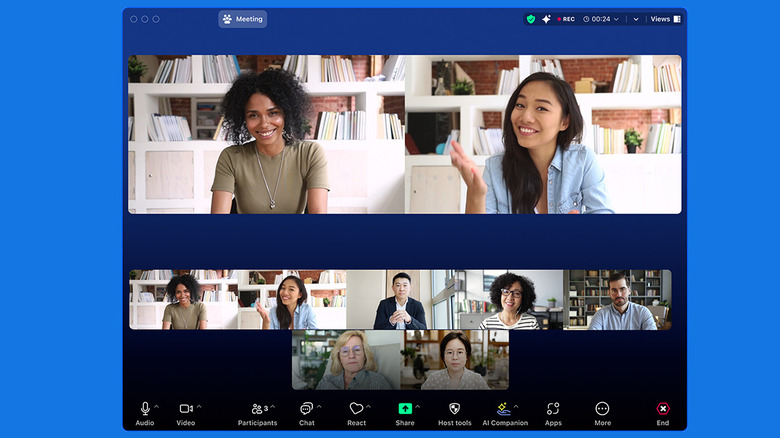
Since the pandemic, Zoom has become a staple of remote work and remote learning. A lot of it is down to the app's ease of use, low-latency video calls, and the ability to join a meeting using just a link — without the need for a Zoom account.
Zoom's core collaboration features make it easy to share your screen (or a tab, or just the audio) and chat with call participants. It also enables real-time collaboration with features like whiteboarding and breakout rooms – a useful way for large groups to split up into smaller teams.
For free users, Zoom limits meetings to just 40 minutes. Zoom Workplace Pro's paid plan increases the meeting limit to 30 hours, and adds unlimited AI note-taking, 10GB cloud storage, cloud recording, and more, starting at $16.99 per user, per month. Zoom's AI Companion is especially useful. It works in the background after all participants consent to it, records the audio, transcribes the text, and summarizes the meeting to provide key insights at a glance. Zoom's popularity can be seen from its App Store ratings, where it averages 4.7 stars across more than 3.1 million ratings.
For simplified task management: Todoist
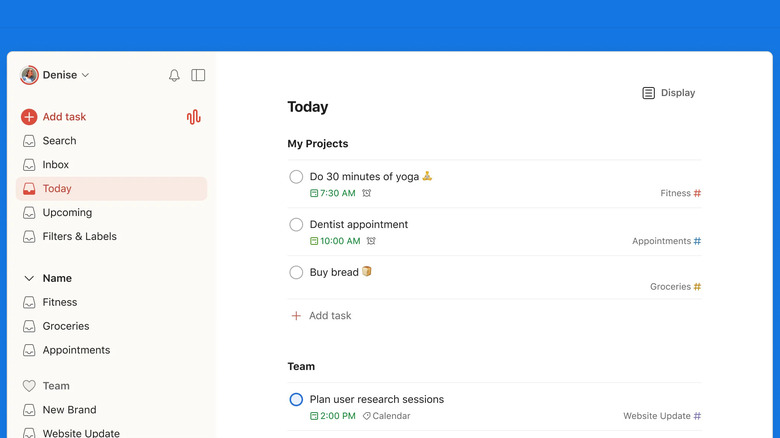
Todoist is a remote work app built entirely by a remote-first team spread across 25 countries, all relying on asynchronous communication, and, of course, online collaboration. This means Todoist is designed to solve real-life needs of remote workers by people who experience the struggles of working remotely daily.
Todoist manages to incorporate project management features in a simple and clean interface. Todoist's app is minimalistic, and stays that way even when you start managing projects with multiple members of your team. Todoist's Quick Add feature uses natural language processing to turn plain English inputs into organized tasks, saving you multiple clicks in the process. You can use natural language to describe any due date, project, label, or assignee, and it will turn it into a task. Todoist is also experimenting with an AI feature called Ramble, where you can speak to it like you're using a voice assistant to convert long winded sentences into actionable tasks.
Todoist keeps team projects separate from personal to-dos, so you can use the same app for both purposes. Anyone can join a project with a simple link, and start collaborating, assigning tasks, setting deadlines, and adding comments. There's also an activity tracker that lets you see which team member has completed which task. Todoist has one of the highest ratings of any app on this list, with an average of 4.8 stars across more than 125,000 ratings.
For visual workflow management: Trello
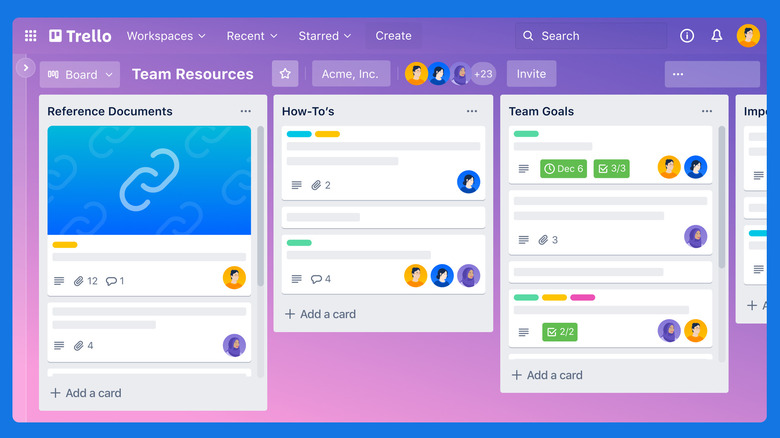
Trello's strength lies in its simplicity. The visual organization app owned by Atlassian uses boards and movable cards to help you get things done. Think of it as the digital version of moving sticky notes around on a whiteboard. But here, anyone on your team from across the world can participate.
Trello takes a three-tiered approach. You start out with a workspace that can contain many boards. The boards themselves contain lists, such as "to-do," "in progress," or "done." These lists contain multiple cards, which might each be individual tasks, team member profiles, or another separate unit of information. A card itself expands to reveal subtasks, notes, comments, attachments, and a variety of custom fields. And yes, just like sticky notes, Trello cards can be color-coded.
Beyond the visual organization, Trello excels in automating workflows. For example, you can create a rule that when a card is moved to the "done" list, a notification is sent automatically to your team leader to assign another task. Trello also offers integrations for popular remote work tools like Slack and Jira Cloud. Trello is free for individuals and small teams using up to 10 boards and 250 automations per month, while the Standard plan costs $6 per user per month and adds features like unlimited boards, and 1,000 automations per month. Trello scores an average of 4.4 stars across 6,700 ratings on the App Store.
For time tracking: Toggl Track
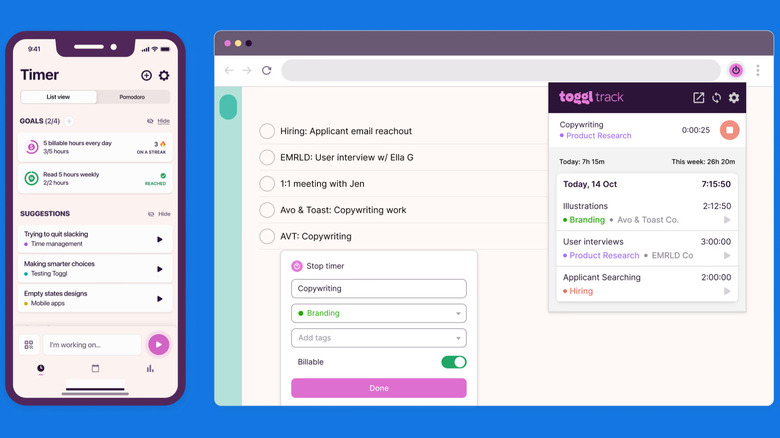
Time tracking might sound like a mundane task, but it goes a long way in enhancing trust and transparency for both you and your clients. As a freelancer, time tracking can help you manage how much time you're spending on a project, and charge accordingly. Whereas in teams or large companies, time tracking can aid in accountability.
Thankfully, you don't need to track your time manually using a spreadsheet. You can use Toggl Track to create a digital record that's easy to share with your team. Toggl Track offers desktop apps, mobile apps, and browser extensions where you can start and stop timers for any project that you're working on. Toggl's browser extension also integrates with over 100 services, so you can activate time tracking when you start working on a task in Trello, for instance, or at the beginning of a meeting in Google Calendar. Toggl Track is rated highly on the App Store, with 4.8 stars from over 9,000 reviews.
Toggl can send you a notification when you've been idle for some time, so that you can stop your time tracking. Your time tracking data shows up in a dynamic dashboard, and you can easily share your time entries with your team members or clients as a CSV file. Toggl is free to use for teams of up to five users. The Starter plan for $9 per user per month adds extra features like billable rates, project time estimates, and team collaboration features. Though, for most individual users and small teams, the free plan is more than enough.
For document collaboration and file management: Google Workspace
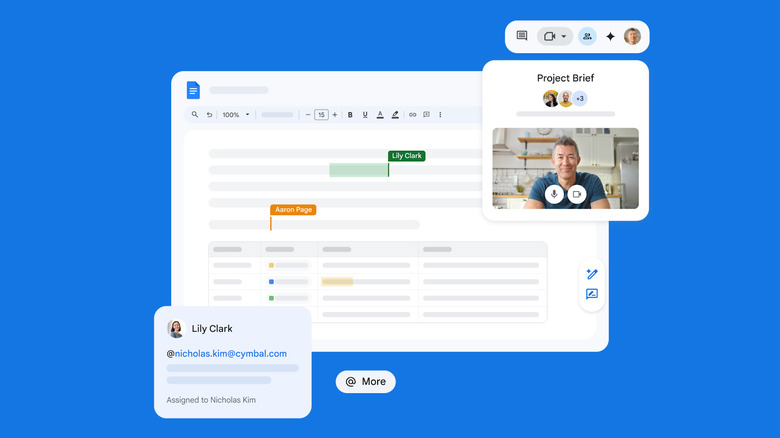
Google Workspace isn't a single app; it's an entire suite of interconnected work tools that knowledge workers almost take for granted. Google Workspace includes many products, but it's the real-time collaboration in Google Docs, Sheets, and Slides that really stands out. You can work on a document, spreadsheet, or presentation with your colleagues from across the world. Instead of emailing changes and feedback, you can suggest edits, make comments, or "@" mention members to create an asynchronous workflow. All your files can be shared in Google Drive, and communication can take place in Google Chat (a simpler version of Slack), and Meet (a free alternative to Zoom).
Like Gemini's integration in Chrome, Google is also bundling in Gemini with Workspace plans — which start at $8.40 per user per month. You can use Gemini to help you rewrite text in Docs, create charts in Sheets, or beautify presentations in Slides. Google's most popular workspace tools, Docs and Sheets, both have stellar 4.8 star ratings on the App Store.
Google Workspace can serve as the default collaboration space for all your work, including email, document editing, spreadsheets, video calls, and more. Alternatively, you could explore a Microsoft 365 subscription that provides you with access to Microsoft Office apps like Word, Excel, PowerPoint, and Outlook. Plus, each user gets 1TB cloud storage, and access to online meetings and chat via Microsoft Teams.
For asynchronous communication: Slack
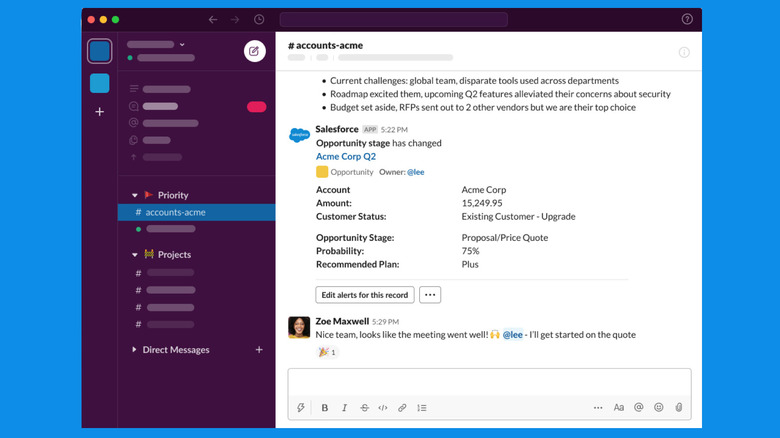
Officially released in 2014 and acquired by Salesforce in 2021, Slack has become synonymous with remote work. While Slack works for small, scrappy remote teams, it also scales up to suit multinationals. It has daily active users in more than 150 countries across the world, and is used by 77 of the Fortune 100 companies.
Slack is available on every major platform, is fast to use, and integrates with more than 2,500 apps. The app is built around the idea of dedicated channels, which can be organized by topic, project, or team. They are highly customizable, and can be private or public to anyone on the Slack team. Users can create message threads, share attachments, and start quick audio or video calls. Slack's use of automation workflows integrates updates and tasks for popular services like Google Workspace, Microsoft Office, Zoom, and more. For example, Trello's Slack integration lets users create new Trello cards for tasks directly from a Slack channel.
Slack can serve as a central command center for all work. It can replace back-and-forth emails, and long Zoom meetings, in one fast, searchable, and trackable interface. Slack's free plan has all the basic messaging features, but the history is limited to 90 days. The Pro plan, starting at $7.25 per user per month, includes AI summaries and huddle notes, along with unlimited message history and app integrations. Slack has an average rating of 4.1 stars on the App Store, with over 44,000 ratings.
For team database management: Notion
Knowledge is a foundational layer for any remote team, as it keeps everyone across multiple time zones on the same page. Instead of losing time sharing updates over video calls or messages, a central database can go a long way.
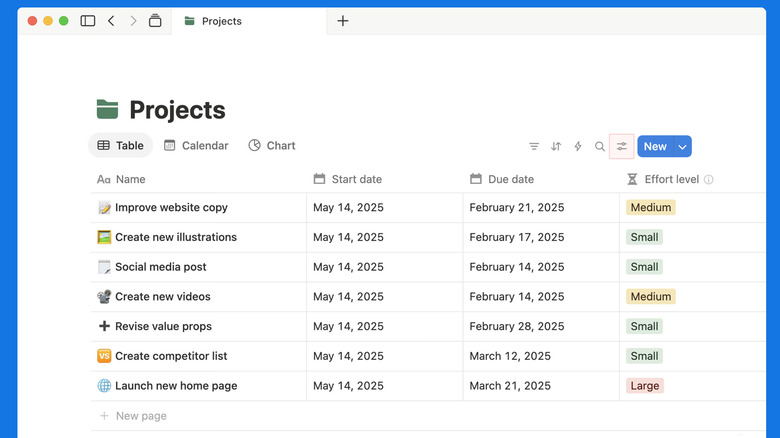
Notion is a workspace app that integrates features from database management tools, knowledge wikis, note-taking apps, and task management systems. You can use it to replace many single-use workspace apps, but the best way to use it is for database management and collaboration. Notion is built on the concept of blocks. Every paragraph, image, or list, is a block that can be moved around, linked, and used in a larger database. You can create a database with rows and columns, with multiple data types, and share it across your team.
You can use it to manage leads for your sales team, inventory, tasks, or just pure data. Notion's API and integrations make it easy to connect with other remote work apps like Slack, Google Workspace, Trello, and more. Notion also offers AI agents that can manage entire projects, creating databases, tasks, and documentation. Notion is free for personal use, and the Plus plan starts at $10 per user per month, however with only basic integrations. The Business plan is $20 per user per month, and includes AI agents and AI meeting notes. Notion is highly rated by its users, with an average of 4.8 stars across 80,000 ratings on the App Store.
For easy screen and video recording: Cap
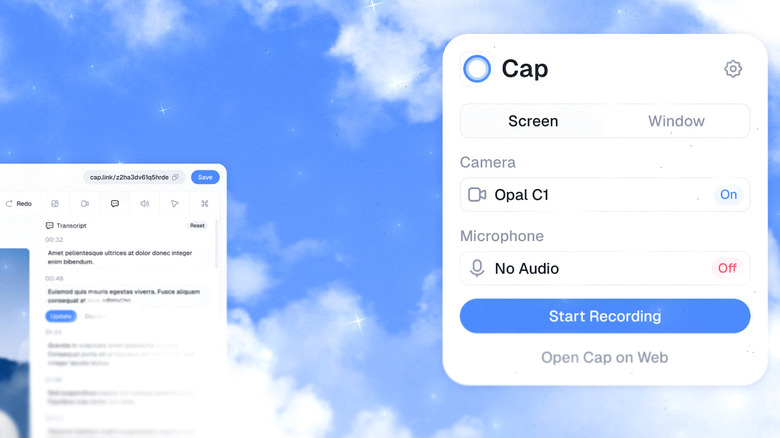
Screen recording might sound like a niche utility, but it's a foundational tool for remote teams. Because you aren't in the same workspace, remote teams often end up with multiple "quick calls" and catch-up meetings to walk through a simple feature, or project update. This is where Cap can help. Available on both Windows and Mac, it's an open-source app that helps users record detailed screen captures along with a webcam overlay. These are recorded, processed, and shared via Cap's cloud service in minutes. Team members can then add notes and reply to messages in the comments thread to provide feedback.
With a single click you can start recording your screen and your webcam view in a customizable floating window. There's an option to pause the video recording as well. Once recorded, you can trim or cut the video as you please. Cap also has Instant Mode that instantly uploads a short video recording of up to 5 minutes for free, generating a link for quick sharing. Cap is free for personal use, and a professional license costs $58 for lifetime use. However, you can use the Studio Mode to record and edit 4K screen recordings without paying a dime. Cap Pro costs $12 per month per user and includes unlimited link sharing, cloud storage, and automatic AI summary. On GitHub, Cap has over 17,900 stars.
For distraction blocking: Forest
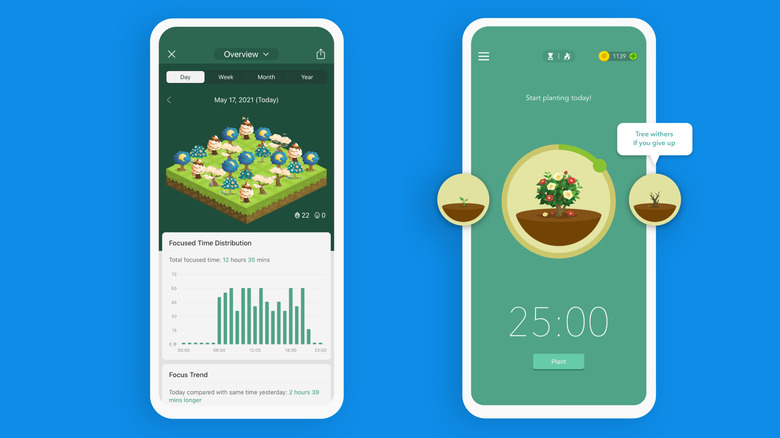
Your task management app is in place, your work app is open; what now? Well, you need to focus and get started with your work. This is where the Forest app can help. It's a gamified productivity app for Android and iOS that's designed to remove the myriad of distractions on your smartphone so that you can focus on your work, and as a bonus, reduce your smartphone screen time. Forest is highly rated by its users, with an average rating of 4.8 stars across 48,000 ratings on the App Store.
You use Forest by setting the timer for a focus session, say 25 minutes, and planting a virtual seedling in the ground on the app. As time goes on, you'll see that your seedling will start to grow into a plant, and then a tree, just so long as don't get distracted and open another app. The more time you spend in focus mode, the more coins you earn. You can spend these coins to buy various virtual trees, or you can use them to plant real trees via the Trees for the Future organization. The app's users have already planted over two million real trees.
Forest's free app offers simple gamification features, but if you want to block distracting apps and websites when you work — like Instagram or TikTok — you'll have to upgrade to Forest Plus, which starts at $5.99 per month or $35.99 per year.
For hands-free typing: Handy
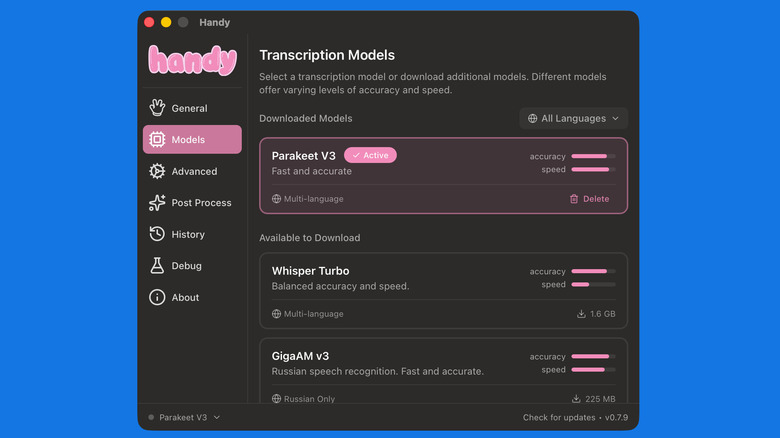
Handy's developer created the app when he broke his finger and couldn't type anymore. You might use it to save yourself from typing fatigue, or to just speed up your workflow. Handy is a simple, free, and open-source voice-to-text app that uses on-device AI models to convert your speech into text. One case could be typing long prompts in ChatGPT, or messages to your teams in Slack, or dictating emails in Gmail.
You can trigger Handy with a shortcut and just start speaking. The app will automatically transcribe your text using either the OpenAI Whisper or Nvidia Parakeet V3 models. Parakeet is recommended as the best option for English transcription, while Whisper is best for multilingual speakers, with support for more than 99 languages. Once you stop recording, it will paste the processed text into any text box. It works on Windows, macOS, or Linux, and uses GPU acceleration to speed things up if your system supports it.
Using Handy's post-processing feature, you can go beyond the AI's default transcription feature. This is an experimental feature that you can enable from Settings > Advanced > Experimental Features. Once enabled, it will automatically fix grammatical and formatting mistakes. For this, you'll need to add your API key from AI providers like OpenAI or Anthropic. On Github, Handy has over 19,300 stars.
Methodology

All the apps listed here are available on multiple platforms. For our selection, we considered reviews from reputable software review sites, user feedback from public platforms, and ratings from the App Store and Play Store. Apps that are available on the App Store have average ratings of at least 4.1 stars. For open-source projects not available on the App Store, we used GitHub stars as a metric, showing the popularity of the project.