

8 Reasons You Should (And Shouldn't) Upgrade Your Router To Wi-Fi 7
We may receive a commission on purchases made from links.
Right now, the best Wi-Fi technology money can buy comes in the form of Wi-Fi 7, also known by its much less sexy name, "IEEE 802.11be." There's no arguing that Wi-Fi 7 is better than what's come before it in every conceivable way. It's the closest we've come to a wireless equivalent for Ethernet, which has traditionally always been more reliable than Wi-Fi.
Hearing all the hype about Wi-Fi 7 might have you chomping at the bit to upgrade your home Wi-Fi. That is, until you see how much a good Wi-Fi 7 router or mesh system will cost. Yes, as the latest and greatest Wi-Fi standard, the asking price is quite steep, although entry-level routers are coming down to more acceptable prices.
Nonetheless, upgrading your Wi-Fi isn't just about the costs. It's a major undertaking. So it's not something you should do for marginal gains or features you don't need. With that in mind, let's look at some good reasons to make the jump to lucky number seven, and some equally good reasons to save your money and stick with what you have.
Wi-Fi 7 is a massive leap in raw speed

Going from Wi-Fi 6 to Wi-Fi 7 gives you a (theoretical) leap of 9.6Gbps to a whopping 46Gbps. Of course, these raw-speed numbers are pretty far away from real-world results. In situations that you might actually encounter, your Wi-Fi 7 router might hit around 900Mbps and a Wi-Fi 6 router something like 600Mbps. This is with Wi-Fi 7's MLO (Multi Link Operation) feature turned off, which is a worst-case scenario, but since that feature won't always be available it's a fair rough baseline to work from. In some situations, it could be higher of course, the point is to treat those lab experiment speeds with a huge grain of salt.
That said, Wi-Fi 7 truly is a major upgrade over Wi-Fi 6 comparatively when it comes to speed. So, if you need that extra speed and you can't just install an Ethernet cable, then the choice becomes clear. If you're on an older Wi-Fi 5 system and it's starting to buckle under the demand of all the devices in your home, it makes even more sense to upgrade.
Does that mean you need to upgrade to Wi-Fi 7? If you're coming from Wi-Fi 5, Wi-Fi 6E might also be a good time to consider as it hits the pricing sweet spot thanks to Wi-Fi 7 now positioned as the top technological offering. There really is a worthwhile difference between Wi-Fi 6 and Wi-Fi 6E, in case you're wondering.
Latency improvements are real and noticeable

Outright speed isn't the reason Ethernet has usually been favored over Wi-Fi. For some types of network applications, it doesn't matter how fast the total throughput of the connection is, if it has high latency then it won't work as expected. Latency is a measure of delay — the amount it takes for your laptop or phone to receive an answer to a request for data. If you have high latency, but lots of bandwidth, then there's a noticeable delay between clicking a link and a web page loading, but the actual loading process is fast once it starts. For things like online multiplayer games and video calls high latency can actually make them unusable.
Latency is one area of special focus for Wi-Fi 7. With features like Multi Link Operation active and all working as intended, Wi-Fi 7 offers latency figures somewhere between 10-50ms though sub-10ms results are also possible. That's perfect for snappy web browsing and real-time video chats, but for hardcore online games, it's still not good enough. Ethernet offers sub-millisecond latency, which means you can eliminate it as a factor when gaming and only worry about latency from other devices in the chain. For anyone who isn't a competitive gamer, though, Wi-Fi 7's latency chops might mean you don't feel the need to lay cables anymore.
It's built for the future, not just today

Wi-Fi 7 doesn't exist in a vacuum. It's a standard that was developed with the growing needs of home networking in mind. We have more and more devices that need network connections, and the bandwidth requirements of online services are growing. Incidentally, have you seen how big console games are now?! While gigabit fiber internet has gone mainstream in many parts of the world, 10Gbps broadband is already rolling out in some (lucky) places and there's simply no way that older Wi-Fi technologies can dole that amount of bandwidth out across a home full of devices.
It's not just the future of home internet bandwidth, we need more bandwidth for the growing number of devices inside our homes, too. If you turn your old computer into a media center and start running a Plex or Jellyfin server with multiple 4K streams to everyone in your house, you'll want fast local links. People are starting to locally host all sorts of services, and smart home technology is just going to become more common. Investing in Wi-Fi 7 now readies you for all of this.
Multi-device households benefit the most

Wi-Fi-connected devices used to be rare, but, in modern homes, there's a good chance there are far more Wi-Fi gadgets than people. It's not outlandish to think that every person in a home these days has their own smartphone, and perhaps even a tablet or laptop. Throw in a few smart TVs, game consoles, and smart appliances, and you're easily looking at close to a dozen Wi-Fi-connected devices for just a small family. And don't forget, these devices don't need to be actively used to consume bandwidth on your Wi-Fi network.
Wi-Fi 7 doubles the number of "spatial streams" compared to Wi-Fi 6, as it makes provision for up to 16 streams. However, the Wi-Fi 7 standard does not mandate 16 streams, which means just because a router has a Wi-Fi 7 badge it doesn't necessarily have this specification. Even without the full 16 streams, though, the addition of new 320Mhz channels also increases the multitasking capacity of Wi-Fi 7 routers.
Again, there's lots of leeway in the Wi-Fi standard for router manufacturers, so the specific router you buy determines its true capabilities. If you buy a high-end Wi-Fi 7 router with up to three 320Mhz channels, you'll get up to 59 20Mhz channels as a result. This significantly increases how many devices can work well at the same time and gives you plenty of future proofing.
Backward compatibility makes upgrading painless
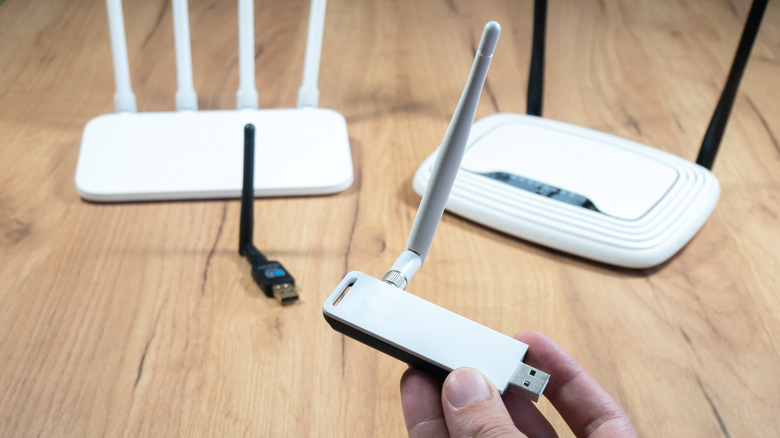
Wi-Fi 7 is backward compatible with all the Wi-Fi gear you're likely to find out in the real world. You'd have to go to a museum to find something that won't connect. This means that if you're using a Wi-Fi 4 or Wi-Fi 5 router at the moment, a Wi-Fi 7 router should be a drop-in replacement with no need to replace anything else. At least not right away.
Over time, your devices will naturally be replaced with newer ones, and so they'll reap the benefits of Wi-Fi 7 fully, but even without a total Wi-Fi 7 system you'll see improvements in speed, stability, and latency. For some devices, like basic smart home gadgets or IP cameras, you never have to replace them because they'll get no real added benefit from Wi-Fi 7. They already worked just fine with older Wi-Fi technology and they have basic jobs. So don't sweat it.
Your devices probably don't support Wi-Fi 7 yet

There are many reasons why Wi-Fi 7 makes sense, but chances are, you don't have to worry about upgrading just yet. Unless you have one of the latest iPhones, MacBooks, or other cutting-edge personal electronics, there's a good chance you don't actually have any devices that have Wi-Fi 7. While it's true, as we just discussed, that Wi-Fi 7 will work just fine with all your current devices, is there a reason to pay the early-adopter tax if you don't actually have the devices?
Backward compatibility cuts both ways. Any Wi-Fi 7 devices you do get in the meantime will work just fine with your older Wi-Fi system. You won't get the full benefit, but that's not the same thing as getting an objectively poor experience. Unless you have a specific Wi-Fi 7 device that you need more performance on, and Ethernet is not an option, then it's probably not worth upgrading to a Wi-Fi 7 router just yet. It makes more sense to bide your time.
Prices will come down

There's no getting around that Wi-Fi 7 routers are quite expensive. For example, the excellent Amazon eero 7 that we recommended as one of the most reliable Wi-Fi mesh systems will run you around $170 per unit. That's not at the high-end of the Wi-Fi 7 price spectrum either. Something like a Netgear Orbi 870 tri-band mesh system sits at around $400 per unit.
You can get Wi-Fi 7 routers for under $100, but as mentioned earlier, there's a lot in the Wi-Fi 7 standard that's optional. Which means those cheap bottom-tier routers are missing the features and specifications that make Wi-Fi 7 an attractive upgrade in the first place. As time goes by, though, and Wi-Fi 7 becomes the norm, prices should naturally come down. Unless money is no object, the rational choice would be to wait for Wi-Fi 7 routers that have the correct number of bells and whistles to move into a price bracket that's more palatable.
Wi-Fi 6 is already good enough for most people
There's always a way to improve Wi-Fi speeds, but there's also such a thing as being "good enough" for your needs. Wi-Fi 7 is in a tough spot because it's ultimately a forward-looking technology, and it might take quite a few more years before the true benefits of Wi-Fi 7 (and its successors) become truly apparent.
In the meantime, Wi-Fi 6 and 6E are probably faster and more capable than you need them to be. Unless you're on an internet connection faster than 1Gbps or you have more devices on Wi-Fi than Wi-Fi 6 can handle and even if you need more capacity, there's still Wi-Fi 6E with its extended band.
Also, don't forget about Ethernet. It's cheap, it's reliable, and it offers amazing performance and reliability. Even better, every device you shift to Ethernet frees up more room for your Wi-Fi devices on your home network. Perhaps the best solution to your network performance woes is a network switch and a few spools of Cat6 Ethernet cable, along with a few hours of installation. It's not the sexiest solution, but for a lot of you out there, it's the most sensible one.