

9 Reliable Wireless Printers You Can Buy In 2026

We may receive a commission on purchases made from links.
Despite advances in technology, printers are one consumer product that always feels like they're stuck in the past. Everything from poor ink yields, connectivity errors, ink clogs, and misaligned pages to inexplicable print errors and slow print speeds has given printers a terrible reputation among customers. Thankfully, if you're willing to wade through a sea of similar models, there are still companies making reliable wireless printers in 2026. These printers will deliver when you need them most, like printing an assignment for school or a detailed report before a meeting at work.
Most of these come from a few select brands that make reliable printers. They are the printers that are the least likely to run out of ink or lose connection when you need them, but it's worth pointing out that they aren't infallible. Even highly reviewed printers by experts often have middling reviews from customers. For this list, we've selected products that are both recommended by experts and hold a 4.0 aggregate rating from customers or higher, so you're getting a clear consensus printer opinion.
Brother HL-L2460DW
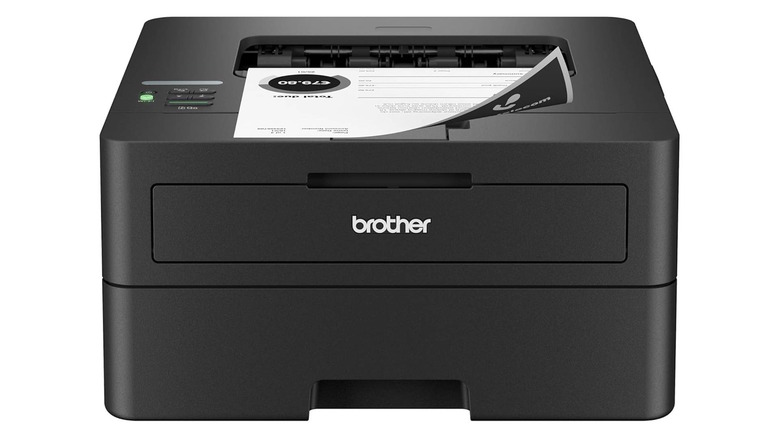
Brother is the brand to know when it comes to reliable wireless printers, with many happy customers sticking with the brand for over a decade. The HL-L2460DW is one of its most basic models. It's a monochrome printer, so it only prints in black and white, and there's no scanner to be found. Instead, it's an affordable entry point into laser printers, and the brand sells several toners (TN830, TN830XL, or DR830) that can comfortably print thousands of pages before you need to replace them. These toners are expensive, but they pay off in the long run, and they won't clog up your printer if left unused for months at a time like inkjet models.
If you need to print quickly, the HL-L2460DW also has you covered, with an advertised printing speed of 36 pages per minute (ppm). In its review, RTINGS found that those numbers are more than just marketing, measuring a speedy real-world output of 34 ppm. This model has automatic duplex printing, so you can print on both sides without fiddling with the paper.
In terms of wireless connectivity, it supports dual-band Wi-Fi (2.4GHz / 5GHz), Wi-Fi Direct ,and wireless printing via the Brother Mobile Connect App. When printing from a phone, it's also compatible with both Apple AirPrint and the Android-enabled Mopria Print Service, which is relatively easy to set up on any device. It has an aggregate rating of 4.1 on Amazon, based on more than 2,000 reviews.
Epson EcoTank ET-2980
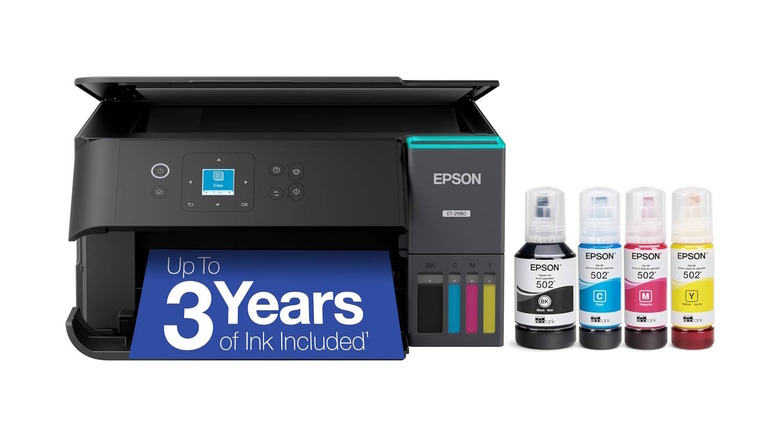
Cartridges can be annoying and costly to replace in inkjet printers, but the Epson EcoTank ET-2980 flips this logic on its head by using refillable ink bottles. The company notes that there's enough ink in the box for up to 6,600 color prints or 5,500 black and white prints, depending on usage. After that, each replacement EcoFit bottle is the equivalent of 80 cartridges. That could be years worth of prints in your home office, with RTINGS writing that "its exceptional page yields make it very economical to run."
However, be aware that if you don't print for a long time, it can lead to ink clogs as things dry up. The bottles themselves can also dry up, so this product is best for users who expect to do a lot of printing. Thankfully, the bottles can be purchased individually and you only need to refill what you use.
It's also worth pointing out that the print speeds are much slower than laser printers, but still decent as far as inkjet printers go. It's rated for 15 ppm in black-and-white prints, or 8 ppm in color prints. It also has auto duplex for easy double-sided printing, as well as a basic scanning bed for extra versatility. In terms of connectivity, it supports Wi-Fi 5, Wi-Fi Direct, and mobile compatibility via the Epson Smart Panel app, Apple AirPrint, Mopria Print Service, or Mopria Scan. It has a 4.2-star rating based on more than 500 reviews on Amazon.
Brother MFC-L3780CDW
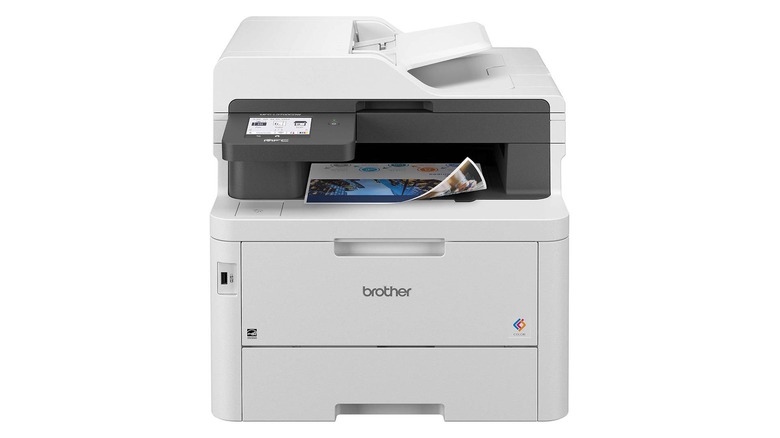
For demanding uses like small businesses or offices, the all-in-one Brother MFC-L3780CDW is a reliable workhorse printer. It has all the functionalities you could ever need from a printer, including color prints, copies, a 50-page automatic document feeder (ADF), scans with on-device optical character recognition (OCR) to output searchable PDFs, and even faxing. It also supports auto duplex printing, plus single-pass duplex scanning and copying.
It's a laser printer, so pages print fast. It's rated for 31 ppm for both black and white and color prints. The quality is great, too. PCMag found that documents printed in tiny 4-point size were still clean and legible. Brother claims the included cartridges have enough toner for 2,300 black prints or 1,200 color prints, with high-yield replacement toners available to last even longer. Color toners are sold individually, so you only have to replace the ones that run out. They are expensive, but you can save some money with a Brother Refresh EZ Print Subscription.
This printer also boasts a wide range of wireless connectivity options. In addition to gigabit internet, it supports dual-band Wi-Fi (2.4GHz / 5GHz), Wi-Fi Direct, and mobile prints via the Brother Mobile Connect app, Apple AirPrint, or Mopria Print Service. If your company deals with sensitive information, there's also an NFC scanner for badge authentication, which restricts printer use to authorized personnel. The MFC-L3780CDW costs well over $500, but that actually puts it on the budget end of all-in-one color laser printers with this feature set. It has a 4.1-star rating based on over 700 reviews on Amazon.
Canon PIXMA TS6520 / TR7120
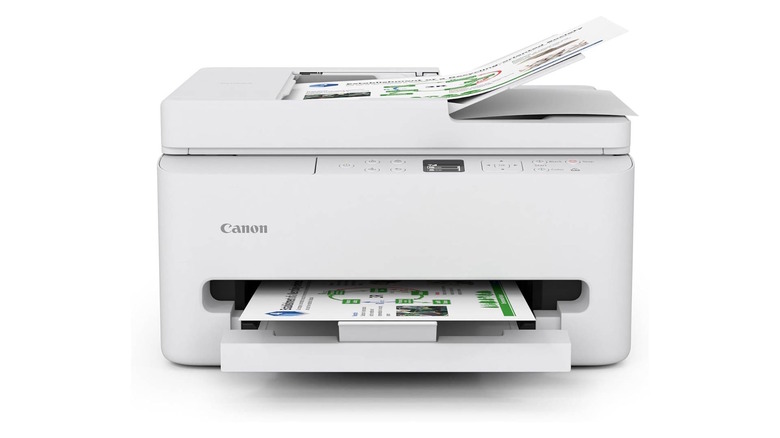
Canon is best known for its DSLR cameras, but it's also a long-standing player in the printer space. Two of its most reliable models, the PIXMA TS6520 and TR7120, are from the same model. They're both affordable all-in-one inkjet printers with a small footprint, making them a great choice for home use. The difference between the two is that the TR7120 has a 35-sheet ADF for quick scanning of large stacks of documents. The latter is limited to scanning one document at a time via a flatbed scanner, but it's more affordable. Apart from that, the two are identical, with a surprisingly solid shared feature set that includes duplex printing.
While both models are affordable, they come with some of the classic drawbacks of inkjet models. They both use a two-cartridge system, so you'll have to replace the entire color cartridge when one color runs out. Page yields are middling, and you can expect around 250 pages per cartridge. Still, it's a good budget home printer, with RTINGS writing that it "feels solidly built and delivers sharp documents along with detailed photos."
Print speeds are decent, coming in around 14 ppm for black & white prints and 9 ppm for color prints. It supports a variety of connection options, including dual-band Wi-Fi (2.4GHz / 5GHz), Apple AirPrint, Mopria Print Service, and the Canon PRINT app. The Canon PIXMA TS6520 has a 4.5-star rating based on more than 500 reviews on Amazon, and the Canon PIXMA TR7120 has a 4.3-star rating based on more than 200 reviews on Amazon.
HP OfficeJet 250
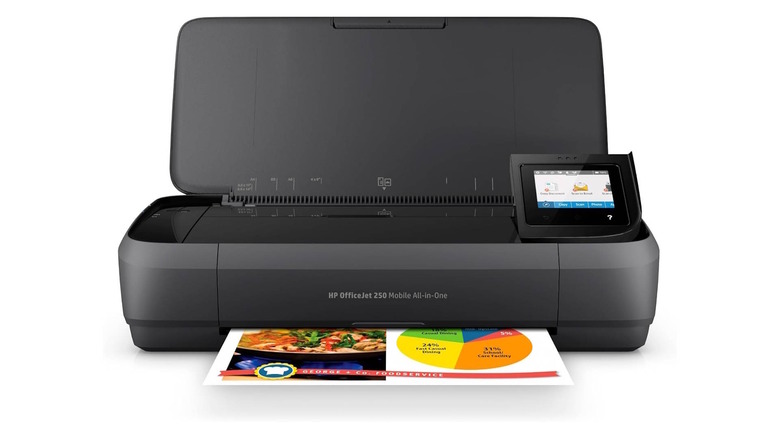
HP is widely considered one of the least reliable printer brands, but the HP OfficeJet 250 bucks the trend, and it's unique because it's designed to be completely portable. It weighs 6.51 lbs, so it can easily fit in a backpack or briefcase. It also has a removable battery. In terms of functionality, it's an all-in-one color inkjet printer that can cover all your bases, with a 10-page ADF scanner for added convenience. There's no flatbed, though, which can result in tilted scans if the document doesn't line up perfectly.
It doesn't print quickly (roughly 10 ppm for black and white prints and 7 ppm for color prints). It prints a little slower on battery power than it does when plugged in, but the fact that it can print anywhere can be a lifesaver. You don't have to sacrifice quality, either, with PCMag finding that "output quality is better than you'll get from many desktop inkjets."
It's not surprising for a portable inkjet printer, but the page yields are fairly low. You can expect between 165-200 pages before needing to swap cartridges, with high-yield cartridges available to increase that to up to 415-600 pages. Like most inkjet printers, you'll also have to switch out the whole color cartridge when one of the colors runs low, and print regularly to avoid nozzle clogs. For wireless connectivity, it supports Wi-Fi, Wi-Fi Direct, and Bluetooth, as well as Apple AirPrint and Mopria Print Service. It holds a 4.3-star rating based on more than 3,500 reviews on Amazon.
Brother HL-L3280CDW
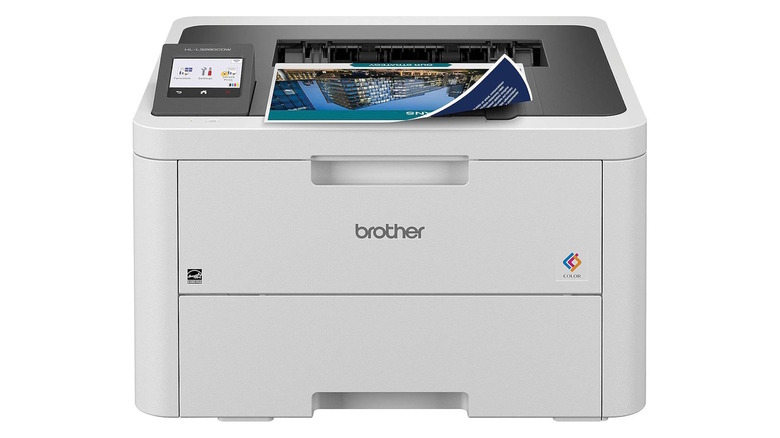
The Brother HL-L3280CDW is a simple, reliable color laser printer that's designed for small and home offices. It's a relatively affordable entry point into color laser printers, with a smaller footprint so it's easier to fit in limited spaces. It has a speedy max print speed of 27 ppm for both black and white and color prints, with automatic duplex printing for added convenience. However, there is no integrated scanner, so you'll have to rely on scanner apps on your phone or a separate device.
RTINGS found that document quality is "exceptional," but it didn't perform as well for photos, with some visible lines. If you print a lot of family photos, you may want to consider a different printer.
The good news is that yields are spectacular. The in-box toner is rated for 1,000 pages of black and white or color prints, keeping the cost-per-print low. Brother also sells high-yield toners to up those numbers to 3,000 and 2,300, and unlike inkjet printers, the ink won't dry and clog your nozzle if left unused for a few weeks. For wireless connectivity, it supports dual-band Wi-Fi (2.4GHz / 5GHz), Wi-Fi Direct, and the Brother Mobile Connect App. It will also work with Apple AirPrint and Mopria Print Service. It holds a 4.0-star rating based on more than 700 reviews on Amazon.
Epson SureColor P700
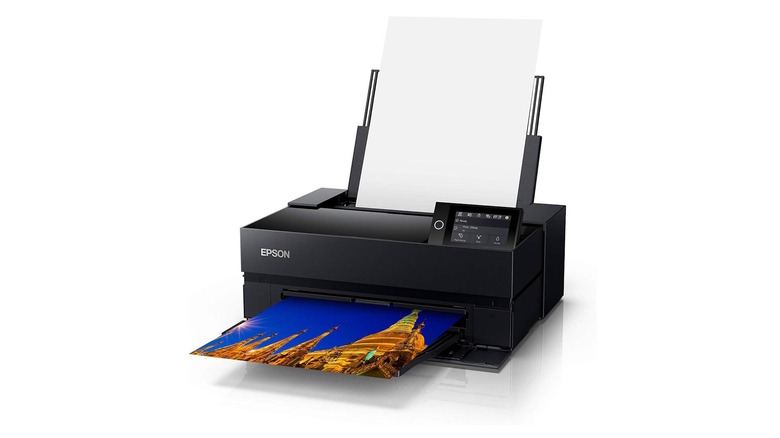
If you're looking for a reliable wireless printer dedicated to printing high-quality photos, the Epson SureColor P700 is a great choice. It uses a 10-channel MicroPiezo AMC printhead with a minimum droplet size of 1.5 picoliters for extremely precise printing. The printer has 10 25mL cartridges to achieve professional-grade color reproduction, and you don't have to switch ink between photo and matte papers. It supports papers up to 13 inches wide, with border-free printing and an auto-sheet feed that supports rolls up to 2 inches thick.
The photo quality here is what really stands out. RTINGS writes that "its color gamut is among the widest we've seen, and it's accurate enough for professional work." However, Epson notes that the included ink cartridges are only designed to set up the device, so you'll want to purchase a full set, which will cost you roughly $400, in addition to the printer itself.
While the SureColor P700 is incredible for photos, it's not a good general-purpose home printer. For starters, the print speeds are low. It will take more than a minute to print a single page on this printer, regardless of page type. It also doesn't have a scanner, so you'll need a separate machine or app for that. In terms of connectivity, it supports dual-band Wi-Fi (2.4GHz / 5GHz), Wi-Fi Direct, Apple AirPrint, and Google Cloud Print. For more in-depth settings and photo tweaks, you can also use the Epson Print Layout on macOS or Windows. It has a 4.0-star rating based on over 150 reviews on Amazon.
Brother MFC-J4335DW
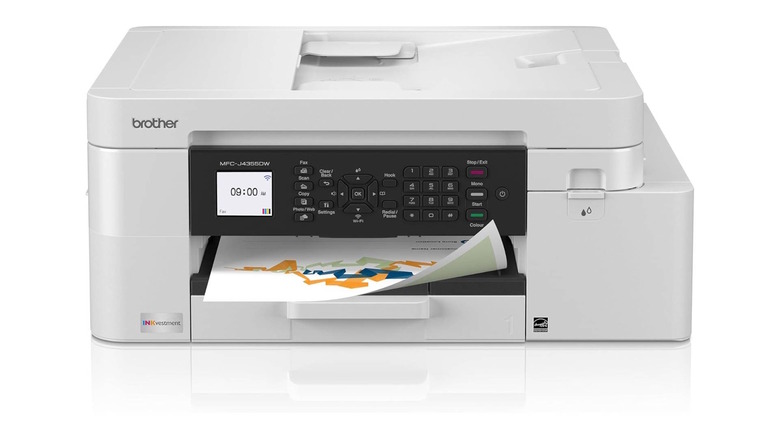
Most of Brother's printers are higher-end laser models, but the MFC-J4335DW is a welcome exception. Part of the company's "INKvestment" lineup, it's an all-in-one color inkjet printer with a much more affordable price tag than most of the company's other printers. It's a great gadget for your home office, with the ability to print, copy, scan, or fax. It also supports duplex printing and quick scans with a 20-sheet ADF, although duplex scanning is not supported.
This printer comes with four cartridges (black, cyan, magenta, and yellow) in the box, and they're rated for 3,000 black and white or 1,500 color prints. When they run out, you can replace them individually, so you don't waste ink, making this a great, cheap ink printer despite having a slightly higher initial cost. PCMag drives the point home, writing that at "0.9 cents per black page and 4.7 cents per color page, [it] will save money compared with most printers with a lower price tag." Just make sure you print things fairly often, or you may have to deal with nozzle clogs.
The MFC-J4335DW isn't the fastest printer, but it's a step above most inkjet printers. It's rated for 20 ppm black and white prints, or 19 ppm color prints. The compact size (17.1 x 14.2 x 7.1 inches) makes it a great choice for small home offices, where it can easily fit on a standard desk. In terms of connectivity, it supports Wi-Fi 4 (2.4GHz band) and Wi-Fi Direct, as well as Apple AirPrint, Mopria, and the Brother Mobile Connect App. It has a 4.0-star rating based on over 4,100 reviews on Amazon.
Brother MFC-L5915DW
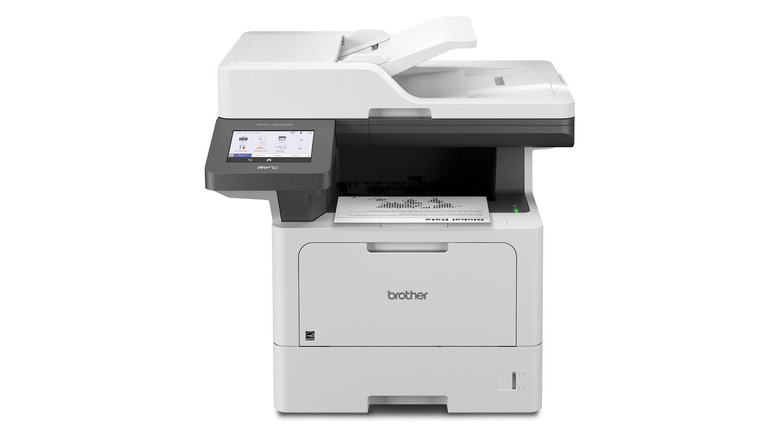
For office environments where speed is king, you want a reliable, high-volume monochrome printer. The Brother MFC-L5915W is a highly rated choice that has printing and copy speeds of up to 50 ppm. It's also a speedy scanner, offering simultaneous two-sided scans at up to 60 ppm with a 70-page ADF. With OCR, you can even scan documents into searchable and editable Word or Excel files, which is a huge bonus for professionals. The printer comes with a toner that should last for up to 3,000 prints, and the brand sells a replacement that promises 18,000 prints. That's as close to set-it-and-forget-it as it comes in the printer world, and it translates into incredibly low-cost printing.
The Brother MFC-L5915DW is highly rated by experts, earning PCMag's Editors' Choice pick for a large office or workgroup. The publication writes that it "delivers fast laser printing and copying, a higher maximum paper capacity than most competition, and a low cost per page" after comparing it to three similar models.
In terms of wireless capabilities, it supports dual-band Wi-Fi (2.4GHz / 5GHz) and Wi-Fi Direct, as well as Apple AirPrint, Mopria Print Service/Scan, and the Brother Mobile Connect App. It also has secure printing, so the printer stops until you enter a PIN on the screen. It currently holds a 4.2-star rating based on over 100 reviews on Amazon.
Methodology
These wireless printers were selected based on expert and user reviews, with each receiving a minimum score of 4 out of 5 from experts (or equivalent) and 4.0 or higher based on a minimum of 100 reviews on Amazon. In certain circumstances, we have also taken into account user reviews from other retailers, such as Best Buy or B&H, to get a more complete picture.
We have chosen a variety of products for different use cases, from occasional black and white prints to large offices that print thousands of color pages every month. There should be a printer on this list that satisfies the needs of most consumers. All products have been vetted for reliability first, which effectively means they will give you the least amount of headaches when it comes to replacing ink cartridges, performing long-term maintenance, and maintaining wireless connectivity across devices. We also considered other selling points like print quality, ink costs, print speeds, scanning capabilities, price, and other features.