

11 Everyday Apps That Are Tracking Your Activity
Smartphones have become an integral part of our daily lives, coming equipped with a slew of useful apps and tools that let you accomplish so much more than just take calls and send messages. From accessing social media to playing fun games, the functionality of smartphones is multifaceted and does an amazing job of keeping you entertained. There's a reason why mitigating screen time has become such a pressing issue, with people spending an unhealthy amount of time every day browsing the many apps they've downloaded on their devices.
Some of these apps have become part of people's daily routines, which might not be ideal for folks worried about these programs tracking their activity. Companies collect all this data for multiple purposes, including personalized advertising, sharing it with third parties, user analytics, product personalization, and optimizing app functionality. Given how privacy has become more of a pressing concern than ever before, most people would want to know about the apps they use on a regular basis that track their activity. After all, awareness is the first step most people will take in the journey to safeguarding their privacy.
1. Facebook
The Facebook-Cambridge Analytica scandal is arguably the moment when privacy became a pressing concern for most individuals. A whistleblower revealed that the company compromised the data of 87 million Facebook users in 2015, leading to one of the most publicized trials in history and a fine of $5 billion from the Federal Trade Commission, per The New York Times. If that wasn't bad enough as is, the popular social media app was also subject to a massive data breach in 2021, when the personal details of 533 million Facebook users were leaked, notes Forbes. These instances make it clear that Facebook's data collection is perturbing. As worrying as those leaks are, you can take a deep dive into Facebook's settings and manage how much data it's collecting.
The first thing to do is navigate over to the "Accounts Center" tab in the "Settings & privacy" section, which can be accessed from Facebook's settings. From here, navigate to "Your information and permissions" and tap on "Your activity off Meta technologies." Select "Recent activity" and you'll see a bunch of apps and services you use that've interacted with Facebook. It's in your best interest to choose "Disconnect specific activity" and select all these programs, delinking them from your Facebook. It's also recommended that you choose "Clear previous activity" to remove all activity history. Finally, to avoid having to do this again, go to "Manage future activity" and select "Disconnect future activity" to prevent your data from being exploited.
2. Instagram
Given that Instagram is a part of Meta, its tracking activities are worryingly similar to that of Facebook. Everything from your location to your browsing activity is used for targeted advertisements, which is why it's in your best interests to mitigate this data tracking as much as possible. Since Instagram's parent organization is the same as Facebook's, the steps to limit tracking are similar. Navigate to "Your activity off Meta technologies" from the app's settings to uncover a list of options similar to what we mentioned before. Disconnect any third-party services connected to Instagram and prevent any future activity from being used.
Along with this, people who want to peruse the data collected by Instagram can access its hidden features to download. After all, it's always good to be on top of the exact metrics that are being harvested on your end. From the "Accounts Center" tab, go to "Your information and permissions." You should see an option to "Export your information." From there, you can initiate the process to export your data, either on your phone or on a cloud service. Choose how much information you want to export, the time period when this data was harvested, its format, and overall media quality. This way, you'll figure out exactly how Instagram has tracked your activity, giving you the peace of mind that this data won't be used ever again... provided that you opted out of Meta's data tracking endeavors.
3. LinkedIn
LinkedIn's data tracking activities have been put on full blast after the reveal of BrowserGate, with this major Microsoft-owned brand tracking more than 6,000 Chrome browser extensions to uncover and collect the digital fingerprints of its users. This is deeply unethical and isn't mentioned in LinkedIn's privacy policy, making it more important than ever for you to take steps to mitigate this issue and prevent your data from being misused by one of the most popular social media networking apps around.
Sure, BrowserGate refers to LinkedIn's activities on Chrome, but that doesn't mean you should ignore what Microsoft is doing with this app on your phone. After all, the company faced yet another controversy in 2012 when it was revealed that its iOS app was checking calendar entries and transferring this information to their services, including sensitive data like passwords, per CNET.
The best thing to do here is to go to Settings in the app by tapping on your profile picture and selecting "Advertising data." Disable everything here across all three sections — "Profile data," "Activity and inferred data," and "Off Linked data." This way, you'll gain a modicum of control over your data and how LinkedIn uses it, which makes a world of difference.
4. Amazon
Amazon has transferred from a model platform to trade books that operated out of Jeff Bezos' garage to become one of the biggest e-commerce giants in the modern world. Seriously, you have no idea just how many major brands are owned by Amazon. From online shopping to streaming, this behemoth has perforated almost every aspect of a consumer's lifestyle — and has also spread its data tracking practices across all these services. Those practices include tracking your location, spending habits, personal shopping data, voice recordings, and your contacts.
To mitigate this, the first thing you can do is go to "Your account" and deselect any products that can be used to send you tailor-made recommendations. We also recommend that you go to "App Settings" from your profile and tap "Permissions," where you can disable Amazon's access to sensitive data from your Bluetooth connections, camera, contacts, location services, microphone, text messages, and phone data. As a final step, you can avoid using the Amazon app and resort to privacy-focused browsers like Brave and DuckDuckGo for all your e-commerce endeavors, instead. It may be an extreme step, but it goes a long way in preventing your data from being harvested by this conglomerate.
5. YouTube
YouTube's acquisition by Google may have helped this platform become absolutely massive, but it also came at the cost of its parent company — now known as Alphabet — getting unrestricted access to a bunch of user data. The vast majority of it is used to improve your experience on the app with personalized recommendations and tailor-made algorithms, but a fair bit is also shared with third parties and used for advertising purposes.
If you want to opt out of these practices, it's time to start using some truly powerful YouTube features. The first thing you should do is navigate to Settings in the YouTube app and select "Your data in YouTube." You'll be redirected to the YouTube section of your Google account's privacy dashboard. From here, you can download your data, a practice that multiple apps are adopting for the purposes of data transparency. Your watch and search history — voice included — can also be disabled to prevent YouTube from using this data to personalize your algorithm.
6. X
X, formerly known as Twitter, has become a hub of controversy ever since Elon Musk acquired the company. Questionable content and controversial and unethical AI use aside, another area where X is problematic is data tracking. A good chunk all collected data is either shared with third parties or used for personalized advertising. If you want to avoid any of these invasive practices, tap on your profile picture in the X app and select "Settings and privacy." There are multiple tabs here, and almost all of them have options that let you manage and prevent any unnecessary activity tracking.
For starters, go to "Your account" to find an option to download an archive of your data, which gives you a record of all the information that X is storing. In "Security and account access," you can check both "Apps and sessions" and "Connected accounts" to see which third-party apps are linked to your X account. You can revoke permissions and disable access for all these applications for a heightened sense of privacy. Speaking of which, select "Privacy and safety" and scroll down to the "Data sharing and personalization" section. From here, you can disable personalized ads, prevent your in-app activity from being tracked by said advertisers, restrict your data from being shared by third parties, safeguard your location information from being used as a part of X's data analytics, and stop Grok from getting trained on your data.
7. Uber
While Uber doesn't share any data with third parties, it still uses this information for personalized ads and data analytics. Around a decade ago, the company landed in hot water for revealing that it tracked users up to five minutes after their ride ended, per NPR. While the company stated that this data was used to improve the data experience, it was still a breach of privacy that many people didn't agree with, prompting Uber to discard this approach a year later. Still, it's far from ideal for what should be a simple ride-hailing app to gather your data, which is why you should take measures to prevent your data from being harvested by Uber.
Go to the "Account" tab in Uber and select "Settings." You'll see a "Privacy" section here, which provides you with all the options you need to disable personalized ads and marketing endeavors from using your data to craft tailor-made offers for you. This applies to Uber Eats as well and helps you take a substantial step to stop Uber from tracking your activity. You can also adjust how location tracking works, although this is somewhat limited since your location data is critical for Uber's services.
8. Google
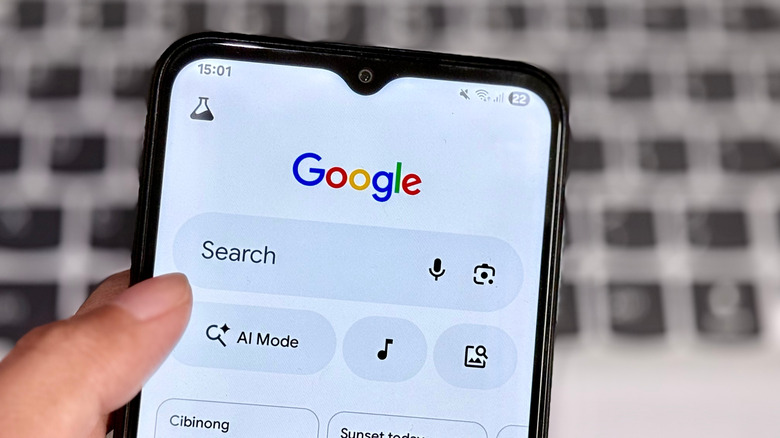
Google runs many major brands while also positioning itself as the most advanced search engine around. It's no secret that this company collects a chunk of your user data for everything from a personalized experience to optimal app functionality. It's a broad approach that can feel very invasive for users, which is why you should head to the app's settings to mitigate these data collection practices. Tap on your profile picture, and you should see a tab for "Search personalization." Aside from disabling "Personalize search," you should also scroll down to "My Ad Center" and turn off personalized ads entirely for more privacy.
Once this is done, the next step is to tap on "Manage your Google account." Go to "Third-party apps and services" to monitor any application connected to your ID and delete any connections if you don't want your privacy to be compromised. However, the biggest impact will be made in the "Data and privacy" section, where you can find a bunch of options that can be disabled to prevent Google's invasive practices from accessing your data. Along with the "Personalize Search" and "My Ad Center" tabs that we've already discussed before, you can also disable options to prevent personalized Google Play recommendations. Along with this, "Web & App Activity," "Google Play History," "YouTube History," and "Timeline" are all sections where you should ideally disable everything for heightened data privacy.
9. Spotify
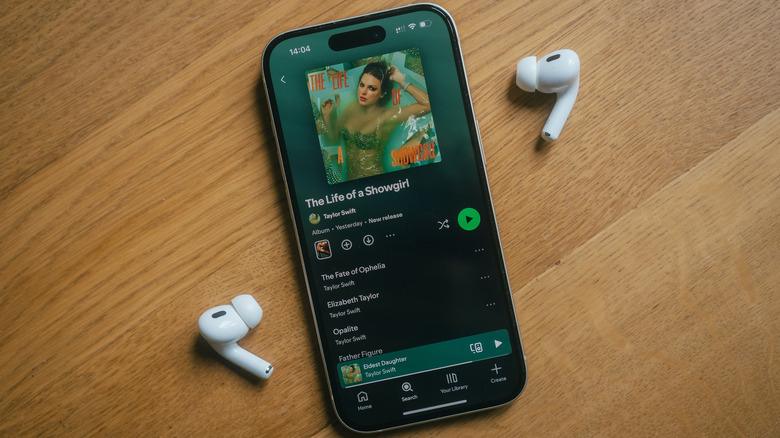
One of the most uncomfortable truths about using Spotify is that the company doesn't have the greatest track record with activity tracking. After all, it tried to patent, per Justia Patents, an invasive speech recognition tool in 2018 that would gauge a person's mood based on the tone of their voice and recommend music to them accordingly. Online petitions and stern letters from advocacy groups forced Spotify to back down, although the patent is still active. It also doesn't help that the company wasn't transparent about how it used users' personal data back in 2019. Since this was in violation of Article 15 of the European General Data Protection Regulation (GDPR), Spotify was fined €5.4 million by the European Union.
With this spotty history, you better disable any of Spotify's invasive data tracking practices. Tap on your profile picture in the app to bring up a menu that contains the "Settings and privacy" tab. Go to "Privacy and social" and scroll all the way down to uncover a clickable link that redirects you to the "Account Privacy" page on a separate webpage. From here, you can disable options to prevent your data from being used for tailored ads. You can also download any data collected by Spotify for more transparency on the information being tracked by this company. Your account data can be prepared and downloaded in five days, while your streaming history and technical log information will take around a month.
10. Snapchat
For a messaging app with a focus on photos, Snapchat collects a decent chunk of user data. Aside from personal information you provide during sign up, Snapchat also uses your snaps and content to train its AI tools and show you tailored ads. Your location data is also used to power its unique — and invasive — Snap Map feature, which is an arrow straight through the heart of your privacy. If you don't want stalkers to know where you are, activate Ghost Mode in Snapchat's settings.
To take things a step further, tap on your profile picture to bring up your account page, with a gear icon at the top right letting you access these settings. From here, tap on "Permissions" under the "Additional services" section, and you'll see a list of permissions. Tapping on one of these options brings up the app permissions page, where you can disable location sharing and anything else that doesn't sit right with you.
Once done, go back to the Settings page and check out "Privacy controls." Here you'll find the options to give you greater control over the personal data that is fed to this platform. "My Data" lets you download all the data farmed by this platform to see what exactly is being harvested on your end. You can also prevent your Snaps and videos from training Snapchat's generative AI tools in "Generative AI Settings," while also deleting any previously accumulated data in the fittingly-named "Delete My AI data" section.
11. TikTok
TikTok has been a privacy nightmare ever since it became one of the most popular social media apps in the U.S. Since its parent company, ByteDance, is based in China, most people already had concerns about any potential intervention by the Chinese government when it came to their data. India outright banned the app not long after it gained steam as a popular social media platform, and it wasn't until TikTok split its U.S. operations from the rest of the app's global operations that talks of the app getting banned in the country died down. This isn't a reason to become complacent with TikTok's data tracking, especially with its content recommendation algorithm being licensed to Oracle this year. This company is headed by Larry Ellison, whose companies have faced backlash before for violating users privacy, per Tech HQ. Suffice it to say, your data may not be in the best hands with all these parties at play.
Secure your data on TikTok by heading to the app's privacy settings and clearing your data. On the same note, make sure you're not voluntarily providing anything other than what's required on the personal information front to this app. If you want to go the extra mile to prevent your activity from being tracked, you can even use a VPN and run TikTok with this service enabled. Just make sure to opt for a trustworthy paid VPN service instead of a shady free one.