

The 10 Best Gaming Controllers You Can Buy In 2026
We may receive a commission on purchases made from links.
Gaming has become such a widespread hobby that the sheer number of peripherals you can get your hands on to augment your gaming experience is gargantuan. From gaming monitors that are perfect for your PlayStation 5, Xbox Series X, or PC, all the way to gaming headsets that are either expensive or budget-friendly, you'll find yourself wanting to buy every gaming accessory under the sun. Even your furniture can be upgraded in this regard, with gaming chairs and desks ergonomically designed to ensure the highest possible comfort.
However, as enticing as these accessories may be, the first thing most people will want to zero in on is a controller that will serve them well in the long run. Even if you're a hardcore PC gamer, there are only so many games that are optimized to work with a keyboard and mouse. Many titles, including "Hades," the "Yakuza" series, and "Hollow Knight: Silksong," make it infinitely clear that playing with a gamepad is the way to go, which makes it important to do your research and see which gaming controller will be perfect for you in 2026.
Xbox Elite Wireless Controller Series 2
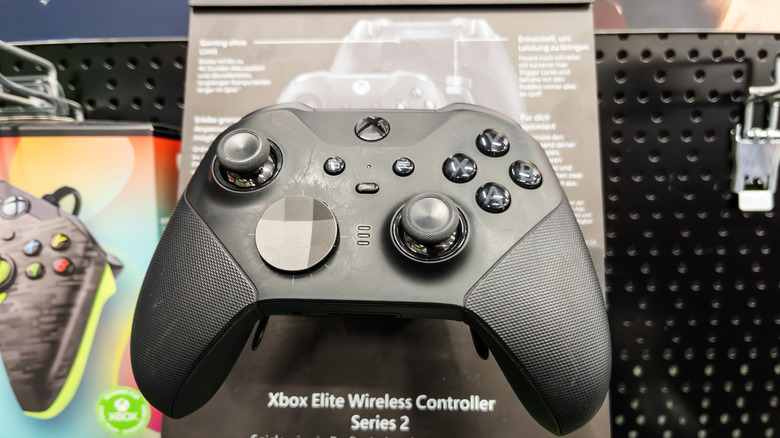
A regular Xbox Wireless Controller is compatible with both consoles and Windows PCs, making it the easiest recommendation for people who want a no-nonsense controller that connects to their system of choice. However, if you have a higher budget, you can go a step further and get the Xbox Elite Wireless Controller Series 2. For a reasonable price of $132.05, this controller offers multiple features that will help you customize your gaming experience however you see fit. As one would expect from a controller tailor-made for hardcore gamers, the components of the Elite Wireless Controller are interchangeable, letting you switch out the thumbsticks, D-pad, and rear paddles as and when you see fit. Unfortunately, these don't come with the controller itself and need to be bought separately.
You can also adjust the tension of your analog sticks with a small screwdriver to one of three settings, increasing or decreasing their resistance. The triggers can also be adjusted via a pair of stop level switches at the back, letting you enjoy the benefit of shorter hair trigger locks and actuate your on-screen action instantly, instead of having to press down harder than you'd like. The rubber grip is another design perk and helps this controller feel safe and secure in your hands. With the Xbox accessories app, you can set up three custom controller profiles for the Elite Series 2 and switch between them courtesy of the profile button, placed conveniently above the D-pad. Finally, if you want to personalize this controller to the nines, then head over to the Xbox Design Lab to make a custom controller and accessories, making a tailor-made Elite Series 2 controller that's in line with what you want.
DualSense Edge
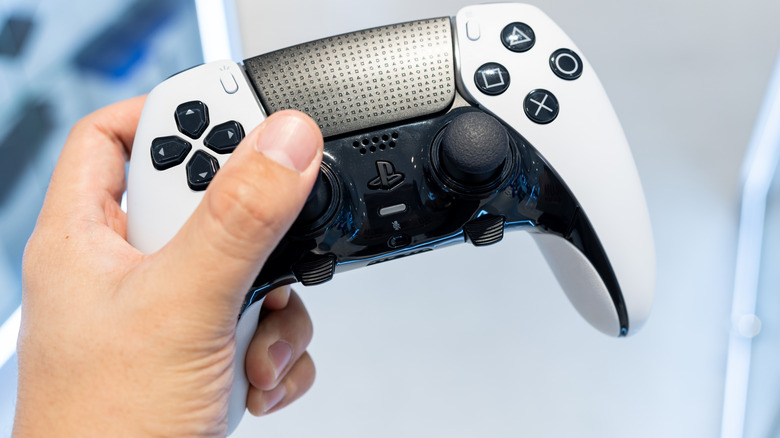
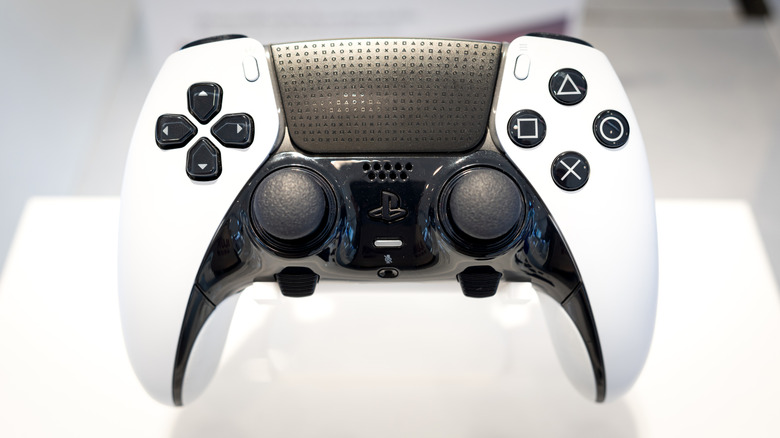
The DualSense is a Sony PlayStation controller that had a major impact at launch. The inclusion of haptic feedback and adaptive triggers unlocks a whole new level of immersion, making it a perfect accompaniment to the PS5. You can splurge a bit more to get your hands on a customizable variant of this controller. The DualSense Edge can currently be yours for $169 — $30 less than its launch price, making it a far more appealing package for anyone who thought $200 was a bit too much for a controller.
Customization is the DualSense Edge's forte. The thumbstick caps aren't the only part of this gamepad that can be removed; players can replace the stick module to avoid the dreaded stick drift issue and enhance this controller's longevity without buying a new unit. A slider at the back of your controller lets you choose between one of three possible travel lengths for your triggers. Even the back buttons can be switched around to whatever paddle you desire, letting you map this function to something important that can be triggered on the fly.
While the advanced haptics of this controller are best enjoyed on a PS5, you can connect a USB cable to a PC to enjoy a somewhat muted version of this vibration feedback on supported titles. This can be locked in place with a connector housing to ensure that the cable doesn't disconnect at an inopportune moment. The two function buttons under the thumbsticks can be pressed along with the face buttons to switch between four controller profiles.
Steam Controller
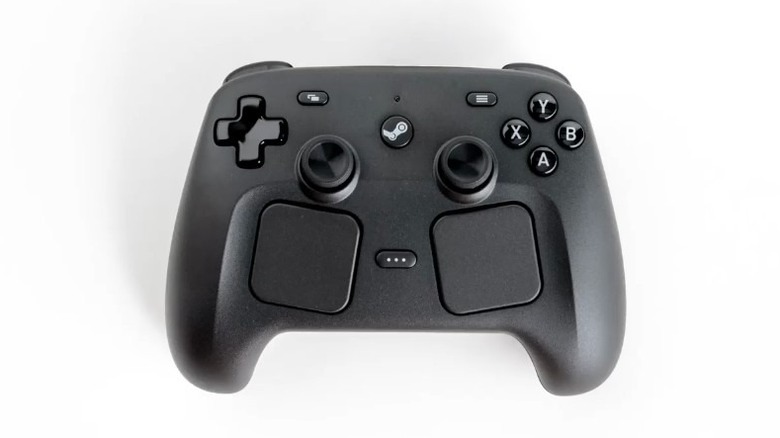
When the original Steam Controller came out, many were underwhelmed by how experimental the entire package was. The dual touchpads were a neat idea, but came with far too many compromises, making the controller feel wonky and ill-suited for a wide variety of games. Fast forward to 2026, and the narrative has officially changed — the original version walked so that the 2026 Steam Controller version could run.
The $99 price tag alone helped Valve's new Steam Controller sell out in no time. The puck that comes with this controller doubles as both a wireless adapter and charger, serving as a clever two-in-one solution. Of course, you can connect via a regular Bluetooth connection, although the puck will reduce input lag considerably. The magnetic thumbsticks are powered by TMR (Tunneling Magnetoresistance) technology, which is clearly going to be the industry standard for modern controllers. It eliminates the problem of the potentiometers wearing down and causing stick drift issues — a problem in gamepads with mechanical joysticks. You can also use gyro aiming on the fly by triggering Grip Sense, which uses capacitive touch sensors on the back of the controller's grip to toggle the same.
Since Valve has made a gamepad specifically for PC gamers, it's only natural that the Steam Controller offers numerous input options, making it compatible with a wide array of games. The two trackpads let you play games optimized for keyboard-mouse inputs more naturally, while the four remappable back buttons help this controller support games with complex controls. However, for all its positives, the Steam Controller only supports SteamOS. This means that games launched through other gaming clients, such as Xbox or the Epic Games Store, won't support this controller's input.
Razer Wolverine V3 Pro 8K
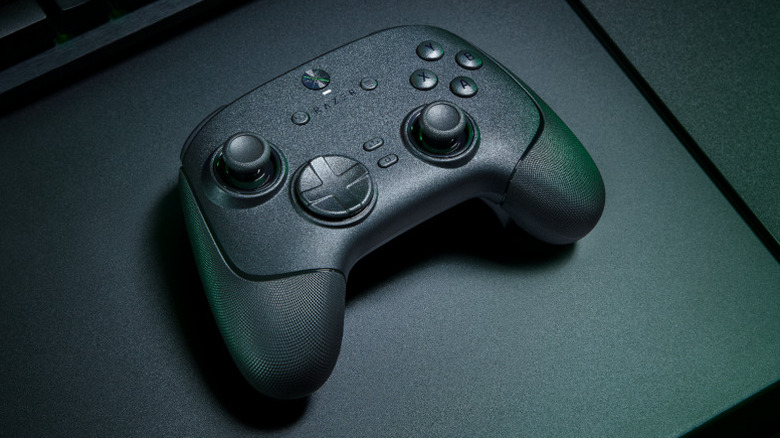
For the uninitiated, polling rate refers to the number of times per second that a controller sends its input over to your gaming PC or console. If a controller boasts a polling rate of 8,000 Hz, then you best believe that it's tailor-made for competitive gaming. Such is the case with the $189.99 Razer Wolverine V3 Pro 8K, which aims to minimize latency for any serious competitive gamer who doesn't want to blame input lag for their losses. In fact, the controller is so focused on reducing lag that it doesn't even support a regular Bluetooth connection! The only way to connect the Razer Wolverine V3 Pro 8K wirelessly is via a dongle, which is inconvenient but eliminates the latency problem seen in standard Bluetooth connections.
The TMR thumbsticks allow for more precise input while ensuring controller reliability. You can also switch out the thumbstick caps to suit a wide array of games. Along with this, the Hall effect HyperTriggers can switch between single-press and rapid-fire modes, giving you the edge you need in titles where a split-second input can be the difference between in-game life and death.
A huge perk of the Razer Wolverine V3 Pro is its six additional remappable buttons. Aside from the four back buttons, there are two claw-grip shoulder buttons that make this gamepad suitable for a wide array of complex, input-heavy titles. The PBT (polybutylene terephthalate) face buttons won't wear off after heavy use, retaining a textured grip that makes them snappy and satisfying to use for the long haul. These can also be remapped via the Razer Synapse 4 tool, which also lets you adjust the calibration and sensitivity of the controller's thumbsticks.
SCUF Valor Pro
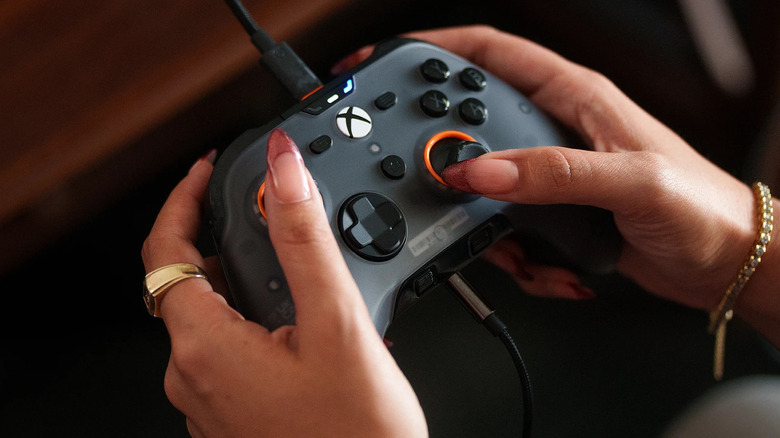
A controller that can connect to both an Xbox console and a gaming PC, the SCUF Valor Pro is one of the best third-party Xbox Series X controllers, according to users. The TMR thumbsticks are reliable and precise, while the triggers can switch between rapid presses and regular analog input, based on your requirements. The four back buttons may not have the most optimal placement, but mapping them is optional, and most players will get used to their positioning after a while.
Snappy feedback, satisfying mechanical clicks, durable materials, and a comfortable grip make the SCUF Valor Pro's build quality one of its defining aspects. If the controller's functional design becomes boring to look at after a while, you can always use magnetic faceplates to improve its aesthetics. The wireless variant of this controller currently costs $164.99, a price many people ought to be willing to pay for a gamepad designed specifically for competitive gaming.
GameSir G7 Pro Tri-Mode
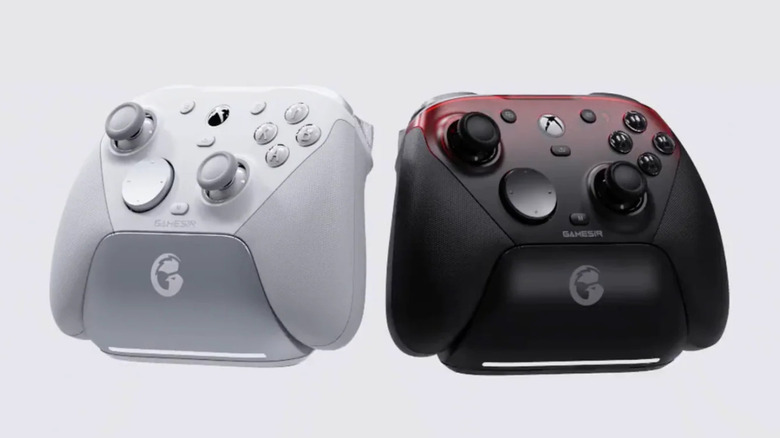
Who said that all state-of-the-art gaming controllers in 2026 need to cost an arm and a leg? Not only is the GameSir G7 Pro Tri-Mode a feature-rich gamepad perfect for any serious gamer, but it also lets you enjoy its perks for the criminally low price of $79.99. This makes it one of the cheapest controllers mentioned here and well worth the investment for people who want a controller that works on their Xbox console, gaming PC, and even an Android device, if they wish.
Seriously, the list of features that the GameSir G7 Pro Tri-Mode boasts is nothing short of remarkable. TMR thumbsticks? Check. Hall effect triggers that switch between analog and rapid-fire input? Check. Support for gyroscope controls? Check. Four additional buttons, consisting of two additional shoulder bumpers and two lockable rear paddles? Check. A 1,000 Hz polling rate to minimize input lag? Check. Swappable magnetic faceplates and D-pay layouts? Check. On top of all this, you can download the GameSir Nexus app to set up multiple controller profiles, browse gyro settings, map controller buttons to mouse inputs, and even adjust the stick curve.
Now, given the price tag, there are some areas where the GameSir G7 Pro Tri-Mode makes some noticeable compromises. The D-pad's feedback is underwhelming, and this controller can only connect to the Xbox Series X/S via a wired connection. Swappable thumbsticks are an industry standard for most advanced controllers, but the G7 lacks this coveted feature. People who like an RGB backlight on their controllers will also miss it on this gamepad. However, all these caveats are minor when compared to the GameSir G7 Pro's attractive price tag and suite of features.
8BitDo Ultimate 2
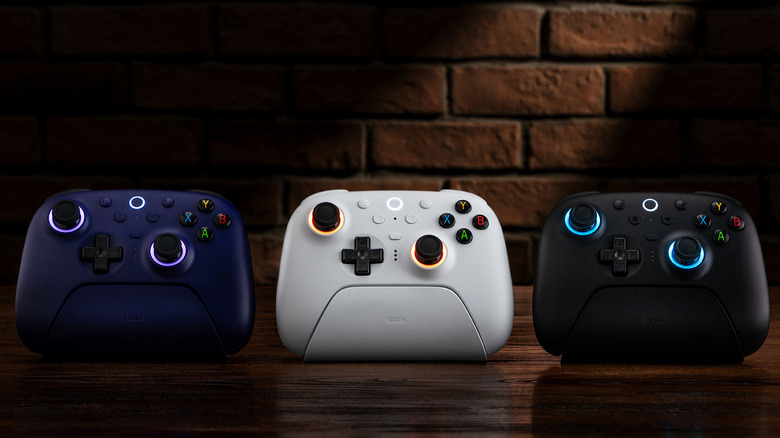
It's time to stop thinking that 8BitDo is a company best-suited for making modern retro controllers. The 8BitDo Ultimate 2 will dispel these notions in no time. If you thought that the GameSir G7 Pro was affordable, then the 8BitDo Ultimate 2's price point will knock you off your feet. An argument can be made that, for $59.99, the Ultimate 2 is a far better value-for-money offering. Many bells and whistles mentioned before are present in this feature-rich gamepad. TMR joysticks, Hall effect triggers, a polling rate of 1,000 Hz, and four additional buttons — which, just like the GameSir G7 Pro, consist of two shoulder and back buttons each — are all much-welcome and make the 8BitDo Ultimate 2 an excellent choice if you're in the market for an affordable controller.
The 8BitDo Ultimate Software V2 program lets you change controller mappings, adjust stick deadzones, change the range of the trigger buttons, modify vibration strength, and even set up macros across one of three separate profiles. It even includes RGB lighting for its analog sticks. These can be programmed to run one of three modes. Fire Ring mode keeps the RGB lighting on at all times; Light-tracing mode reacts organically to your joystick input; and Rainbow Ring mode causes the lighting to change colors periodically. On top of all this, the 8BitDo Ultimate 2 — and we can't stress enough just how welcome an addition this is — also includes the charging dock! The cherry on top of this incredible offering is the extensive list of devices that the Ultimate 2 supports. You can connect this controller to a device running Windows, SteamOS, Android, or any Apple OS, making it a jack-of-all-trades.
ASUS ROG Raikiri II
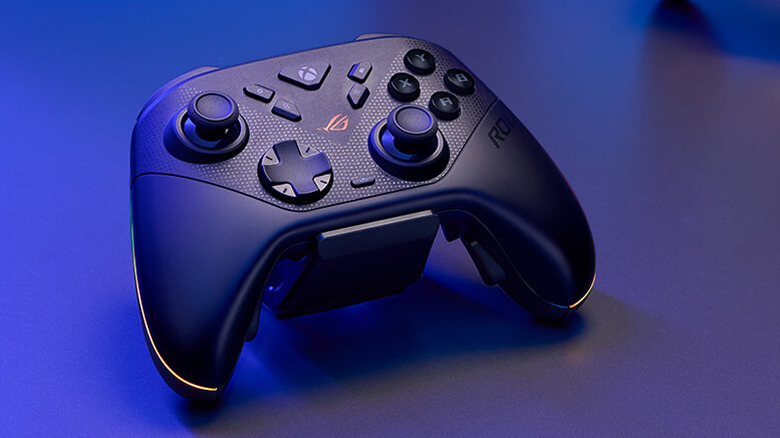
After talking about two comparatively cheap controllers, shelling out $189.99 for the ASUS ROG Raikiri II may seem a bit excessive. However, despite the lack of removable back buttons, a limited polling rate of 250 Hz on Xbox consoles, and a charging dock that feels rather cheaply made — even if this controller deserves its due props for adding a dock to the base purchase in the first place — the ASUS ROG Raikiri II has its fair share of quality features that make it worthwhile upgrade to the previous Raikiri generation.
The design is one of its biggest highlights, with the anti-slip grip and a weight of just over 12 ounces making it as ergonomic as can be. As one would expect from a premium controller, the interchangeable joysticks are powered by TMR technology, and two additional thumbstick caps are included with the controller. A 1,000 Hz polling rate on PC is great for lower input lag, and the dual-mode triggers are a nice touch. One huge perk of the Raikiri II is its incredible battery life, stretching for up to 50 hours when RGB, controller audio, and vibration are turned off. As with most other high-end controllers, a third-party web-based app called Gear Link is perfect for setting up five different profiles with customizable controller mappings, vibration strength, joystick curves, and RGB lighting.
Logitech G Pro Racing Wheel
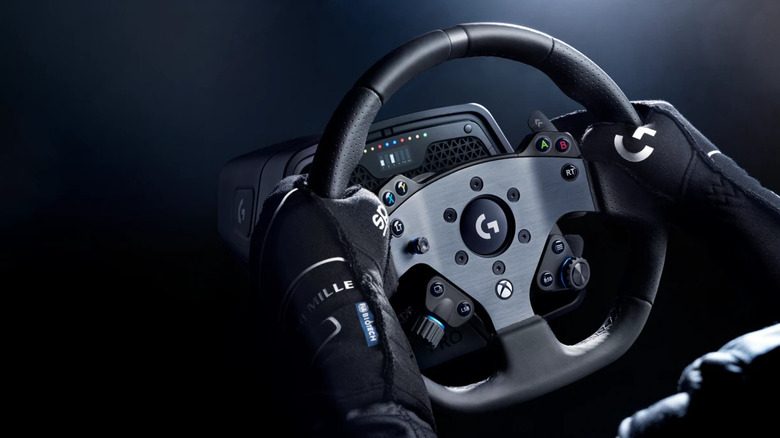
While a controller may be serviceable enough to play driving games, racing sim aficionados will undoubtedly prefer a racing wheel to enhance their gameplay experience in titles like "Forza Horizon 6," "Assetto Corsa," "BeamNG.drive," and "F1 26," to name a few. This is where the Logitech G Pro Racing Wheel steps in as one of the best accessories to pair with your driving games, but it's also priced at an exorbitant $999.99, making it the most expensive gaming controller on this list by quite some margin.
Thankfully, this price tag is justified by the many features of the Logitech G Pro Racing Wheel, which make it a superior racing wheel. Trueforce technology translates in-game physics, road conditions, and other such feedback to heighten the sense of immersion behind the wheel. It's a shame that support for this feature is limited to specific titles.
Its direct-drive motor, with a measured torque of 11 Nm, provides amazing feedback and lets you feel the strain of every turn. The magnetic gear shifts are powered by hall-effect technology, making them precise and sturdy in equal measure. Along with this, the dual clutch paddles can be customized however you wish to become an efficient speed demon in your favorite racing games. The onboard buttons let you switch between five different racing profiles with ease, and the LED dashboard gives you some much-needed visual feedback. As long as your racing sim setup is sturdy enough to support this heavy racing wheel, the Logitech G Pro will become an integral part of your sim setup in no time.
Razer Kitsune
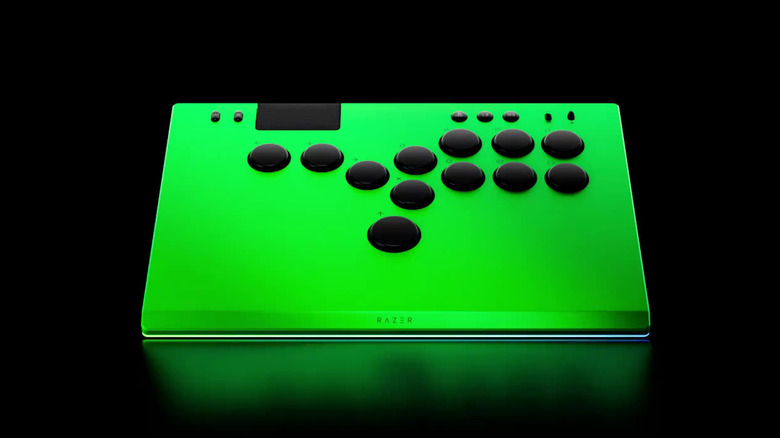
Any fighting game expert worth their salt is aware of the superiority of arcade controllers over regular joysticks for playing fighting games. Even with "Street Fighter 6" providing a simpler control scheme to land combos reliably, it still recognizes the superiority of arcade controls by enhancing the damage of combos carried out the old-fashioned way. This is why a proper arcade controller, like the Razer Kitsune, is coveted among genre fans who are serious about competitive matchups.
Precision controls are very satisfying to use on the Razer Kitsune, with its buttons providing solid feedback and ultra-fast input without being too loud. A sturdy, removable aluminum body and a textured, non-slip rubber grip at the bottom guarantee top-notch build quality, yet it weighs just under 2 pounds and is impressively thin, measuring less than 2 cm. For fighting game newbies, dropping $216.99 for a controller with a steep learning curve may not be ideal, but buyers will be able to make use of the Razer Kitsune's well-designed 12-button layout to combo their foes to oblivion. The RGB lighting is also a nice touch.
One standout feature that makes the Razer Kitsune an incredible fighting game controller is its SOCD modes. Short for Simultaneous Opposing Cardinal Directions, this happens when multiple movement keys are pressed at the same time. To prevent input confusion, you can switch between four modes based on your playstyle. Neutral Mode cancels out any input; Absolute Up Priority only registers the Up movement key; Last Input Priority does what is stated and prioritizes the last input made by the player; and First Input Priority does the exact opposite.
Methodology
Any recent gaming controller with review scores equal to or higher than 4 out of 5, 8 out of 10, or 80 out of 100 across three or more reputable review outlets has been deemed worthy of a mention. These publications include IGN, GamesRadar, PCMag, Techaeris, PowerUp!, CNET, Tom's Guide, Pocket-lint, CGMagazine, T3, PCGamesN, TechRadar, WIRED, PCGamer, Windows Central, GamingTrend, TheSixthAxis, and GTPlanet.