

4 iPad Gaming Accessories That Will Transform How You Play
We may receive a commission on purchases made from links.
iPads have become increasingly powerful to the point where there are cheap ways to turn your tablet into a laptop replacement, so it stands to reason that they also make great gaming machines. There are plenty of games built specifically for tablets, and iPad users can subscribe to Apple Arcade for a library of over 200 ad and microtransaction-free titles. That said, if you really want to get the most out of gaming on your iPad, you'll need to invest in some accessories.
In recent years, AAA developers have ported major, graphically intense titles built for PC and consoles like "Resident Evil Village," "Death Stranding," and "Assassin's Creed Mirage" to iPadOS. You can also stream games to your tablet with Xbox Cloud Gaming, PS Remote Play, Nvidia GeForce NOW, and more. Many of these games require a controller, but even those with flexible options are generally more comfortable with a controller than with touch controls.
In addition to a good controller, there are other accessories that fill in some of the iPad's gaps and make your tablet gaming experience more comfortable overall. Here are some accessories that will change the way you play on iPad.
8BitDo Pro 2 controller
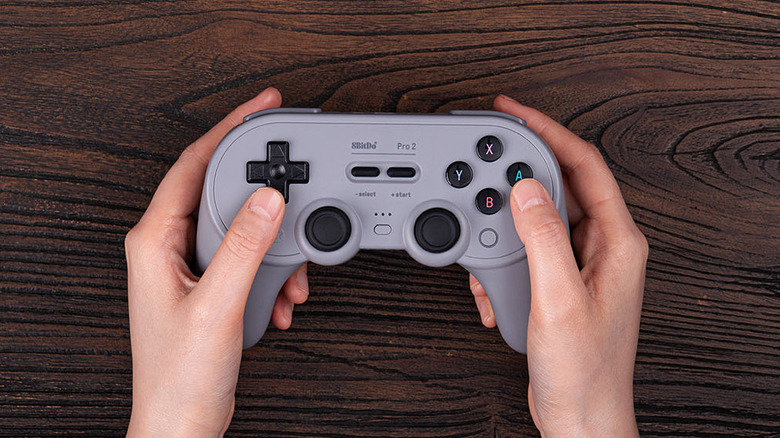
If you play games on other devices, odds are, you have a controller you like using. Pretty much any Bluetooth gaming controller can be connected to your iPad, including the Xbox Wireless Controller, PlayStation 5 DualSense, Nintendo Switch Pro Controller, and even the Switch's Joy-Cons. That said, if you're looking to get a gaming controller specifically for your iPad, the 8BitDo Pro 2 is a good choice.
At a list price of $49.99, the 8BitDo Pro 2 is more affordable than the big name controllers, and it's also compatible with a range of devices, including Nintendo Switch 2, PC, iOS, and macOS. Notably, it uses hall effect joysticks, which are designed to last longer and not develop stick drift, avoiding a major complaint with other gaming controllers. It also has 4.4 stars on Amazon and over 600 five-star reviews from customers, one of whom called it an "upgrade" over the Switch Pro Controller.
Some users swear by accessories that turn your iPad into a handheld gaming system, like the Razer Kishi or GameSir G8+ MFi, but they definitely aren't for everyone. These kinds of mobile gaming controllers are perfect for smartphones and smaller tablets, but your standard 11-inch and 13-inch iPads may feel bulky or heavy for long gaming sessions. It's a matter of preference, but if you're unsure, Bluetooth controllers like the 8Bitdo Pro 2 are a safe bet that will improve your iPad gaming experience.
UGREEN Revodok Pro USB-C Hub 6 in 1
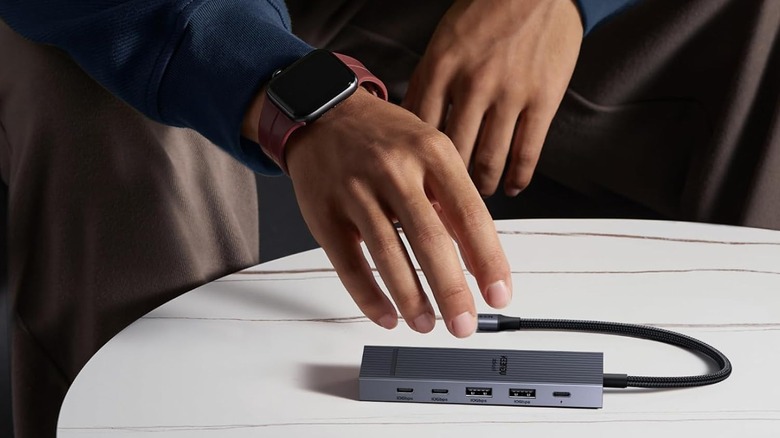
Since the iPad only has one USB-C port, you'll need a peripheral if you want to use another wired accessory with your iPad while it charges. That's especially important if you play on your tablet, as running games drains your battery way faster than browsing or streaming. Getting a USB-C hub will give you spaces to plug in devices, including USB-A and HDMI cables that you would otherwise need an adapter to use with your iPad.
There are a lot of options out there, but my pick is the UGREEN Revodok Pro USB-C Hub six in one, which adds two USB-C, two USB-A, one HDMI, and one charging port. It has a list price of $21.99 on Amazon and often goes on sale for $15.98, making it less expensive than the premium ones, while its braided cable makes it sturdier than other devices in its price range. The hub has 4.5 stars and over 1,300 five-star reviews from customers praising its reliability, versatility, and overall value.
Anker USB-C to Ethernet Adapter
The average iPad user probably doesn't need to wire their device to the internet, as Wi-Fi is far more convenient, particularly for a device like the iPad whose main draw is portability. However, if you're planning to do a lot of cloud gaming on your tablet, it's pretty much essential. After all, streaming a game is far more demanding than watching YouTube or Netflix.
Even in 2026, cloud gaming is still a work in progress. While many of the factors that impact the performance of services like Xbox Cloud Gaming and Amazon Luna come down to game optimization and capacity on the provider's side, your own network connection plays a huge role. Ethernet remains more reliable than Wi-Fi, so it's the way to go if you want a smoother gameplay experience with reduced lag and latency.
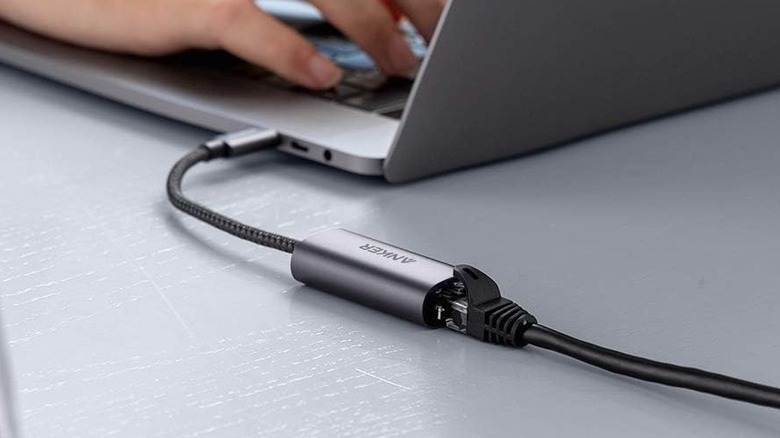
You can get a hub with an Ethernet port, though these are usually more expensive than the UGREEN Revodok Pro and may come with fewer ports. The Anker USB-C to Ethernet Adapter is a good option if you're strictly looking for an adapter. At $25.99, the adapter may seem a bit pricey for what it is, but its 4.8 stars and over 900 five-star reviews on Amazon indicate it's reliable on iPad. One reviewer even calls it "The One You Want for Apple Products," noting it works better than the cheaper options.
KUXIU X33 Pro MAX iPad Magnetic Charging Stand
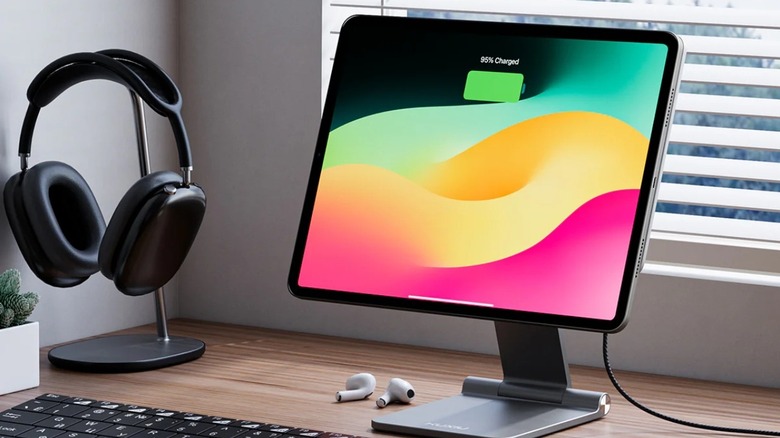
If you're gaming on your iPad and not using it as a handheld, a stand is a great way to adjust the screen to a comfortable spot. The KUXIU X33 Pro MAX iPad Magnetic Charging Stand allows you to set your tablet up like a more mobile monitor, and it has the added bonus of wirelessly charging your device while you're using it.
Since the iPad does not have Apple's MagSafe technology used to charge iPhones and AirPods, wireless charging options are incredibly limited. The KUXIU X33 Pro MAX is one of the few accessories to use the iPad's Smart Connector, which allows accessories like the Magic Keyboard to transfer power and data between devices. Given how much games can drain the battery, you'll definitely want to keep your iPad connected to a power source, and this frees up the sole port if you don't have a USB-C hub.
At $95.99, KUXIU's stand isn't cheap, and its use of the Smart Connector tech presents some other issues. Because of the design, the stand only works with iPads that have their pins on the back. Additionally, as with the Magic Keyboard, the use of the pins makes it hard to find a case that works with it. KUXIU offers its own cases made to use with its stand, but they aren't cheap and, as of this writing, most models are sold out. Still, KUXIU X33 Pro MAX is a worthwhile investment for anyone with a compatible iPad who wants to use their tablet as a gaming machine.